利用powershell自动获取SOHO太阳图像并设置为壁纸
·
最近太阳活动比较频繁,想写一个脚本实现自动获取SOHO卫星的LASCO C3图像并设置成桌面壁纸,顺便找找冲日彗星。
实现途径:powershell、task sheduler
nasa的lasco c3网址:https://soho.nascom.nasa.gov/data/realtime/c3/1024/latest.html
打开powershell,输入ise,使用ise编辑ps1脚本
找到一个更换壁纸的powershell函数,style设置为center:
function Set-Wallpaper
{
    param(
        [Parameter(Mandatory=$true)]
        $Path,

        [ValidateSet('Center', 'Stretch')]
        $Style = 'center'
    )

    Add-Type @"
using System;
using System.Runtime.InteropServices;
using Microsoft.Win32;
namespace Wallpaper
{
public enum Style : int
{
Center, Stretch
}
public class Setter {
public const int SetDesktopWallpaper = 20;
public const int UpdateIniFile = 0x01;
public const int SendWinIniChange = 0x02;
[DllImport("user32.dll", SetLastError = true, CharSet = CharSet.Auto)]
private static extern int SystemParametersInfo (int uAction, int uParam, string lpvParam, int fuWinIni);
public static void SetWallpaper ( string path, Wallpaper.Style style ) {
SystemParametersInfo( SetDesktopWallpaper, 0, path, UpdateIniFile | SendWinIniChange );
RegistryKey key = Registry.CurrentUser.OpenSubKey("Control Panel\\Desktop", true);
switch( style )
{
case Style.Stretch :
key.SetValue(@"WallpaperStyle", "2") ;
key.SetValue(@"TileWallpaper", "0") ;
break;
case Style.Center :
key.SetValue(@"WallpaperStyle", "1") ;
key.SetValue(@"TileWallpaper", "0") ;
break;
}
key.Close();
}
}
}
"@

    [Wallpaper.Setter]::SetWallpaper( $Path, $Style )
}
完整代码:
function Set-Wallpaper
{
    param(
        [Parameter(Mandatory=$true)]
        $Path,

        [ValidateSet('Center', 'Stretch')]
        $Style = 'center'
    )

    Add-Type @"
using System;
using System.Runtime.InteropServices;
using Microsoft.Win32;
namespace Wallpaper
{
public enum Style : int
{
Center, Stretch
}
public class Setter {
public const int SetDesktopWallpaper = 20;
public const int UpdateIniFile = 0x01;
public const int SendWinIniChange = 0x02;
[DllImport("user32.dll", SetLastError = true, CharSet = CharSet.Auto)]
private static extern int SystemParametersInfo (int uAction, int uParam, string lpvParam, int fuWinIni);
public static void SetWallpaper ( string path, Wallpaper.Style style ) {
SystemParametersInfo( SetDesktopWallpaper, 0, path, UpdateIniFile | SendWinIniChange );
RegistryKey key = Registry.CurrentUser.OpenSubKey("Control Panel\\Desktop", true);
switch( style )
{
case Style.Stretch :
key.SetValue(@"WallpaperStyle", "2") ;
key.SetValue(@"TileWallpaper", "0") ;
break;
case Style.Center :
key.SetValue(@"WallpaperStyle", "1") ;
key.SetValue(@"TileWallpaper", "0") ;
break;
}
key.Close();
}
}
}
"@

    [Wallpaper.Setter]::SetWallpaper( $Path, $Style )
}

echo Downloading LASCO C3 image...
$download_url = "https://soho.nascom.nasa.gov/data/realtime/c3/1024/latest.jpg"
$local_path = "D:\BG\bg.jpg"
$WebClient = New-Object System.Net.WebClient
$WebClient.DownloadFile($download_url, $local_path)
echo setting_wallpaper
Set-Wallpaper -Path 'D:\BG\bg.jpg'
echo done!
修改ExecutionPolicy ,使系统可以直接运行ps1脚本
Set-ExecutionPolicy -ExecutionPolicy Unrestricted -Scope LocalMachine

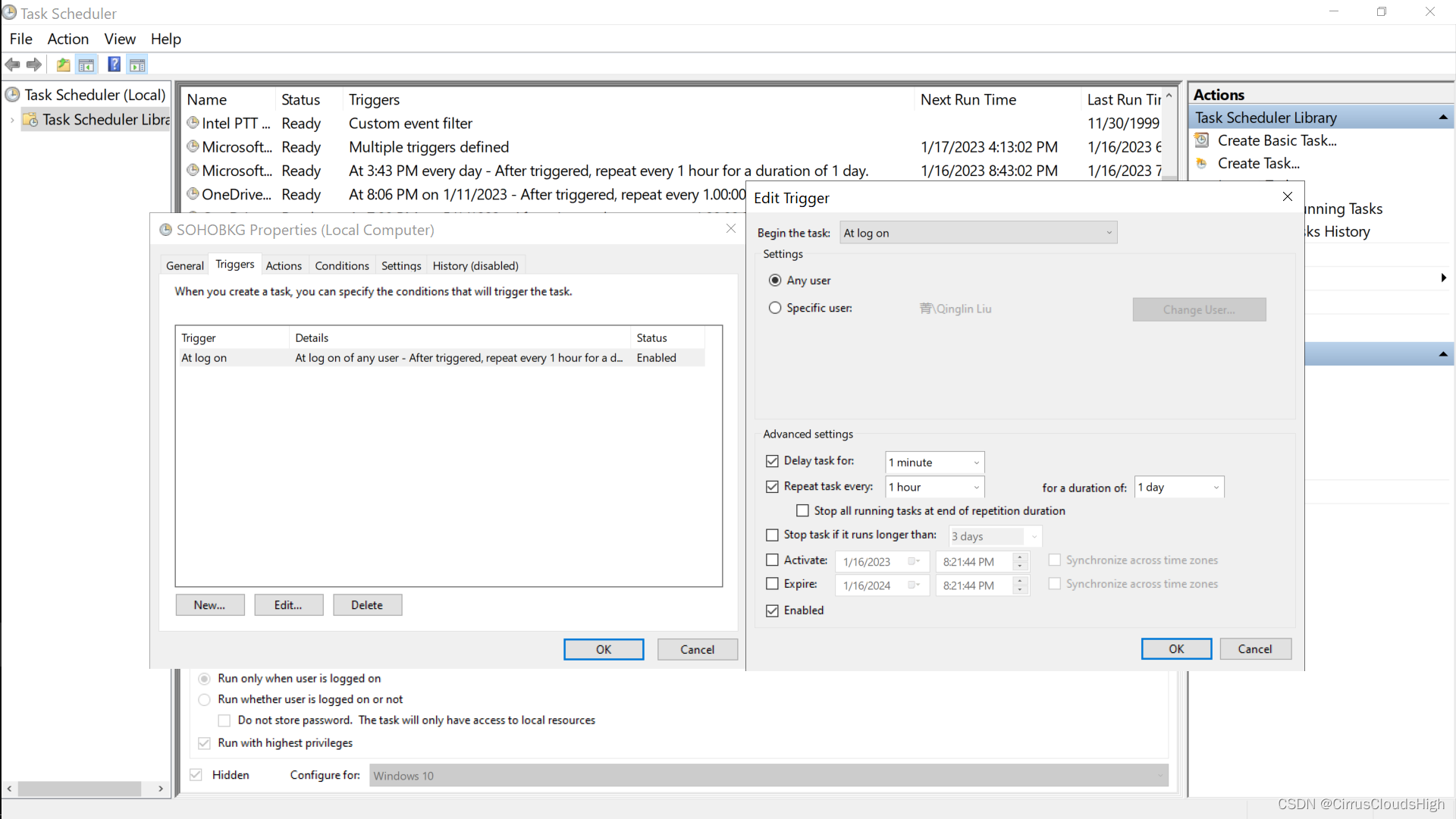
将脚本设置为task,start program设置为powershell,arguments设置为powershell -file D:\BG\setbg.ps1,登陆时触发,每小时重复一次:
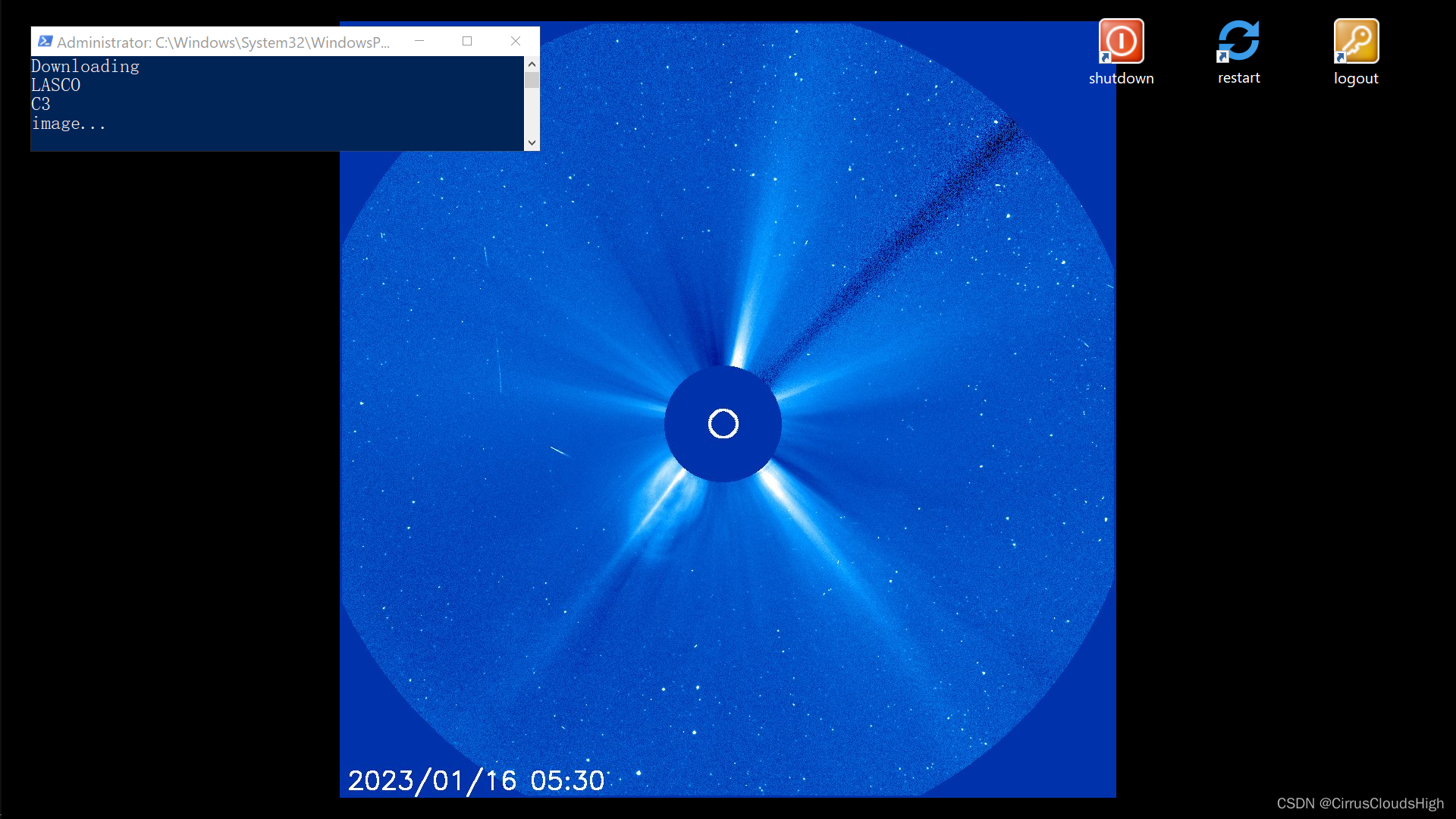
效果:

北京人形旗下天工造物具身智能开源社区,聚焦具身天工与慧思开物两大平台
更多推荐
 0
0 0
0- 0


 已为社区贡献1条内容

所有评论(0)