three.js学习(第四天)之环境遮挡贴图与强度
·
AO环境遮挡贴图
// 创建纹理
const textureLoader = new THREE.TextureLoader();
const doorColorTexture = textureLoader.load("src/assets/textures/door/color.jpg");
const doorAlphaTexture = textureLoader.load("src/assets/textures/door/alpha.jpg")
// 导入环境贴图
const doorAoTexture = textureLoader.load("src/assets/textures/door/ambientOcclusion.jpg")
// 添加物体:创建几何体
const geometry = new THREE.BoxBufferGeometry();
// 材质
const material = new THREE.MeshBasicMaterial({
  color:'#ffff00',
  map:doorColorTexture,
  alphaMap:doorAlphaTexture,
  transparent:true,
  aoMap:doorAoTexture,//设置环境遮挡贴图
})
  // 根据几何体和其材质创建物体
const cube = new THREE.Mesh(geometry, material);
// 将物体添加到场景中
scene.add(cube);
//添加平面
const planeGeometry =  new THREE.PlaneBufferGeometry(1,1)
const plane = new THREE.Mesh(
  planeGeometry,
  material
);
plane.position.set(3,0,0)
scene.add(plane)
// 给平面设置第二组uv
planeGeometry.setAttribute(
  "uv2",//第二个uv
  new THREE.BufferAttribute(planeGeometry.attributes.uv.array,2),//取原来的uv数组,设置两个为一组坐标
)
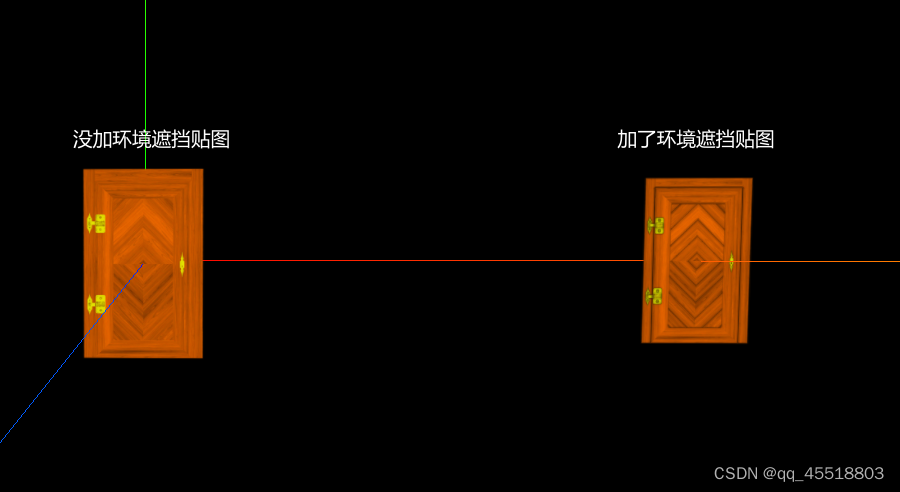
AO环境遮挡贴图
// 材质
const material = new THREE.MeshBasicMaterial({
  color:'#ffff00',
  map:doorColorTexture,
  alphaMap:doorAlphaTexture,
  transparent:true,
  side:THREE.DoubleSide,
  aoMap:doorAoTexture,//设置环境遮挡贴图
  aoMapIntensity:0.5,//遮挡强度默认为1
})

北京人形旗下天工造物具身智能开源社区,聚焦具身天工与慧思开物两大平台
更多推荐
 0
0 0
0- 0


 已为社区贡献1条内容

所有评论(0)