QML学习笔记(三十一)QML的Flow定位器
·
前言
本节将介绍一个名叫Flow的定位器,如含义所言,这种布局就像会流动一样,会根据组件数量、尺寸、父容器的大小自动适应布局。
一、代码演示
因为比较简单,我们直接看代码:
Window {
    visible: true
    width: 640
    height: 480
    title: qsTr("QmlFlow")

    Flow{
        anchors.fill: parent
        anchors.margins: 4
        spacing: 10

        Rectangle{
            id: topLeftRectId
            width: 100
            height: width
            color: "magenta"
            Text {
                anchors.centerIn: parent
                text: "1"
                font.pointSize: 20
            }
        }

        Rectangle{
            id: topCenterRectId
            width: 100
            height: width
            color: "yellowgreen"
            Text {
                anchors.centerIn: parent
                text: "2"
                font.pointSize: 20
            }
        }

        Rectangle{
            id: topRightRectId
            width: 100
            height: width
            color: "dodgerblue"
            Text {
                anchors.centerIn: parent
                text: "3"
                font.pointSize: 20
            }
        }

        Rectangle{
            id: centerLeftRectId
            width: 100
            height: width
            color: "red"
            Text {
                anchors.centerIn: parent
                text: "4"
                font.pointSize: 20
            }
        }

        Rectangle{
            id: centerCenterRectId
            width: 100
            height: width
            color: "green"
            Text {
                anchors.centerIn: parent
                text: "5"
                font.pointSize: 20
            }
        }

        Rectangle{
            id: centerRightRectId

            width: 100
            height: width
            color: "blue"
            Text {
                anchors.centerIn: parent
                text: "6"
                font.pointSize: 20
            }
        }

        Rectangle{
            id: bottomLeftRectId
            width: 100
            height: width
            color: "royalblue"
            Text {
                anchors.centerIn: parent
                text: "7"
                font.pointSize: 20
            }
        }

        Rectangle{
            id: bottomCenterRectId
            width: 100
            height: width
            color: "yellow"
            Text {
                anchors.centerIn: parent
                text: "8"
                font.pointSize: 20
            }
        }

        Rectangle{
            id: bottomRightRectId
            width: 100
            height: width
            color: "pink"
            Text {
                anchors.centerIn: parent
                text: "9"
                font.pointSize: 20
            }
        }
    }
}
代码很长,但也只是九宫格矩形而已。
我们聚焦在这几句:
    Flow{
        anchors.fill: parent
        anchors.margins: 4
        spacing: 10
//...}
它的使用非常简单,甚至不需要设置什么复杂的属性,这里只简单给了间距。
当然,Flow生效的前提是每一个组件都已经写了固定尺寸。
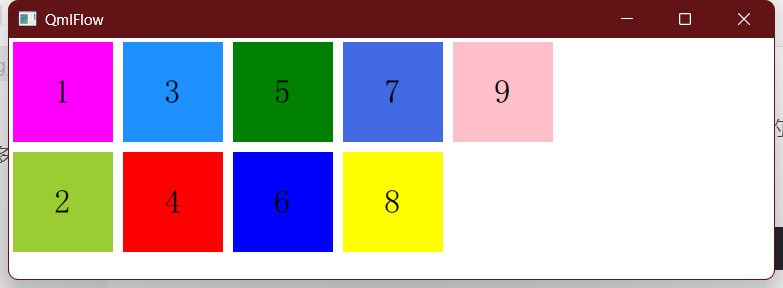
我们运行代码看看:
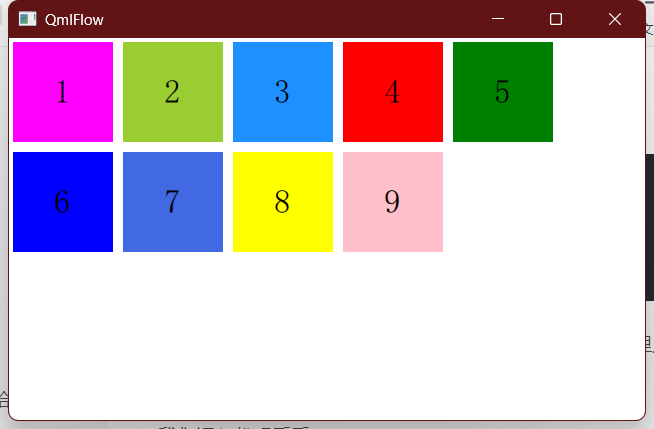
拖拽一下窗口:
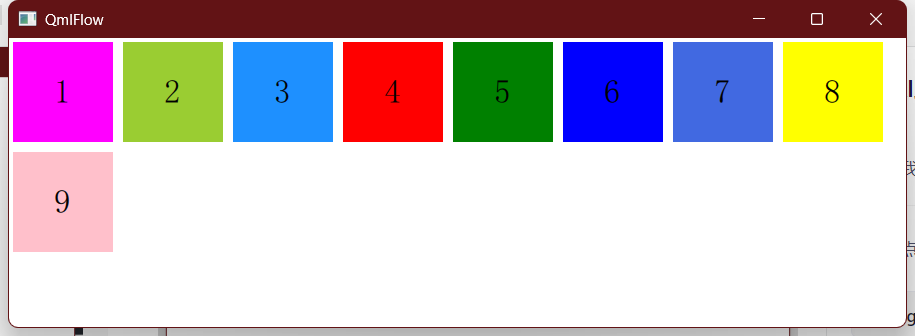
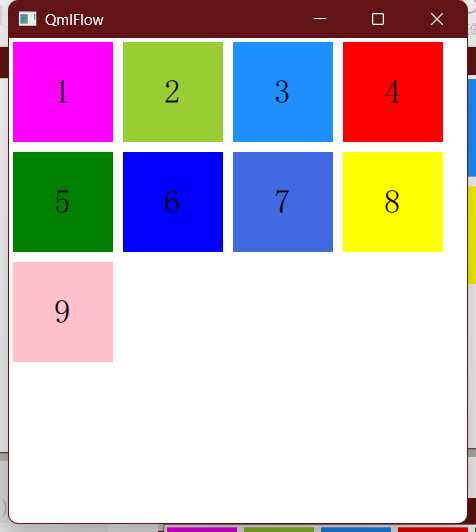
自动换行的效果非常丝滑,且在某种场合当中非常好用。
比如我们需要自己手搓一个文件管理器,需要在一个窗口内部实现多文件的排布,此时就可以用这种方式,就比较灵活了。
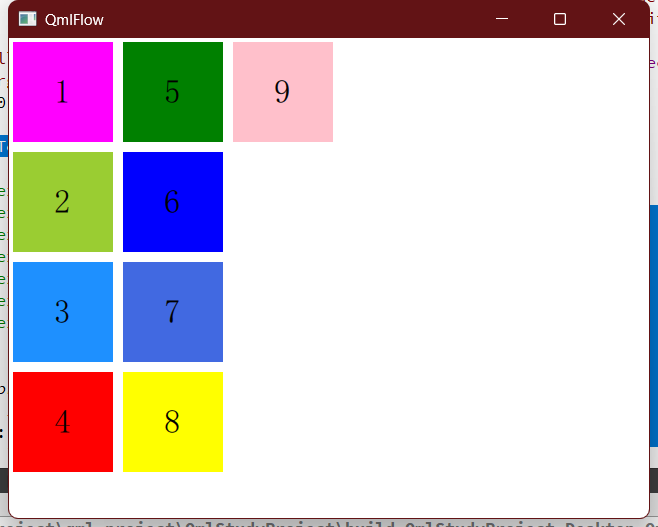
另外就是还有一个换行方向的问题,我们可以指定:
flow:Flow.TopToBottom
效果就会变成这样:
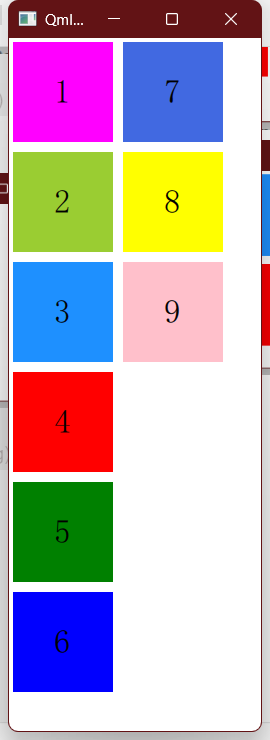
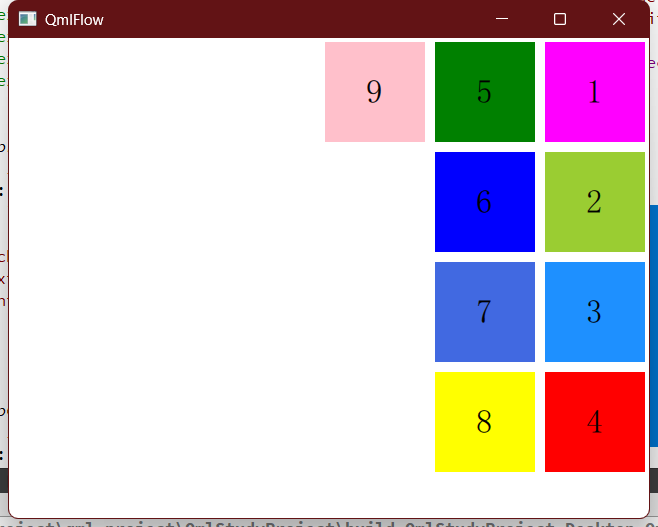
如果再加上:
layoutDirection: Qt.RightToLeft
二、总结
Flow的定位方式虽然没那么常用,但在某种场合下可能是一种更优的选择。至此,我们应该已经掌握了比较丰富的定位和布局方式了。

北京人形旗下天工造物具身智能开源社区,聚焦具身天工与慧思开物两大平台
更多推荐
 9
9 0
0- 0


 已为社区贡献2条内容

所有评论(0)