第十五种:Python接口自动化登录有验证码
·
1.在进行接口自动化测试时,经常会遇到登录接口需要验证码的情况
2.因为验证码的产生通常依赖人工操作,无法直接在代码中获取到验证码的值
一.手动输入验证码
1.在执行自动化测试时,会在登录页面截图,然后人工输入验证码
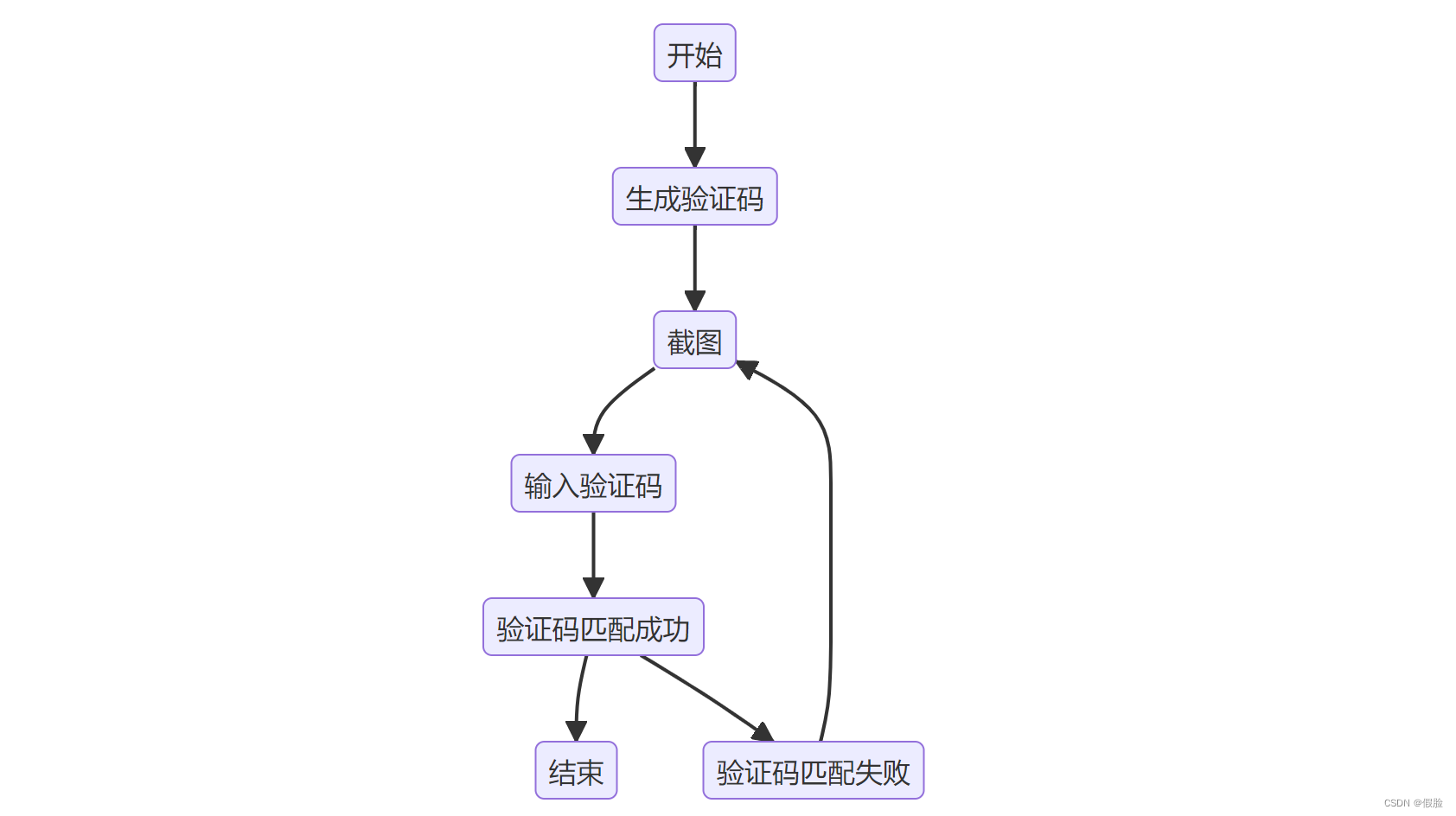
2.在这种方式下,需要手动输入验证码,并且需要通过图像处理库(如PIL)
3.和验证码识别库(如pytesseract)来获取验证码的文本值
4.然后再通过比较输入的验证码和预期的验证码来判断是否匹配
from PIL import Image
from pytesseract import pytesseract

# 生成验证码
def generate_verification_code(image_path):
    image = Image.open(image_path)
    # 使用pytesseract库获取验证码文本
    verification_code = pytesseract.image_to_string(image)
    return verification_code

# 输入验证码
def input_verification_code():
    verification_code = input('请输入验证码:')
    return verification_code

# 比较验证码是否匹配
def match_verification_code(verification_code, expected_code):
    if verification_code.lower() == expected_code.lower():
        return True
    else:
        return False

# 使用示例
# 生成验证码
verification_code = generate_verification_code('captcha.png')
# 输入验证码
input_code = input_verification_code()
# 比较验证码
if match_verification_code(input_code, verification_code):
    print('验证码匹配成功')
else:
    print('验证码匹配失败')
二.跳过验证码
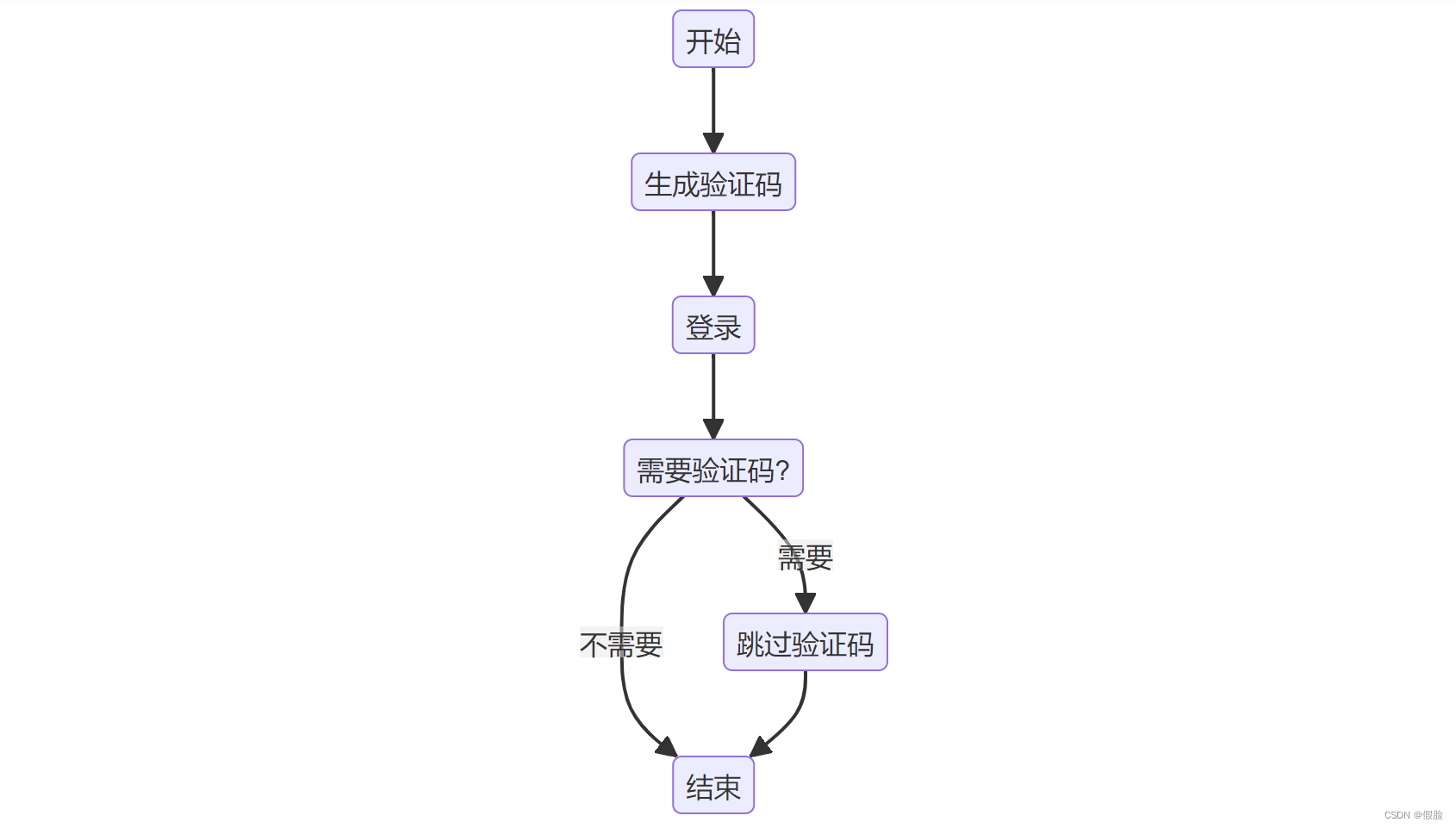
1.通过模拟登录请求来绕过验证码的验证
2.具体的跳过验证码的操作需要根据实际情况进行调整
3.例如可以使用已登录的会话继续发送登录请求,或者绕过验证码的验证逻辑
import requests

# 模拟登录
def login(username, password):
    # 构造登录请求参数
    data = {
        'username': username,
        'password': password
    }
    response = requests.post("", data=data)
    return response

# 检查是否需要验证码
def verification_code_needed(response):
    if 'captcha' in response.text:
        return True
    else:
        return False

# 跳过验证码
def skip_verification_code(username, password):
    response = login(username, password)
    if verification_code_needed(response):
        # 如果需要验证码,可以在这里进行一些特殊操作来跳过验证码
        # 例如:使用已登录的会话继续发送登录请求
        response = requests.post("", cookies=response.cookies, data=data)
    return response

# 使用示例
response = skip_verification_code('username', 'password')
print(response.text)

北京人形旗下天工造物具身智能开源社区,聚焦具身天工与慧思开物两大平台
更多推荐
 0
0 0
0- 0


 已为社区贡献29条内容

所有评论(0)