针对iframe的id或name值每次都会变动,selenium定位解决方案
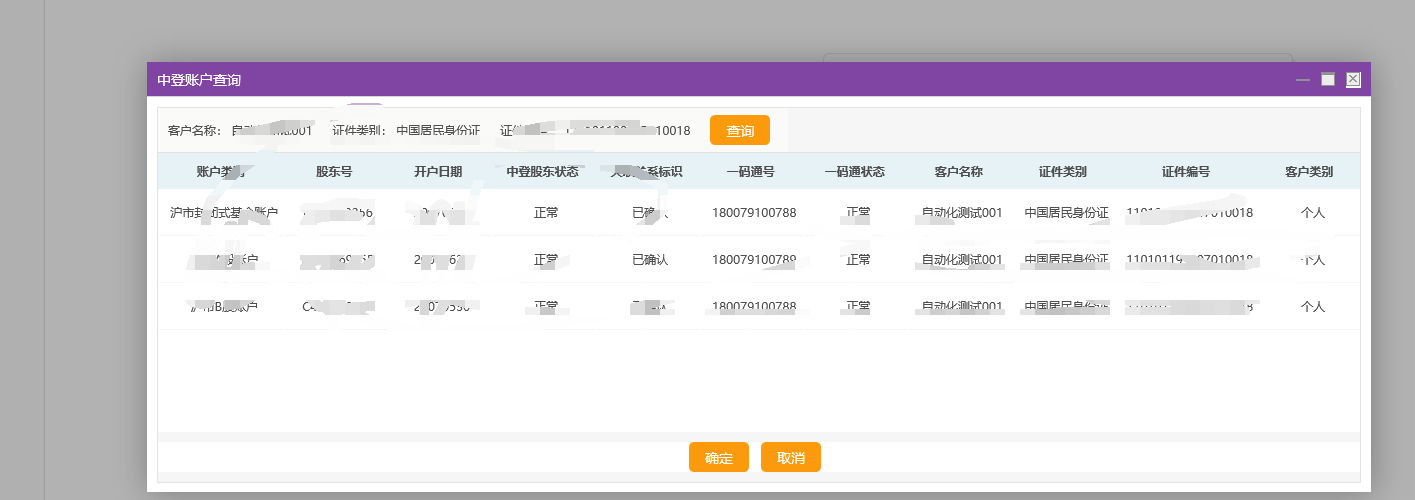
当我们点击进入一个iframe时,id和name值是Mainframe1,下次再点击进入的时候,id和name值变成了Mainframe2,针对这种定位,我们先使用XPATH定位的方法,获得iframe的绝对路径,然后使用driver.switch_to.frame,进入该iframe中,随后就可以进行其他操作了。
如果不这么做,会报错:
selenium.common.exceptions.NoSuchElementException: Message: Unable to find element with xpath == /html/body/form/div/div[3]/input[1]
2.我们可以使用上述方法试着取解决问题,具体代码:
#每次点击中登查询后的元素iframe属性值都会随机变化,使用Xpath定位到iframe,然后进入相应的iframe中
options=webdriver.IeOptions()
options.ignore_protected_mode_settings=True
options.binary_location=r'D:\Program Files\360\360se6\Application\360se.exe'
driver=webdriver.Ie(executable_path="D:\Python\Python36\IEDriverServer.exe",options=options)
driver.get("http://10.0.0.1:9080/")
frame=driver.find_element(By.XPATH,"/html/body/div[8]/div[2]/iframe")
driver.switch_to.frame(frame)
driver.find_element(By.ID,"saveBtn").click()
以上就是我的解决方案,如果大家有更好的解决方案,欢迎私信~

北京人形旗下天工造物具身智能开源社区,聚焦具身天工与慧思开物两大平台
更多推荐
 0
0 0
0- 0


 已为社区贡献4条内容

所有评论(0)