uniapp下拉弹层选择框效果demo(整理)
·
效果图:
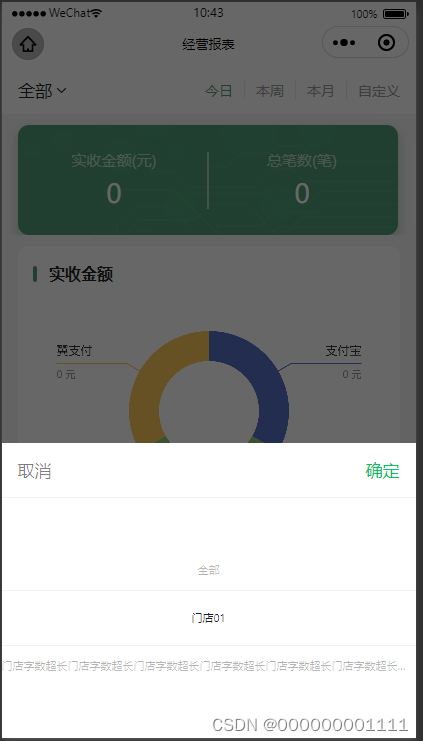
<template>
	<picker @change="onRecipientChangeSelect" :value="recipientIndex" :range="recipient" range-key="name">
	<view class="uni-input p-0 txtFont">
		<!-- {{recipient[recipientIndex].name}}<text class="iconfont icon-xia font-sm pl-1"></text> -->
		{{shopName}}<text class="iconfont icon-xia font-sm pl-1"></text>
	</view>
</picker>
</template>

<script>
	export default{
		data() {
			return {
				shopName: '全部',
				recipient: [
					{
						id: 18,
						name: "门店01"
					},
					{
						id: 19,
						name: "门店字数超长门店字数超长门店字数超长门店字数"
					},

				],
				recipientIndex: 0,
				dataObject: {},
			}
		},
		methods: {
			onRecipientChangeSelect(e) {
				console.log('携带值为', e.detail.value)
				// this.recipientIndex = e.detail.value		//选择数组的第几个
				this.dataObject.shopId = this.recipient[e.detail.value].id;	//选择商店id
				this.dataObject.shopName = this.recipient[e.detail.value].name;	//选择商店name
			},
		}
	}
</script>

北京人形旗下天工造物具身智能开源社区,聚焦具身天工与慧思开物两大平台
更多推荐
 0
0 0
0- 0


 已为社区贡献1条内容

所有评论(0)