微信小程序开发之——星星评分等级显示
·
一 概述
本文要实现如下所示的效果:输入要显示的评价等级,界面上就有几颗星亮起,最多5颗
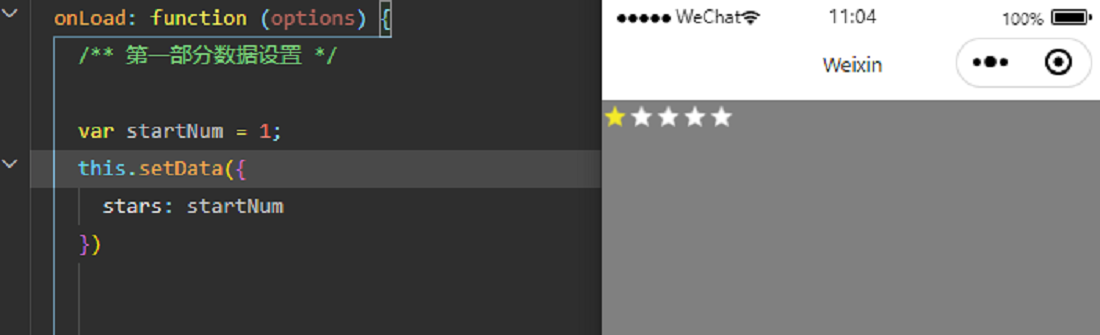
二 思路
- 界面布局中:五张图片横向排列,使用wx:if和wx:else判断显示哪一个
- 在逻辑文件中,将要显示的评价个数,转换为数组(1-显示亮色,0-显示灰色)
- 布局文件中,根据转换后的数组,显示评价结果
三 代码
3.1 模板文件(template-star)
template-star.wxml
<template name="starsTemplate">
  <view class='stars-container'>
    <view class='stars'>
      <block wx:for="{{stars}}" wx:for-item="i" wx:key="position">
        <image wx:if="{{i}}" src='/images/icon_star.png'></image>
        <image wx:else src='/images/icon_star_empty.png'></image>
      </block>
    </view>
  </view>
</template>
template-star.wxss
.stars-container {
  display: flex;
  flex-direction: row;
}

.stars {
  display: flex;
  flex-direction: row;
  height: 50rpx;
  margin-right: 0rpx;
  margin-top: 6rpx;
}

.stars image {
  padding-left: 0rpx;
  height: 40rpx;
  width: 40rpx;
}
3.2 模板文件使用
start.wxml(界面显示)
<import src="../template/template-star" />
<template class="mytemplate" is="starsTemplate" data="{{stars:stars}}" />
start.wxss
@import "../template/template-star.wxss";
page {
  background: gray;
}
start.js
onLoad: function (options) {
    var startNum = 1;

    var array = new Array(5);
    for (let index = 0; index < array.length; index++) {
      if (index < startNum) {
        array[index] = 1;
      } else {
        array[index] = 0;
      }
    }
    console.log(array);
    this.setData({
      stars: array
    })
 }
3.3 说明
- 数组转换为数组的逻辑,放在了要显示界面
- 将数字转换为数组的逻辑,放在模板文件中
四 代码优化
4.1 模板修改
template-star.wxml
<template name="starsTemplate">
  <view class='stars-container'>
    <view class='stars'>
      <block wx:for="{{startNumtoArray(stars)}}" wx:for-item="i" wx:key="position">
        <image wx:if="{{i}}" src='/images/icon_star.png'></image>
        <image wx:else src='/images/icon_star_empty.png'></image>
      </block>
    </view>
  </view>
</template>
<!--对数据进行处理-->
<wxs module="startNumtoArray">
  module.exports = function (stars) {
    //var array = new Array(5);
    //console.log(stars);
    //var array = [length = 5];
    var array = [0, 0, 0, 0, 0];
    console.log(typeof array);
    //console.log(array.length);
    for (var index = 0; index < array.length; index++) {
      if (index < stars) {
        array[index] = 1;
      } else {
        array[index] = 0;
      }
    }
    console.log(array);
    return array;
  }
</wxs>
4.2 模板使用文件(start.wxml)
onLoad: function (options) {
    var startNum = 1;
    this.setData({
      stars: startNum
    })
 }
五 参考代码

北京人形旗下天工造物具身智能开源社区,聚焦具身天工与慧思开物两大平台
更多推荐
 1
1 0
0- 0


 已为社区贡献26条内容

所有评论(0)