IDEA maven plugin 报红解决方法
·
在使用IDEA过程中,经常会出现下面报红的插件
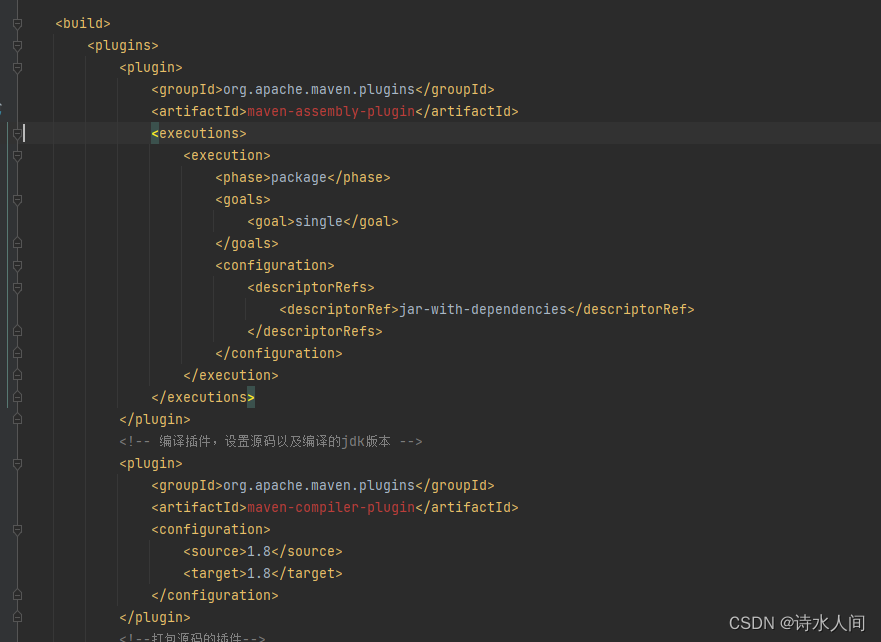
解决方法很简单,在上述过程中我们可以看出 plugin是没有提供版本号的。
因此可以补充版本号,然后reload maven。
版本号的获取可以通过 https://mvnrepository.com/ 搜索artifactId,找到相应的版本即可
如下,填完后选择这里的reload
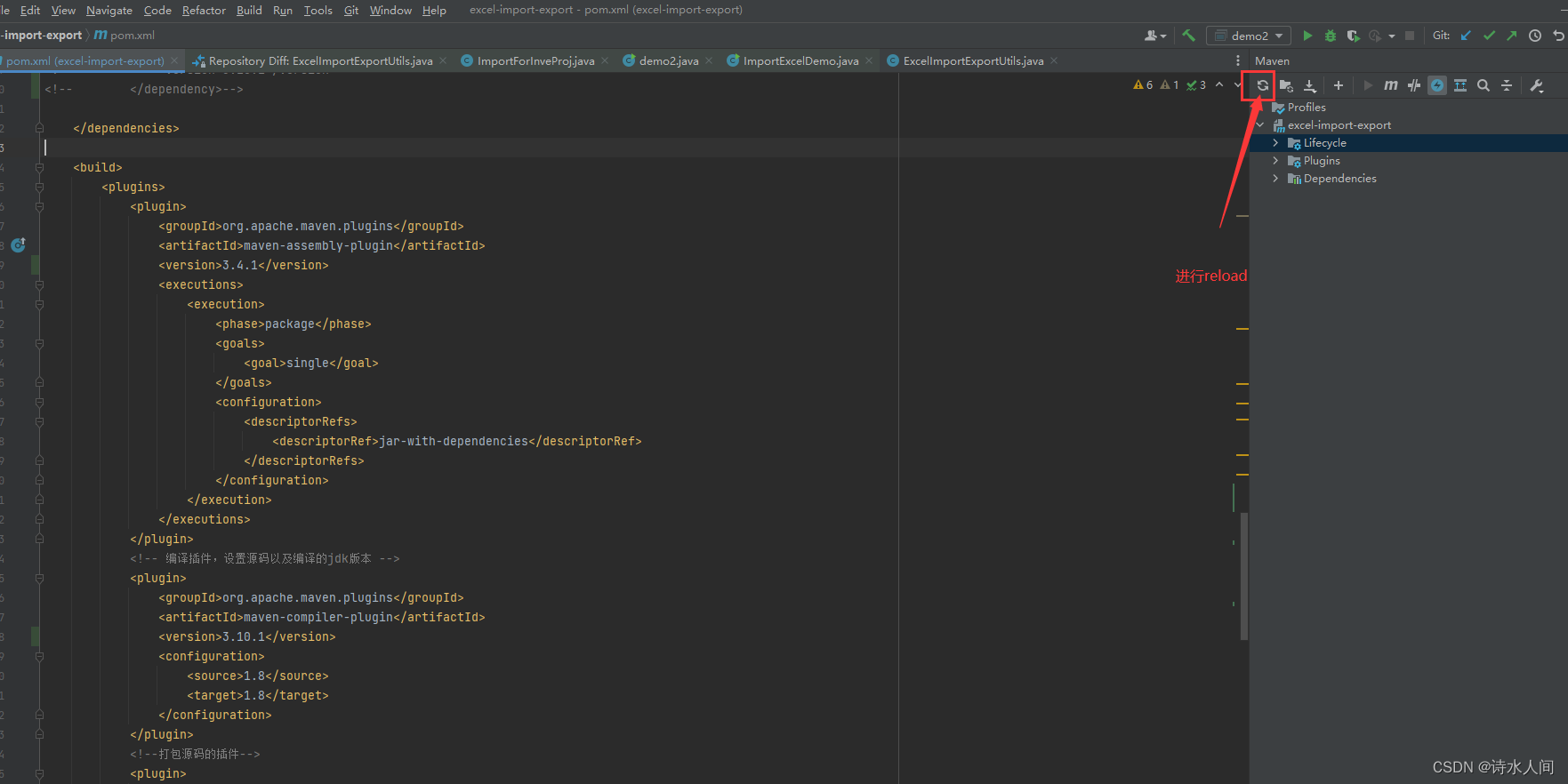
正常情况下,会自动下载依赖,然后这里的爆红就消失了。
特殊情况:上述操作后 plugin中还是爆红
解决方案:
将爆红的插件,从maven仓库中copy出完整的 gav 坐标,
然后放入dependencies标签中,然后再通过 reload 就可以解决这个报红问题。
例如:在我的demo中下面这两个插件是报红的,然后从 https://mvnrepository.com/ 找到依赖信息
填入<dependencies>中进行reload就行了
<dependency>
    <groupId>org.apache.maven.plugins</groupId>
    <artifactId>maven-assembly-plugin</artifactId>
    <version>3.4.1</version>
</dependency>
<dependency>
    <groupId>org.apache.maven.plugins</groupId>
    <artifactId>maven-compiler-plugin</artifactId>
    <version>3.10.1</version>
</dependency>

北京人形旗下天工造物具身智能开源社区,聚焦具身天工与慧思开物两大平台
更多推荐
 3
3 0
0- 0


 已为社区贡献13条内容

所有评论(0)