MySQL高可用架构MHA
一、主从复制企业架构演变
1、普通架构
读多写少问题:
1主1从,1主多从
多级主从(管理维护成本高)
多主写入:
双主结构(MMM(过时了),Mycat,DBLE)
换装复制(没用了)
2、高可用架构
MHA高可用环境(重点讲解)
组复制(MGR PXC G cluster)针对数据一致性的解决方案
Innodb Cluster,NDB Cluster
3、读写分离
atlas
企业读写分离及分库分表方案介绍
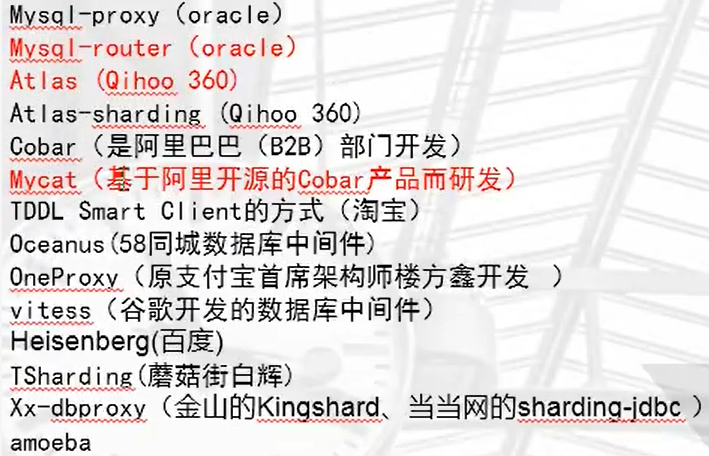
4、分布式
Mycat,DRDS
二、MHA架构
1、MHA引入
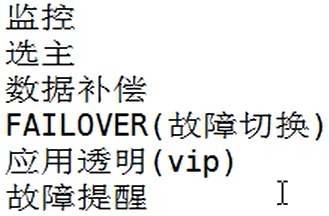
2、MHA架构条件
1)至少三个节点
2)1主2从结构
注:淘宝二次开发,TMHA架构,只需要两个节点
3、MHA相关的工具
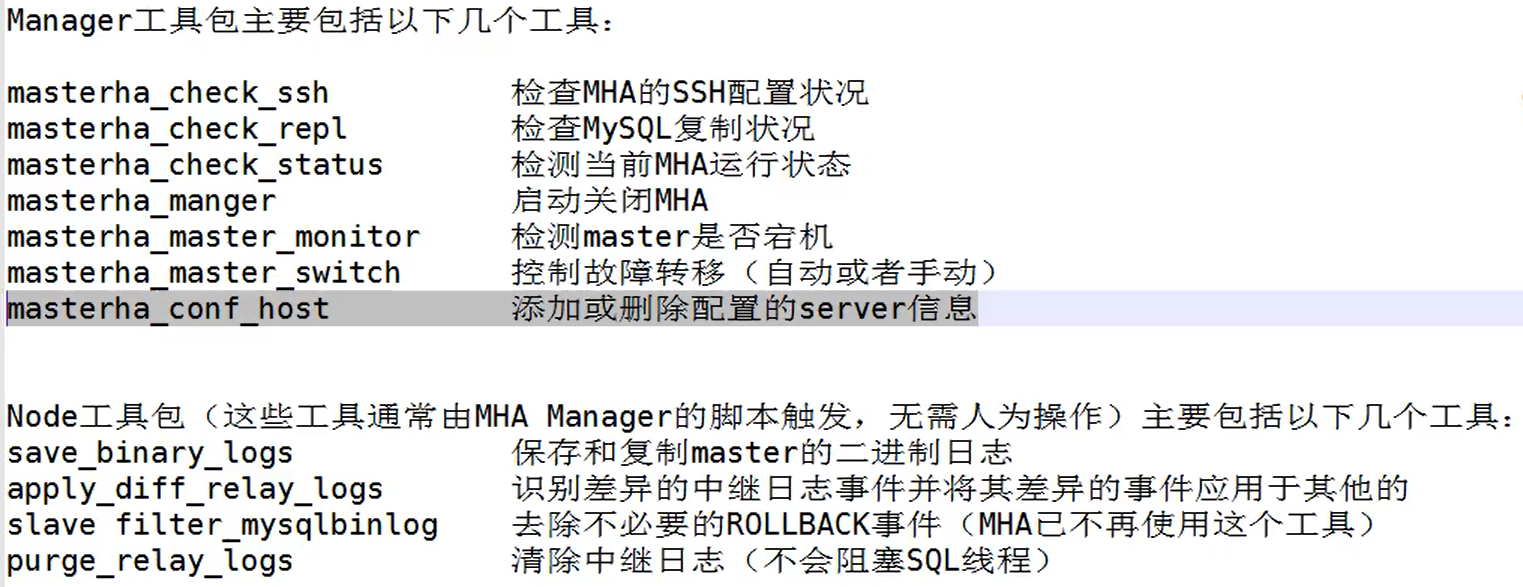
三、搭建MHA
MHA工作的前提:

1、搭建前环境准备,设置从库relay的自动删除功能,从库设置只读

永久生效需要加入配置文件

2、配置关键程序软链接,MHA默认以为MySQL是源码安装

3、配置SSH互信

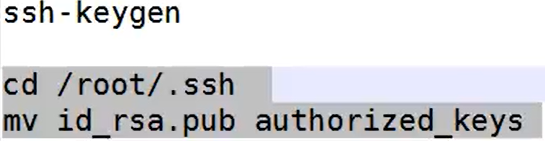

4、各节点的验证
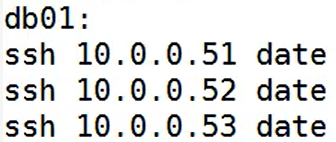
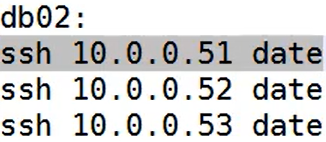
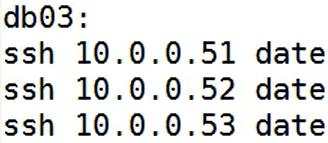
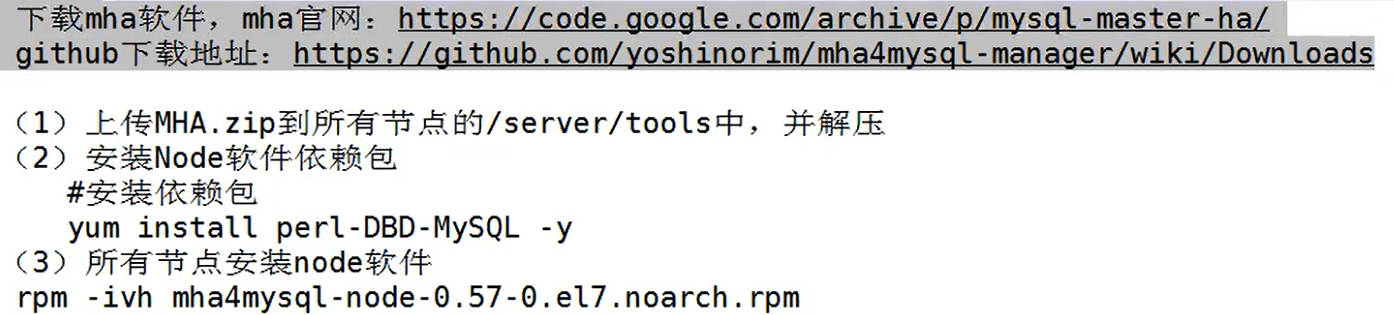
4、安装MHA软件
下载地址:https://github.com/yoshinorim/mha4mysql-manager/wiki/Downloads
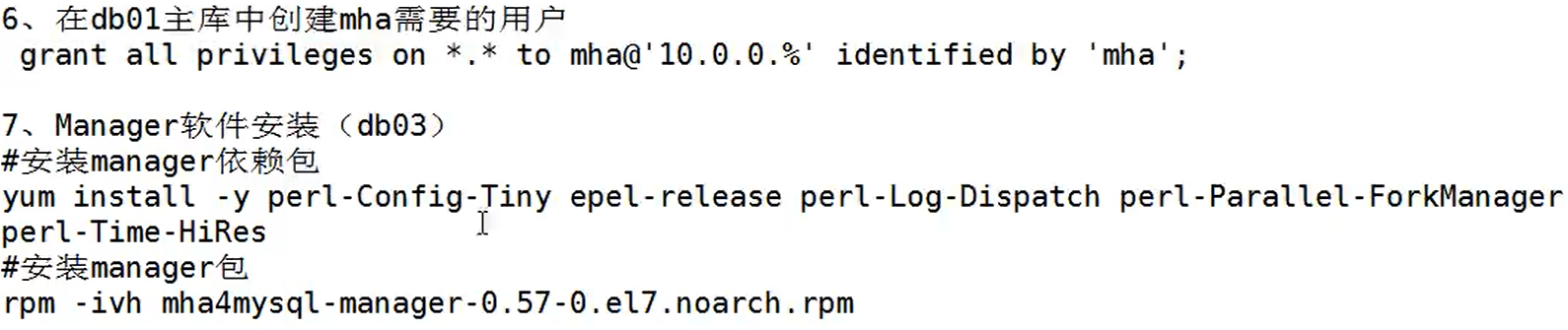
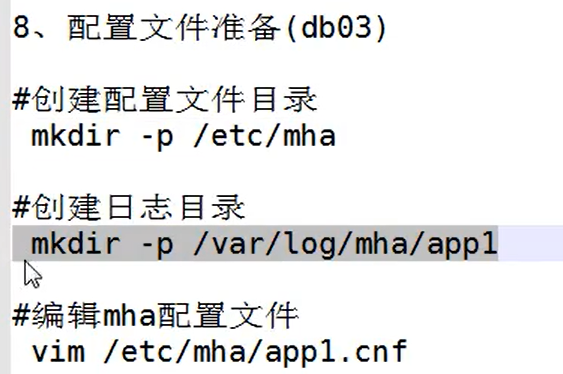
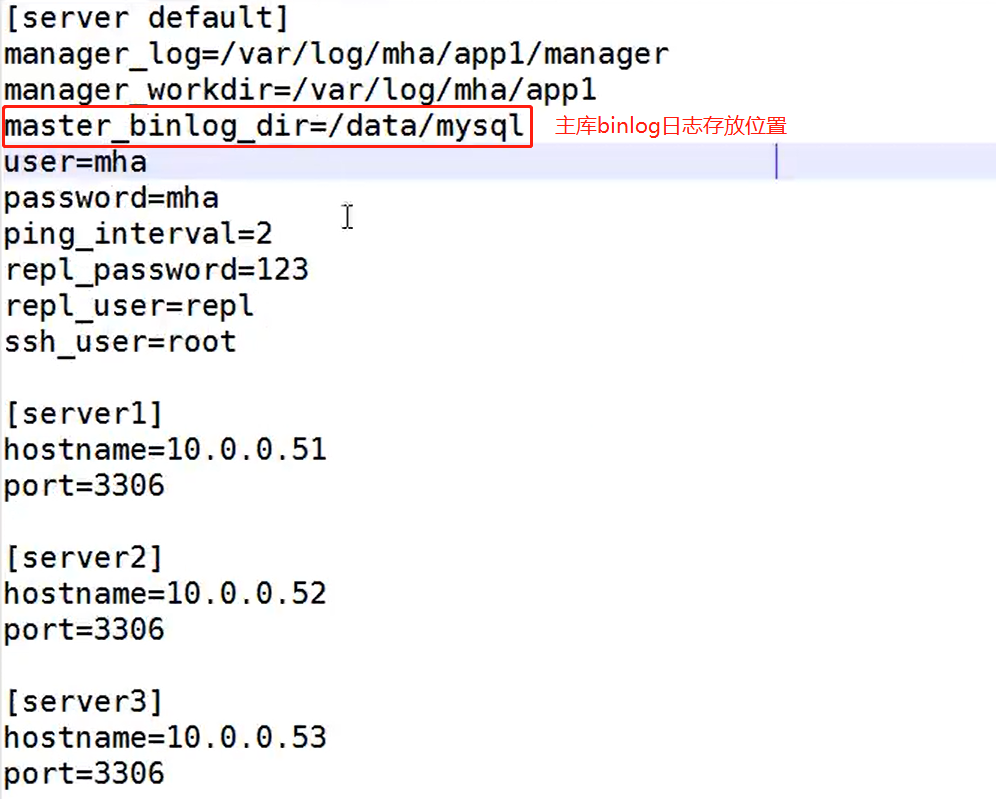
5、配置文件/etc/mha/app1.cnf文件个别参数说明
6、检查状态
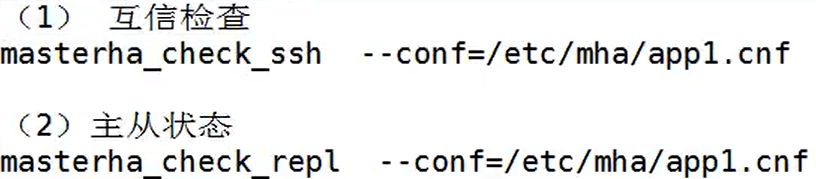
SSH互信检查通过:

主从状态检查通过:
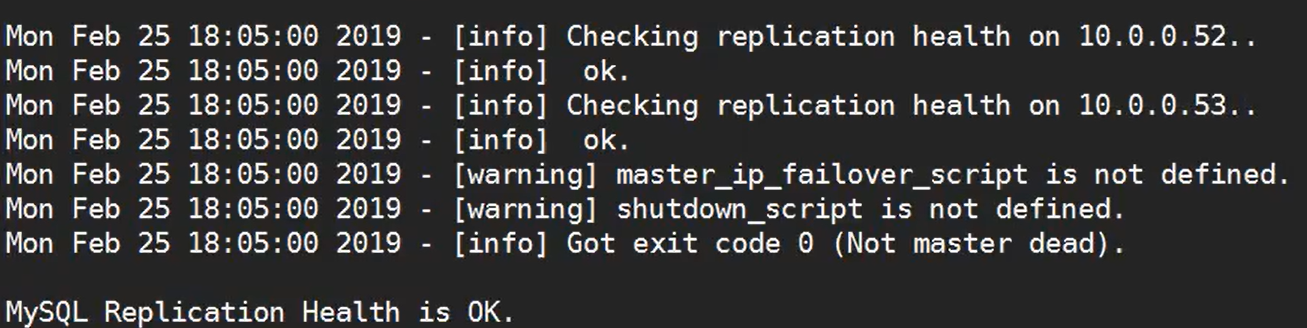
7、开启MHA

8、检查MHA状态


9、模拟故障,主库宕机,MHA实现切换

主从切换:
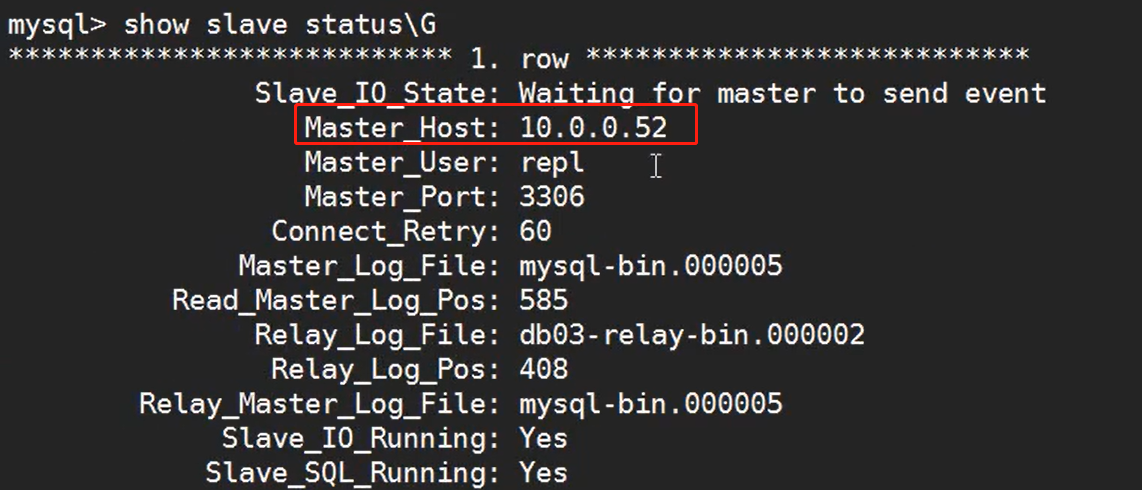
10、故障主机恢复,以从库身分加入集群,语句可以在日志文件中找到模板

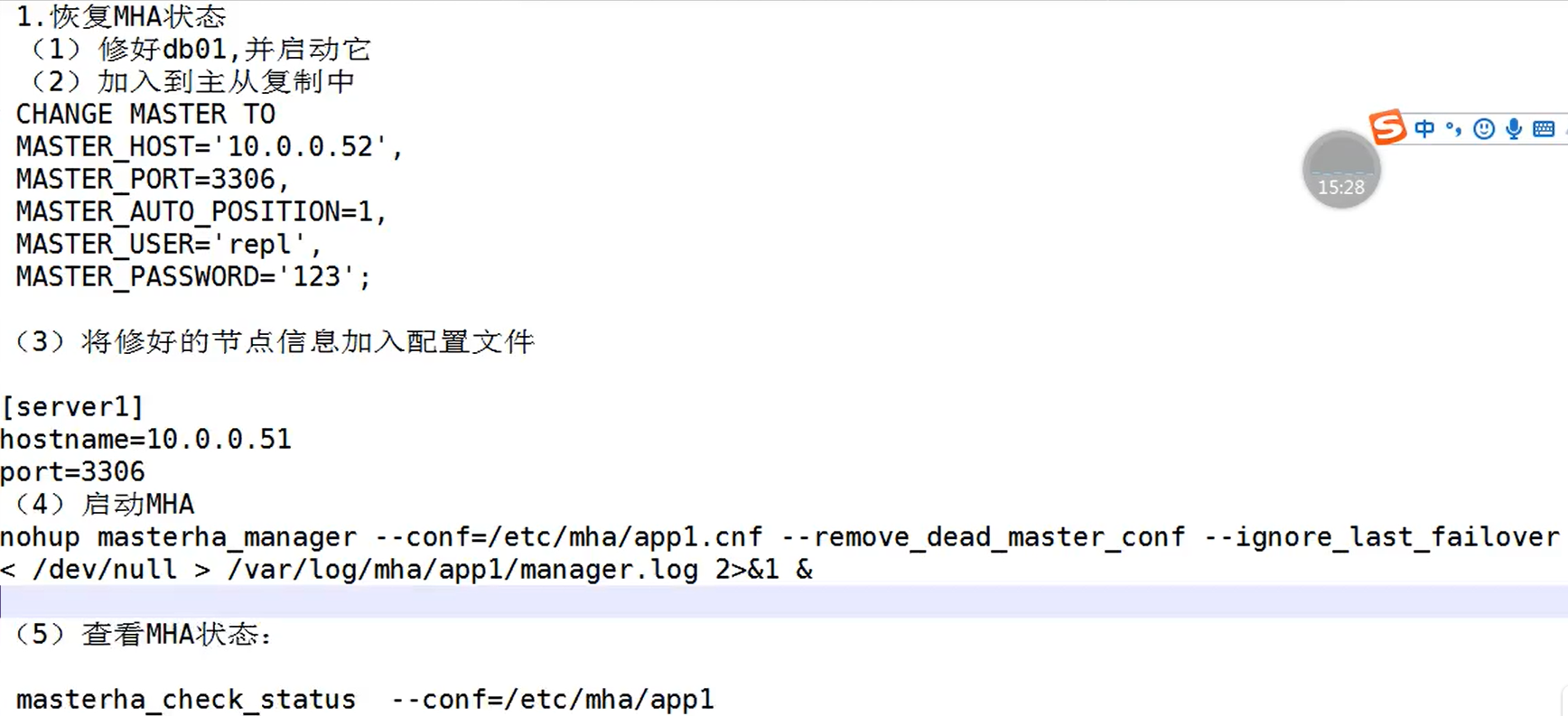
四、MHA故障恢复
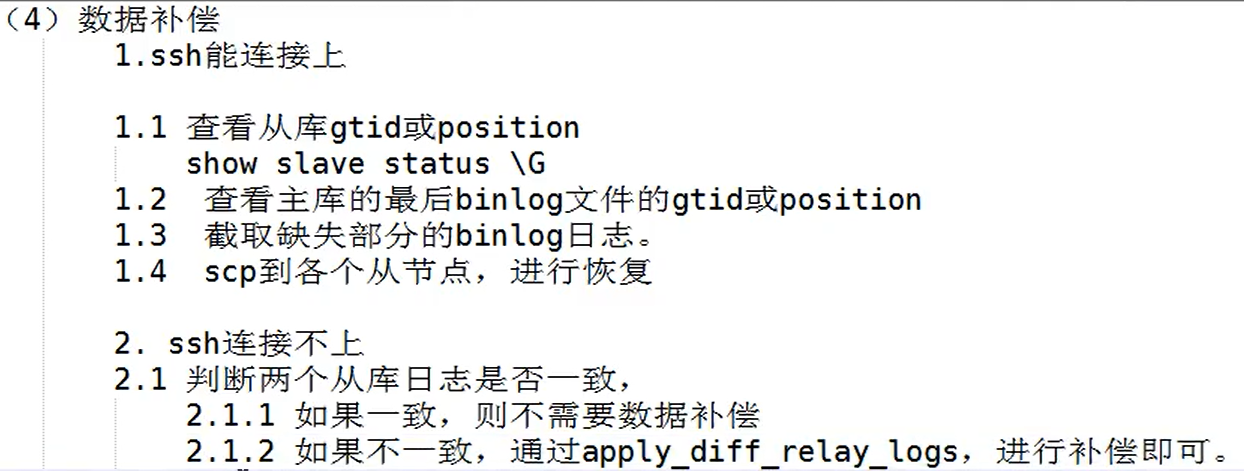
1、MHA故障恢复思路
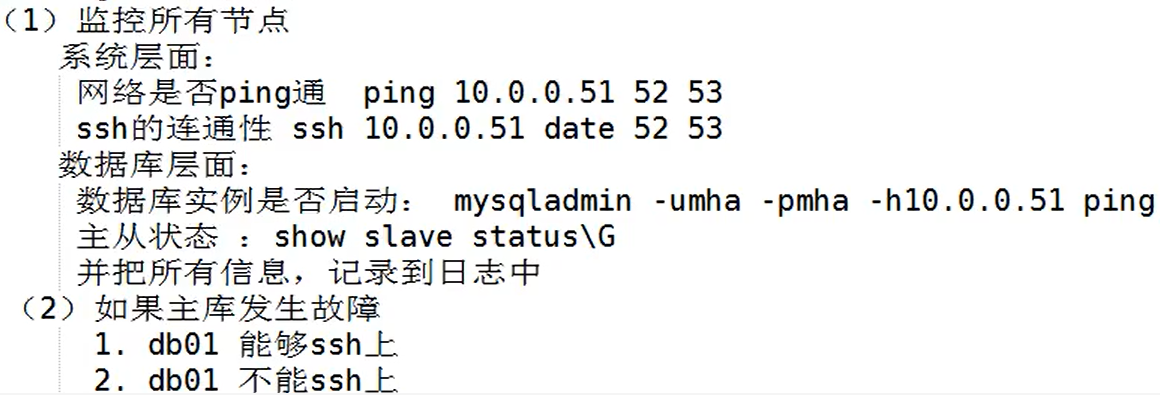
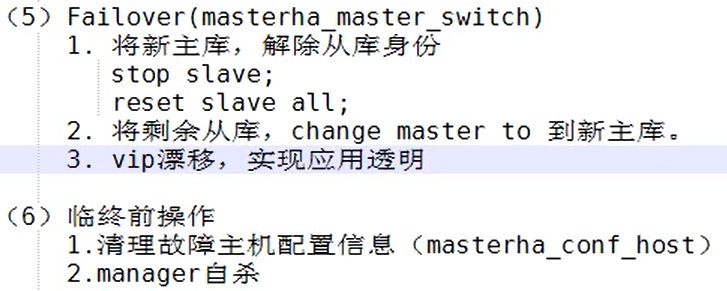
五、MHA工作原理

六、Manager额外参数介绍
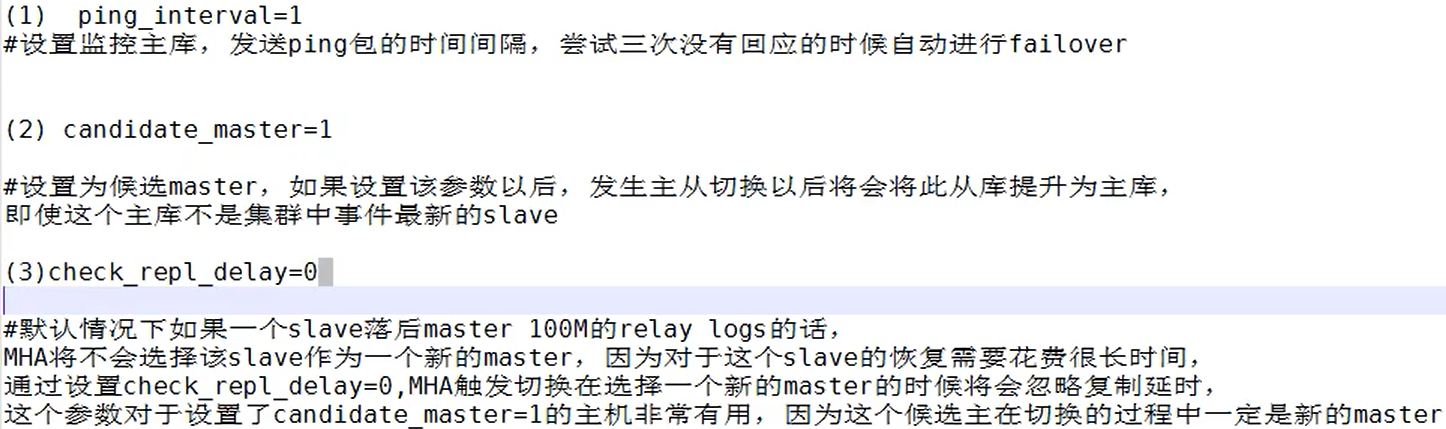
例子:

七、MHA vip实现应用透明
1、脚本实现

#!/usr/bin/env perl
use strict;
use warnings FATAL => 'all';

use Getopt::Long;

my (
    $command,          $ssh_user,        $orig_master_host, $orig_master_ip,
    $orig_master_port, $new_master_host, $new_master_ip,    $new_master_port
);

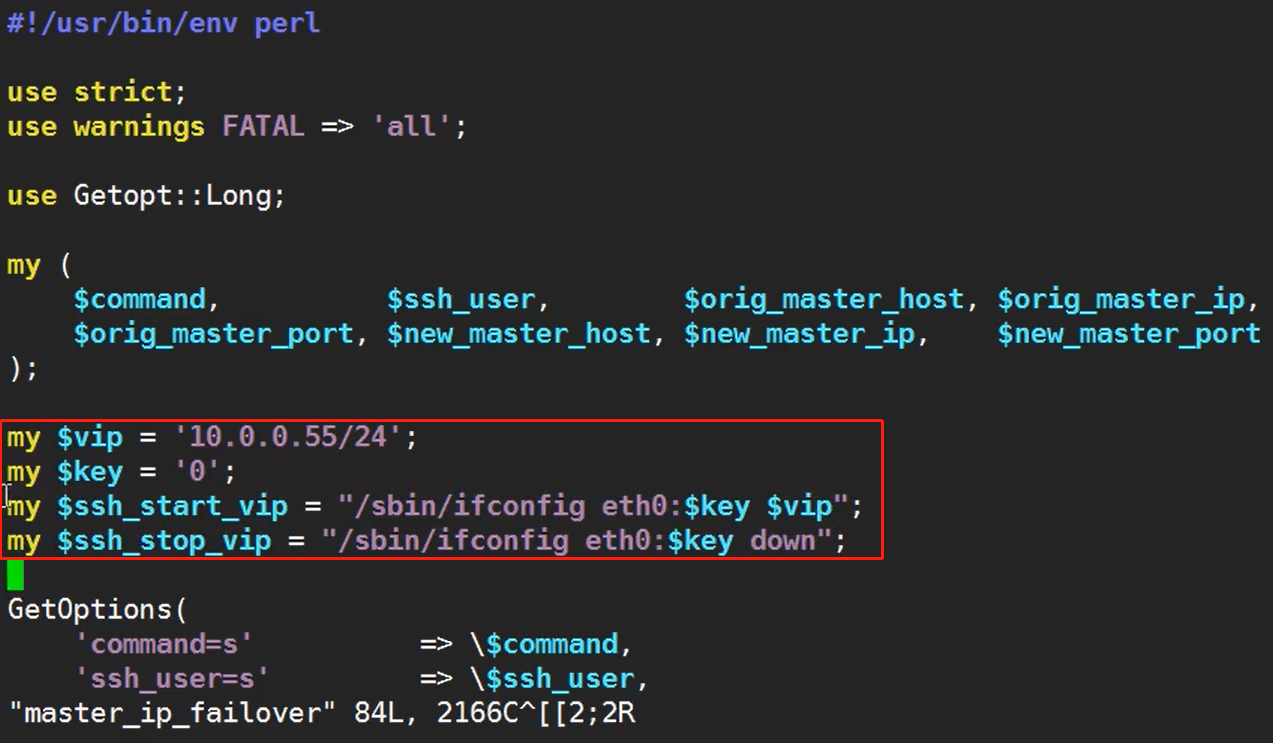
my $vip = '10.0.0.55/24';  # Virtual IP
my $key = "0";
my $ssh_start_vip = "/sbin/ifconfig eth0:$key $vip";
my $ssh_stop_vip = "/sbin/ifconfig eth0:$key down";

GetOptions(
    'command=s'          => \$command,
    'ssh_user=s'         => \$ssh_user,
    'orig_master_host=s' => \$orig_master_host,
    'orig_master_ip=s'   => \$orig_master_ip,
    'orig_master_port=i' => \$orig_master_port,
    'new_master_host=s'  => \$new_master_host,
    'new_master_ip=s'    => \$new_master_ip,
    'new_master_port=i'  => \$new_master_port,
);

exit &main();

sub main {

    print "\n\nIN SCRIPT TEST====$ssh_stop_vip==$ssh_start_vip===\n\n";

    if ( $command eq "stop" || $command eq "stopssh" ) {

        # $orig_master_host, $orig_master_ip, $orig_master_port are passed.
        # If you manage master ip address at global catalog database,
        # invalidate orig_master_ip here.
        my $exit_code = 1;
        eval {
            print "Disabling the VIP on old master: $orig_master_host \n";
            &stop_vip();
            $exit_code = 0;
        };
        if ($@) {
            warn "Got Error: $@\n";
            exit $exit_code;
        }
        exit $exit_code;
    }
    elsif ( $command eq "start" ) {

        # all arguments are passed.
        # If you manage master ip address at global catalog database,
        # activate new_master_ip here.
        # You can also grant write access (create user, set read_only=0, etc) here.
        my $exit_code = 10;
        eval {
            print "Enabling the VIP - $vip on the new master - $new_master_host \n";
            &start_vip();
            $exit_code = 0;
        };
        if ($@) {
            warn $@;
            exit $exit_code;
        }
        exit $exit_code;
    }
    elsif ( $command eq "status" ) {
        print "Checking the Status of the script.. OK \n";
        `ssh $ssh_user\@$orig_master_host \" $ssh_start_vip \"`;
        exit 0;
    }
    else {
        &usage();
        exit 1;
    }
}

# A simple system call that enable the VIP on the new master
sub start_vip() {
    `ssh $ssh_user\@$new_master_host \" $ssh_start_vip \"`;
}
# A simple system call that disable the VIP on the old_master
sub stop_vip() {
    `ssh $ssh_user\@$orig_master_host \" $ssh_stop_vip \"`;
}

sub usage {
    print
    "Usage: master_ip_failover --command=start|stop|stopssh|status --orig_master_host=host --orig_master_ip=ip --orig_master_port=port --new_master_host=host --new_master_ip=ip --new_master_port=port\n";
}
2、修改参数
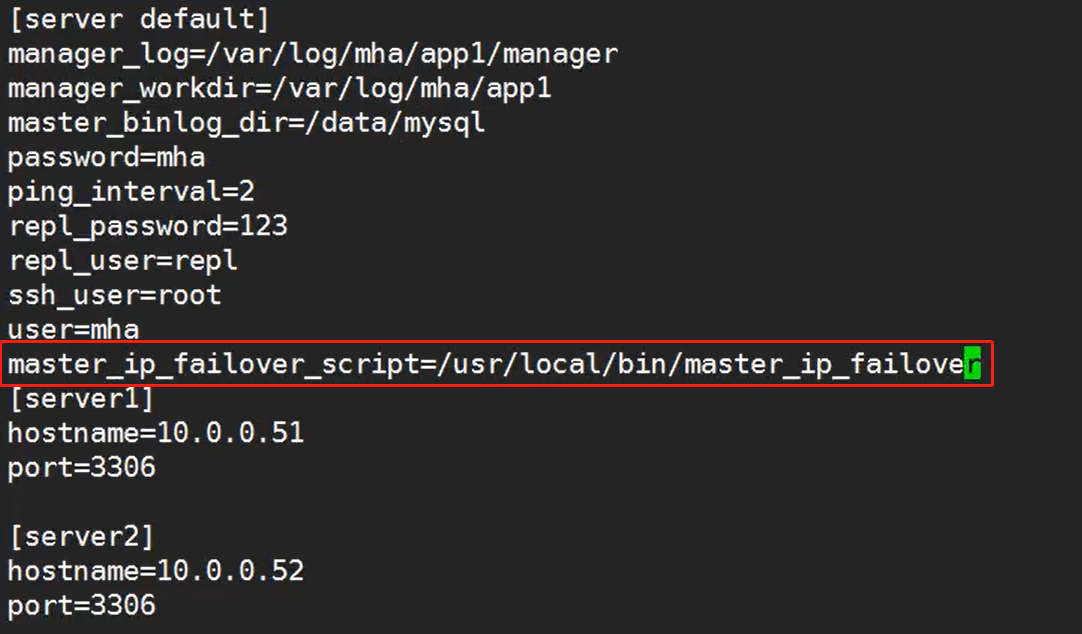
3、更改manager配置文件

例子示范:
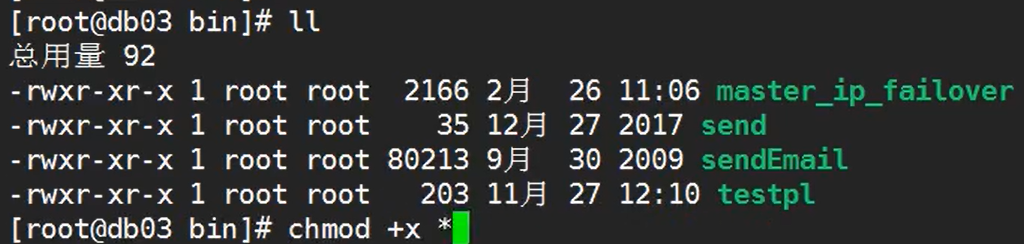
4、修改脚本的执行权限

5、主库上手工生成一个vip地址

6、重启MHA

7、测试验证
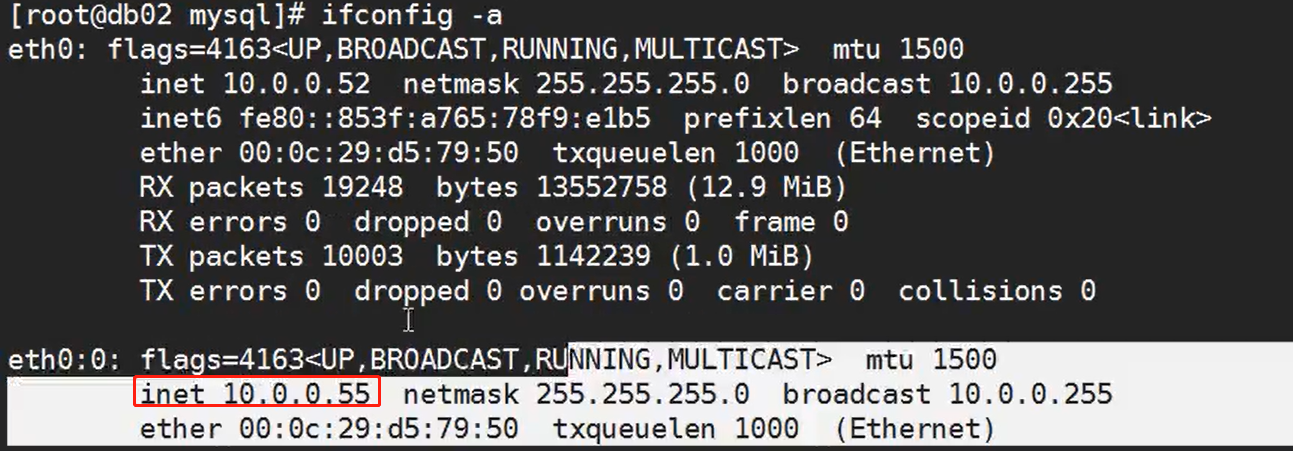
1)查看vip,此时在db02上
2)停掉主库

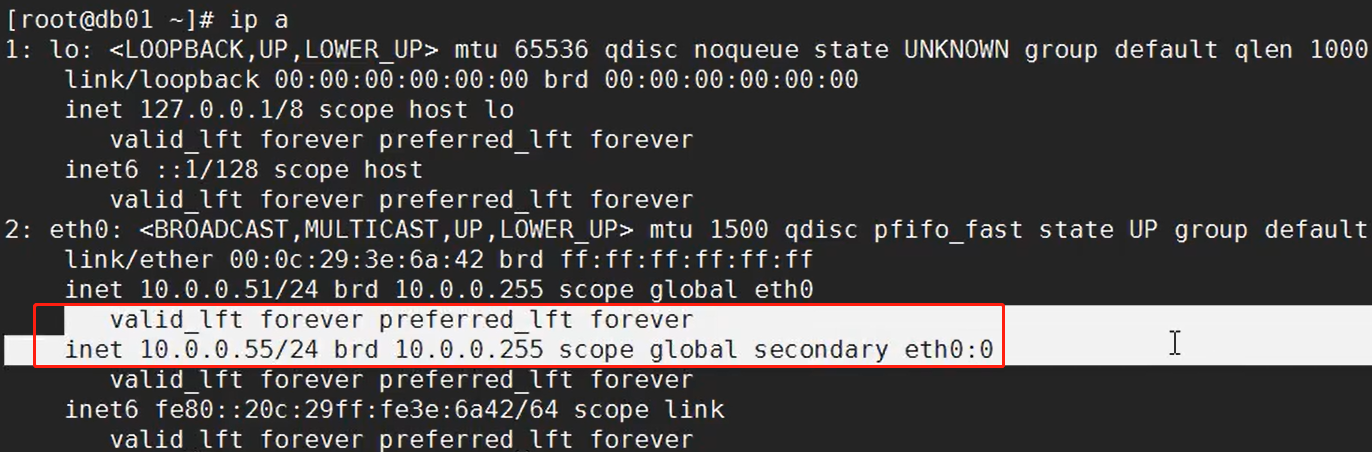
3)查看切换结果,此时vip切换至db01上
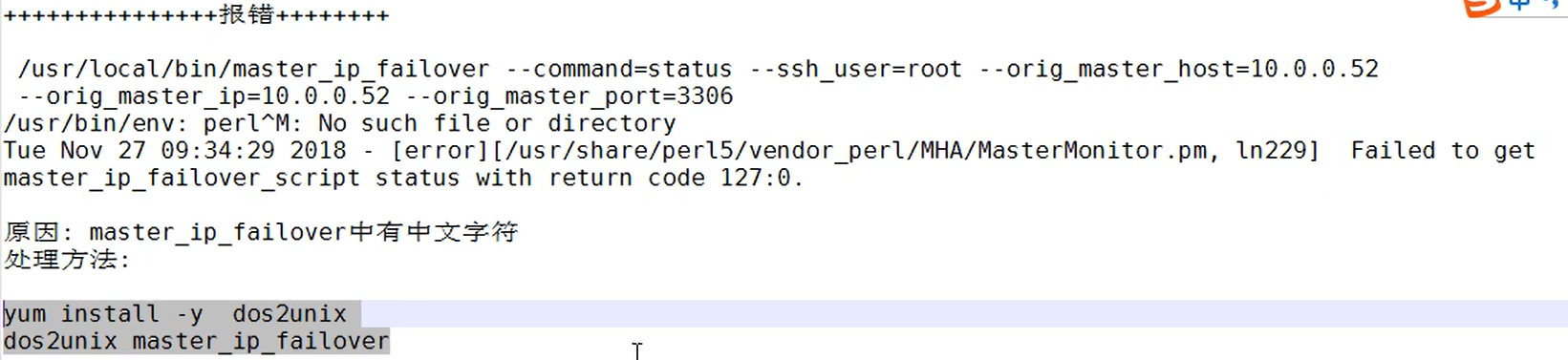
8、执行脚本报错解决
八、MHA sed_report故障切换告警
1、设置邮件告警
1)编写脚本,实现邮件告警(略)

2)修改配置文件,出现故障,实现邮件告警
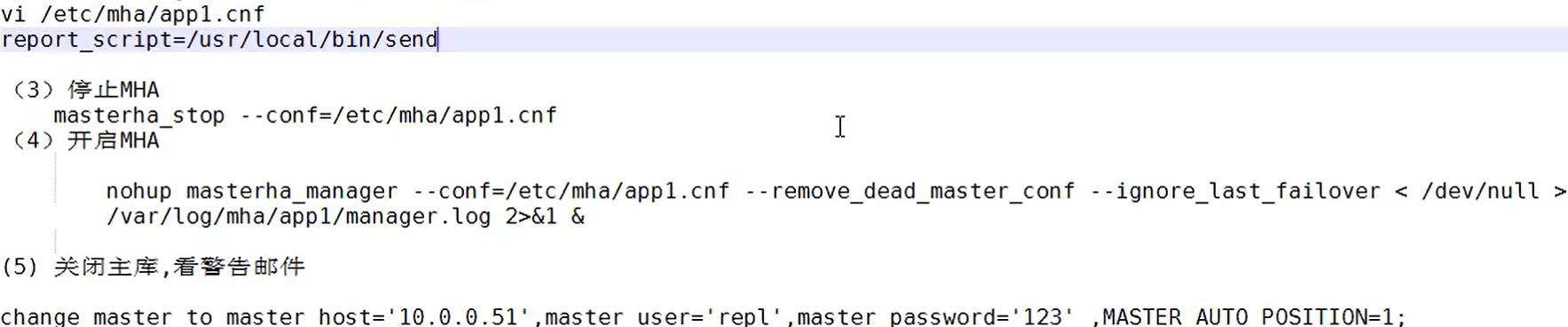
九、MHA-binlog server
1、作用
源源不断,时时的拉取主库的binlog日志,防止主库宕机,SSH连接不上,从库无法获得最新的binlog日志号
2、搭建

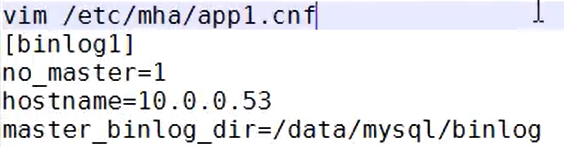
3、修改manager的配置文件,支持该功能
4、创建必要的目录

5、拉取主binlog日志


文章有任何问题和意见的,可以加QQ1300536862一起学习探讨
华为云服务器三月开年采购季,新用户2折起,还有免费使用一至二月的机会!


北京人形旗下天工造物具身智能开源社区,聚焦具身天工与慧思开物两大平台
更多推荐
 0
0 0
0- 0


 已为社区贡献2条内容

所有评论(0)