【接口自动化】(5) Allure 测试报告
·
一、简介
1、框架适配器
pytest 自动化测试框架生成的测试结果数据,无法被 Allure 工具直接读取识别,因此需要适配器 allure-pytest 将测试结果转换成 Allure 能读懂的原始数据文件 xxxxx-result.json。
2、Allure 命令行工具
Allure 命令行工具用于将原始测试数据文件,转换成可视化的测试报告。
二、安装
1、allure-pytes
安装命令:
pip install allure-pytest==2.13.52、Allure
压缩包下载地址:
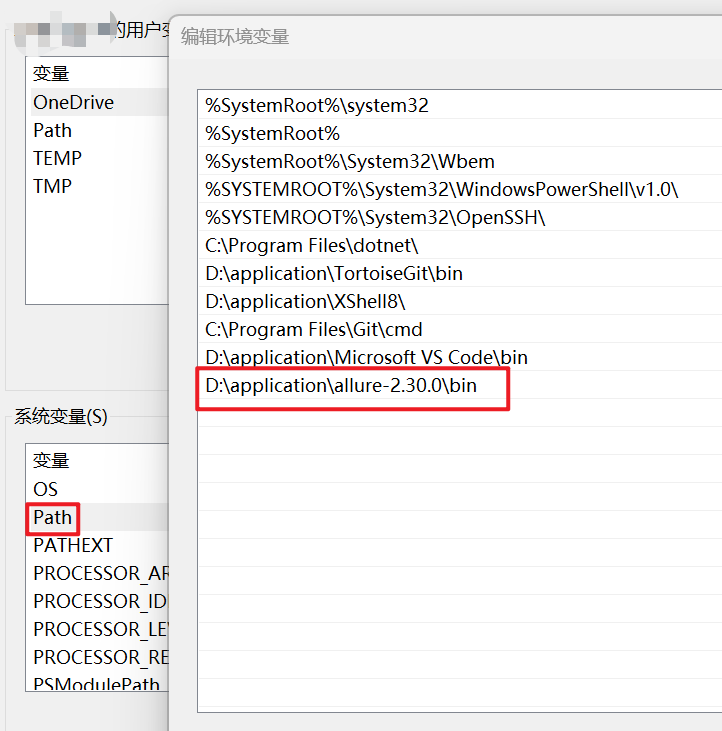
https://github.com/allure-framework/allure2/releases/download/2.30.0/allure-2.30.0.zip https://github.com/allure-framework/allure2/releases/download/2.30.0/allure-2.30.0.zip 把 Allure 的 bin 路径配置到环境变量:
再下载一个 jdk1.8,因为 Allure 工具是 Java 写的:
Java Downloads | Oraclehttps://www.oracle.com/java/technologies/downloads/#java8 在 CMD 检验是否安装成功:(记得配置后先重启 cmd)
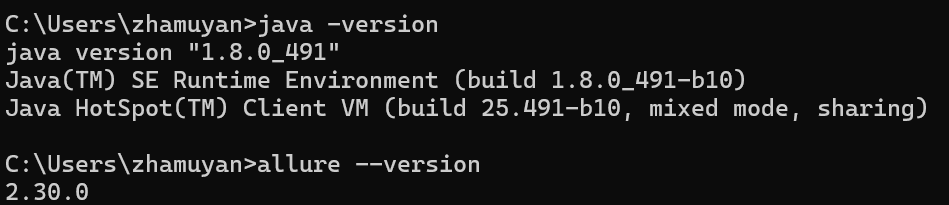
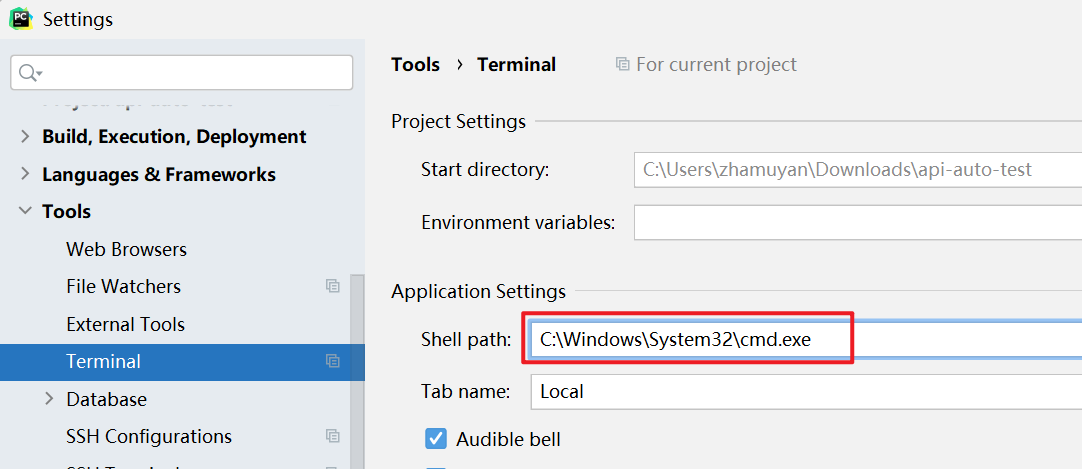
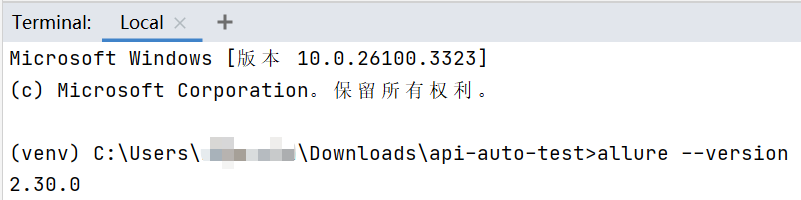
在 pychram 检验:配置 cmd 程序路径,检验。(记得配置后先重启 pycharm)
三、使用
1、allure-pytes 生成原始测试报告
pytest --alluredir=allure-results(保存原始数据的路径)生成结果:

2、Allure 命令工具生成可视化测试报告
(1)本地临时预览
allure serve [options] <allure-results 路径>

示例:
allure serve .\allure-results\ --clean-alluredir
options:
- --host:指定服务器监听的主机地址,默认为 localhost。
- --port:指定服务器监听的端口号,默认为 0(自动选择空闲端口)。
- --clean-alluredir:清除上一次生成的测试报告。
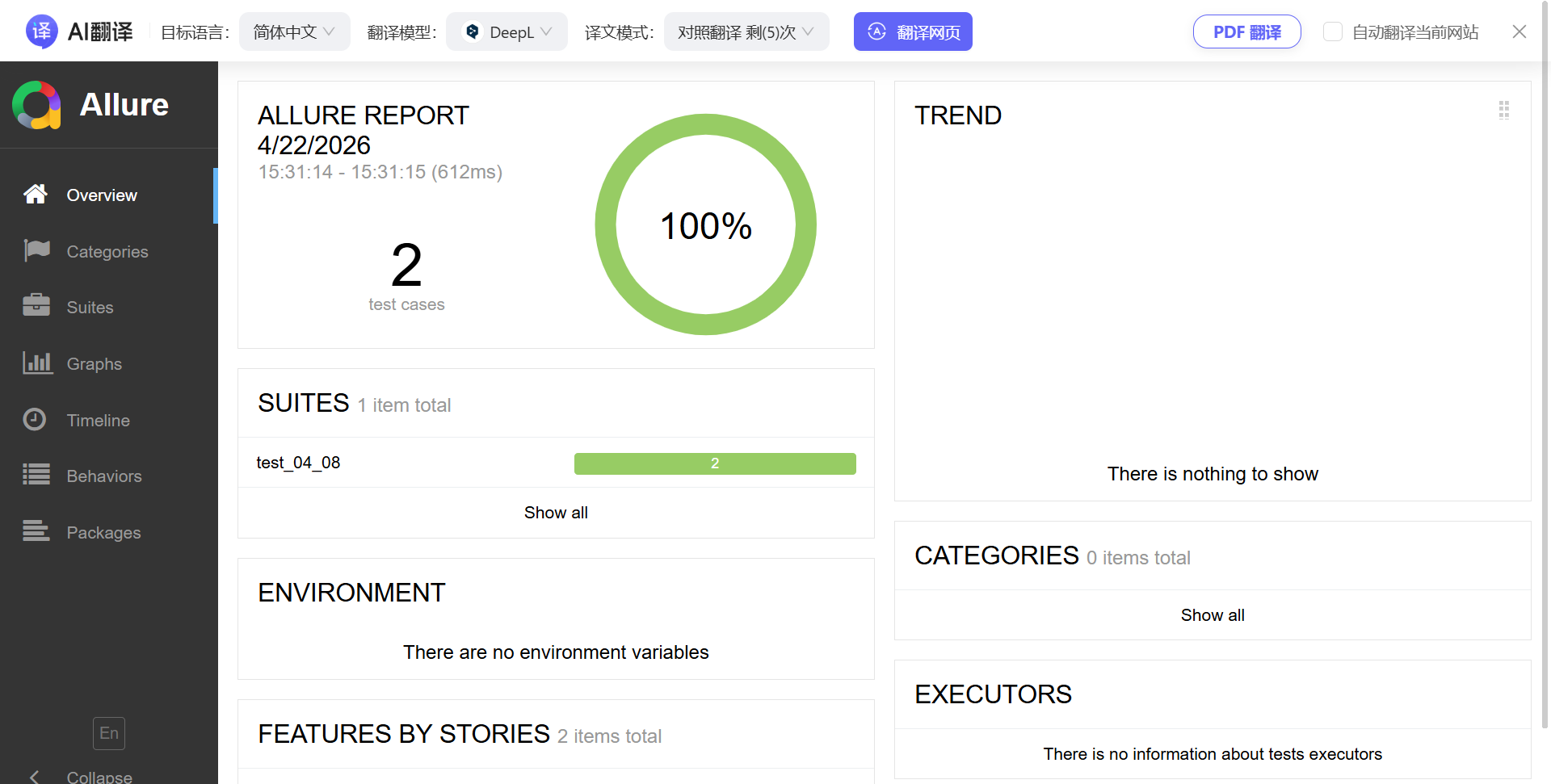
结果:

(2)生成永久报告文件
allure generate [options] <allure-results 路径> -o <reports 路径>

示例:
allure generate .\allure-results\ -o .\allure-report --clean
options:
- -o 或 --output:报告指定输出到某个文件下。
- -c 或 --clean:生成前,先清空旧报告。
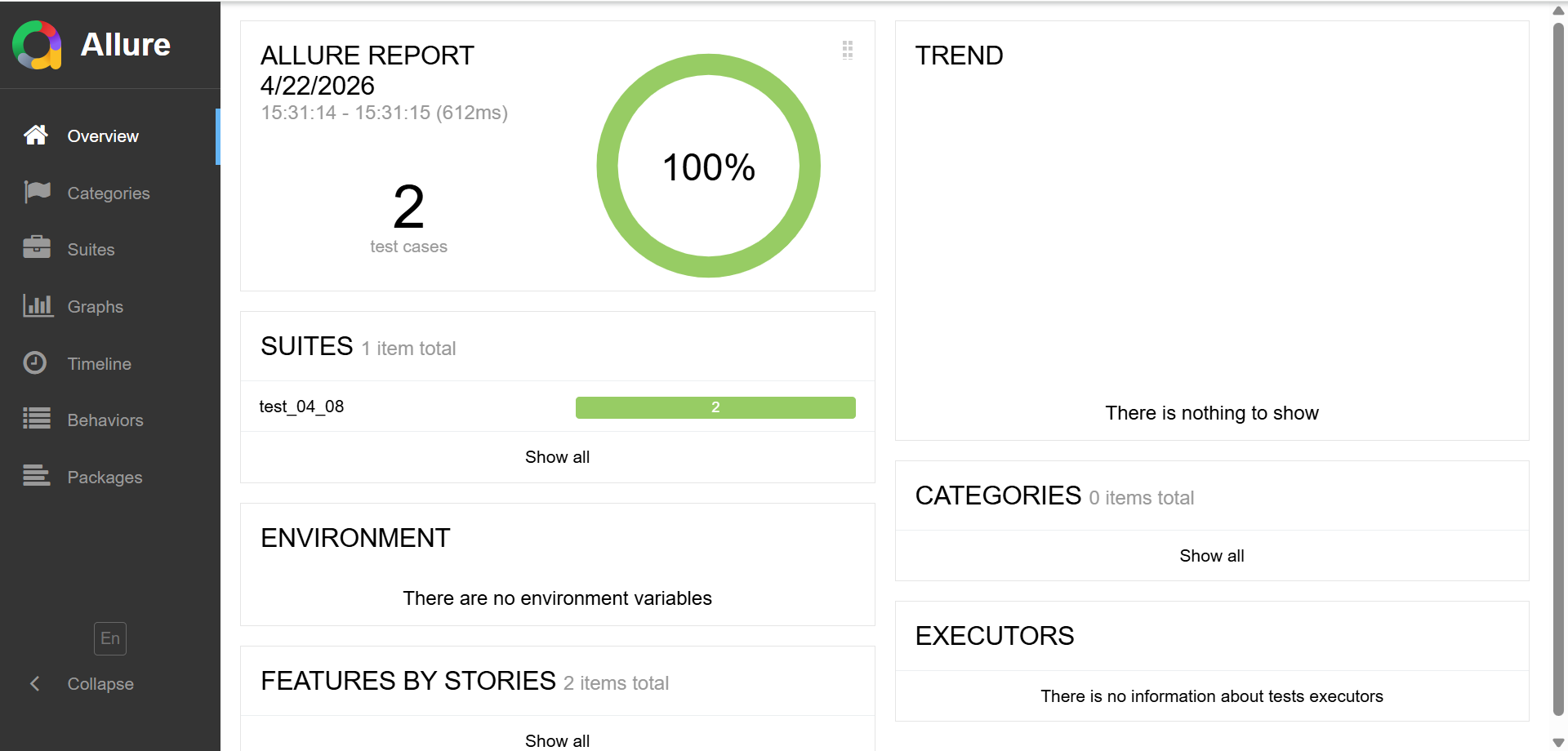
结果:



北京人形旗下天工造物具身智能开源社区,聚焦具身天工与慧思开物两大平台
更多推荐
 3
3 0
0- 0


 已为社区贡献5条内容

所有评论(0)