thinkphp8安装并通过gitee管理项目
·
一、gitee创建仓库
1、打开https://gitee.com/网站
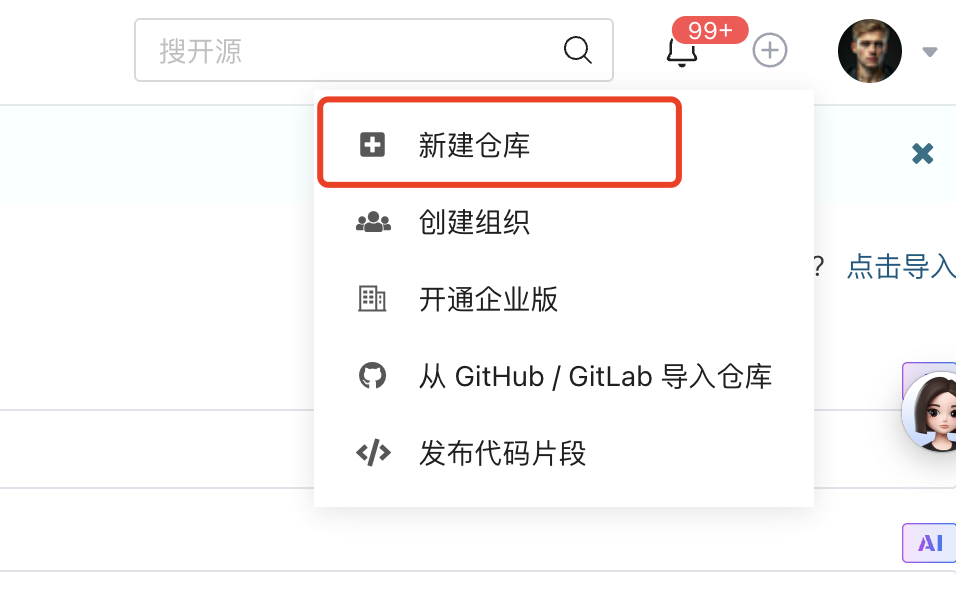
2、右上角新建仓库
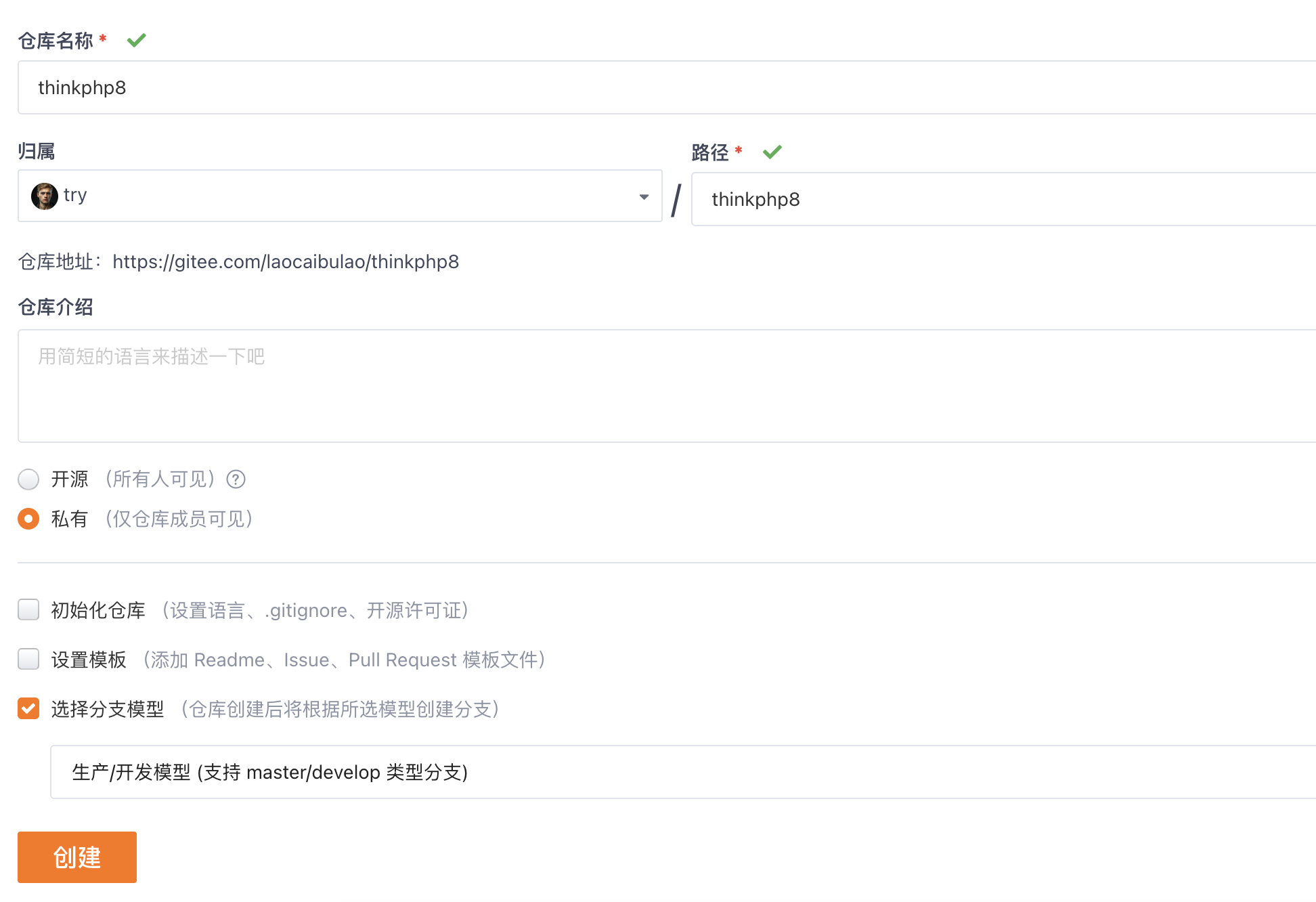
3、填写仓库信息,空仓库即可,因为thinkphp会生成.gitignore和README.md防止等下冲突
4、点击创建后,复制

二、电脑本地安装thinkphp8
#进入你要安装的目录
cd /Users/boolean/myphp

#通过composer安装目录,项目名称为thinkphp8
composer create-project topthink/think thinkphp8

#进入thinkphp8目录
cd thinkphp8

#初始化本地git仓库
git init

#关联远程仓库地址
git remote add origin https://gitee.com/laocaibulao/thinkphp8.git

#把项目所有文件添加到 Git 暂存区(. 表示当前目录所有文件)
git add .

#提交暂存区文件到本地仓库,备注提交信息(比如“初始化项目”)
git commit -m "初始化项目"

#推送到 Gitee 仓库(首次推送需加 -u 关联分支,后续推送直接 git push 即可)
git push -u origin master
推送成功后 在https://gitee.com/ 就能看到仓库里面已经有代码了
三、nginx配置thinkphp8的域名
1、编辑/etc/hosts 填入本地域名127.0.0.1 www.thinkphp8.com
2、配置nginx
server {
    listen       80;
    server_name  www.thinkphp8.com;
    root /Users/boolean/myphp/thinkphp8/public;
    index index.php index.html;

    location / {
	if (!-e $request_filename) {
            rewrite ^(.*)$ /index.php?s=$1 last;
            break;
        }
    }
    # 2. 禁止访问敏感目录(安全防护)
    location ~ ^/(app|application|config|runtime|extend|vendor)/ {
        deny all;  # 直接拒绝访问
        return 403;
    }

    #error_page  404              /404.html;

    error_page   500 502 503 504  /50x.html;
    location = /50x.html {
        root   html;
    }

    #
    location ~ \.php$ {
        root   /Users/boolean/myphp/thinkphp8/public;
        fastcgi_pass   127.0.0.1:9008;
        fastcgi_index  index.php;
        fastcgi_param  SCRIPT_FILENAME  $document_root$fastcgi_script_name;
	# 传递 PATH_INFO 给 ThinkPHP(必须配置)
        fastcgi_split_path_info  ^((?U).+\.php)(/?.+)$;
        fastcgi_param  PATH_INFO  $fastcgi_path_info;
        fastcgi_param  PATH_TRANSLATED  $document_root$fastcgi_path_info;
        include        fastcgi_params;
    }
}
fastcgi_pass 127.0.0.1:9008;是因为我的php8是监听这个端口
3、重启
重启PHP8(如果没改配置不用这步):brew services restart php@8.3
重启nginx:sudo nginx -s reload
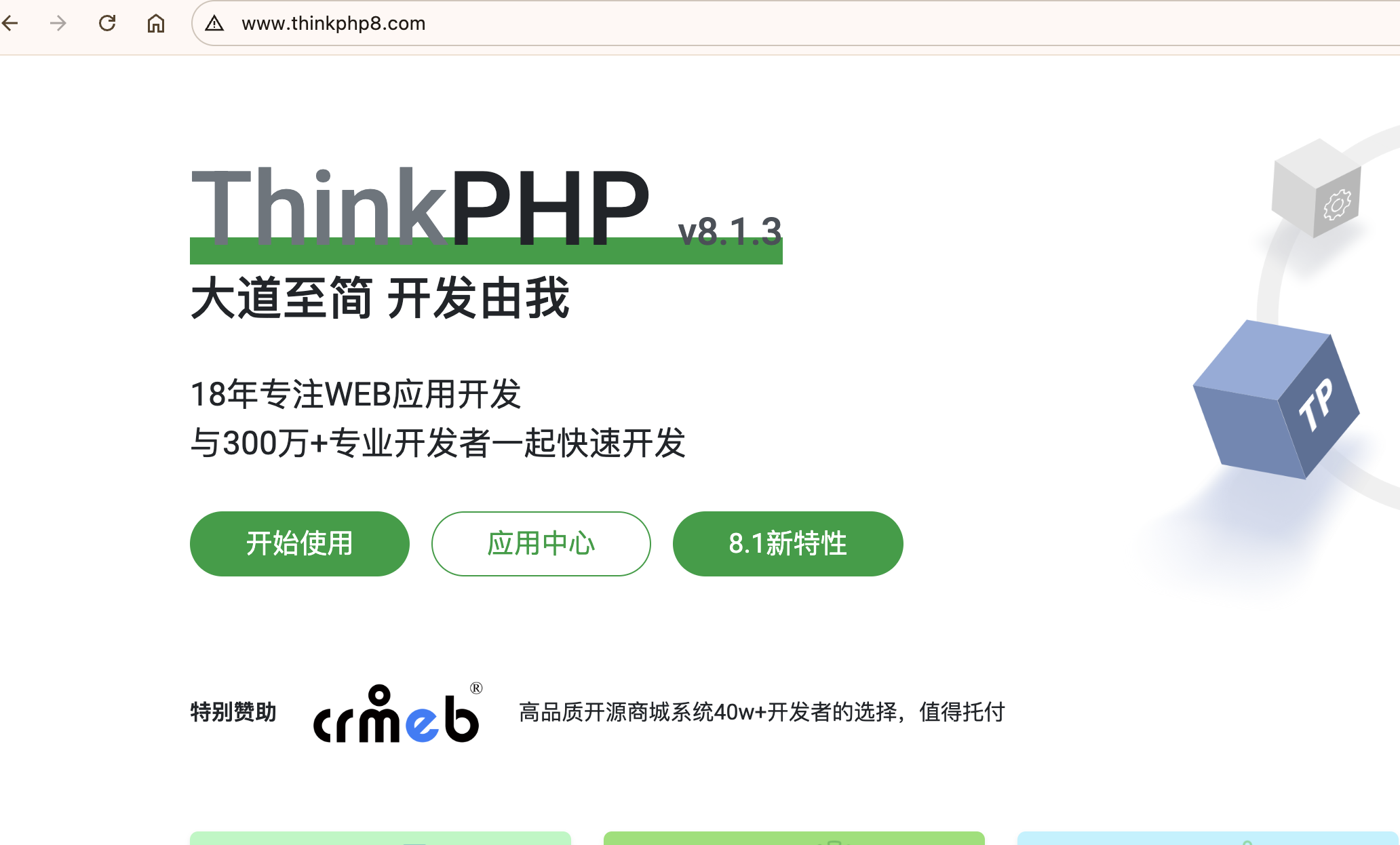
4、访问网站,可以看到这个页面说明配置成功了

北京人形旗下天工造物具身智能开源社区,聚焦具身天工与慧思开物两大平台
更多推荐
 9
9 0
0- 0


 已为社区贡献1条内容

所有评论(0)