cocos shader做简单迷雾
·
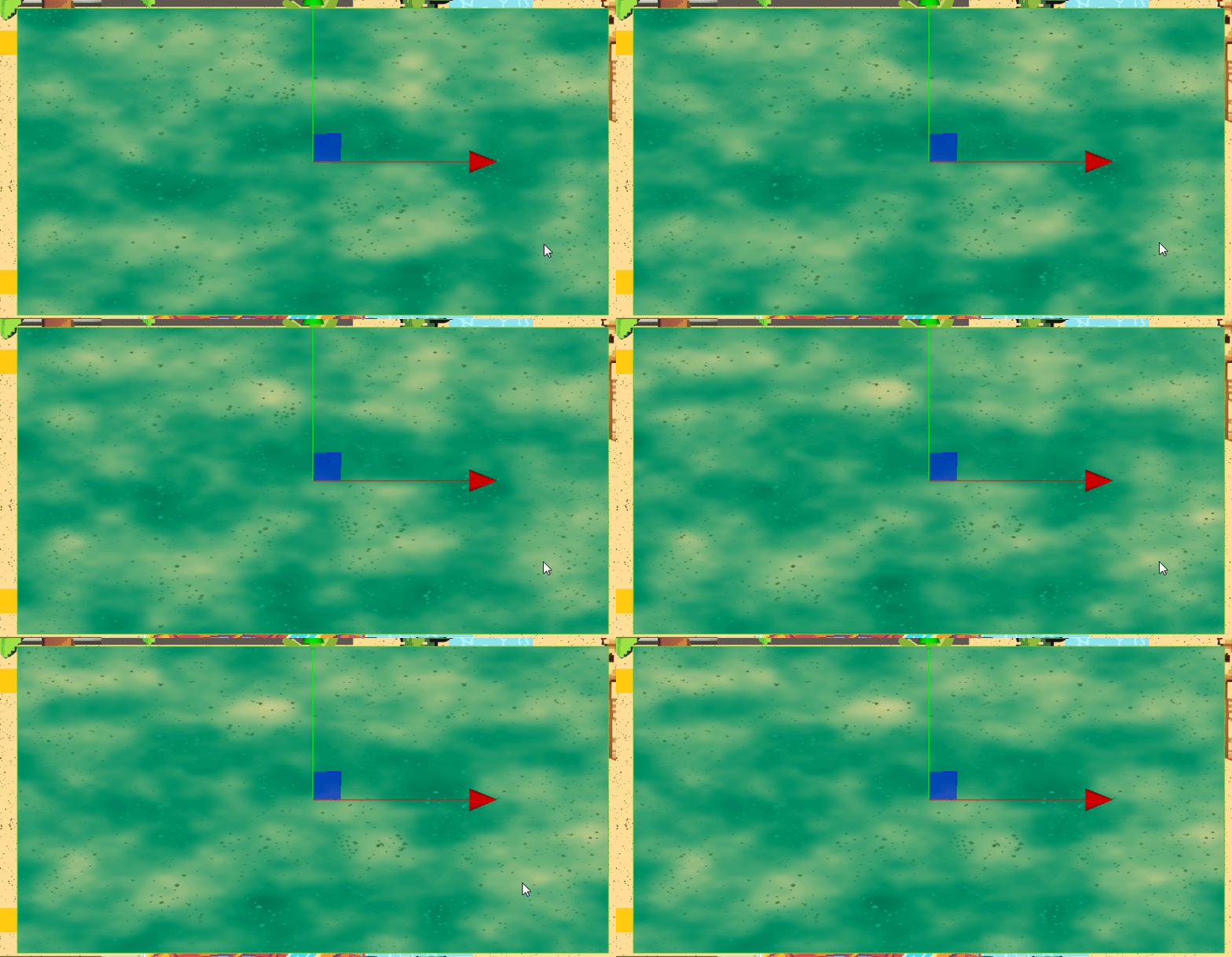
movespeed是流速
noisescale是距离
noisespeed是浓淡
// Effect Syntax Guide: https://docs.cocos.com/creator/manual/zh/shader/index.html

// Effect Syntax Guide: https://docs.cocos.com/creator/manual/zh/shader/index.html

// Copyright (c) 2017-2020 Xiamen Yaji Software Co., Ltd.
// Copyright (c) 2017-2020 Xiamen Yaji Software Co., Ltd.
// Copyright (c) 2017-2020 Xiamen Yaji Software Co., Ltd.
// Copyright (c) 2017-2020 Xiamen Yaji Software Co., Ltd.
// Effect Syntax Guide: https://docs.cocos.com/creator/manual/zh/shader/index.html

// Copyright (c) 2017-2020 Xiamen Yaji Software Co., Ltd.
// Effect Syntax Guide: https://docs.cocos.com/creator/manual/zh/shader/index.html

// Copyright (c) 2017-2020 Xiamen Yaji Software Co., Ltd.
// 最简兼容版光柱Shader

/** glow-simple.effect **/

CCEffect %{
  techniques:
  - name: glow
    passes:
    - vert: vs:vert

      frag: fs:frag
      blendState:
        targets:
        - blend: true

          blendSrc: src_alpha

          blendDst: one_minus_src_alpha
      depthStencilState:
          depthTest: false
          depthWrite: false
      rasterizerState:
        cullMode: none
      properties:
        glowColor:  { value: [1.0, 0.8, 0.3, 1.0], editor: { type: color } }


        moveSpeed: { value: 1.0, editor: { range: [0.1, 5.0, 0.1] } }
        beamWidth: { value: 0.1, editor: { range: [0.01, 0.5, 0.01] } }
        curveIntensity: { value: 0.2, editor: { range: [0.0, 1.0, 0.01] } }
        noiseTexture: { value: white, editor: { type: texture } }
        noiseScale: { value: 5.0, editor: { range: [0.1, 20.0, 0.1] } }

        noiseSpeed: { value: 0.5, editor: { range: [0.0, 2.0, 0.01] } }

}%

CCProgram vs %{
  precision highp float;
#include <cc-global>
#if USE_LOCAL


  #include <builtin/uniforms/cc-local>
#endif
in vec3 a_position;

in vec2 a_texCoord;
out vec2 uv;

#if USE_LOCAL
  in vec4 a_color;

  out vec4 v_color;
#endif


vec4 vert() {

  vec4 pos = vec4(a_position, 1);

  #if USE_LOCAL
    pos = cc_matWorld * pos;

    v_color = a_color;
  #endif

  pos = cc_matViewProj * pos;
  uv = a_texCoord;

  return  pos;
}

}%

CCProgram fs %{
  precision highp float;
  #include <sprite-texture>
  #include <cc-global> // 添加cc_time支持
  in vec2 uv;

  // 添加噪声纹理采样器
  uniform sampler2D noiseTexture;

  uniform UBO {
    vec4 glowColor;
    float moveSpeed;
    float beamWidth;
    float curveIntensity;
    float noiseSpeed;
    float fogDensity;
    float noiseScale;
  };

   // 简单噪声函数
  float noise(vec2 p) {
    return fract(sin(dot(p, vec2(127.1, 311.7))) * 43758.5453);
  }

  // 更平滑的噪声
  float smoothNoise(vec2 p) {
    vec2 i = floor(p);
    vec2 f = fract(p);

    float a = noise(i);
    float b = noise(i + vec2(1.0, 0.0));
    float c = noise(i + vec2(0.0, 1.0));
    float d = noise(i + vec2(1.0, 1.0));

    vec2 u = f * f * (3.0 - 2.0 * f);

    return mix(mix(a, b, u.x), mix(c, d, u.x), u.y);
  }

  // 多层噪声(分形布朗运动)
  float fbm(vec2 p) {
    float value = 0.0;
    float amplitude = 0.5;
    float frequency = 1.0;

    for(int i = 0; i < 3; i++) {
      value += amplitude * smoothNoise(p * frequency);
      frequency *= 2.0;
      amplitude *= 0.5;
    }

    return value;
  }


  vec4 frag() {
    // 获取原始颜色
    vec4 original = texture(cc_spriteTexture, uv);
    float time = cc_time.x * moveSpeed;
    float o=mod(time,1.7) -0.7;
    // 生成两层动态雾效,不同方向和速度
    vec2 uv1 = uv * noiseScale + vec2(time * 0.1, time * 0.05);
    vec2 uv2 = uv * (noiseScale * 1.8) - vec2(time * 0.07, time * 0.03);

    float fog1 = fbm(uv1);
    float fog2 = fbm(uv2);

    // 混合雾效
    float fogFactor = (fog1 * 0.6 + fog2 * 0.4) * noiseSpeed;

    // 与原始图片混合
    vec3 finalColor = mix(original.rgb, glowColor.rgb, fogFactor);

    return vec4(finalColor, original.a);
  }
}%

北京人形旗下天工造物具身智能开源社区,聚焦具身天工与慧思开物两大平台
更多推荐
 3
3 0
0- 0


 已为社区贡献10条内容

所有评论(0)