zabbix6 监控vsphere
·
zabbix6 监控vsphere
1.修改zabbix server 的配置文件
vi /etc/zabbix/zabbix_server.conf


#vmware 收集器实例的数量
VMwareCacheSize=320M
#存储VMware 数据的缓存容量
StartVMwareCollectors=5
#VMware collector 等待VMware 服务响应的时间(单位:秒)
VMwareTimeout=20
2.重启zabbix-server服务,并查看服务状态
systemctl restart zabbix-server
systemctl status zabbix-server
3.查看zabbix-server日志,观察vmware collector是否启动
tail -n 100 /var/log/zabbix/zabbix_server.log | grep vmware
4.确认vsphere的sdk接口是否打开(返回结果有500即可)
curl -i -k --data "" https://x.x.x.x/sdk
HTTP/1.1 500 Internal Server Error
Date: Wed, 17 Sep 2025 08:55:54 GMT
Cache-Control: no-cache
Connection: Keep-Alive
Content-Type: text/xml; charset=utf-8
Content-Length: 556

<?xml version="1.0" encoding="UTF-8"?>
<soapenv:Envelope xmlns:soapenc="http://schemas.xmlsoap.org/soap/encoding/"
 xmlns:soapenv="http://schemas.xmlsoap.org/soap/envelope/"
 xmlns:xsd="http://www.w3.org/2001/XMLSchema"
 xmlns:xsi="http://www.w3.org/2001/XMLSchema-instance">
<soapenv:Body>
<soapenv:Fault>
  <faultcode>ClientFaultCode</faultcode>
  <faultstring>
Error returned by expat parser: no element found

while parsing HTTP request before method was determined
at line 1, column 0</faultstring>
</soapenv:Fault>
</soapenv:Body>
</soapenv:Envelope>
5.zabbix的web界面操作
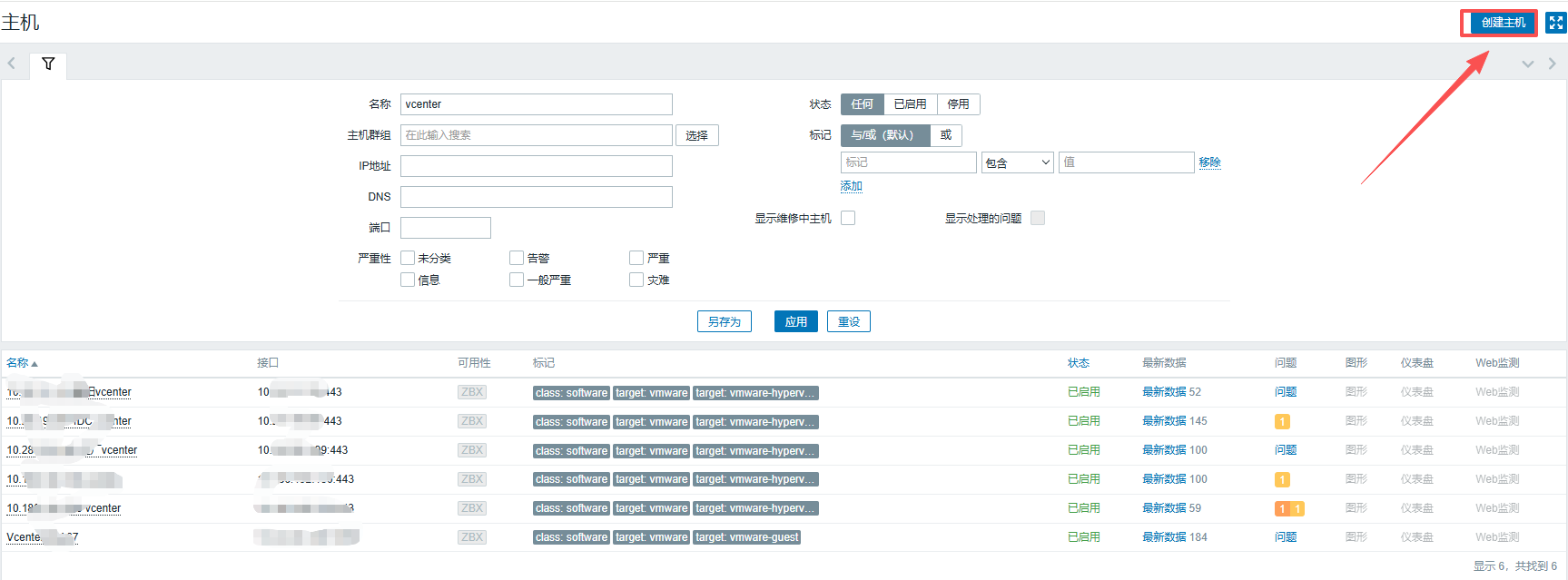
1 点击"配置"-“主机”-“创建主机”
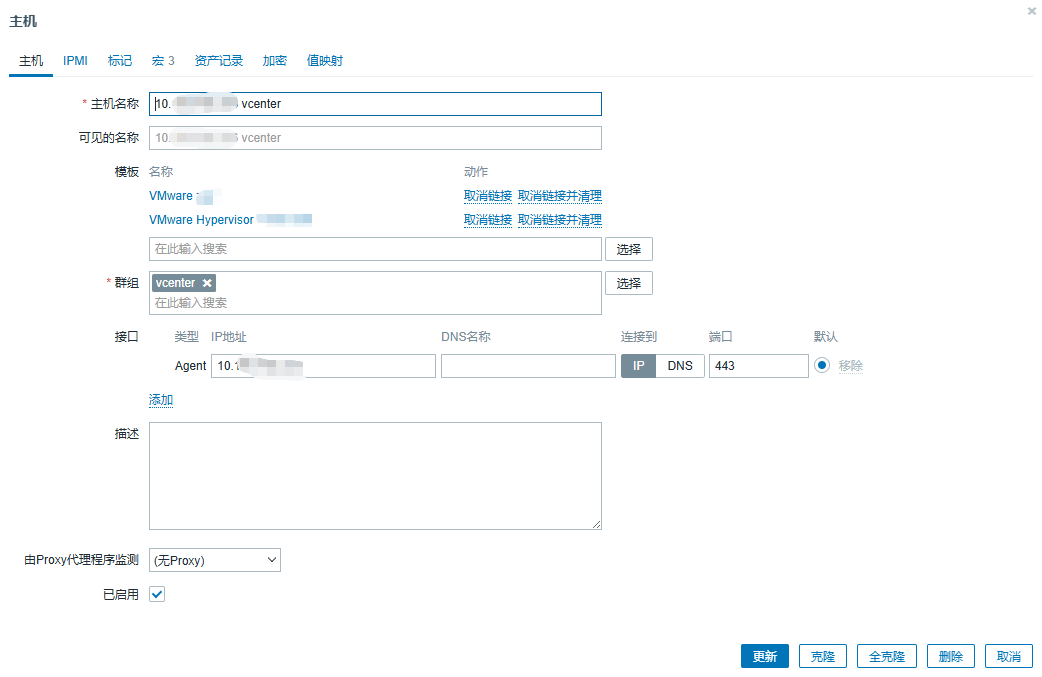
2 "主机"一栏配置**
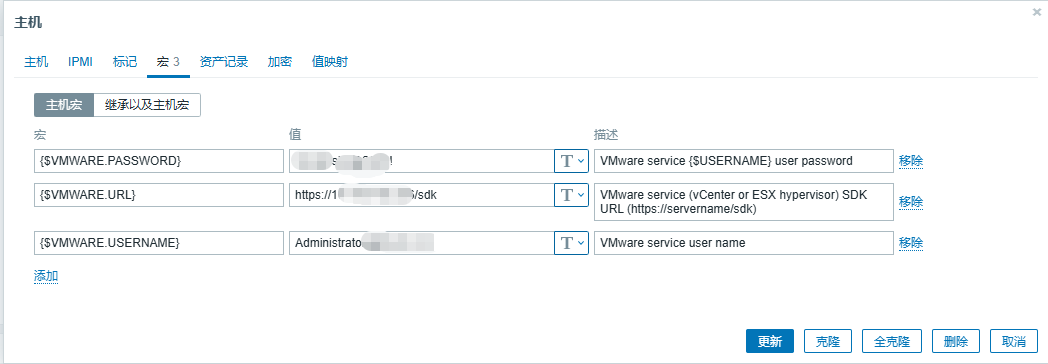
3 “宏"一栏配置,添加"主机宏”
"{$VMWARE.URL}“填写"https://x.x.x.x/sdk”;
"{$VMWARE.USERNAME}“填写"administrator@vsphere.local”(这里直接用管理员帐号测试,后期可以创个只读帐号替代);
**“{$VMWARE.PASSWORD}”**填写密码。
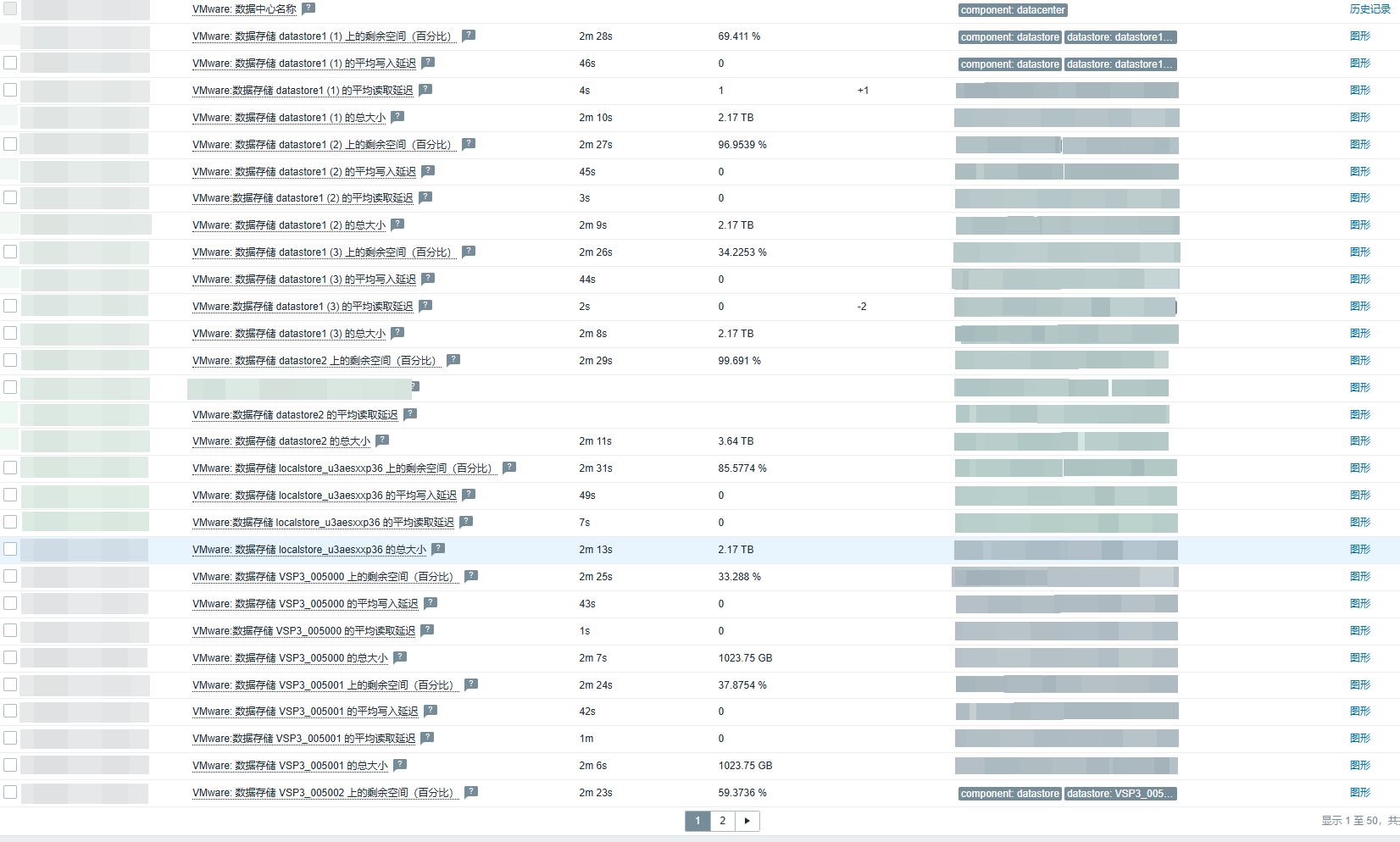
4 最后查看最新数据(成功监控)

北京人形旗下天工造物具身智能开源社区,聚焦具身天工与慧思开物两大平台
更多推荐
 5
5 0
0- 0


 已为社区贡献6条内容

所有评论(0)