ms-swift微调教程
·
1.安装环境
docker pull modelscope-registry.cn-hangzhou.cr.aliyuncs.com/modelscope-repo/modelscope:ubuntu22.04-cuda12.4.0-py310-torch2.6.0-vllm0.8.5.post1-modelscope1.27.1-swift3.5.3docker run -it --name qwenvl --network=host -v /data:/data -v /nfs/lide01/shiwei:/nfs --gpus all --shm-size 32G modelscope-registry.cn-hangzhou.cr.aliyuncs.com/modelscope-repo/modelscope:ubuntu22.04-cuda12.4.0-py310-torch2.6.0-vllm0.8.5.post1-modelscope1.27.1-swift3.5.3 /bin/bash
2.数据格式
swift中单条数据格式如下:
{
  "id": "sample_0001",
  "messages": [
    {
      "role": "user",
      "content": [
        {"type": "image", "image": "/path/to/img_001.jpg"},
        {"type": "text", "text": "图中有哪些动物?请用中文回答。"}
      ]
    },
    {
      "role": "assistant",
      "content": [
        {"type": "text", "text": "有两只长颈鹿和一只斑马。"}
      ]
    }
  ]
}上面的数据格式和self-llm中的教程有一些差异,参考:https://github.com/datawhalechina/self-llm/blob/master/models/Qwen2-VL/06-Qwen2-VL-2B-Instruct%20Lora%20%E5%BE%AE%E8%B0%83%E6%A1%88%E4%BE%8B%20-%20LaTexOCR.md#-%E7%8E%AF%E5%A2%83%E9%85%8D%E7%BD%AE
self-llm中的格式如下:
[
  {
    "id": "identity_1",
    "conversations": [
      {
        "role": "user",
        "value": "图片路径"
      },
      {
        "role": "assistant",
        "value": "LaTex公式"
      }
    ]
  },
...
]
训练格式转换,将self-llm中的格式转换成swift要求格式:
import json
import os

def convert_format(input_file, output_file):
    with open(input_file, 'r', encoding='utf-8') as f:
        data = json.load(f)

    converted_data = []

    for idx, item in enumerate(data, 1):

        new_item = {
            "id": f"sample_{idx:04d}",  # 生成sample_0001这样的ID
            "messages": []
        }

        for conversation in item["conversations"]:
            role = conversation["role"]
            value = conversation["value"]

            # 根据角色构建不同的内容
            if role == "user":
                # 用户消息包含图片路径
                content = [
                    {"type": "image", "image": value},
                    {"type": "text", "text": "请识别图片中的公式,并用LaTex格式返回。"}
                ]
            else:  # assistant
                # 助手消息是LaTex公式
                content = [
                    {"type": "text", "text": value}
                ]

            new_item["messages"].append({
                "role": role,
                "content": content
            })

        converted_data.append(new_item)

    # 保存转换后的数据
    with open(output_file, 'w', encoding='utf-8') as f:
        json.dump(converted_data, f, ensure_ascii=False, indent=2)

    print(f"转换完成,共处理{len(converted_data)}条数据,已保存至{output_file}")


if __name__ == "__main__":
    # 示例用法
    input_json = r"X:\shiwei\LLM/latex_ocr_val.json"  # 输入文件路径
    output_json = r"X:\shiwei\LLM/latex_ocr_val_swift.json" # 输出文件路径

    # 如果输入文件存在则进行转换
    if os.path.exists(input_json):
        convert_format(input_json, output_json)
    else:
        print(f"错误:输入文件'{input_json}'不存在")
3.微调指令
swift sft --model ./Qwen2.5-VL-3B-Instruct --dataset latex_ocr_train_swift.json --output_dir ./outputs/qwen25vl_lora --max_pixels 518400 --lora_rank 64 --per_device_train_batch_size 1 --gradient_accumulation_steps 16 --fp16 false --num_train_epochs 3 --learning_rate 1e-4 --save_steps 500 --logging_steps 20
注意事项:
-
--vision_tower auto会自动识别视觉编码器。 -
--max_pixels控制单图分辨率上限,别设太大容易炸显存。 -
LoRA Rank 一般 32/64 起步,结合资源调整。
-
数据集可用 JSONL,一行一个样本。
-
如果想指定显卡,参考如下指令:
CUDA_VISIBLE_DEVICES=0 swift sft --model ./Qwen2.5-VL-3B-Instruct
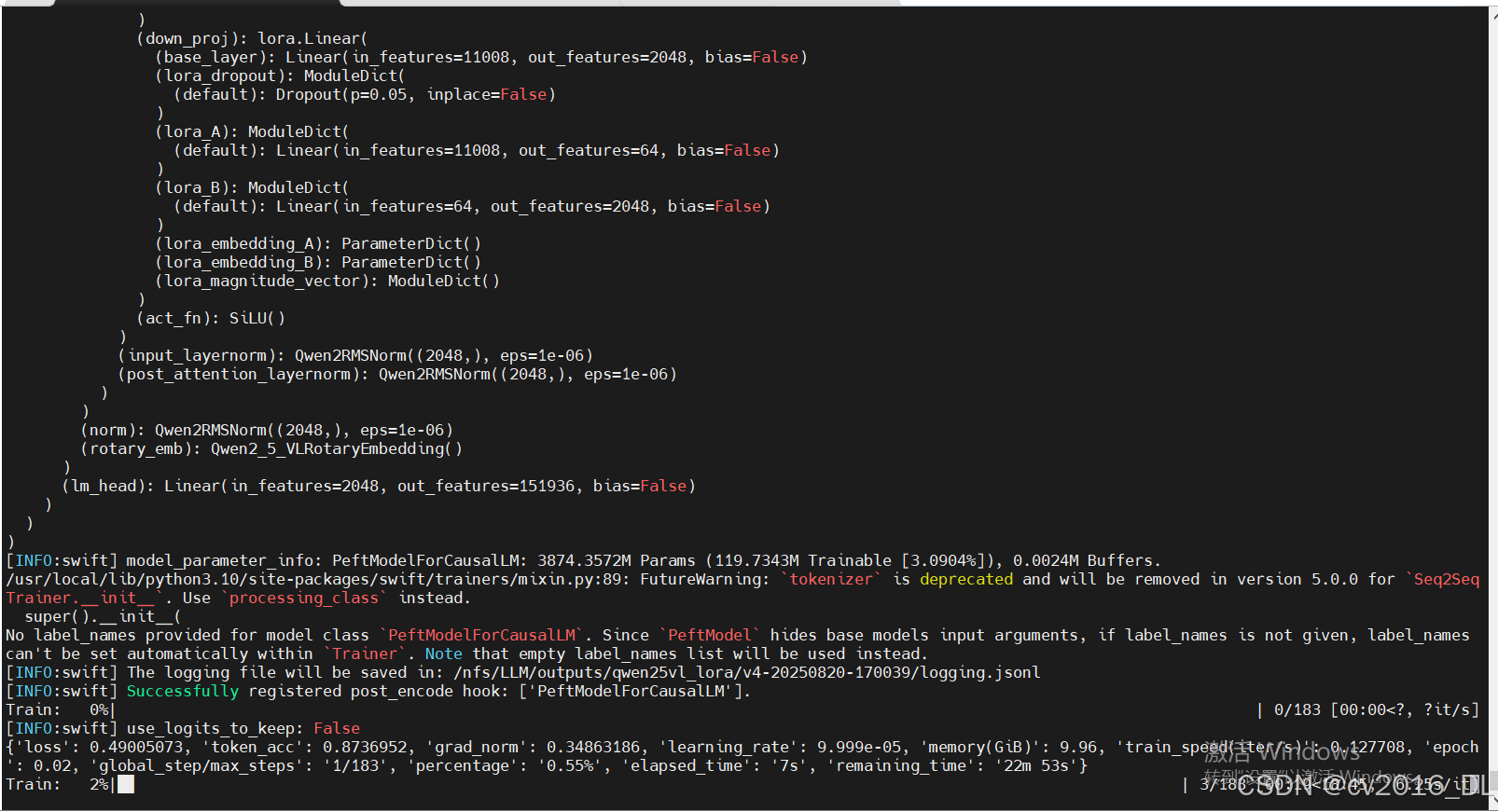
微调过程:
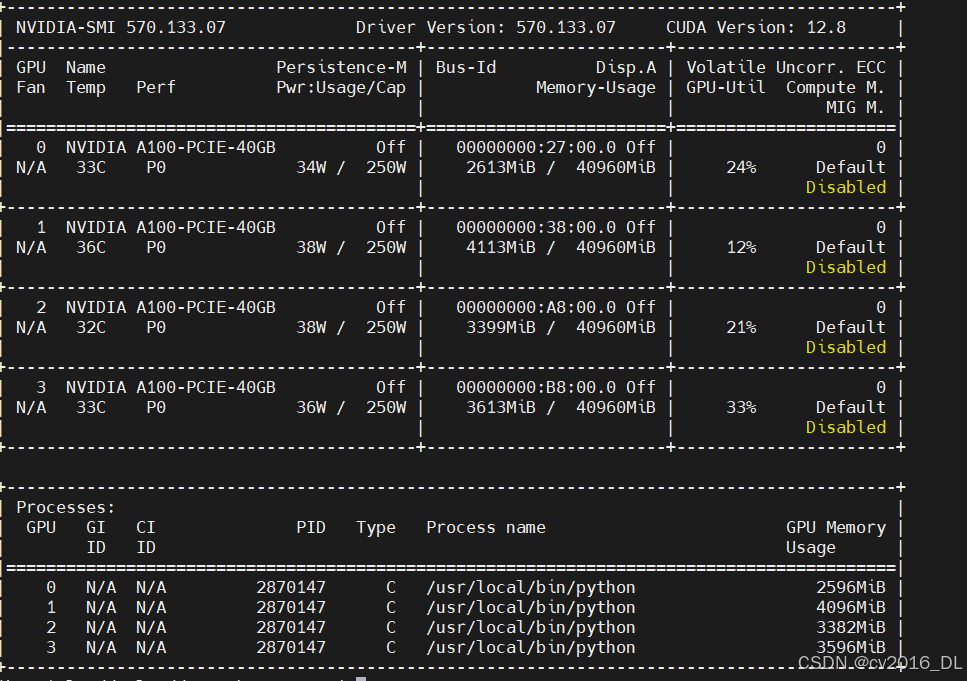
显存占用情况:
4.部署测试
微调后权重合并:swift export
转 gguf / turbomind 等格式部署(视情况选择)。
# 使用交互式命令行进行推理
CUDA_VISIBLE_DEVICES=0 \
swift infer \
    --adapters output/vx-xxx/checkpoint-xxx \
    --stream true \
    --temperature 0 \
    --max_new_tokens 2048

# merge-lora并使用vLLM进行推理加速
CUDA_VISIBLE_DEVICES=0 \
swift infer \
    --adapters output/vx-xxx/checkpoint-xxx \
    --stream true \
    --merge_lora true \
    --infer_backend vllm \
    --vllm_max_model_len 8192 \
    --temperature 0 \
    --max_new_tokens 2048
北京人形旗下天工造物具身智能开源社区,聚焦具身天工与慧思开物两大平台
更多推荐
 6
6 0
0- 0


 已为社区贡献11条内容

所有评论(0)