appium桌面端GUI出现 WebDriverException: Message: The requested resource could not be found 解决办法
目录
错误收集
D:\Program\Util\python.exe "D:/Program/myUtil/PyCharm 2024.3.5/plugins/python-ce/helpers/pycharm/_jb_pytest_runner.py" --target demo.py::TestAppium
Testing started at 9:48 ...
Launching pytest with arguments demo.py::TestAppium --no-header --no-summary -q in C:\Users\Administrator\PycharmProjects\pyAppium============================= test session starts =============================
collecting ... collected 1 itemdemo.py::TestAppium::test_study
========================= 1 warning, 1 error in 0.86s =========================
ERROR [100%]
test setup failed
self = <demo.TestAppium object at 0x0000029105E3CA50>def setup_method(self):
> self.app_do = webdriver.Remote(config.appium_server_address, options=UiAutomator2Options().load_capabilities(config.cap))
^^^^^^^^^^^^^^^^^^^^^^^^^^^^^^^^^^^^^^^^^^^^^^^^^^^^^^^^^^^^^^^^^^^^^^^^^^^^^^^^^^^^^^^^^^^^^^^^^^^^^^^^^^^demo.py:12:
_ _ _ _ _ _ _ _ _ _ _ _ _ _ _ _ _ _ _ _ _ _ _ _ _ _ _ _ _ _ _ _ _ _ _ _ _ _ _ _
D:\Program\Util\Lib\site-packages\appium\webdriver\webdriver.py:253: in __init__
super().__init__(
D:\Program\Util\Lib\site-packages\selenium\webdriver\remote\webdriver.py:261: in __init__
self.start_session(capabilities)
D:\Program\Util\Lib\site-packages\appium\webdriver\webdriver.py:344: in start_session
response = self.execute(RemoteCommand.NEW_SESSION, w3c_caps)
^^^^^^^^^^^^^^^^^^^^^^^^^^^^^^^^^^^^^^^^^^^^^^^^^
D:\Program\Util\Lib\site-packages\selenium\webdriver\remote\webdriver.py:454: in execute
self.error_handler.check_response(response)
_ _ _ _ _ _ _ _ _ _ _ _ _ _ _ _ _ _ _ _ _ _ _ _ _ _ _ _ _ _ _ _ _ _ _ _ _ _ _ _self = <selenium.webdriver.remote.errorhandler.ErrorHandler object at 0x0000029105DEB230>
response = {'status': 404, 'value': '{"status":9,"value":{"error":"unknown command","message":"The requested resource could not be found, or a request was received using an HTTP method that is not supported by the mapped resource","stacktrace":""}}'}def check_response(self, response: dict[str, Any]) -> None:
"""Checks that a JSON response from the WebDriver does not have an
error.
:Args:
- response - The JSON response from the WebDriver server as a dictionary
object.
:Raises: If the response contains an error message.
"""
status = response.get("status", None)
if not status or status == ErrorCode.SUCCESS:
return
value = None
message = response.get("message", "")
screen: str = response.get("screen", "")
stacktrace = None
if isinstance(status, int):
value_json = response.get("value", None)
if value_json and isinstance(value_json, str):
try:
value = json.loads(value_json)
if isinstance(value, dict):
if len(value) == 1:
value = value["value"]
status = value.get("error", None)
if not status:
status = value.get("status", ErrorCode.UNKNOWN_ERROR)
message = value.get("value") or value.get("message")
if not isinstance(message, str):
value = message
message = message.get("message")
else:
message = value.get("message", None)
except ValueError:
pass
exception_class: type[WebDriverException]
e = ErrorCode()
error_codes = [item for item in dir(e) if not item.startswith("__")]
for error_code in error_codes:
error_info = getattr(ErrorCode, error_code)
if isinstance(error_info, list) and status in error_info:
exception_class = getattr(ExceptionMapping, error_code, WebDriverException)
break
else:
exception_class = WebDriverException
if not value:
value = response["value"]
if isinstance(value, str):
raise exception_class(value)
if message == "" and "message" in value:
message = value["message"]
screen = None # type: ignore[assignment]
if "screen" in value:
screen = value["screen"]
stacktrace = None
st_value = value.get("stackTrace") or value.get("stacktrace")
if st_value:
if isinstance(st_value, str):
stacktrace = st_value.split("\n")
else:
stacktrace = []
try:
for frame in st_value:
line = frame.get("lineNumber", "")
file = frame.get("fileName", "<anonymous>")
if line:
file = f"{file}:{line}"
meth = frame.get("methodName", "<anonymous>")
if "className" in frame:
meth = f"{frame['className']}.{meth}"
msg = " at %s (%s)"
msg = msg % (meth, file)
stacktrace.append(msg)
except TypeError:
pass
if exception_class == UnexpectedAlertPresentException:
alert_text = None
if "data" in value:
alert_text = value["data"].get("text")
elif "alert" in value:
alert_text = value["alert"].get("text")
raise exception_class(message, screen, stacktrace, alert_text) # type: ignore[call-arg] # mypy is not smart enough here
> raise exception_class(message, screen, stacktrace)
E selenium.common.exceptions.WebDriverException: Message: The requested resource could not be found, or a request was received using an HTTP method that is not supported by the mapped resourceD:\Program\Util\Lib\site-packages\selenium\webdriver\remote\errorhandler.py:232: WebDriverException
Process finished with exit code 1
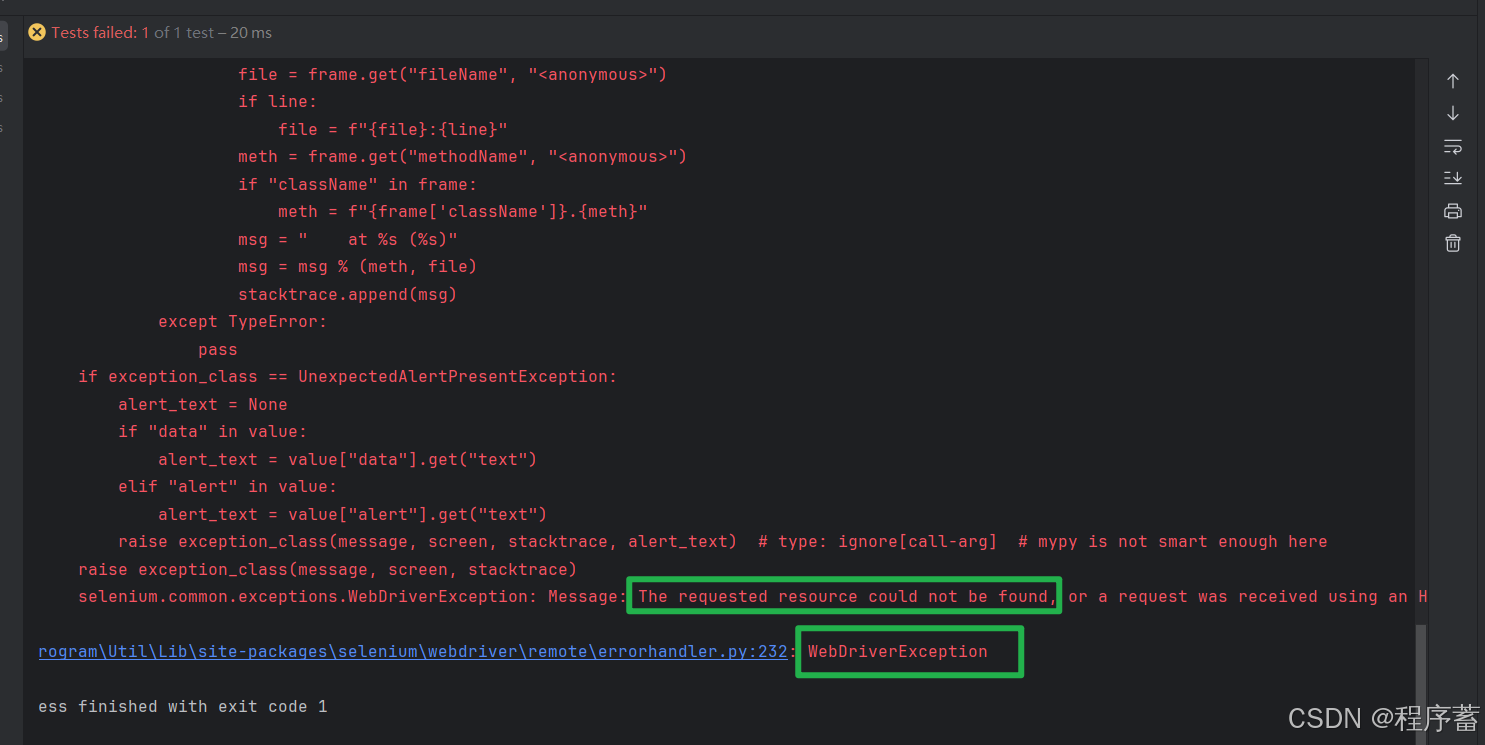
错误分析
selenium.common.exceptions.WebDriverException: Message: The requested resource could not be found, or a request was received using an HTTP method that is not supported by the mapped resource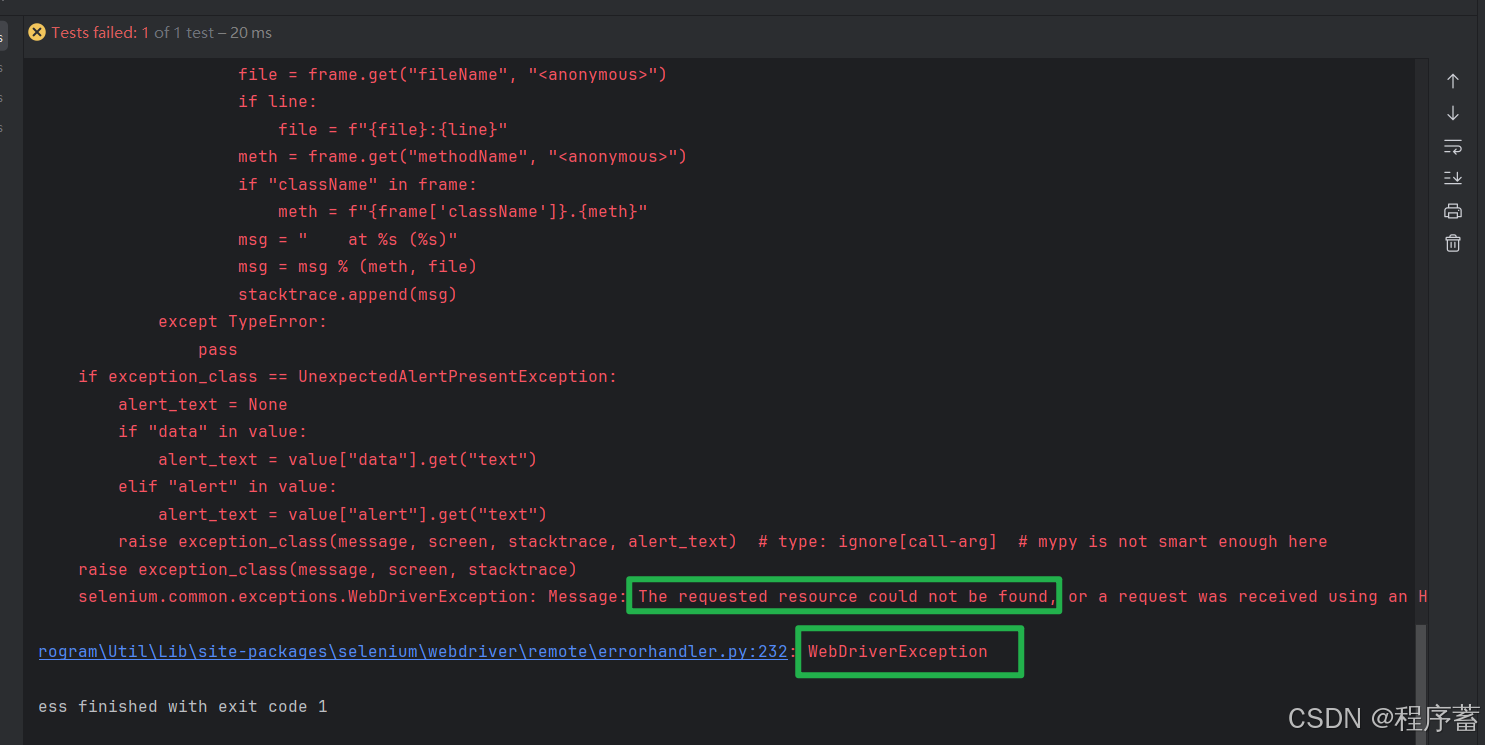
看上面的可以看出来应该是请求资源没有找到,说明我们的服务器已经成功启动,但是资源没有找到,有可能是appium GUI Server 路径出现了错误。
检查一下配置
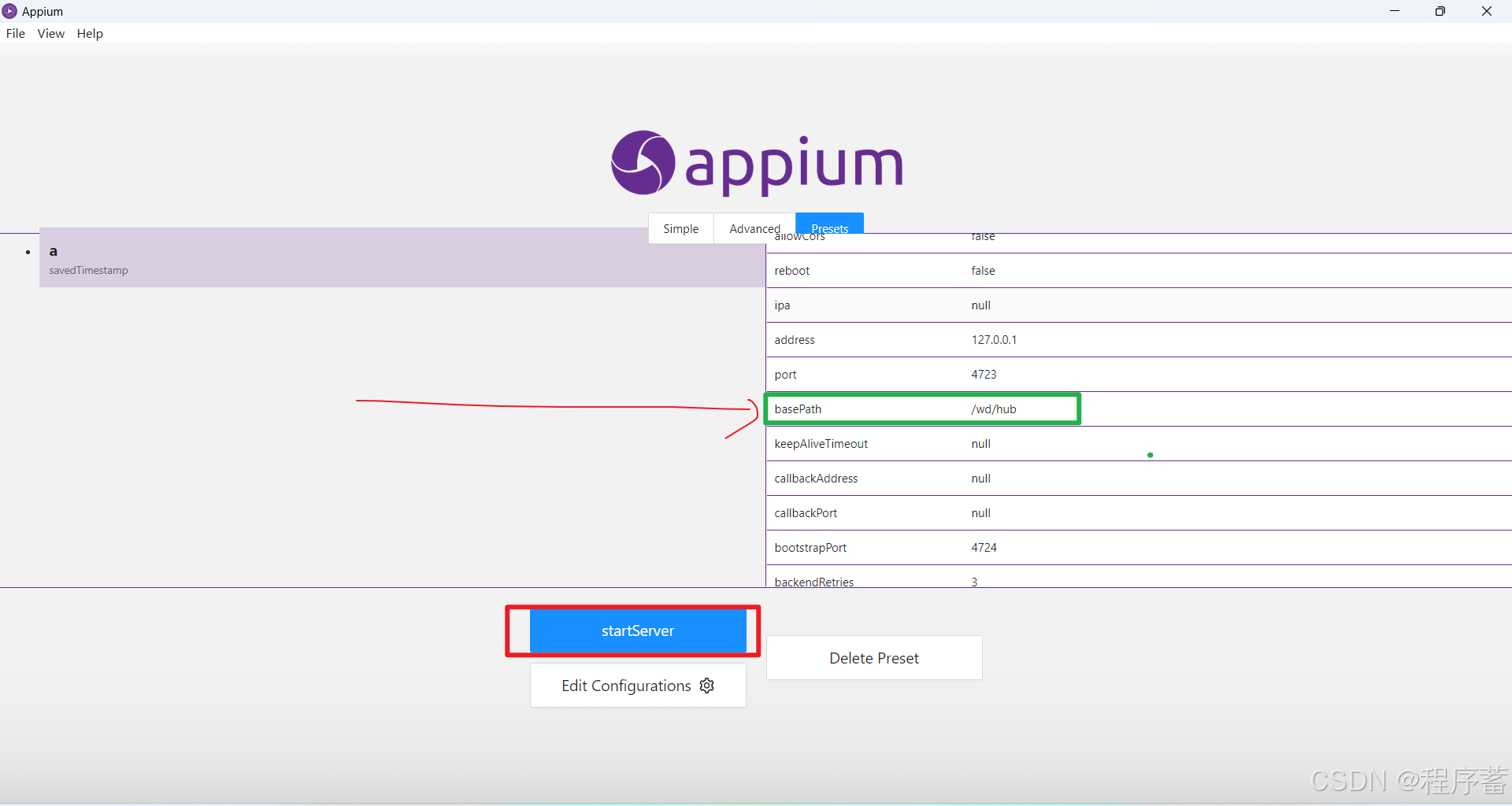
可以看到这里的基础路径是 /wb/hub
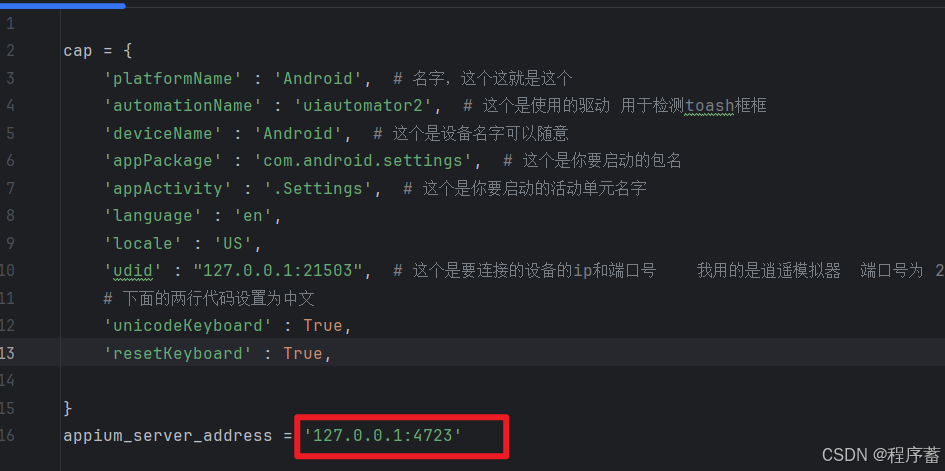
检查代码
发现了,这个使用的127.0.0.1:4723 ===> 这个原本是使用的appium Node版本的服务器,基础请求的路径是 127.0.0.1:4723
但是今天是想使用一下appium GUI Server这个appium 服务,对比路径出现了错误,所以出现了错误
解决办法
修改配置文件中的路径
appium_server_address = '127.0.0.1:4723/wd/hub'

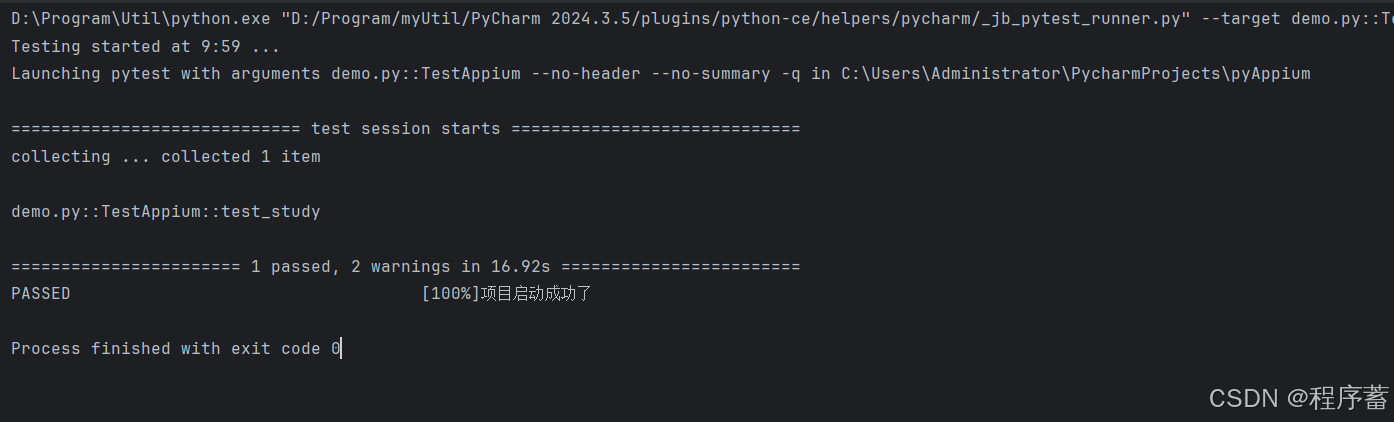
运行结果
appium官网
appium Server GUI 地址
Releases · appium/appium-desktop · GitHub
https://github.com/appium/appium-desktop/releases

北京人形旗下天工造物具身智能开源社区,聚焦具身天工与慧思开物两大平台
更多推荐
 15
15 0
0- 0


 已为社区贡献11条内容

所有评论(0)