【NLP舆情分析】基于python微博舆情分析可视化系统(flask+pandas+echarts) 视频教程 - 微博信息爬取
·
大家好,我是java1234_小锋老师,最近写了一套【NLP舆情分析】基于python微博舆情分析可视化系统(flask+pandas+echarts)视频教程,持续更新中,计划月底更新完,感谢支持。今天讲解微博信息爬取
视频在线地址:
2026版【NLP舆情分析】基于python微博舆情分析可视化系统(flask+pandas+echarts+爬虫) 视频教程 (火爆连载更新中..)_哔哩哔哩_bilibili
课程简介:
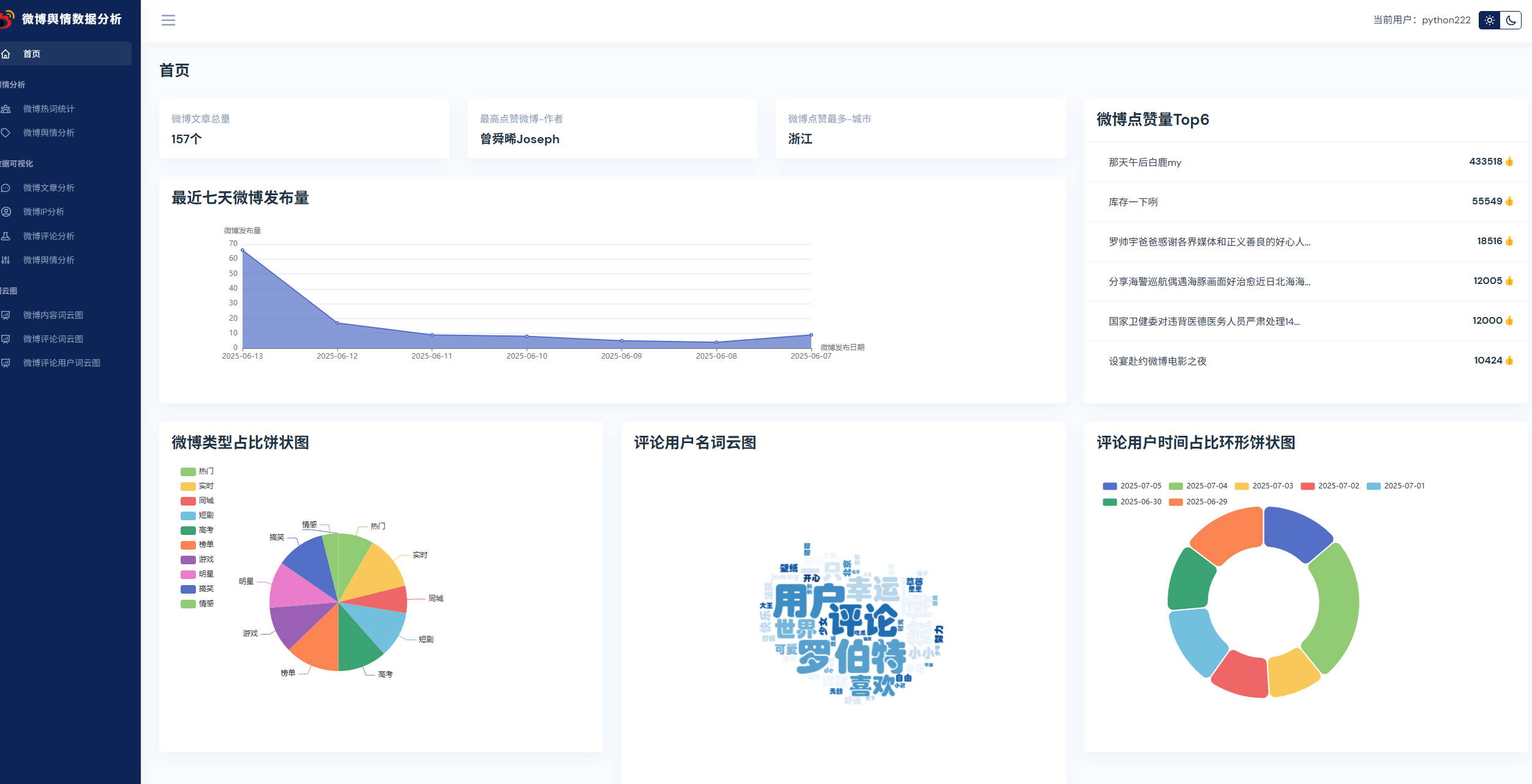
本课程采用主流的Python技术栈实现,Mysql8数据库,Flask后端,Pandas数据分析,前端可视化图表采用echarts,以及requests库,snowNLP进行情感分析,词频统计,包括大量的数据统计及分析技巧。
实现了,用户登录,注册,爬取微博帖子和评论信息,进行了热词统计以及舆情分析,以及基于echarts实现了数据可视化,包括微博文章分析,微博IP分析,微博评论分析,微博舆情分析。最后也基于wordcloud库实现了词云图,包括微博内容词云图,微博评论词云图,微博评论用户词云图等功能。
微博信息爬取
前面我们爬取了所有微博类别信息,现在我们需要遍历博客类别信息,然后再一次爬取每个类别的微博数据。
首先我们分析出微博信息请求地址
https://weibo.com/ajax/feed/hottimeline?since_id=0&refresh=1&group_id=102803600169&containerid=102803_ctg1_600169_-_ctg1_600169&extparam=discover%7Cnew_feed&max_id=0&count=10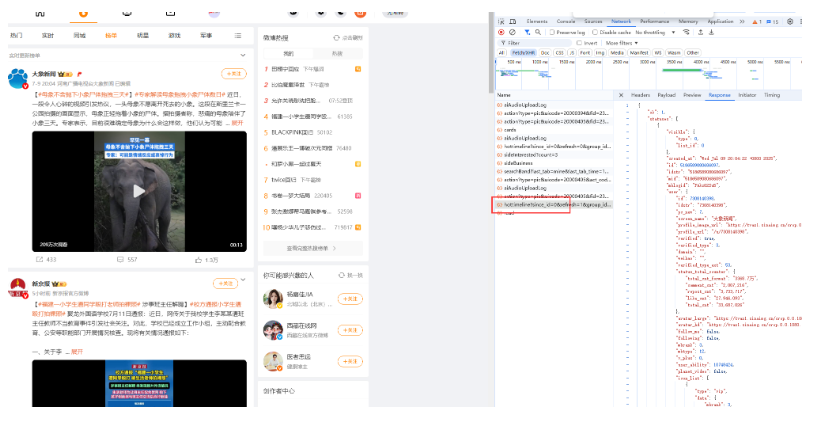
我们根据测试,有些参数可以不加。
https://weibo.com/ajax/feed/hottimeline?group_id=102803600169&containerid=102803_ctg1_600169_-_ctg1_600169&extparam=discover%7Cnew_feed实现代码:
"""
    微博内容 爬取,以及存csv文件
    https://weibo.com/ajax/feed/hottimeline?
    group_id=1028036288&
    containerid=102803_ctg1_6288_-_ctg1_6288&
    extparam=discover%7Cnew_feed
"""
import csv
import os
import time
from datetime import datetime

import requests

from util.stringUtil import clean_string


def init_csv():
    """
    初始化操作,判断csv文件是否存在,不能存在就创建一个
    :return:
    """
    if not os.path.exists('article_data.csv'):  # 不存在就创建一个
        with open('article_data.csv', 'w', encoding='utf8',
                  newline='') as file:  # newline=''参数,参数用于控制换行符的行为 这表示禁用自动换行符转换,即写入文件时使用原始的换行符(例如\r\n或\n)。这对于处理CSV文件时避免不必要的空行特别有用。
            writer = csv.writer(file)
            writer.writerow([
                'id',  # 帖子id
                'text_raw',  # 内容
                'reposts_count',  # 转发总数
                'comments_count',  # 评论总数
                'attitudes_count',  # 点赞总数
                'region_name',  # 发布位置 少部分没有这个值
                'created_at',  # 创建日期
                'articleType',  # 帖子类型
                'articleUrl',  # 帖子地址   https://weibo.com/userid/mblogid
                'authorId',  # 用户id
                'authorName',  # 用户名称
                'authorHomeUrl'  # 用户主页地址
            ])


def getAllTypeList():
    """
    获取所有微博类别
    :return:
    """
    allTypeList = []
    with open('arcType_data.csv', 'r', encoding='utf8',
              newline='') as file:
        reader = csv.reader(file)
        next(reader)
        for articleType in reader:
            allTypeList.append(articleType)
    return allTypeList


def getJsonHtml(url, params):
    """
    请求获取Html内容 json数据
    :param url:
    :param params:
    :return:
    """
    headers = {
        'user-agent': "Mozilla/5.0 (Windows NT 10.0; Win64; x64) AppleWebKit/537.36 (KHTML, like Gecko) Chrome/131.0.0.0 Safari/537.36",
        'cookie': "UOR=www.baidu.com,s.weibo.com,www.baidu.com; SINAGLOBAL=147269028916.96313.1738405722917; SCF=Aq_smbP0Qulm3aIQiWHRj0MVjLlLvMzPjh08C1UOgzZGKmgtkj3RlIKkPpPunA-Yp4Vs3PxaE2Mnw4EfY-zo22k.; ULV=1746148684228:3:1:1:750370364305.8235.1746148684180:1743395262982; SUBP=0033WrSXqPxfM725Ws9jqgMF55529P9D9WWdhwhTipHbo3gGv6wzaRcu5JpX5KMhUgL.Foef1hMR1KqEeoz2dJLoI08ZqP9yi--NiKLsi-2fi--Ri-8siKnci--fiKnRiKnci--Xi-iWi-8Fi--Ni-i2iK.p; XSRF-TOKEN=jkBbdfx8ioL49wGmuLw8ZTv2; ALF=1754794282; SUB=_2A25FdAx5DeRhGeVL41UZ-SjOyT6IHXVmCAGxrDV8PUJbkNAbLWfskW1NTBTNHVQQjZ8TTBpAQ68hUItVd4KUD_CC; WBPSESS=_IA_wwSTTkx7cB4s0X9svEMSaQHgjmYl9nytbvfrAcd7Iosa-3IBWF4ACq_6aV-rM8H92uAEfJAtiOQKdY2Gha_-gW_mgEBLLJLDTNTrl4COyaKsVhMD_fKgQcz8yS4cNe68un-DHcy9a6K983O71w=="
    }
    response = requests.get(url, headers=headers, params=params)
    if response.status_code == 200:
        return response.json()
    else:
        return None


def writeToCsv(row):
    """
    写入csv操作 a操作 尾部追加 写入操作
    :param row:
    :return:
    """
    with open('article_data.csv', 'a', encoding='utf8',
              newline='') as file:
        writer = csv.writer(file)
        writer.writerow(row)


def parseJson(json, articleType):
    """
    解析Json数据
    :param json:
    :param articleType:
    :return:
    """
    articleList = json['statuses']
    for article in articleList:
        id = article['id']
        text_raw = clean_string(article['text_raw'])
        reposts_count = article['reposts_count']
        comments_count = article['comments_count']
        attitudes_count = article['reposts_count']
        region_name = article.get('region_name', '发布于').replace('发布于', '').strip()  # 部分微博没有这个字段
        created_at = datetime.strptime(article['created_at'], "%a %b %d %H:%M:%S %z %Y").strftime("%Y-%m-%d %H:%M:%S")
        articleUrl = 'https://weibo.com/%s/%s' % (article['user']['id'], article['mblogid'])
        authorId = article['user']['id']
        authorName = article['user']['screen_name']
        authorHomeUrl = 'https://weibo.com/u/%s' % article['user']['id']

        writeToCsv([
            id,
            text_raw,
            reposts_count,
            comments_count,
            attitudes_count,
            region_name,
            created_at,
            articleType,
            articleUrl,
            authorId,
            authorName,
            authorHomeUrl
        ])


def start():
    url = "https://weibo.com/ajax/feed/hottimeline"
    init_csv()
    allTypeList = getAllTypeList()
    print(allTypeList)
    print('微博内容爬取开始')
    for articleType in allTypeList:
        print('正在爬取类型为:【%s】的微博数据' % articleType[0])
        time.sleep(1)
        params = {
            'group_id': articleType[1],
            'containerid': articleType[2],
            'extparam': 'discover|new_feed'
        }
        print(params)
        jsonHtml = getJsonHtml(url, params)
        parseJson(jsonHtml, articleType[0])
    print('微博内容爬取结束')


if __name__ == '__main__':
    """
    https://weibo.com/ajax/feed/hottimeline?
    group_id=1028036288&
    containerid=102803_ctg1_6288_-_ctg1_6288&
    extparam=discover%7Cnew_feed
    """
    start()
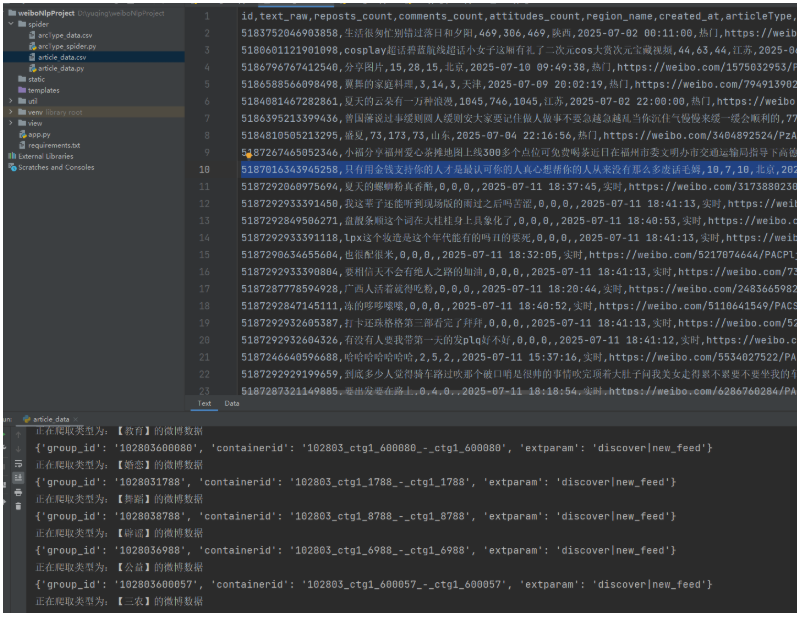
运行后,数据测试OK

北京人形旗下天工造物具身智能开源社区,聚焦具身天工与慧思开物两大平台
更多推荐
 5
5 0
0- 0


 已为社区贡献17条内容

所有评论(0)