微信小程序进行Airkiss配网
·
本文自我总结和一些小程序配网方面和Airkiss的一些看法,有错误和不同的看法,评论区↓↓↓指正(不是搞硬件的也不是很懂尽量写全,板子是乐鑫的ESP-32S,支持wifi和蓝牙)。
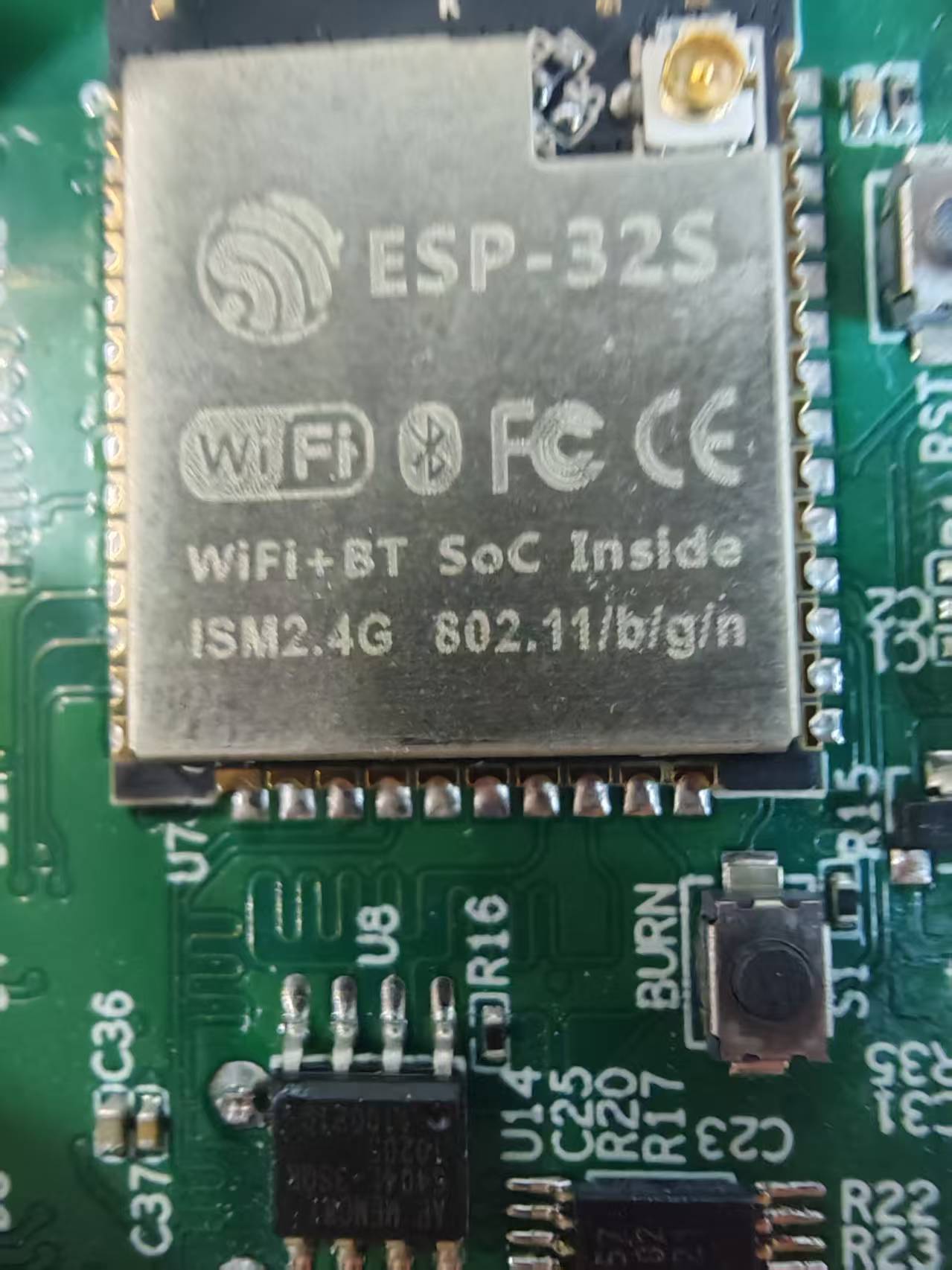
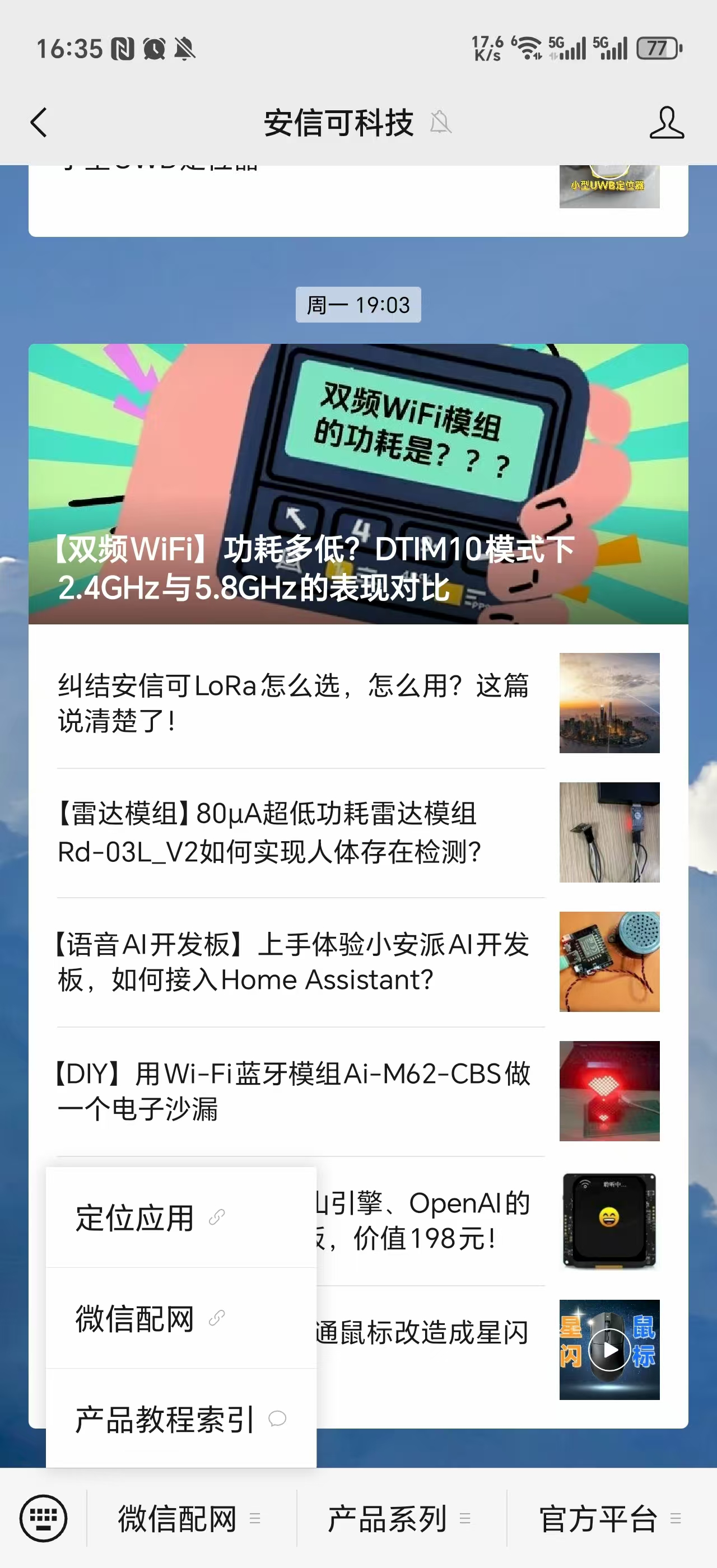
首先确认是否支持Airkiss配网,搜索一下安信可公众号进行测试看是否能够成功配网成功。
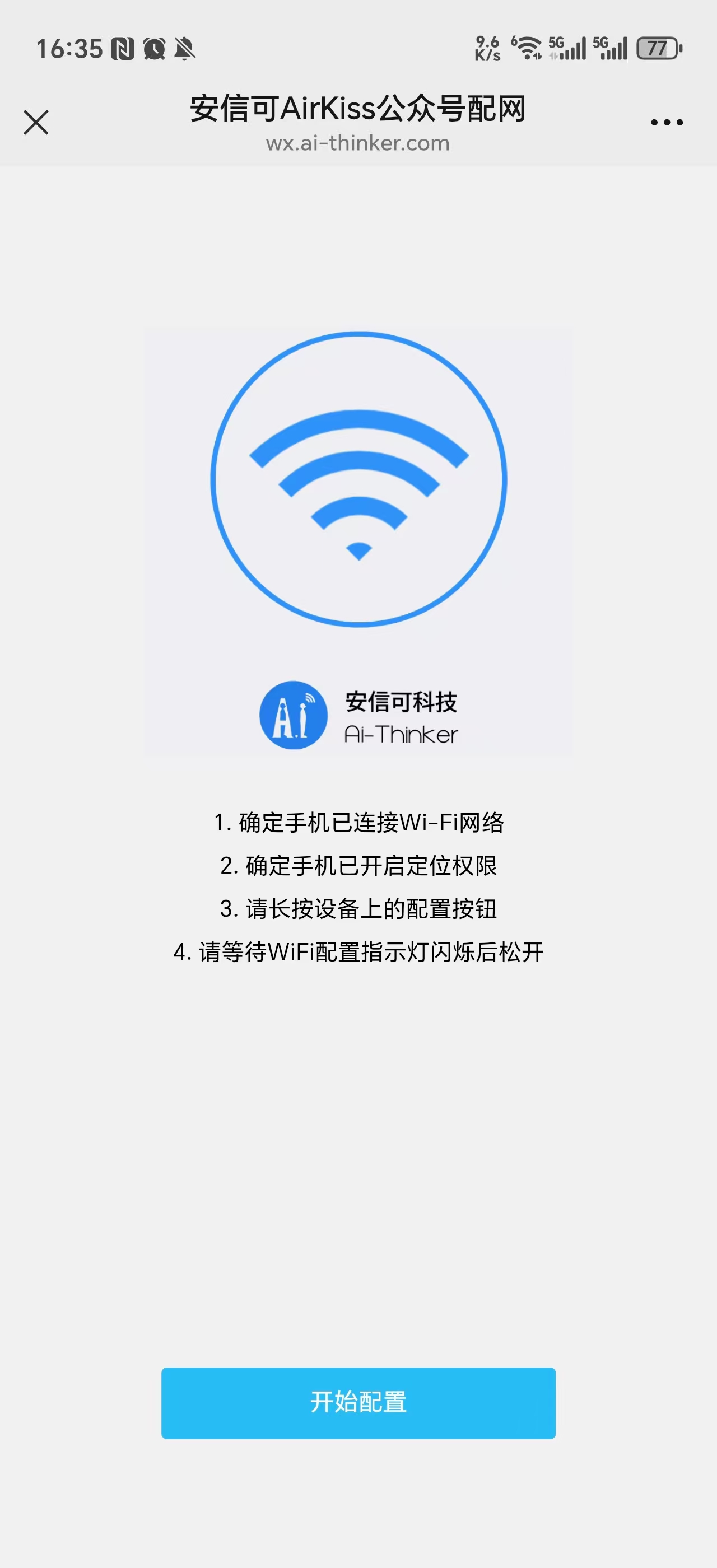
点击开始配置,输入密码进行配网。
保证支持Airkiss能够配网成功或者支持这个功能的情况下进行下一步:
这是我全网找的唯一一个能在自己小程序进行开发的一个配网方案。
它是开源的一个微信插件并没有开源代码所以可操作性也挺低。并且现在不知道什么具体原因配网会返回一些错误。
代码示例:
<template>
	<view class="page">
		<header-nav :text="'设备配网'" :bgColor="bgColor"></header-nav>
		<view class="height200"></view>

		<view class="weui-form__text-area">
			<image src="https://img.alicdn.com/tfs/TB1nzXJXmf2gK0jSZFPXXXsopXa-774-774.png"
				style="width: 200px;height: 200px;margin-top: 0px"></image>

			<view class="weui-form__desc" style="font-size:25rpx;margin-top: 0px">(1)先连接到家庭路由器2.4G频段网络。</view>
			<view class="weui-form__desc" style="font-size:25rpx;margin-top: 5px">(2)再输入家庭路由器密码,点击确定。</view>
		</view>

		<view class="weui-form__control-area">
			<view class="weui-cells__group weui-cells__group_form">
				<view class="weui-cells__title">家庭路由器信息</view>

				<view class="weui-cells weui-cells_form">
					<view class="weui-cell weui-cell_active weui-cell_disabled">
						<view class="weui-cell__hd">
							<label class="weui-label">SSID</label>
						</view>
						<view class="weui-cell__bd">
							<input class="weui-input" placeholder="请先连接到家庭网络" v-model="ssid" />
						</view>
					</view>
				</view>

				<view class="weui-cells">
					<view class="weui-cell weui-cell_active">
						<view class="weui-cell__hd"><label class="weui-label">密码</label></view>
						<view class="weui-cell__bd weui-flex">
							<input class="weui-input" type="text" placeholder="请输入家庭路由器密码" v-model="password" />
							<view v-if="showClearBtn" class="weui-btn_reset weui-btn_icon weui-btn_input-clear"
								@click="onClear">
								<i class="weui-icon-clear"></i>
							</view>
						</view>
					</view>
				</view>
			</view>
		</view>
		<u-popup :show="showWIFIList" @close="showWIFIList=false" :round="20">
			<scroll-view scroll-y
						 style="height: 700rpx;margin-top: 40rpx;width: 90%;margin-left: 5%"
						 class="scroll-box padding_box">
				<u-cell-group>
					<u-cell :icon="item.frequency> 4900?'wifi-off':'wifi'" :title="item.SSID" :value="item.BSSID" v-for="(item, index) in wifiList"
							@click="choseWifi(item)"
							:key="index"></u-cell>
				</u-cell-group>
			</scroll-view>
		</u-popup>

		<view class="weui-form__opr-area">
			<button class="weui-btn weui-btn_primary" @click="onConfirm">确定</button>
			<button class="weui-btn weui-btn_primary" @click="openWifiDialog">查看</button>
		</view>
	</view>
</template>

<script>
	import initWIFI from '@/common/WifiApi.js'
	export default {
		data() {
			return {
				showWIFIList:false,
				wifiList:[],
				bgColor: '',
				ssid: '',
				password: '',
				is5G: true,
				showClearBtn: false,
				isWaring: false,
				hal_version: 211209,
			};
		},
		onLoad(){
			console.log(onLoad);
			this.initMyWIFI()
		},
		mounted(){
			this.initMyWIFI()
		},
		methods: {
			openWifiDialog(){
				if(this.isIos){
					uni.showToast({
						title: 'IOS请手动输入WIFI名称',
						icon: 'none',
					});
				}else{
					this.showWIFIList=true
				}
			},
			choseWifi(item){
				console.log('choseWifi',item);
				if(item.frequency> 4900){
					uni.showToast({
						title: '请选择2.4G的WIFI',
						icon: 'none',
					});
					return
				}else{
					this.ssid = item.SSID
					this.showWIFIList = false
				}
			},
			async initMyWIFI(){
				let res = await initWIFI()
				console.log('initMyWIFI',res);
				if(res.ok){
					this.wifiList = res.data
				}else{
					uni.showToast({
						title: res.msg,
						icon: 'none',
					});
				}
			},
// 页面滚动控制背景颜色
			onPageScroll(e) {
				this.bgColor = e.scrollTop > 30 ? 'white' : 'none';
			},
			// 获取当前连接的Wi-Fi信息
			getWifiInfo() {
				let that = this;
				uni.getConnectedWifi({
					success(res) {
						console.log('Connected Wi-Fi:', res);
						if (res.wifi) {
							that.ssid = res.wifi.SSID;
							that.is5G = res.wifi.frequency > 4900;
						} else {
							uni.showToast({
								title: '请连接路由器',
								duration: 2000,
								icon: 'none',
							});
						}
					},
					fail(res) {
						uni.showToast({
							title: '请连接路由器',
							duration: 2000,
							icon: 'none',
						});
					},
				});
			},

			// 清空密码
			onClear() {
				this.password = '';
				this.showClearBtn = false;
				this.isWaring = false;
			},

			// 输入密码时显示清除按钮
			onInputPassword(e) {
				this.password = e.detail.value;
				this.showClearBtn = !!this.password.length;
				this.isWaring = false;
			},

			// 确认配网
			onConfirm() {
				console.log('点击开始配网onConfirm');
				if (!this.ssid) {
					uni.showToast({
						title: '请连接路由器',
						duration: 2000,
						icon: 'none',
					});
					return;
				}

				if (this.password.length < 8) {
					uni.showToast({
						title: '请输出不少于8位的密码',
						duration: 2000,
						icon: 'none',
					});
					return;
				}

				// if (this.is5G) {
				//   uni.showToast({
				//     title: '请链接至2.4G频段的路由器',
				//     duration: 2000,
				//     icon: 'none',
				//   });
				//   return;
				// }

				uni.showLoading({
					title: '配网中'
				});

				// 配网过程调用
				const airkiss = requirePlugin('airkiss');
				airkiss.startAirkiss(this.ssid, this.password, (res) => {
					uni.hideLoading();
					switch (res.code) {
						case 0:
							uni.showModal({
								title: '初始化失败',
								content: res.result,
								showCancel: false,
								confirmText: '收到',
							});
							break;
						case 1:
							uni.showModal({
								title: '配网成功',
								content: `设备IP:${res.ip}\n设备Mac:${res.bssid}`,
								showCancel: false,
								confirmText: '好的',
							});
							break;
						case 2:
							uni.showModal({
								title: '配网成功',
								content: '配网成功',
								showCancel: false,
								confirmText: '收到',
							});
							break;
					}
				});
			},
		},

		// 页面加载时初始化Wi-Fi
		onLoad() {
			// 停止配置,释放配网线程的内存避免出现code==2
			const airkiss = requirePlugin('airkiss');
			airkiss.stopAirkiss()
			uni.startWifi({
				success: (res) => {
					console.log('Wi-Fi初始化成功:', res);
					this.getWifiInfo();
				},
				fail: (err) => {
					uni.showToast({
						title: '请连接路由器!',
						duration: 2000,
						icon: 'none',
					});
				},
			});
		},
		onUnload() {
		const airkiss = requirePlugin('airkiss');
		airkiss.stopAirkiss()
		},
	};
</script>
<style>
	.weui-form__opr-area {
		margin-left: 25%;
	}
</style>
WifiApi.js代码:
async function initWIFI() {
    let sysInfo = uni.getSystemInfoSync()
    let platform = sysInfo.platform
    // 只有ios 11以上,及andoird 6以上,才有这样的wifi连接功能
    if (platform == "android") {
		console.log('安卓');
        let sysVersion = parseInt(sysInfo.system.substr(8))
		console.log('安卓手机版本',sysVersion);
        if (sysVersion < 6) {
            return {ok:false,msg:"android版本低"}
        }
        let res0 = await uni.getSetting({
            withSubscriptions: false,
        }).catch(err => {
            console.log("err", err);
            return {ok:false,msg:`运行错误:${err}`}
        })
		console.log('res0',res0);
		console.log('res0.authSetting["scope.userLocation"]',res0.authSetting["scope.userLocation"]);
        if (res0 && !res0.authSetting["scope.userLocation"]) {
			console.log('没有授权出现弹框');
            // 如果没有这个权限,先授权
            let authRes = await uni.authorize({
                scope: 'scope.userLocation'
            }).catch(err => {
                console.log("err", err);
                return {ok:false,msg:`运行错误:${err}`}
            })
			console.log(authRes);
            if (authRes && authRes.errMsg != "authorize:ok") {
                console.log('地理授权失败', authRes.errMsg);
                return {ok:false,msg:'android地理授权失败'}
            }
        }
        await uni.startWifi().catch(err => {
            console.log("err", err);
            return {ok:false,msg:`运行错误:${err}`}
        })
        await uni.getWifiList().catch(err => {
            console.log("err", err);
            return {ok:false,msg:`运行错误:${err}`}
        })
        let res = await new Promise((resolve, reject) => {
            uni.onGetWifiList(res => {
				console.log(' uni.onGetWifiList',res);
                resolve(res)
            })
        })
        if (!res.wifiList.length) return {ok:false,msg:"wifi列表为空"}
        console.log("res.wifiList", res.wifiList);
        return {ok:true,msg:'WIFI列表获取成功',data:res.wifiList}
    } else if (platform == "ios") {
        let sysVersion = parseInt(sysInfo.system.substr(4))
        if (sysVersion < 11) {
            return {ok:false,msg:"ios版本低"}
        }
		let res0 = await uni.getSetting({
		    withSubscriptions: false,
		}).catch(err => {
		    console.log("err", err);
		    return {ok:false,msg:`运行错误:${err}`}
		})
		if (res0 && !res0.authSetting["scope.userLocation"]) {
		    // 如果没有这个权限,先授权
		    let authRes = await uni.authorize({
		        scope: 'scope.userLocation'
		    }).catch(err => {
		        console.log("err", err);
		        return {ok:false,msg:`运行错误:${err}`}
		    })
			console.log(authRes);
		    if (authRes && authRes.errMsg != "authorize:ok") {
		        console.log('地理授权失败', authRes.errMsg);
		        return {ok:false,msg:'ios地理授权失败'}
		    }
		}
		await uni.startWifi().catch(err => {
		    console.log("err", err);
		    return {ok:false,msg:`运行错误:${err}`}
		})
		await uni.getWifiList().catch(err => {
		    console.log("err", err);
		    return {ok:false,msg:`运行错误:${err}`}
		})
		let res = await new Promise((resolve, reject) => {
		    uni.onGetWifiList(res => {
		        resolve(res)
		    })
		})
		if (!res.wifiList.length) return {ok:false,msg:"wifi列表为空"}
		console.log("res.wifiList", res.wifiList);
		return {ok:true,msg:'WIFI列表获取成功',data:res.wifiList}
    } else {
        return {ok:false,msg:"平台不支持"}
    }
}

export default initWIFI
以上代码都是结合网上的一些文档结合出来的 (WifiApi.js里面功能主要是提供一个2.4G频段的选项)
还有一种方案是引用巴法的页面
以上就是暂时找到能在小程序的基础上进行配网的两种方案

北京人形旗下天工造物具身智能开源社区,聚焦具身天工与慧思开物两大平台
更多推荐
 5
5 0
0- 0


 已为社区贡献6条内容

所有评论(0)