微信小程序二维码扫码功能实现指南
·
1. 官方文档指南
在微信小程序中实现二维码扫码功能,可以通过微信提供的API轻松完成
https://developers.weixin.qq.com/miniprogram/dev/api/device/scan/wx.scanCode.html
2. 功能描述
调起客户端扫码界面进行扫码
2.1 参数说明
Object object
| 属性 | 类型 | 默认值 | 必填 | 说明 | 最低版本 |
|---|---|---|---|---|---|
| onlyFromCamera | boolean | false | 否 | 是否只能从相机扫码,不允许从相册选择图片 | 1.2.0 |
| scanType | Array. | [‘barCode’, ‘qrCode’, ‘wxCode’] | 否 | 扫码类型 | 1.7.0 |
| success | function | 否 | 接口调用成功的回调函数 | ||
| fail | function | 否 | 接口调用失败的回调函数 | ||
| complete | function | 否 | 接口调用结束的回调函数(调用成功、失败都会执行) |
2.1 回调函数
object.success
| 属性 | 类型 | 说明 |
|---|---|---|
| result | string | 所扫码的内容 |
| scanType | string | 所扫码的类型 |
| charSet | string | 所扫码的字符集 |
| path | string | 当所扫的码为当前小程序二维码时,会返回此字段,内容为二维码携带的 path |
| rawData | string | 原始数据,base64编码 |
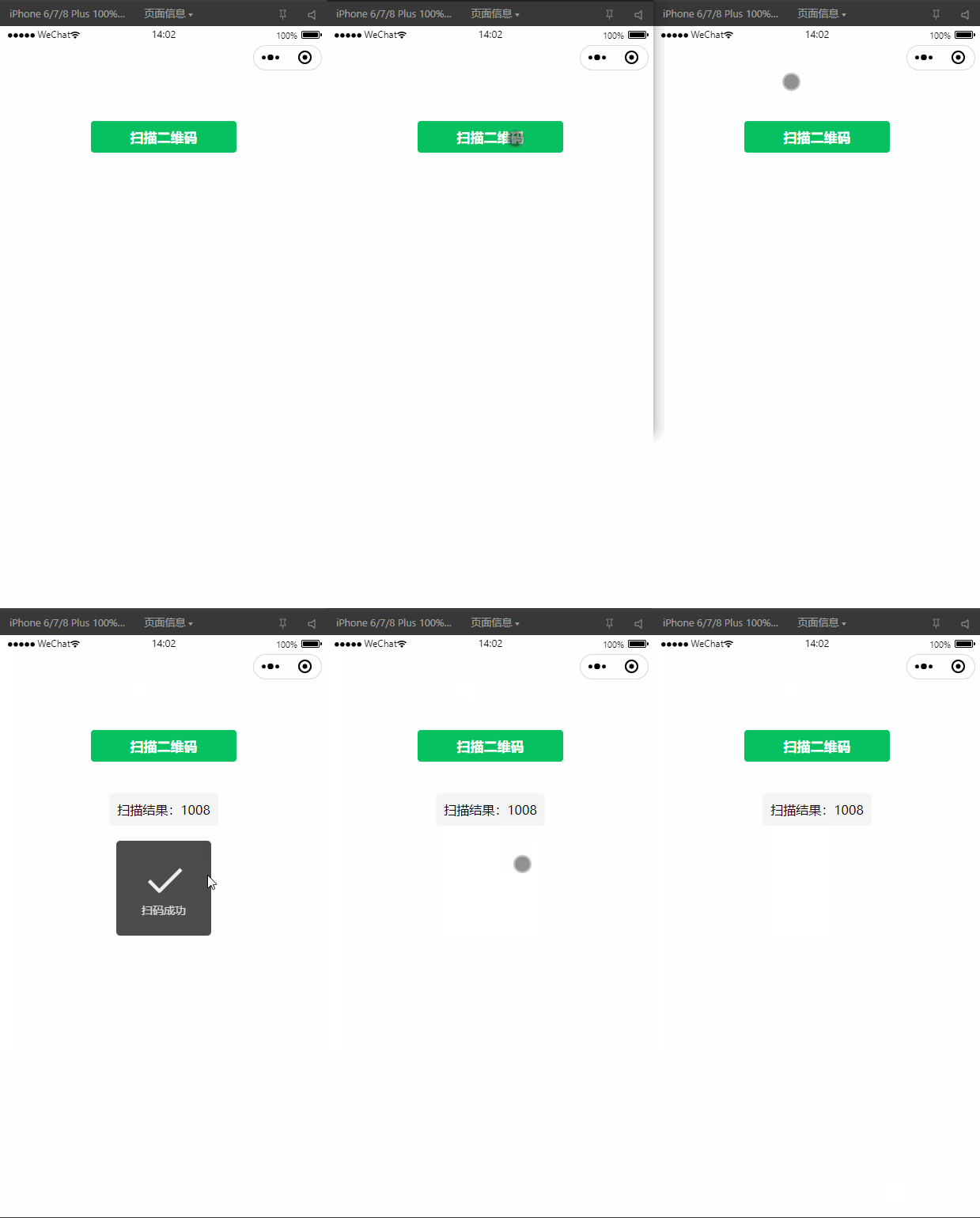
3. 基础扫码功能实现
index.wxml中添加按钮触发扫码
<!-- pages/index/index.wxml -->
<view class="container">
  <button bindtap="scanQRCode" type="primary">扫描二维码</button>
  <view wx:if="{{result}}" class="result">
    扫描结果:{{result}}
  </view>
</view>
index.js中 实现扫码逻辑
// pages/index/index.js
Page({
  data: {
    result: ''
  },

  scanQRCode: function() {
    const that = this;
    // 调用微信扫码接口
    wx.scanCode({
      onlyFromCamera: true,  // 只允许从相机扫码
      scanType: ['qrCode'],  // 只识别二维码
      success(res) {
        console.log('扫码结果:', res);
        that.setData({
          result: res.result
        });

        // 可以根据结果进行不同处理
        that.handleScanResult(res.result);
      },
      fail(err) {
        console.error('扫码失败:', err);
        wx.showToast({
          title: '扫码失败',
          icon: 'none'
        });
      }
    });
  },

  handleScanResult: function(result) {
    // 这里处理扫码结果
    // 例如:如果是URL则跳转,如果是特定格式则解析等
    if (result.startsWith('http')) {
      wx.showModal({
        title: '扫码成功',
        content: '检测到网址,是否在浏览器中打开?',
        success(res) {
          if (res.confirm) {
            wx.setClipboardData({
              data: result,
              success() {
                wx.showToast({
                  title: '网址已复制',
                });
              }
            });
          }
        }
      });
    } else {
      wx.showToast({
        title: '扫码成功',
        icon: 'success'
      });
    }
  }
});
index.wxss添加样式
/* pages/index/index.wxss */
.container {
  padding: 20px;
  text-align: center;
}

button {
  margin-bottom: 20px;
}

.result {
  margin-top: 20px;
  padding: 10px;
  background-color: #f5f5f5;
  border-radius: 4px;
  word-break: break-all;
}
4. 注意事项
- 权限配置:确保在app.json中声明了scope.userLocation权限(如果需要)
- 真机测试:扫码功能需要在真机上测试,开发者工具可能无法完全模拟
- 维码内容处理:根据业务需求处理不同类型的二维码内容
- 性能优化:频繁扫码可能会影响性能,注意适当控制
- 安全考虑:对扫码结果进行验证,防止恶意代码注入
5. 实现效果

北京人形旗下天工造物具身智能开源社区,聚焦具身天工与慧思开物两大平台
更多推荐
 21
21 0
0- 0


 已为社区贡献13条内容

所有评论(0)