zabbix7.2安装
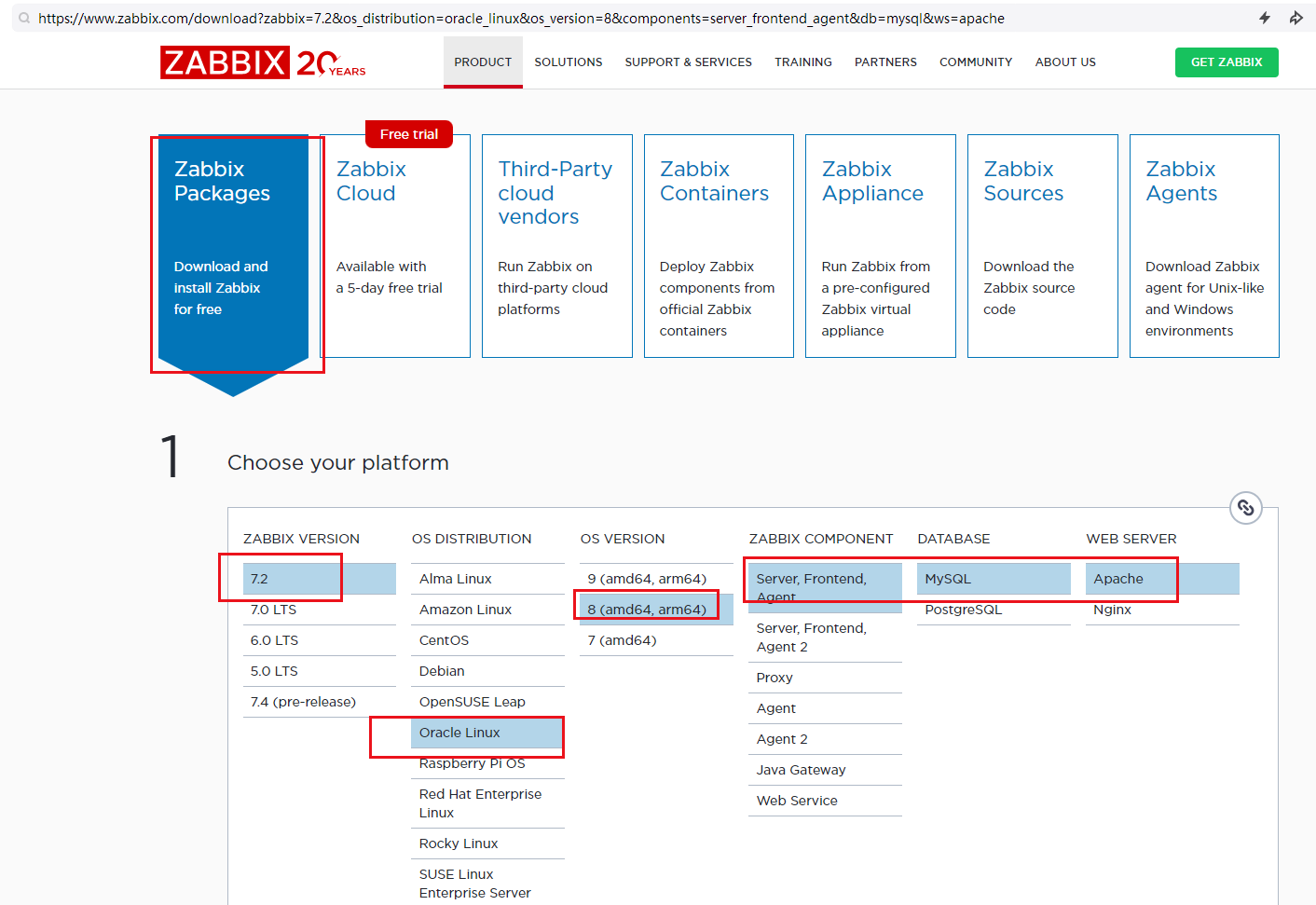
-
Install and configure Zabbix for your platform
a. Install Zabbix repository
# rpm -Uvh https://repo.zabbix.com/zabbix/7.2/release/oracle/8/noarch/zabbix-release-latest-7.2.el8.noarch.rpm
 # dnf clean all
b. Switch DNF module version for PHP
# dnf module switch-to php:8.2c. Install Zabbix server, frontend, agent
# dnf install zabbix-server-mysql zabbix-web-mysql zabbix-apache-conf zabbix-sql-scripts zabbix-selinux-policy zabbix-agentd. Create initial database
Make sure you have database server up and running.
dnf install mysql mysql-server
systemctl status mysqld
systemctl start mysqld
systemctl enable mysqld
more /var/log/mysql/mysqld.log-
Run the following on your database host.
# mysql -uroot -p
 password
 mysql> create database zabbix character set utf8mb4 collate utf8mb4_bin;
 mysql> create user zabbix@localhost identified by 'password';
 mysql> grant all privileges on zabbix.* to zabbix@localhost;
 mysql> set global log_bin_trust_function_creators = 1;
 mysql> quit;
On Zabbix server host import initial schema and data. You will be prompted to enter your newly created password.
# zcat /usr/share/zabbix/sql-scripts/mysql/server.sql.gz | mysql --default-character-set=utf8mb4 -uzabbix -p zabbixDisable log_bin_trust_function_creators option after importing database schema.
# mysql -uroot -p
 password
 mysql> set global log_bin_trust_function_creators = 0;
 mysql> quit;
e. Configure the database for Zabbix server
Edit file /etc/zabbix/zabbix_server.conf
DBPassword=passwordf. Start Zabbix server and agent processes
Start Zabbix server and agent processes and make it start at system boot.
# systemctl restart zabbix-server zabbix-agent httpd php-fpm
 # systemctl enable zabbix-server zabbix-agent httpd php-fpm
g. Open Zabbix UI web page
The default URL for Zabbix UI when using Apache web server is http://host/zabbix
http://192.168.207.122/zabbix
Admin/zabbix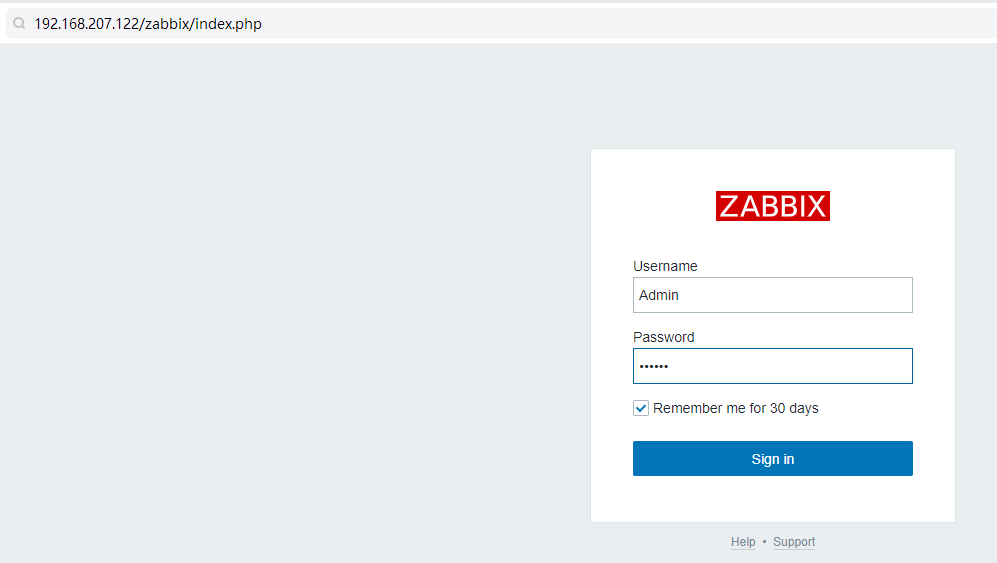
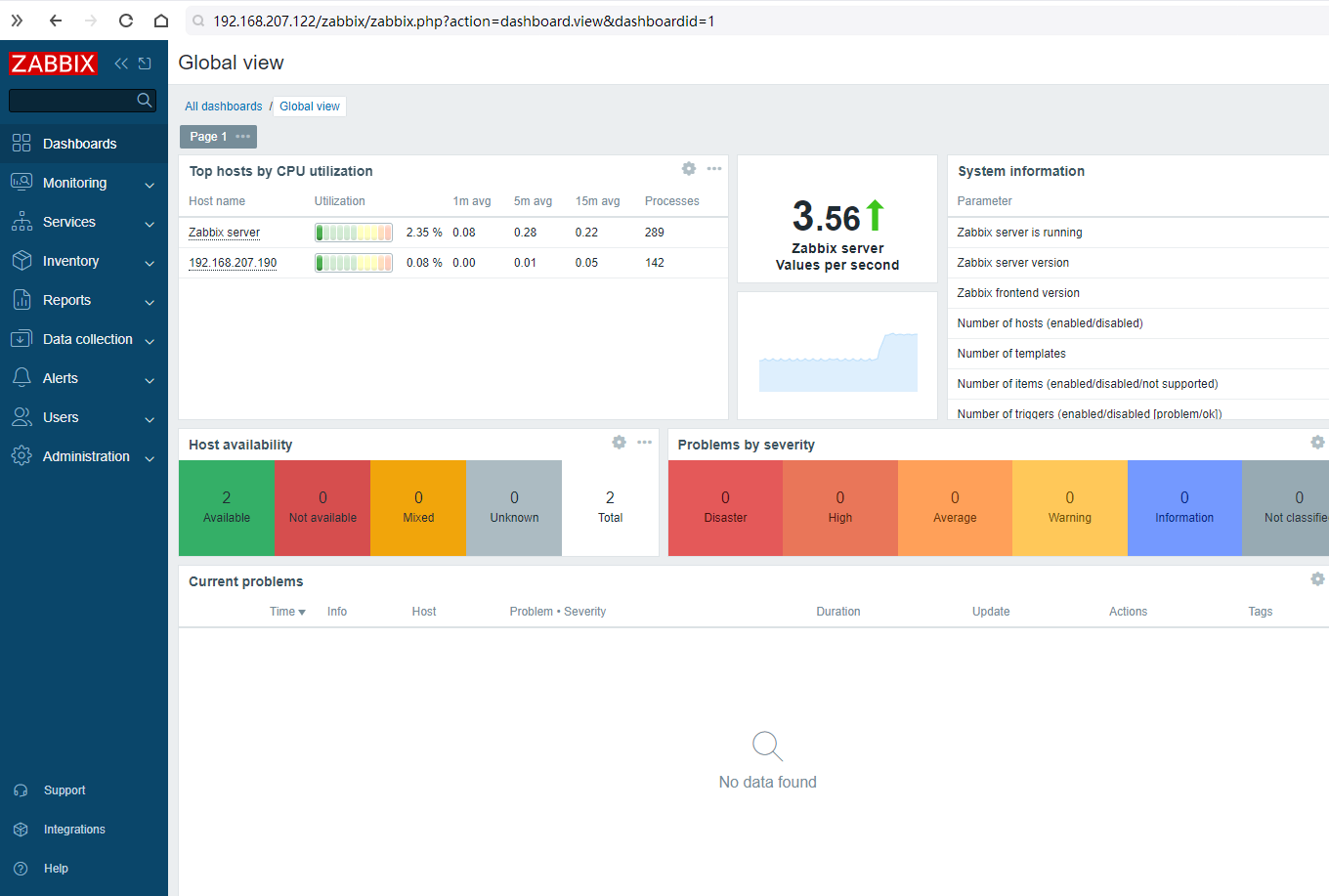
Start using Zabbix
Read in documentation: Quickstart guide
添加主机:
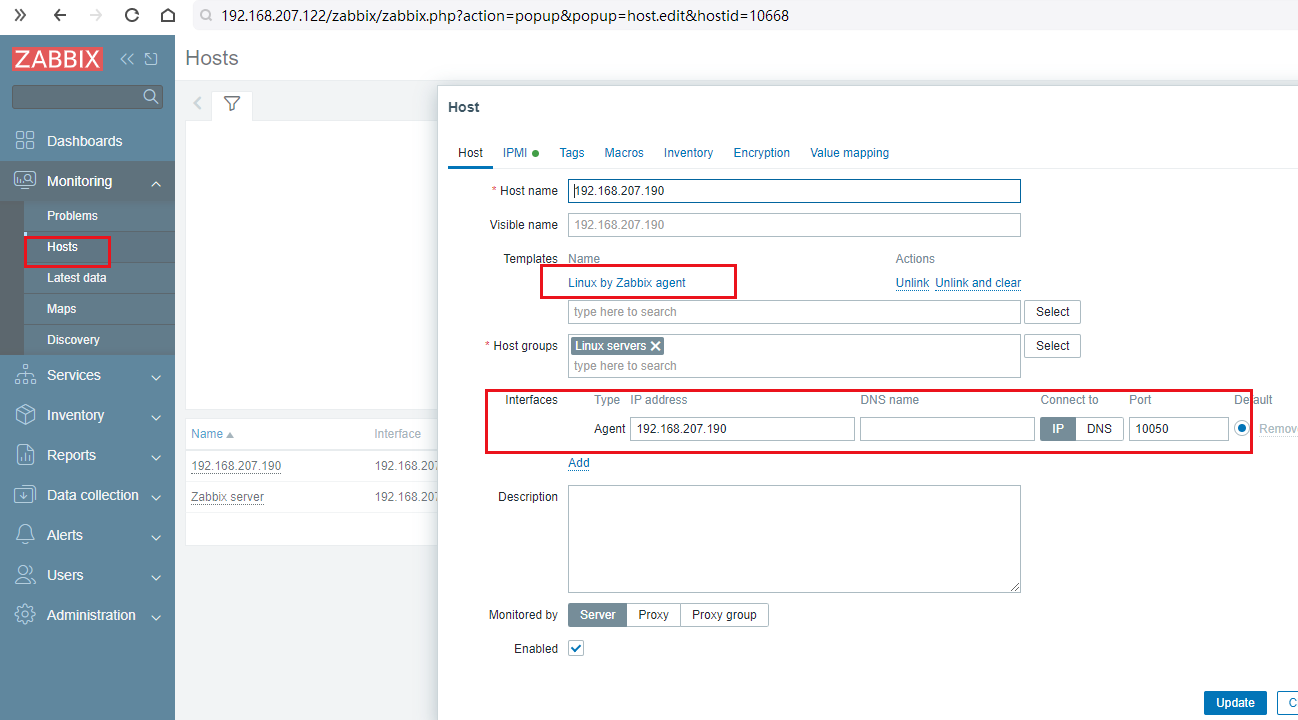
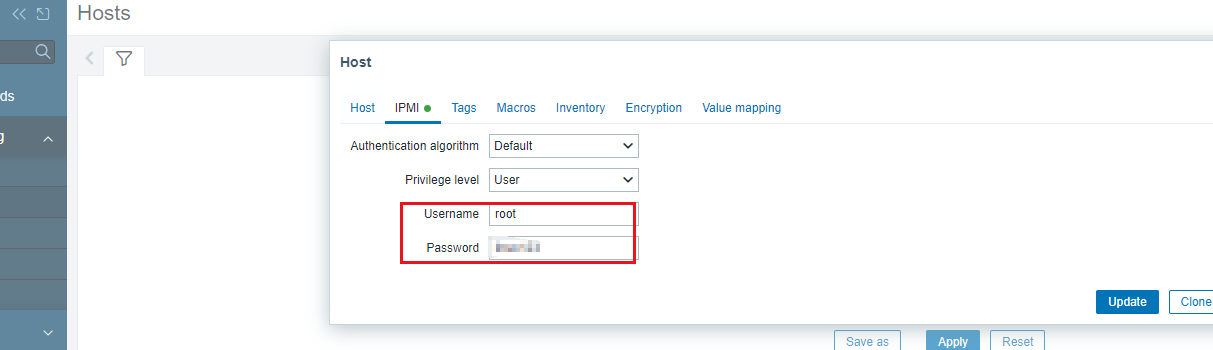
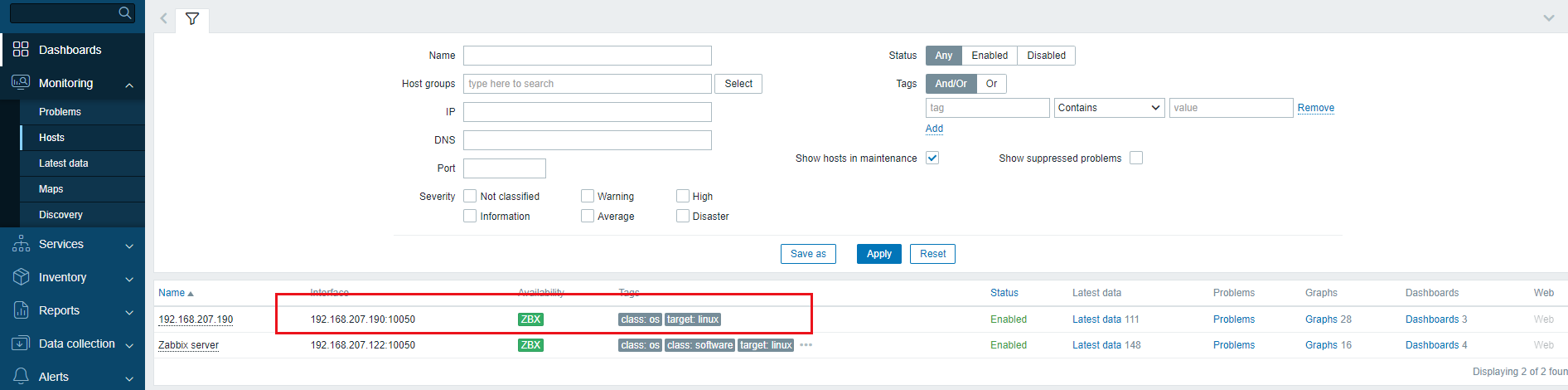
注意日志检查:
tail -f /var/log/zabbix/zabbix_agentd.log
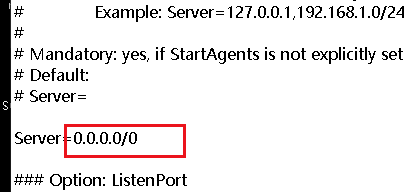
vi /etc/zabbix/zabbix_agentd.conf主要关注两个位置:
server host:
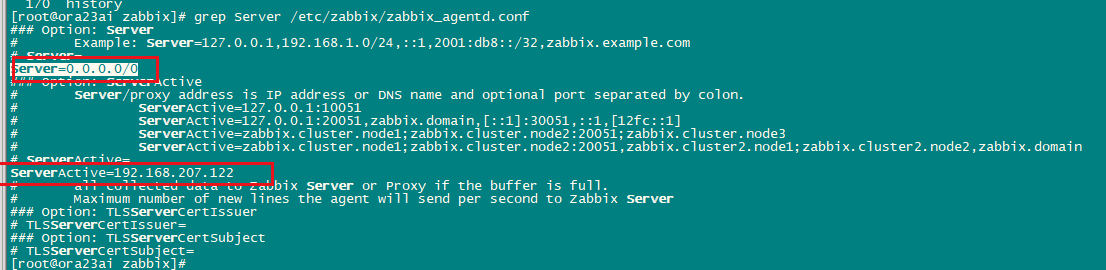

systemctl restart zabbix-server
systemctl restart zabbix-agent
agent host:
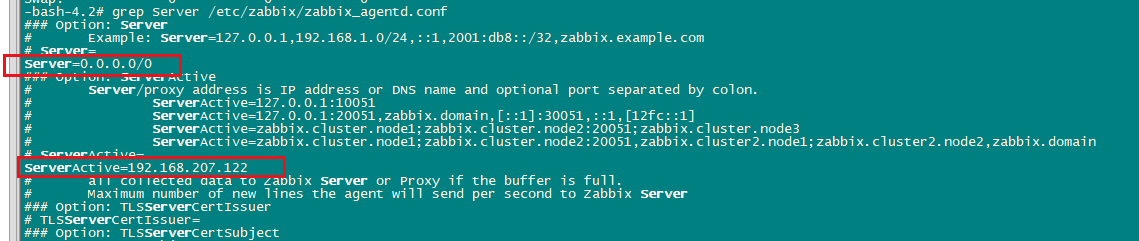
systemctl restart zabbix-agent
监控数据库需要插件:
https://www.cnsre.cn/posts/211009115571/
Source of README.md - Zabbix - ZABBIX GIT
oracle监控:
zabbix agent2 监控oracle数据库的方法_zabbix_脚本之家
关键配置:
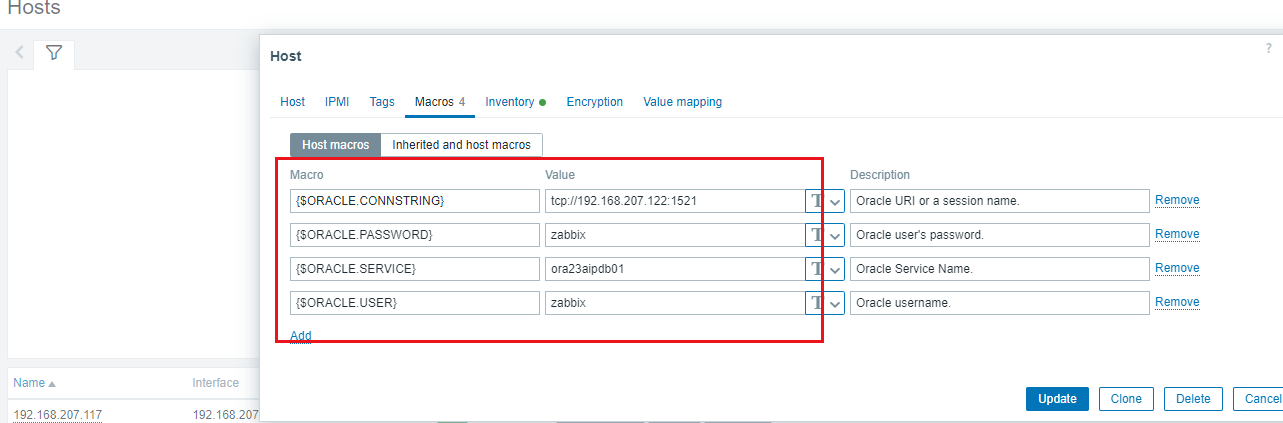
[root@ora23ai orabbix]# systemctl status zabbix-agent2
● zabbix-agent2.service - Zabbix Agent 2
Loaded: loaded (/usr/lib/systemd/system/zabbix-agent2.service; enabled; vendor preset: disabled)
Active: active (running) since Wed 2025-05-14 11:23:54 CST; 1h 35min ago
Process: 912618 ExecStop=/bin/kill -SIGTERM $MAINPID (code=exited, status=0/SUCCESS)
Main PID: 912621 (zabbix_agent2)
Tasks: 12 (limit: 61540)
Memory: 27.6M
CGroup: /system.slice/zabbix-agent2.service
└─912621 /usr/sbin/zabbix_agent2 -c /etc/zabbix/zabbix_agent2.conf
May 14 11:23:54 ora23ai systemd[1]: Started Zabbix Agent 2.
May 14 11:23:54 ora23ai zabbix_agent2[912621]: Starting Zabbix Agent 2 (7.2.6)
May 14 11:23:54 ora23ai zabbix_agent2[912621]: Zabbix Agent2 hostname: [Zabbix server]
May 14 11:23:54 ora23ai zabbix_agent2[912621]: Press Ctrl+C to exit.
May 14 11:24:00 ora23ai zabbix_agent2[912621]: godror WARNING: discrepancy between DBTIMEZONE ("+00:00"=0) and SYSTIMESTAMP ("+08:00"=800) - set connection timezone, see https://github.com/godror/go>
[root@ora23ai orabbix]#
[root@ora23ai orabbix]# more /usr/lib/systemd/system/zabbix-agent2.service
[Unit]
Description=Zabbix Agent 2
After=syslog.target
After=network.target
[Service]
Environment="CONFFILE=/etc/zabbix/zabbix_agent2.conf"
EnvironmentFile=-/etc/sysconfig/zabbix-agent2
Type=simple
Restart=on-failure
PIDFile=/run/zabbix/zabbix_agent2.pid
KillMode=control-group
ExecStart=/usr/sbin/zabbix_agent2 -c $CONFFILE
ExecStop=/bin/kill -SIGTERM $MAINPID
RestartSec=10s
User=zabbix
Group=zabbix
LimitNOFILE=8192
[Install]
WantedBy=multi-user.target
[root@ora23ai orabbix]#
[root@ora23ai orabbix]# cat /etc/sysconfig/zabbix-agent2
ORACLE_HOME=/u01/app/oracle/product/23/db_1
LD_LIBRARY_PATH=/u01/app/oracle/product/23/db_1/lib:$LD_LIBRARY_PATH
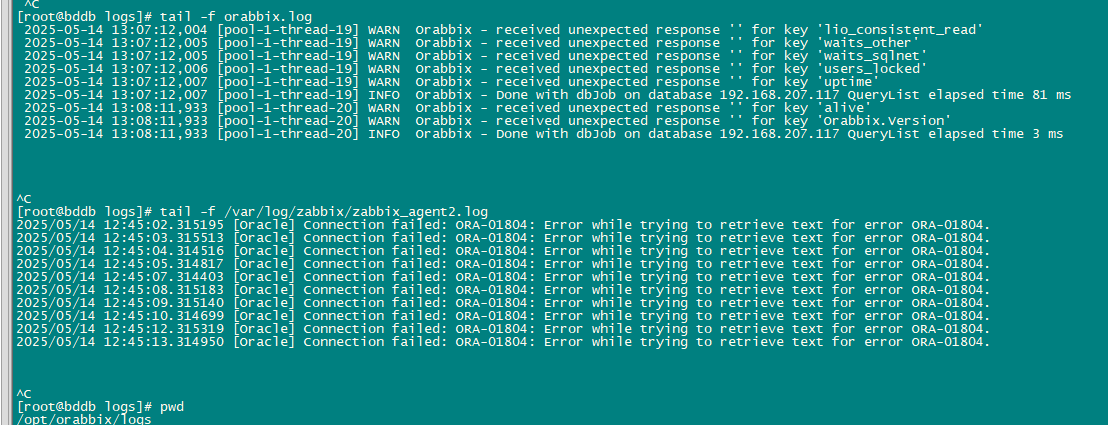
遗留问题:11g
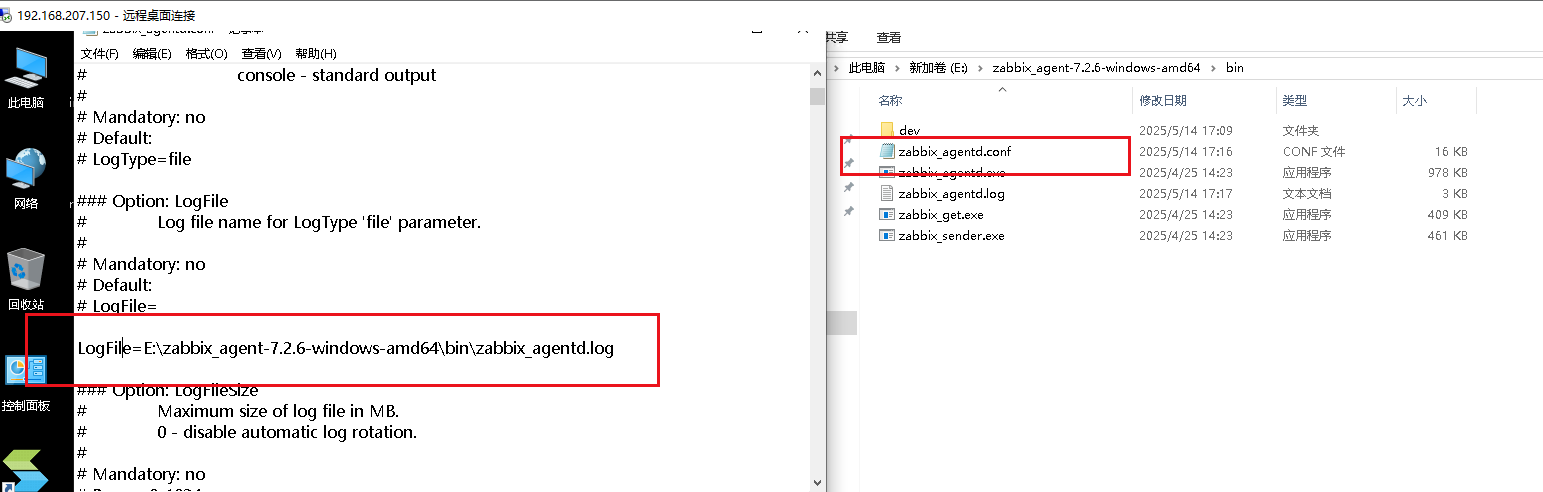
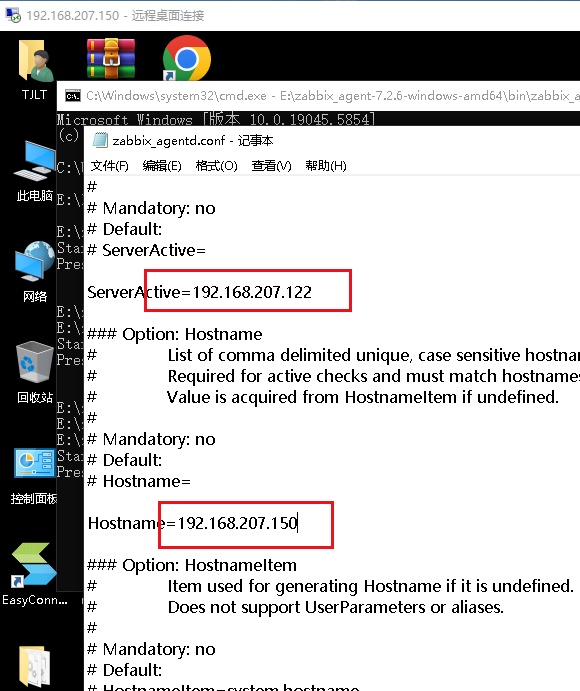
windows客户端的监控:

北京人形旗下天工造物具身智能开源社区,聚焦具身天工与慧思开物两大平台
更多推荐
 18
18 0
0- 0


 已为社区贡献31条内容

所有评论(0)