uniapp公众号项目使用pdfjs实现pdf文件预览
·
1、gitee仓库pdfjs文件下载地址:https://gitee.com/mazhiqiangyyds/pds.js-file.git
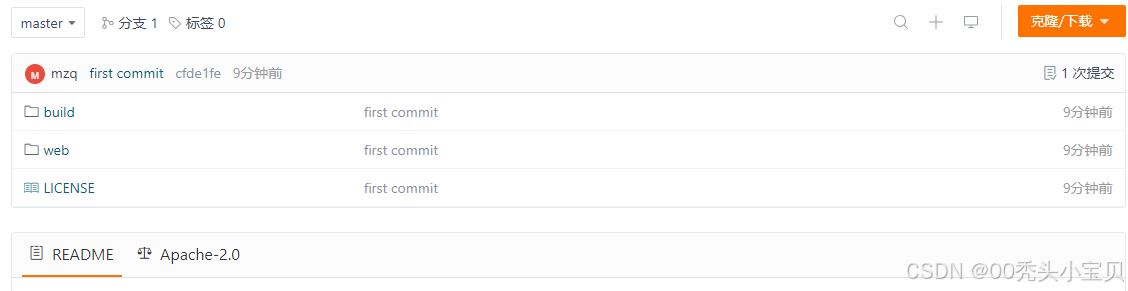
2、uniapp中static文件下新建pdf文件夹,将下载好的文件放进去,如下所示:
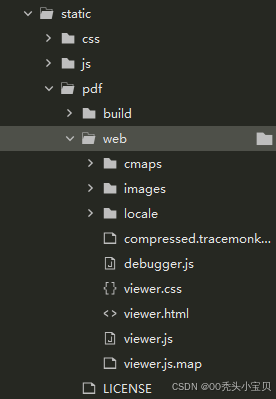
3、新建webView文件代码示例:
<template>
	<view style="width: 100vw;height: 100vh;">
		<web-view :src="path"></web-view>
	</view>
</template>
<script>
	export default {
		data() {
			return {
				//你的pdf链接,链接以https://开头的可在线访问的url
				fileUrl: "",
				//pdf.htm所在路径
				viewerUrl: '/static/pdf/web/viewer.html',
				path: ""
			}
		},

		onLoad(options) {
            //传过来的值
			this.fileUrl = options.fileUrl;
			this.path = `${this.viewerUrl}?file=${this.fileUrl}`
		},
	}
</script>
//另一个页面传值方法
			lookXzdzPdf(pdfUrl) {
				console.log(pdfUrl, '00000000000')
				//pdfUrl 为pdf文件的路径 https://jx-recycle.chinaums.com/home/piaoshui/upload/public/91330100MA2J0T5L04/2025/03/25337200000056305401_0d4utd.pdf
				uni.navigateTo({
					url: '/pagesA/record/webView?fileUrl=' + pdfUrl
				});

			},
4、问题解释:
1.如果出现报错:file origin does not match viewer's
在下载的文件中找到web/viewer.js
注释以下代码:origin !== viewerOrigin && protocol !== "blob:"
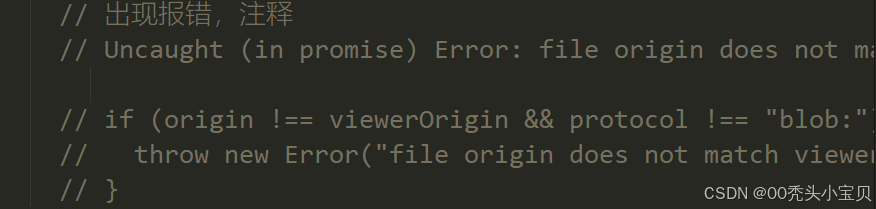
2.如果版本太高,部分语法在微信公众号中预览空白问题
降低版本。目前使用的2.4版本是可以解决这个问题的

北京人形旗下天工造物具身智能开源社区,聚焦具身天工与慧思开物两大平台
更多推荐
 3
3 0
0- 0


 已为社区贡献8条内容

所有评论(0)