微信小程序登录--后端版
·
微信小程序登录–后端版
用户登录流程可以用这一句话简单概括:" 3个角色,4个步骤 ",3个角色就是" 小程序 ,开发者服务器 ,微信接口服务 ",4个步骤就是:其一小程序获取code,其二将code发送到开发者服务器,其三开发者服务器通过微信接口服务校验登录凭证 ,其四开发者服务自定义登录的状态。
一、申请秘钥
1. 前往https://developers.weixin.qq.com
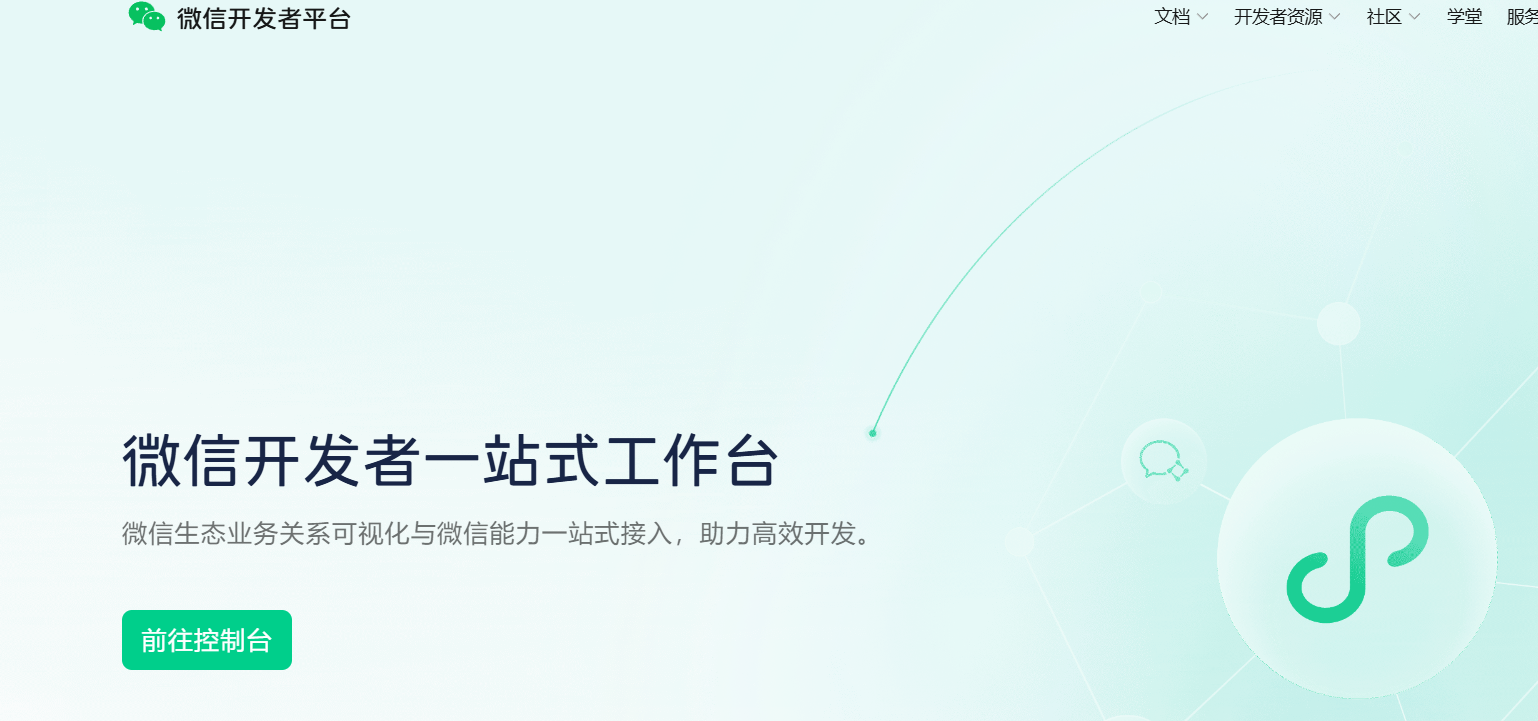
2. 申请appid 和 secret
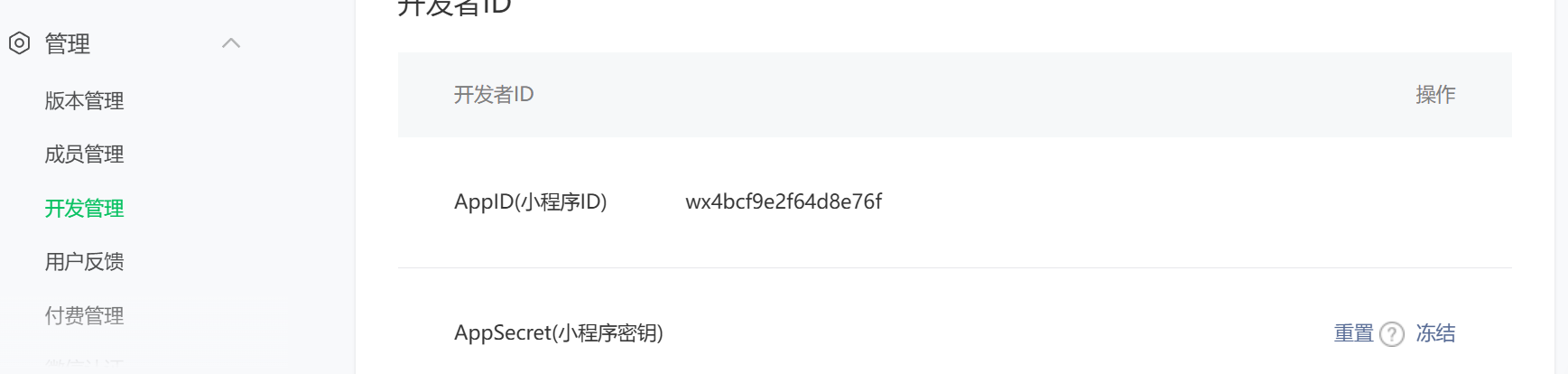
tips: 保存好哦 appid前端后端都需要使用
二、编写后端代码
1. 在配置文件中引入
#  微信小程序服务
wechat:

  appid: wxcb152c85e1

  secret: 684135e5410bd
2.编写config
我这里的config是一个微信服务的中心全部配置都将会在这里出现,目前还不完善,有不需要的可以自行删除
package com.ruoyi.auth.config;

import com.alibaba.fastjson2.JSONObject;
import com.ruoyi.auth.pojos.WxAccessToken;
import com.ruoyi.common.redis.service.RedisService;
import com.ruoyi.system.api.RemoteWxService;
import lombok.extern.slf4j.Slf4j;
import org.redisson.api.RLock;
import org.redisson.api.RedissonClient;
import org.springframework.beans.factory.annotation.Autowired;
import org.springframework.beans.factory.annotation.Value;
import org.springframework.boot.context.properties.ConfigurationProperties;
import org.springframework.context.annotation.Configuration;
import org.springframework.context.annotation.Lazy;
import org.springframework.scheduling.annotation.Scheduled;

import javax.annotation.PostConstruct;
import javax.annotation.Resource;
import java.util.concurrent.TimeUnit;

/**
 * @Description:
 * @author: zh
 * @Create : 2025/3/28
 * @Project_name : RuoYi-Cloud
 * @Version :
 **/
@Configuration
@ConfigurationProperties
@Slf4j
@Lazy
public class WxConfig {

    @Resource
    RemoteWxService remoteWxService;
    @Autowired
    RedisService redisService;
    @Autowired
    RedissonClient redissonClient;
    private final static String Tokenkey = "wx_token:";
    private final static String Acckey = "wx_acckey:";
    @Value("${wechat.appid}")
    public String appid;
    @Value("${wechat.secret}")
    public String secret;
    public String grantType = "authorization_code";

    public String AcckeyGrantType = "client_credential";
    public final static Long expireTime = 500L;
    public String access_key;

    /**
     * 语言版本参数
     */
    public final static String langZhCN = "zh_CN";
    public final static String langZhTw = "zh_TW";
    public final static String langEn = "en";
    /**
     * 初始化构建微信配置--用于获取服务端的access_key
     */
    @PostConstruct
    public void init() {
        RLock lock = redissonClient.getLock(this.Acckey);
        try {
            if (lock.tryLock(5,60, TimeUnit.SECONDS)) {
                if (redisService.hasKey(Tokenkey) && redisService.getExpire(Tokenkey) > this.expireTime) {
                    this.access_key = redisService.getCacheObject(Tokenkey);
                    log.info("微信配置初始化成功");
                    return;
                }
                log.info("微信配置初始化开始");
                String AccessToken = remoteWxService.getWxAccessToken(this.AcckeyGrantType, this.appid, this.secret);
                WxAccessToken wxAccessToken = JSONObject.parseObject(AccessToken, WxAccessToken.class);

                this.access_key = wxAccessToken.getAccessToken();
                log.info("access_key为:{}", access_key);
                redisService.setCacheObject(Tokenkey, wxAccessToken.getAccessToken(),wxAccessToken.getExpiresIn(), TimeUnit.SECONDS);
            }
        }catch (Exception e){
            log.error("微信配置初始化失败");
        }
    }

    /**
     * 定时刷新微信服务acckeytoken
     */
    @Scheduled(cron = "0 0/30 * * * ?")
    public void refreshToken() {
        RLock lock = redissonClient.getLock(this.Acckey);
        try {
            if (lock.tryLock(5,30, TimeUnit.SECONDS)) {
                if (redisService.hasKey(Tokenkey) && redisService.getExpire(Tokenkey) > this.expireTime) {
                    log.info("刷新token不需要");
                    this.access_key = redisService.getCacheObject(Tokenkey);
                    return;
                }
                log.info("定时刷新微信服务acckeytoken开始");
                String AccessToken = remoteWxService.getWxAccessToken(this.AcckeyGrantType, this.appid, this.secret);
                WxAccessToken wxAccessToken = JSONObject.parseObject(AccessToken, WxAccessToken.class);
                this.access_key = wxAccessToken.getAccessToken();
                redisService.setCacheObject(Tokenkey, wxAccessToken.getAccessToken(),wxAccessToken.getExpiresIn(), TimeUnit.SECONDS);
            }
        }catch (Exception e){
            log.error("定时刷新微信服务acckeytoken开始失败");
        }
    }
}
3、提供接口接受前端的请求
public R<LoginUserVO> wxMinLogin(@RequestBody  UserLoginDTO dto) {
    log.info("小程序登录:{}",dto);
    return R.ok(authService.wxMinLogin(dto));
}
dto参数为:
用于小程序端一键登录的参数,参数说明如下
/**
 * C端用户登录
 */
@Data
public class UserLoginDTO implements Serializable {

    /** 小程序code */
    @NotEmpty(message = "code不能为空")
    private String code;

    /** 包括敏感数据在内的完整用户信息的加密数据 */
    private String encryptedData;

    /** 加密算法的初始向量 */
    private String iv;

}
4、获取用户的openId和session_key
openId和session_key这两个参数是用于解密用户信息的关键
使用feign的方式请求
feign接口为
/**
 * @Description:
 * @author: zh
 * @Create : 2025/3/14
 * @Project_name : RuoYi-Cloud
 * @Version :
 **/
@FeignClient(contextId = "remoteWxService",name = "remoteWxService",url = "https://api.weixin.qq.com" ,fallbackFactory = RemoteWxFallbackFactory.class )
public interface RemoteWxService {
    /**
     * 小程序登录
     * @param appid
     * @param secret
     * @param js_code
     * @param grant_type
     * @return
     */
    @GetMapping("/sns/jscode2session")
    public String getAccess(@RequestParam("appid") String appid, @RequestParam("secret") String secret, @RequestParam("js_code") String js_code, @RequestParam("grant_type") String grant_type);

    /**
     * 网页版登录-微信登录
     * @param appid
     * @param secret
     * @param code
     * @param grant_type
     * @return
     */
    @GetMapping("/sns/oauth2/access_token")
    public String getoauth2(@RequestParam("appid") String appid, @RequestParam("secret") String secret, @RequestParam("code") String code, @RequestParam("grant_type") String grant_type);

    /**
     * 服务端获取微信端的token
     * @param grant_type
     * @param appid
     * @param secret
     * @return
     */
    @GetMapping("/cgi-bin/token")
    public String getWxAccessToken( @RequestParam("grant_type") String grant_type,@RequestParam("appid") String appid, @RequestParam("secret") String secret);

    @GetMapping("/sns/userinfo")
    public String getUserInfo(@RequestParam("access_token") String access_token,@RequestParam("openid") String openid,@RequestParam("lang") String lang);

}
回滚方法
package com.ruoyi.system.api.factory;

import com.ruoyi.system.api.RemoteWxService;
import lombok.extern.slf4j.Slf4j;
import org.springframework.cloud.openfeign.FallbackFactory;
import org.springframework.stereotype.Component;

/**
 * @Description:
 * @author: zh
 * @Create : 2025/3/28
 * @Project_name : RuoYi-Cloud
 * @Version :
 **/
@Slf4j
@Component
public class RemoteWxFallbackFactory implements FallbackFactory<RemoteWxService> {
    @Override
    public RemoteWxService create(Throwable cause) {
        log.error("调用微信服务失败:{}",cause);
        return new RemoteWxService(){
            @Override
            public String getAccess(String appid, String secret, String js_code, String grant_type) {
                log.info("调用微信服务获取getAccess失败:{}",cause);
                return null;
            }

            @Override
            public String getoauth2(String appid, String secret, String code, String grant_type) {
                log.info("调用微信服务获取getoauth2失败:{}",cause);
                return null;
            }

            @Override
            public String getWxAccessToken(String grant_type, String appid, String secret) {
                log.info("调用微信服务获取access_token失败:{}",cause);
                return null;
            }

            @Override
            public String getUserInfo(String access_token, String openid, String lang) {
                log.info("调用微信服务获取agetUserInfo失败:{}",cause);
                return null;
            }
        };
    }
}
调用getAccess方法
调用方法获得对应的openId和session_key,其中openId是一个唯一的主键id
String access = remoteWxService.getAccess(wxConfig.appid, wxConfig.secret, dto.getCode(), wxConfig.grantType);
WxAuthResponse wxAuthResponse = JSONObject.parseObject(access, WxAuthResponse.class);
对应参数实体类
/**
 * 微信登录凭证响应实体
 */
@Data
@AllArgsConstructor
@NoArgsConstructor
@Getter
@Setter
@Builder
public class WxAuthResponse {

    /**
     * 微信会话密钥(需服务端保存,不能传给客户端!)
     * 用于解密用户加密数据
     */
    @JsonProperty("session_key")
    private String sessionKey;

    /**
     * 用户唯一标识(同一小程序下唯一)
     */
    @JsonProperty("openid")
    private String openId;

    /**
     * 错误码(成功时为null)
     */
    @JsonProperty("errcode")
    private Integer errCode;

    /**
     * 错误信息(成功时为null)
     */
    @JsonProperty("errmsg")
    private String errMsg;
}
三、解密用户数据
解密工具类
提供一个工具 wx小程序解密工具类,用于将用户信息解密为对应的json数据
/**
 * @Description: wx小程序解密工具类
 * @author: zh
 * @Create : 2025/3/29
 * @Project_name :
 * @Version :
 **/
public class WxUtils {
    public static WxUserInfo getUserInfo(String encryptedData, String sessionKey, String iv) {
// 被加密的数据
        byte[] dataByte = Base64.decode(encryptedData);
// 加密秘钥
        byte[] keyByte = Base64.decode(sessionKey);
// 偏移量
        byte[] ivByte = Base64.decode(iv);
        try {
            int base = 16;
            if (keyByte.length % base != 0) {
                int groups = keyByte.length / base + (keyByte.length % base != 0 ? 1 : 0);
                byte[] temp = new byte[groups * base];
                Arrays.fill(temp, (byte) 0);
                System.arraycopy(keyByte, 0, temp, 0, keyByte.length);
                keyByte = temp;
            }
            Security.addProvider(new BouncyCastleProvider());
            Cipher cipher = Cipher.getInstance("AES/CBC/PKCS7Padding", "BC");
            SecretKeySpec spec = new SecretKeySpec(keyByte, "AES");
            AlgorithmParameters parameters = AlgorithmParameters.getInstance("AES");
            parameters.init(new IvParameterSpec(ivByte));
            cipher.init(Cipher.DECRYPT_MODE, spec, parameters);
            byte[] resultByte = cipher.doFinal(dataByte);
            if (null != resultByte && resultByte.length > 0) {
                String result = new String(resultByte, "UTF-8");
                return JSONObject.parseObject(result, WxUserInfo.class);
            }
        } catch (Exception e) {
            e.printStackTrace();
        }
        return null;
    }
}
微信用户信息实体类
/**
 * 微信用户信息实体
 */
@Data
public class WxUserInfo {

    /**
     * 用户的唯一标识
     */
    @NotBlank
    @JsonProperty("openid")
    private String openId;

    /**
     * 用户昵称
     */
    @NotBlank
    @JsonProperty("nickname")
    private String nickname;

    /**
     * 用户性别 (1-男, 2-女, 0-未知)
     */
    @JsonProperty("sex")
    private Integer gender;

    /**
     * 用户所在省份
     */
    @JsonProperty("province")
    private String province;

    /**
     * 用户所在城市
     */
    @JsonProperty("city")
    private String city;

    /**
     * 用户所在国家
     */
    @JsonProperty("country")
    private String country;

    /**
     * 用户头像URL
     */
    @JsonProperty("headimgurl")
    private String avatarUrl;

    /**
     * 用户特权信息
     */
    @JsonProperty("privilege")
    private List<String> privileges;

    /**
     * 用户在开放平台的唯一标识符
     */
    @JsonProperty("unionid")
    private String unionId;

    /**
     * 性别枚举(增强可读性)
     */
    public enum Gender {
        UNKNOWN(0, "未知"),
        MALE(1, "男"),
        FEMALE(2, "女");

        private final int code;
        private final String desc;

        Gender(int code, String desc) {
            this.code = code;
            this.desc = desc;
        }

        public static Gender fromCode(int code) {
            for (Gender value : values()) {
                if (value.code == code) {
                    return value;
                }
            }
            return UNKNOWN;
        }
    }

    /**
     * 获取性别枚举(业务方法)
     */
    public Gender getGenderEnum() {
        return Gender.fromCode(this.gender);
    }
}
总结
通过以上可以实现后端获取用户信息的主要逻辑,其余业务代码可根据自身进行调节。

北京人形旗下天工造物具身智能开源社区,聚焦具身天工与慧思开物两大平台
更多推荐
 3
3 0
0- 0


 已为社区贡献2条内容

所有评论(0)