express框架中使用cors解决跨域问题
·
步骤一:下载cors依赖
npm i --save cors
步骤二:在index.ts中进行全局配置
import express from 'express';
import path from 'path';
//解析json字符串
import bodyParser from 'body-parser';
//解决跨域问题
import cors from 'cors';
//引入Hello接口
import Hello from './web/HelloWeb';

class Main {

  private app: express.Application;

  private port: number;

  constructor(port: number) {
    this.app = express();
    this.app.use(bodyParser.json()).use(bodyParser.urlencoded({ extended: true }));
    this.port = port;
    this.getStaticData();
  }

  public start(): void {
    this.app.listen(this.port, () => {
      console.log(`服务器已启动!`);
    });
  }

  public use(router: express.Router, api?: string): Main {
    if (api) {
      this.app.use(api, router);
    } else {
      this.app.use(router);
    }
    return this;
  }

  private getStaticData(): void {
    this.app.use('/static', express.static(path.join(__dirname, './static')));
    console.log('静态资源已加载');
  }

  getApp(): express.Application {
    return this.app;
  }
}

const main = new Main(8080);

//解决跨域问题
const corsMiddleware = cors();
main.use(corsMiddleware as any);

//引入模块
main.use(Hello, '/api');

//启动服务器
main.start();
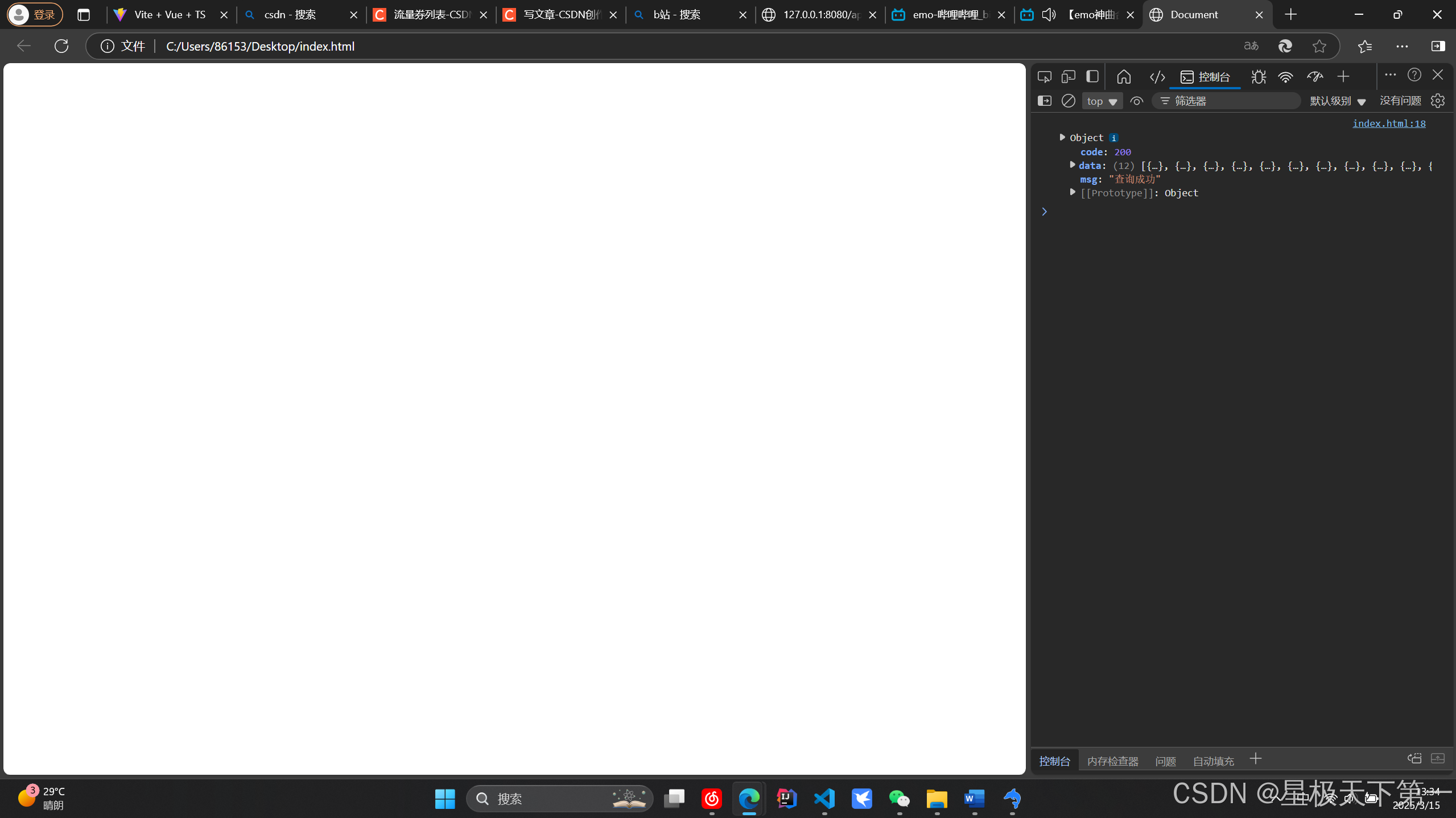
测试:
<!DOCTYPE html>
<html lang="en">
<head>
    <meta charset="UTF-8">
    <meta name="viewport" content="width=device-width, initial-scale=1.0">
    <title>Document</title>
</head>
<body>

</body>
<script>
    fetch("http://127.0.0.1:8080/api/lookStartInfo", {
        method: "GET",
        headers: {
            "Content-Type": "application/json"
        }
    }).then(res => res.json()).then(res => {
        console.log(res)
    })
</script>
</html>

北京人形旗下天工造物具身智能开源社区,聚焦具身天工与慧思开物两大平台
更多推荐
 2
2 0
0- 0


 已为社区贡献6条内容

所有评论(0)