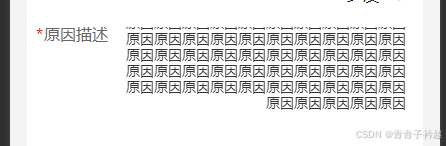
微信小程序开发,van-field输入自适应高度&设置最大高度
·
  <view class="textBox">
  <view class="textBoxL">
    <view class="redTip" style="color: red;">*</view>
    <view>
      原因描述
    </view>
  </view>
  <view class="textBoxR">
<van-field
  value="{{ remark }}"
  type="textarea"
  autosize
  placeholder="请输入"
  bind:change="{{type == 'add'?'changeremark':''}}"
  border="{{ false }}"
  class="custom-field-box"
  disabled="{{type == 'add'? false:true}}"

/>
  </view>
  </view>
 .custom-field-box .van-field__control {
    min-height: 50rpx;
    max-height: 200rpx;
    overflow-y: auto; /* 允许垂直滚动 */
    box-sizing: border-box; /* 确保padding和border包含在高度内 */
    text-align: right;
    color: #333333 !important;
  }
  .custom-field-box  .van-cell{
    padding: 0 !important;
    padding-left: 30rpx !important;
  }
  .custom-field-box{
    width: 0 !important;
  }
  .textBox{
    // width: 100%;
    // // background-color: aqua;
    display: flex;
    .textBoxL{
width: 112rpx;
display: flex;
font-family: PingFang SC, PingFang SC;
font-weight: 500;
font-size: 28rpx;
color: #666666;
position: relative;

.redTip {
  display: flex;
  align-items: center;
  margin-right: 4rpx;
  position: absolute;
  top: 0;
left: -14rpx;
}
    }
    .textBoxR{
      flex:1;
      background-color: aqua;
    }
  }

北京人形旗下天工造物具身智能开源社区,聚焦具身天工与慧思开物两大平台
更多推荐
 1
1 0
0- 0


 已为社区贡献4条内容

所有评论(0)