鸿蒙开发5.0案例【一多开发(银行理财)】
·
UX设计
金融理财类的多设备响应式设计指南
银行理财应用包含以下设计要点:[弹窗]、[延伸布局]、[分栏]、[底部/侧边页签]、[列表重复布局]。[侧边导航]侧边导航、[列表重复布局]在其他的“一多”案例中有详细的介绍,本案例以弹窗和延伸布局以及分栏为重点进行介绍。

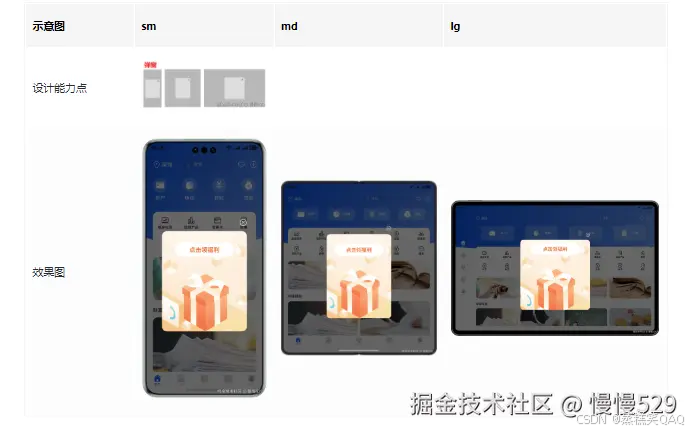
弹窗使用自定义弹窗CustomDialog实现,首次打开应用时通过CustomDialogController类显示自定义弹窗。
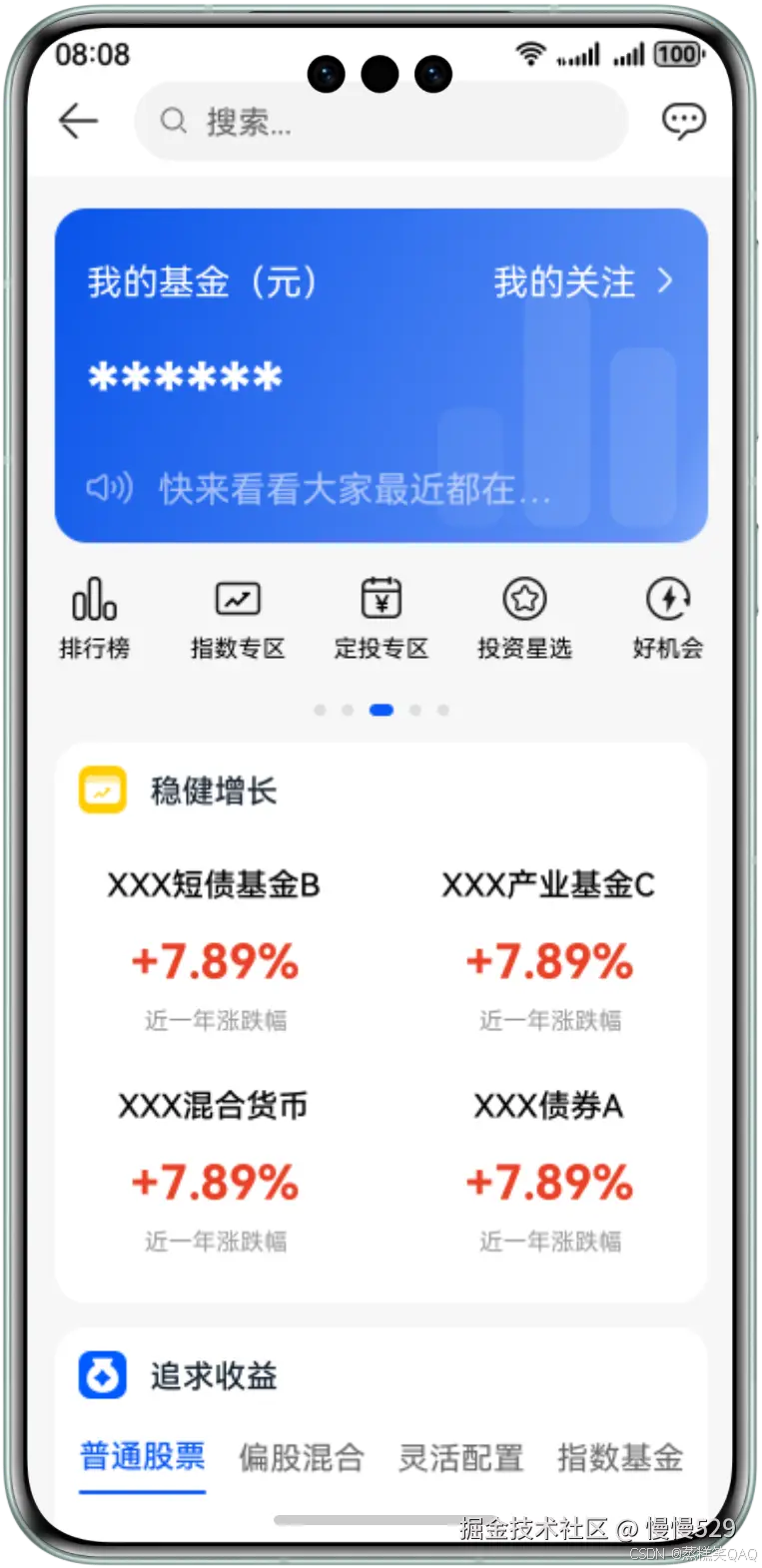
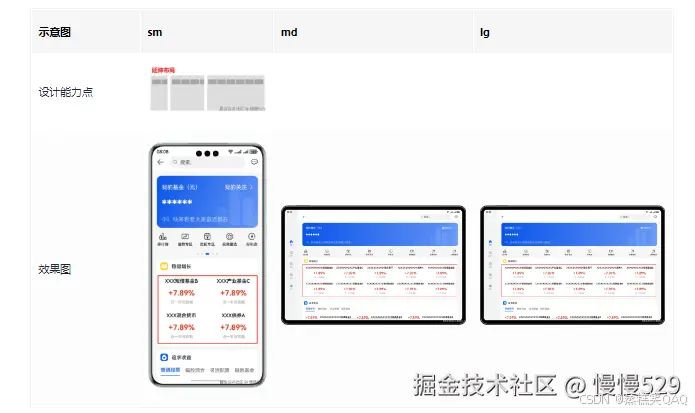
产品专题页面中稳健增长信息使用list组件实现,通过在不同断点下设置不同的列数实现延伸布局,在大屏上显示更多信息,提升屏幕交互效率。

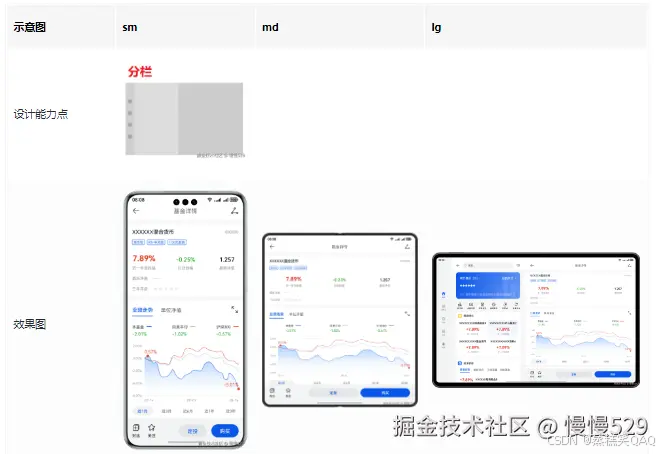
产品详情页面使用Navigation实现分栏效果,在手机上单栏显示内容,在2in1等大屏设备分栏显示,左边为导航区右边为内容区,通过点击稳健增长下的内容控制右侧内容区信息展示。
页面开发
本章节选取页面关键区域进行“一多”页面布局能力介绍。
弹窗
弹窗使用[自定义弹窗]实现,在初始化弹窗时设置customStyle为true,则弹窗样式样式由开发者自定义,在sm、md、lg不同的断点设置固定的宽高值,使弹窗的大小在不同设备显示相差不大。
// product/phone/src/main/ets/pages/Index.ets
struct Index {
  // ...
  // 初始化弹窗实例,设置customStyle为true,设置弹窗样式自定义
  dialogController: CustomDialogController = new CustomDialogController({
    builder: AdvertisementDialog(),
    backgroundColor: $r('app.color.dialog_background'),
    alignment: DialogAlignment.Center,
    maskColor: $r('app.color.dialog_mask'),
    customStyle: true
  });
  // 打开应用显示弹窗
  aboutToAppear() {
    this.dialogController.open();
  }
  // ...
}
// features/home/src/main/ets/view/AdvertisementDialog.ets
@CustomDialog
export struct AdvertisementDialog {
  @StorageProp('breakPoint') currentPoint: string = CommonConstants.BREAK_POINT_SM;
  controller: CustomDialogController = new CustomDialogController({
    builder: AdvertisementDialog()
  });

  build() {
    Column() {
      // ...
    }
    .width(new BreakpointUtil({
      sm: $r('app.float.dialog_width_sm'),
      md: $r('app.float.dialog_width_md'),
      lg: $r('app.float.dialog_width_lg')
    }).getValue(this.currentPoint))
    .height(new BreakpointUtil({
      sm: $r('app.float.dialog_all_height_sm'),
      md: $r('app.float.dialog_all_height_md'),
      lg: $r('app.float.dialog_all_height_lg')
    }).getValue(this.currentPoint))
  }
}
延伸布局
延伸布局使用[List列表]来实现,在不同断点条件下使用list加载不同的数量的数据,同时使用list的lanes属性设置显示的列数,在sm、md、lg下分别显示2列、3列、5列,使数据在不同的设备上显示合适的数量,提高屏幕交互效率。
// features/fund/src/main/ets/view/FundComponent.ets
export struct FundComponent {
  // ...
      List() {
        ForEach(new BreakpointUtil({
          sm: FundingViewModel.getAllFundInfo(FundConstants.FUND_COUNT_START, FundConstants.FUND_COUNT_SM),
          md: FundingViewModel.getAllFundInfo(FundConstants.FUND_COUNT_START, FundConstants.FUND_COUNT_MD),
          lg: FundingViewModel.getAllFundInfo(FundConstants.FUND_COUNT_START, FundConstants.FUND_COUNT_LG)
        }).getValue(this.currentPoint), (item: FundDetail, index: number) => {
          ListItem() {
            // ...
          }
          .width(CommonConstants.FULL_WIDTH_PERCENT)
        })
      }
      .lanes(new BreakpointUtil({
        sm: FundConstants.LIST_LANES_SM,
        md: FundConstants.LIST_LANES_MD,
        lg: FundConstants.LIST_LANES_LG
      }).getValue(this.currentPoint),
        this.currentPoint === CommonConstants.BREAK_POINT_SM ?
          $r('app.float.list_space_sm') : $r('app.float.list_space'))
      .width(CommonConstants.FULL_WIDTH_PERCENT)
  // ...
}
分栏
分栏布局通过[Navigation]实现,在断点为lg时设置mode属性为NavigationMode.Split,实现分栏效果;在其他断点下设置mode属性为NavigationMode.Stack,显示单栏效果。
// features/fund/src/main/ets/view/FundingDetail.ets
// Navigation实现分栏能力
Navigation(this.pageInfo) {
  FundNavigationComponent({ listIndex: this.index })
}
.navDestination(this.buildNavDestination)
.hideTitleBar(true)
.hideBackButton(true)
.mode(this.breakPoint === CommonConstants.BREAK_POINT_LG ? NavigationMode.Split : NavigationMode.Stack)
.navBarWidth(FundConstants.NAV_BAR_WIDTH)
// features/fund/src/main/ets/view/FundingDetail.ets
@Builder
buildNavDestination(name: string, param: object) {
  if (name === CommonConstants.PATH_DETAIL) {
    if (typeof param === 'number') {
      DetailComponent({ indexList: param })
    }
  } else if (name === CommonConstants.PATH_COMPARISON) {
    ComparisonComponent()
  } else if (name === CommonConstants.PATH_COMPARISON_DETAIL) {
    NavDestination() {
      ComparisonDetailComponent({ chooseComparison: (param as ComparisonInfo[]) })
    }
    .hideTitleBar(true)
  } else if (name === CommonConstants.PATH_BUYING) {
    if (typeof param === 'number') {
      TransactionComponent({ indexList: param })
    }
  }
}

北京人形旗下天工造物具身智能开源社区,聚焦具身天工与慧思开物两大平台
更多推荐
 5
5 0
0- 0


 已为社区贡献4条内容

所有评论(0)