树莓派验证ESP-Hosted-NG方案
编译树莓派HOST端
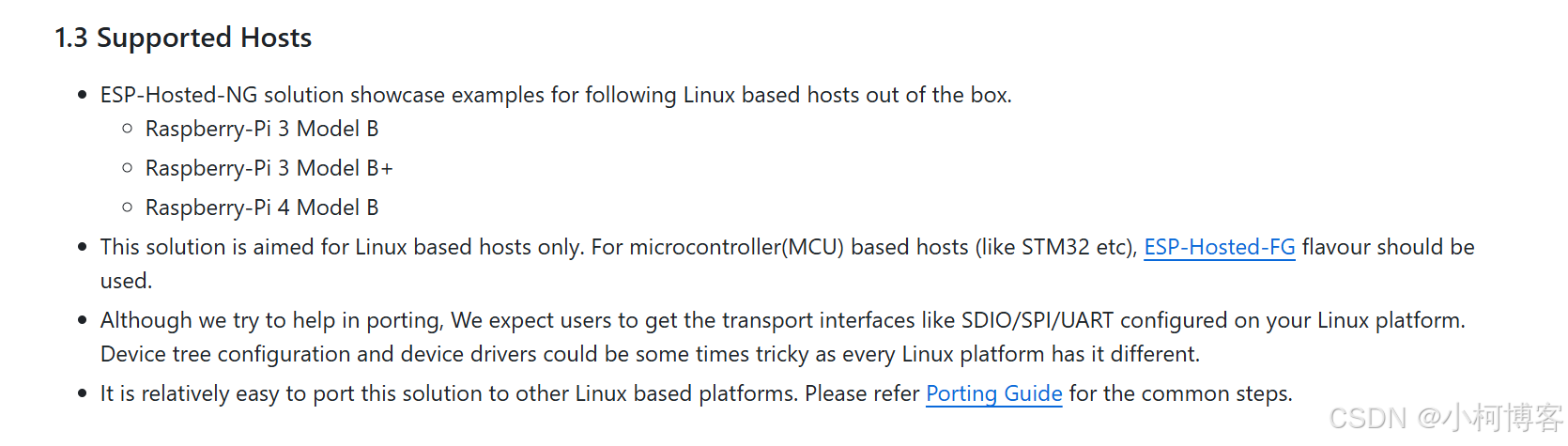
官方支持树莓派 + ESP,先在树莓派上试下效果
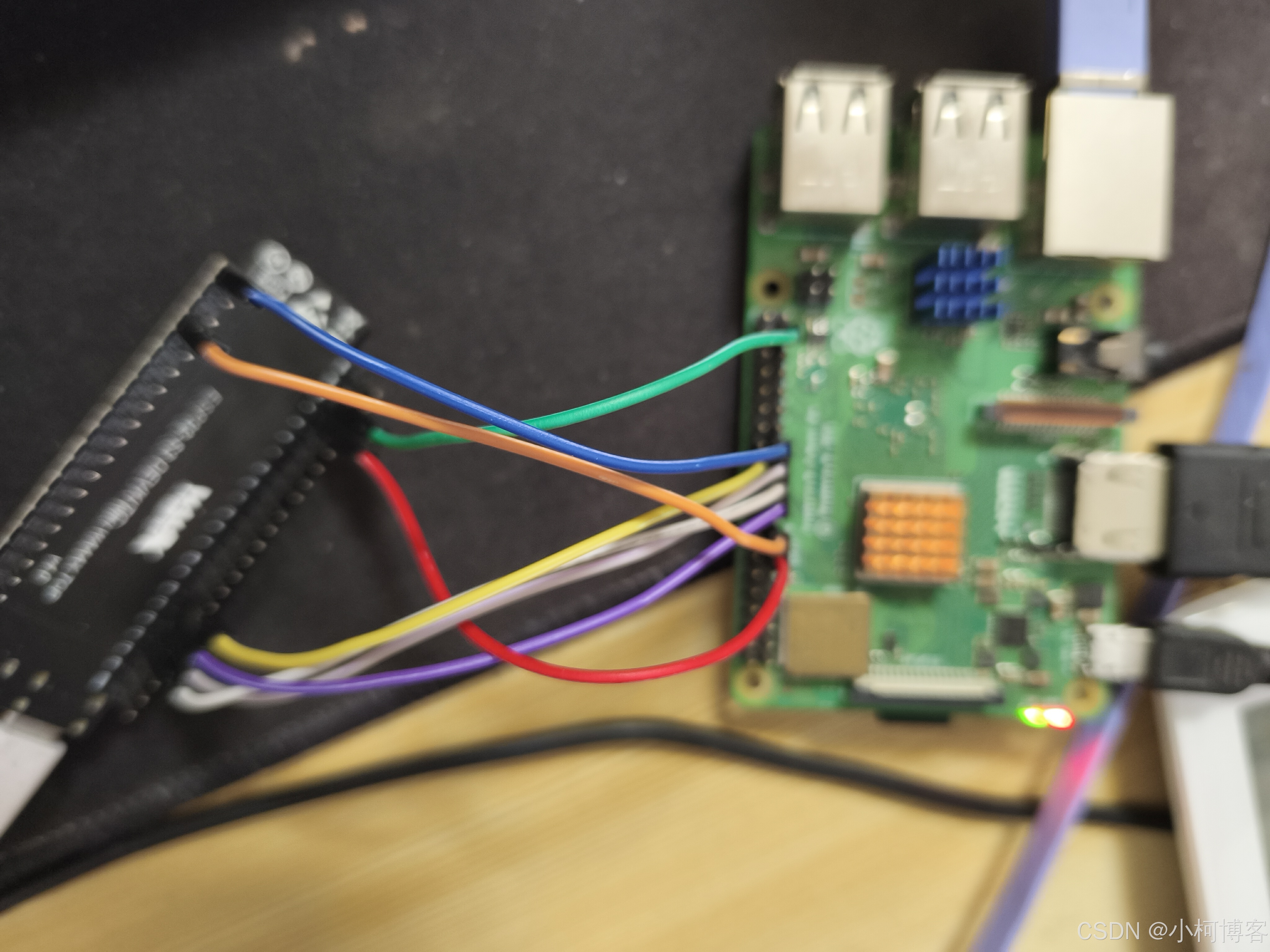
硬件连接如下图:树莓派+EDSP32-S3 DEVKIT(固件编译同ESP32C3)
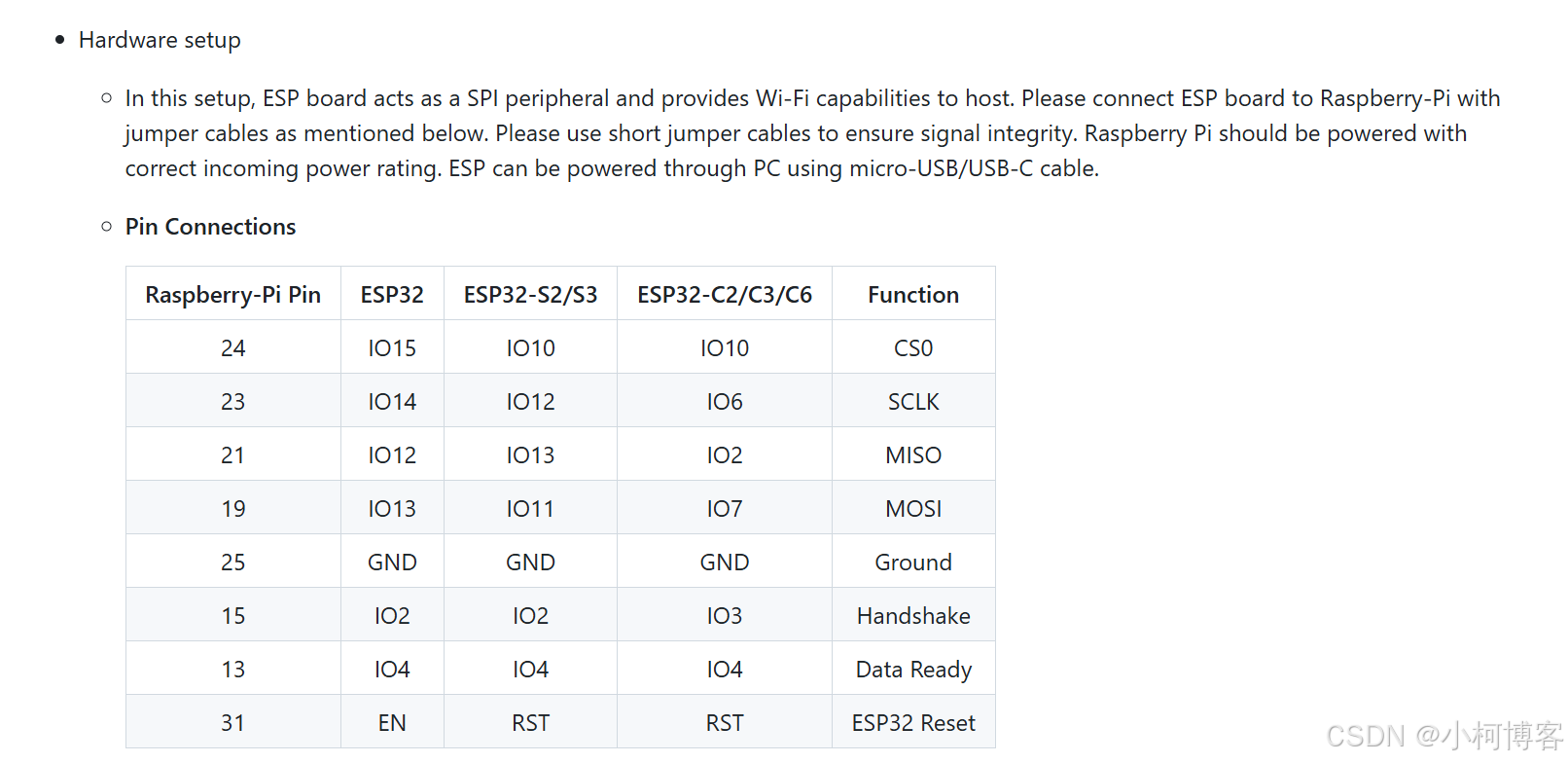

树莓派SPI配置,参考https://github.com/espressif/esp-hosted/blob/master/esp_hosted_ng/docs/setup.md
-
Raspberry-Pi Setup
-
The SPI master driver is disabled by default on Raspberry-Pi OS. To enable it add following commands in /boot/config.txt file
dtparam=spi=on dtoverlay=disable-bt -
In addition, below options are set as the SPI clock frequency in analyzer is observed to be smaller than expected clock. This is RaspberryPi specific issue.
core_freq=250 core_freq_min=250 -
Please reboot Raspberry-Pi after changing this file.
-
-
树莓派编译ESP32 ko文件
-
Host environment setup
-
Execute following commands in root directory of cloned ESP-Hosted repository on Raspberry-Pi
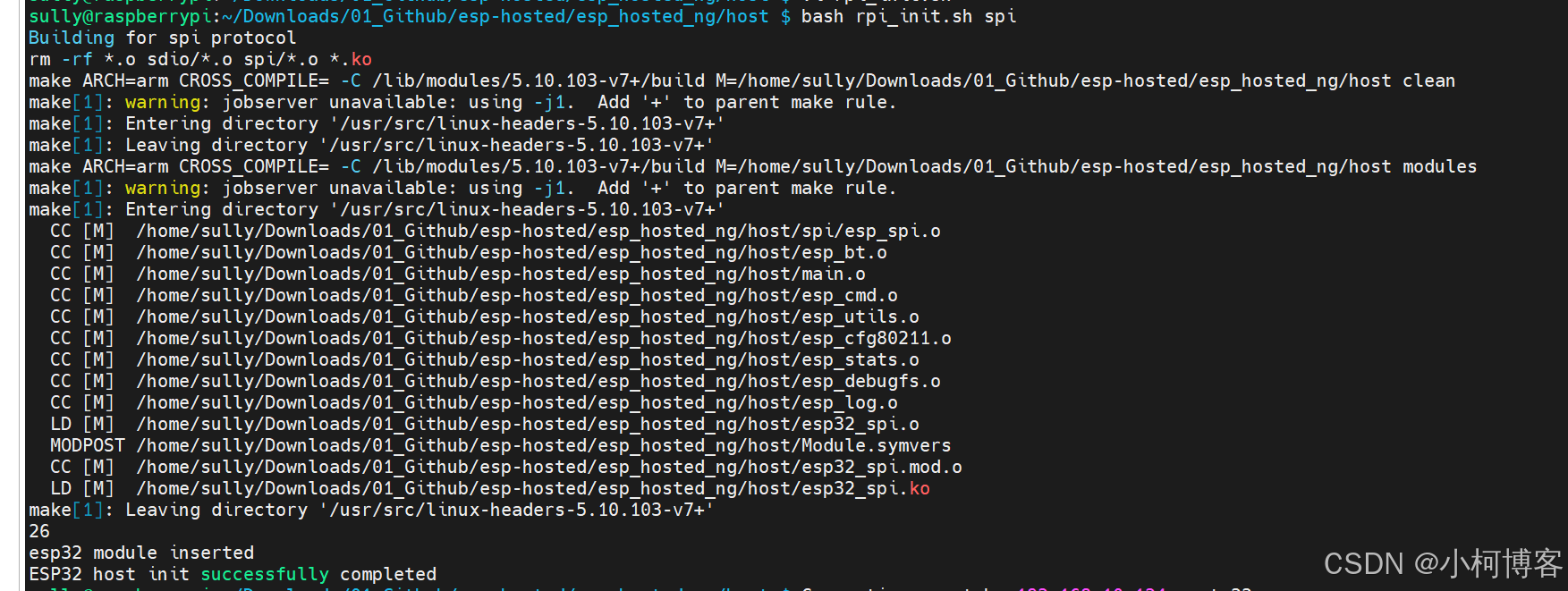
cd esp_hosted/esp_hosted_ng/host/ bash rpi_init.sh spi spi -
add
ap_supportif you want to use interface as access point. -
This script compiles and loads host driver on Raspberry-Pi. It also creates network interface
wlanXwhich is used as a control interface for Wi-Fi on ESP peripheral
-
-
-
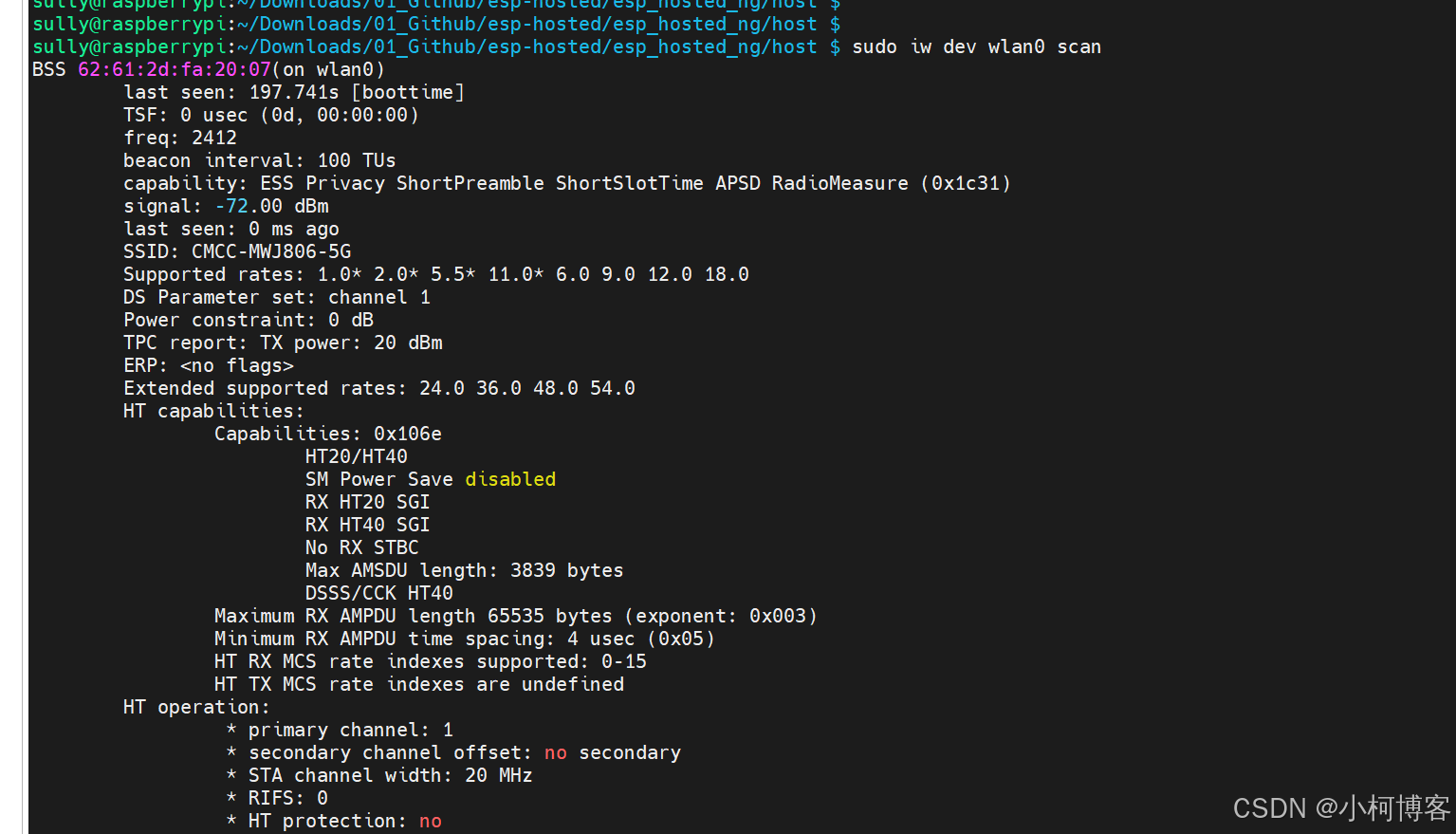
验证Wi-Fi功能,出现wlan0网卡,连接Wi-Fi后就能上网了
sudo iw dev wlan0 scan
sudo iw dev wlan0 scan
cat ~/open.conf
network={
  ssid="MY_OPEN_SSID"
  key_mgmt=NONE
}
sudo wpa_supplicant -D nl80211 -i wlan0 -c ~/open.conf
树莓派验证完成…
参考:
https://github.com/espressif/esp-hosted/blob/master/esp_hosted_ng/docs/setup.md
https://github.com/espressif/esp-hosted/tree/master/esp_hosted_ng
https://pinout.xyz/pinout/spi
https://docs.espressif.com/projects/esp-at/zh_CN/release-v3.0.0.0/esp32c3/Get_Started/Downloading_guide.html

北京人形旗下天工造物具身智能开源社区,聚焦具身天工与慧思开物两大平台
更多推荐
 14
14 0
0- 0


 已为社区贡献1条内容

所有评论(0)