BUG! exception in phase ‘semantic analysis‘ in source unit ‘/Users/xxx/Documents/software/flutter
·
运行flutter(3.19.6),Android Studio Ladybug | 2024.2.1 Patch 3,发生如下报错:
Launching lib/main.dart on PFGM00 in debug mode...
Running Gradle task 'assembleDebug'...

FAILURE: Build failed with an exception.

* What went wrong:
Execution failed for task ':gradle:compileGroovy'.
> BUG! exception in phase 'semantic analysis' in source unit '/Users/dewen/Documents/software/flutter/packages/flutter_tools/gradle/src/main/groovy/app_plugin_loader.groovy' Unsupported class file major version 65

* Try:
> Run with --stacktrace option to get the stack trace.
> Run with --info or --debug option to get more log output.
> Run with --scan to get full insights.

* Get more help at https://help.gradle.org

BUILD FAILED in 2s

┌─ Flutter Fix ───────────────────────────────────────────────────────────────────────────────────┐
│ [!] Your project's Gradle version is incompatible with the Java version that Flutter is using   │
│ for Gradle.                                                                                     │
│                                                                                                 │
│ If you recently upgraded Android Studio, consult the migration guide at                         │
│ docs.flutter.dev/go/android-java-gradle-error.                                                  │
│                                                                                                 │
│ Otherwise, to fix this issue, first, check the Java version used by Flutter by running `flutter │
│ doctor --verbose`.                                                                              │
│                                                                                                 │
│ Then, update the Gradle version specified in                                                    │
│ /Users/dewen/Desktop/xxxxxxxxx/android/gradle/wrapper/gradle-wrapper.properties to be    │
│ compatible with that Java version. See the link below for more information on compatible        │
│ Java/Gradle versions:                                                                           │
│ https://docs.gradle.org/current/userguide/compatibility.html#java                               │
│                                                                                                 │
│                                                                                                 │
└─────────────────────────────────────────────────────────────────────────────────────────────────┘
Error: Gradle task assembleDebug failed with exit code 1
解决:file-》project structure-〉SDK
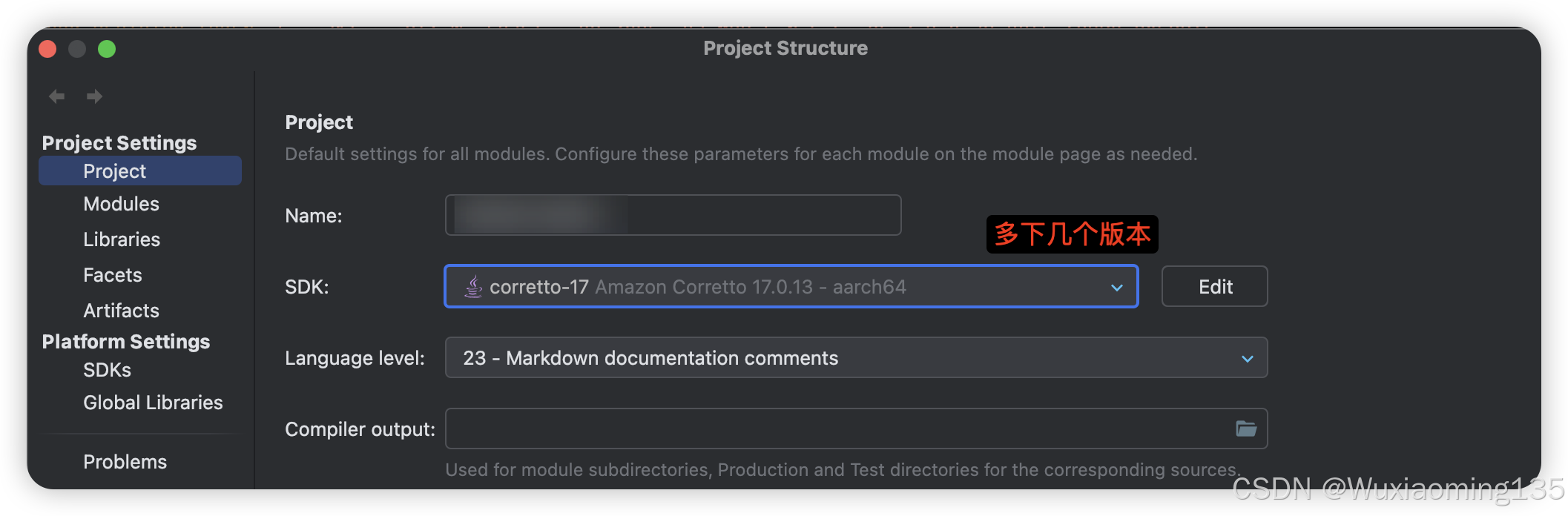 多下载几个,慢慢试试,作者这里在17版本解决
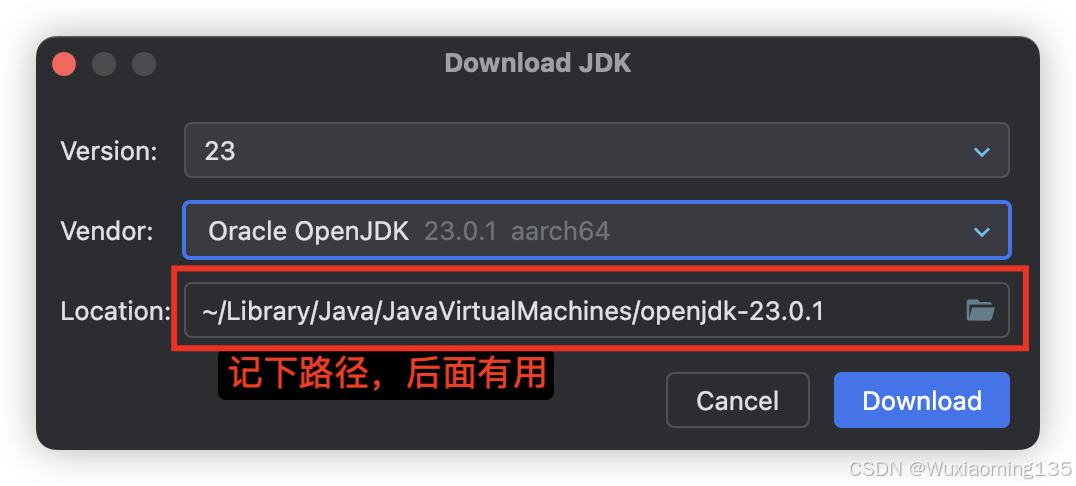
接着在android/gradle.properties加上这一样(注意Home结尾)
org.gradle.java.home=/Users/xxxxxxx/Library/Java/JavaVirtualMachines/corretto-17.0.13/Contents/Home
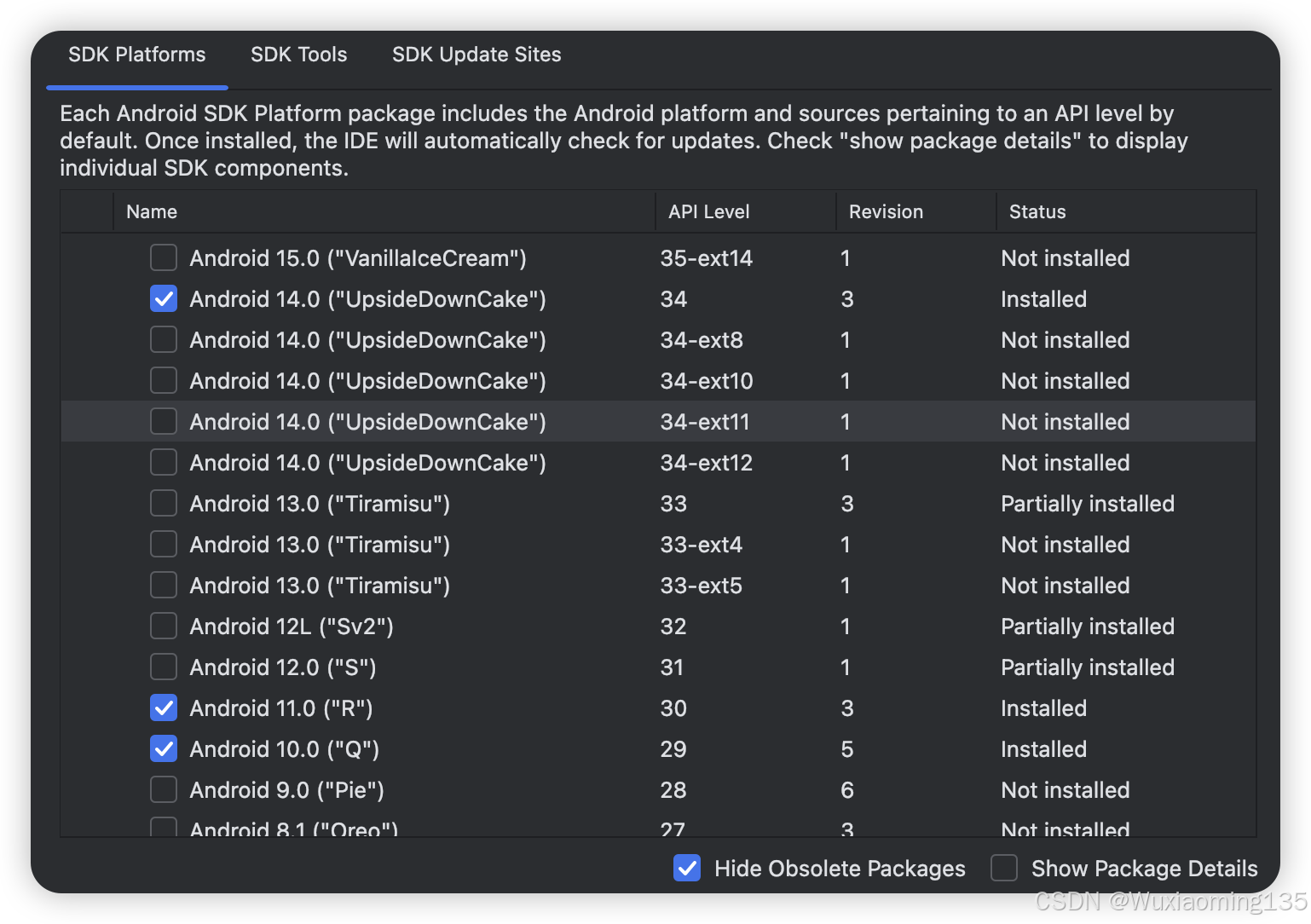
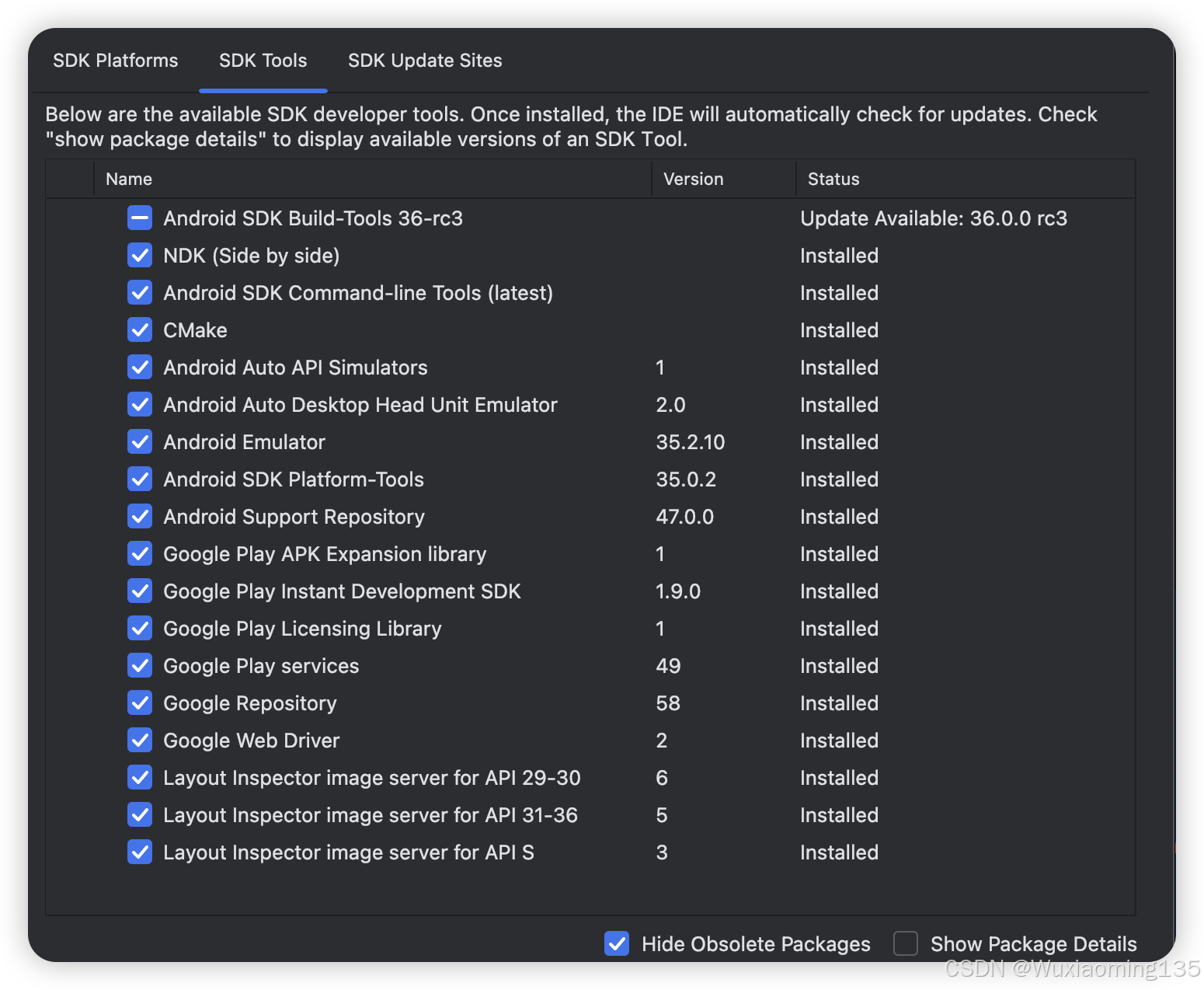
接着运行即可,另外这里附上作者的sdk配置

北京人形旗下天工造物具身智能开源社区,聚焦具身天工与慧思开物两大平台
更多推荐
 2
2 0
0- 0


 已为社区贡献5条内容

所有评论(0)