Centos7 Could not retrieve mirrorlist http://mirrorlist,centos.org/?release=7&arch=x86
·
Centos7 使用yum安装工具时报错如下:
Could not retrieve mirrorlist http://mirrorlist.centos.org/?release=7&arch=x86 64&repo=os&infra=stoc
k error was
14:curl#6-
"Could not resolve host: mirrorlist .centos.org; lnknowm error
One of the configured repositories failed (Unknowm )
and yum doesn't have enough cached data to continue. At this point the only
safe thing yum can do is fail, There are a few ways to work 'fix" this:
1.Contact the upstream for the repository and get them to fix the problem
2
Reconfigure the baseurl/etc, for the repository, to point to a working
upstream, This is most often useful if you are using a newer
distribution release than is supported by the repository (and the
packages for the previous distribution release still work).
3.Run the command with the repository temporarily disabled
yum --disablerepo=<repoid>
4. Disable the repository permanently, so yum won't use it by default. Yum
will then just ignore the repository until you permanently enable it
again or useenablerepo for temporary usage :
yum-config-manager --disable <repoid>
or
subscription-manager repos --disable=<repoid>
Configure the failing repository to be skipped, if it is unavailable.
5.
Note that yum will try to contact the repo. when it runs most commands,
so will have to try and fail each time (and thus. yum will be be much
slower), If it is a very temporary problem though, this is often a nice
compromise :
yum-conf ig-manager
--SalVE
--setopt=<repoid>.skip if unavailable=true
Camnot find a valid baseurl for repo: base/?/x86 64
Centos7 ping 114.114.114.114 报错:
connect:Network is ureachable

解决办法:
1.执行命令
查看网卡名字
ip addr修改网络信息配置文件
vi /etc/sysconfig/network-scripts/ifcfg-ens33ONBOOT=no改为ONBOOT=yes
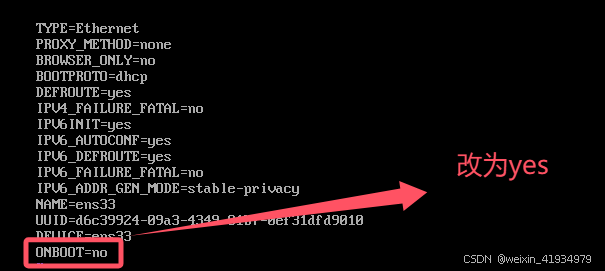
修改完后vi编辑器 :wq 保存并退出
2.重启网络服务
systemctl restart network3.curl 访问百度测试是否能访问成功
curl www.baidu.com访问成功
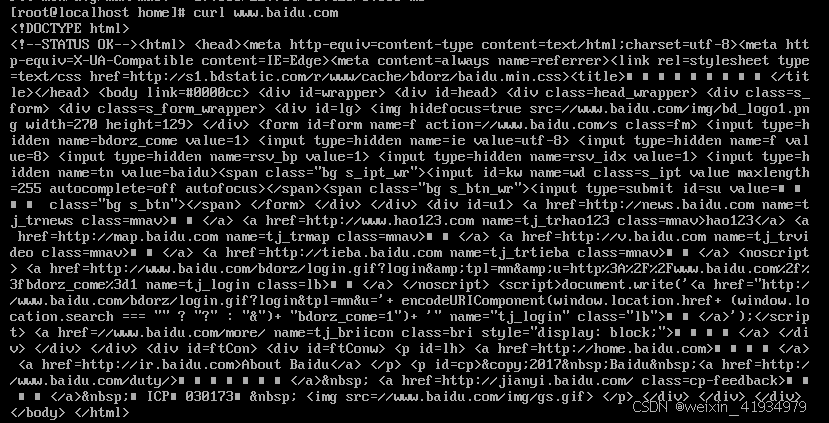
或者ping 114.114.114.114
ping 114.114.114.114可以ping通
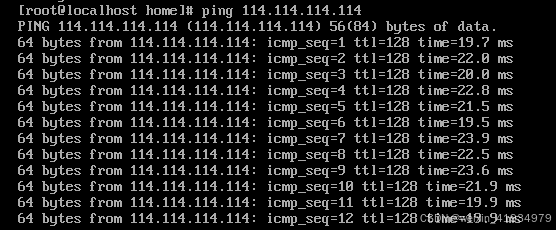
4.可以ping通,更换yum源,换为阿里的源
curl -o /etc/yum.repos.d/CentOS-Base.repo http://mirrors.aliyun.com/repo/Centos-7.repoyum源更换完之后yum就可以使用了
5.清除软件包缓存,更新yum包管理工具
yum clean all

yum makecache

yum -y update
Centos8系统的网络问题、yum问题解决:
https://blog.csdn.net/weixin_41934979/article/details/143270772
参考资料
https://blog.csdn.net/qq_44543508/article/details/103825500
https://blog.csdn.net/weixin_44089925/article/details/142878882

北京人形旗下天工造物具身智能开源社区,聚焦具身天工与慧思开物两大平台
更多推荐
 4
4 0
0- 0


 已为社区贡献7条内容

所有评论(0)