rocketmq 如何启动源码,rocketmq 最新代码搭建源码调试环境 rocketmq本地搭建调试方法 rocketmq源码启动namesrv,broker
1.首先上官网文档地址:
2.rocketmq架构图:
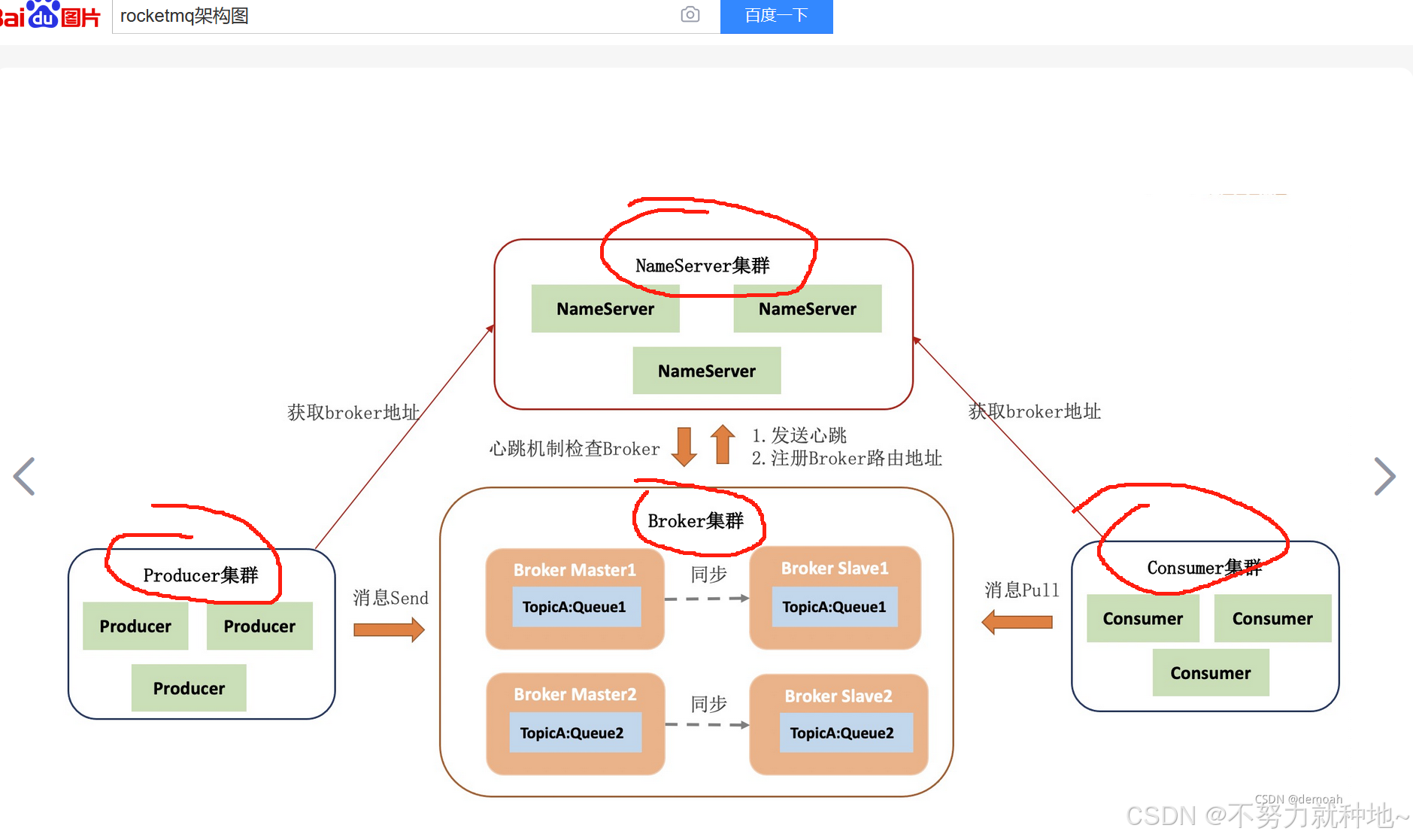
3. 由上可知,一共四个角色,namseSrv,broker, producer, consumer, 对应代码则为:
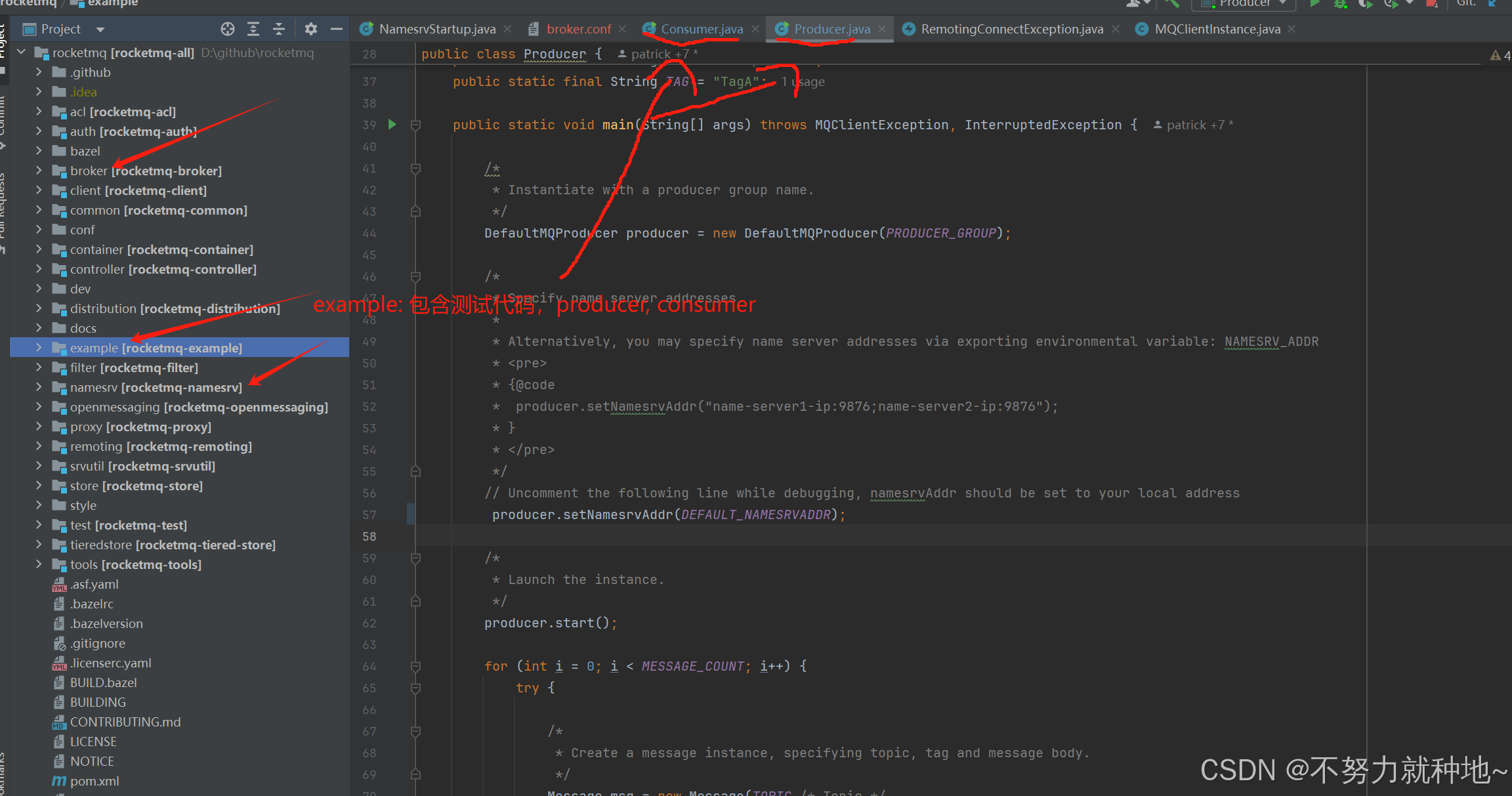
在源码中依次启动namesrv, broker, example 中的producer, consumer即可
4. namesrv启动:
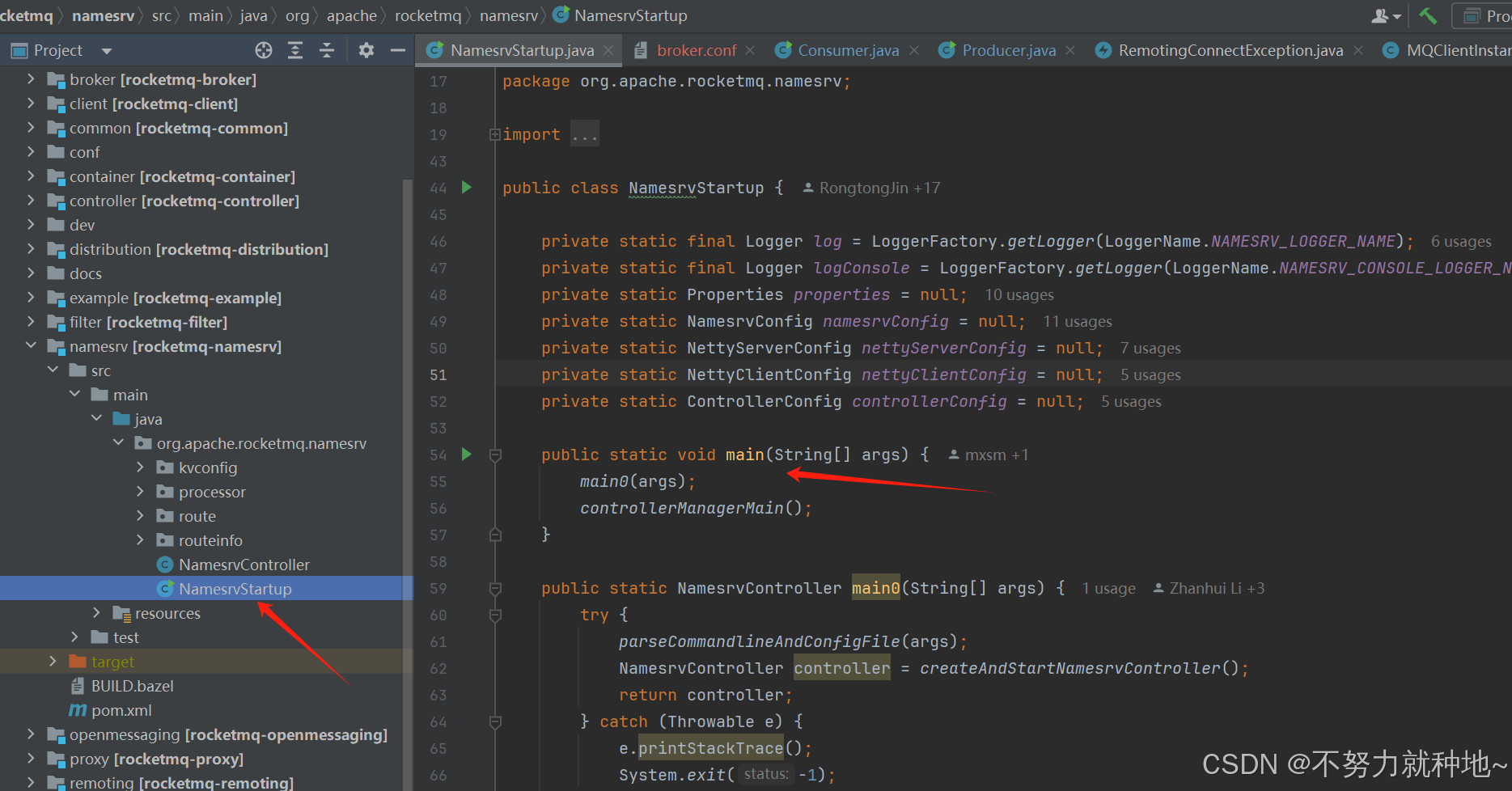
4.1. 找到nameSrv 注册中心的NamesrvStartup类,以及main方法:
4.2. 配置nameSrv 的ROCKETMQ_HOME,不然报exit code 2:
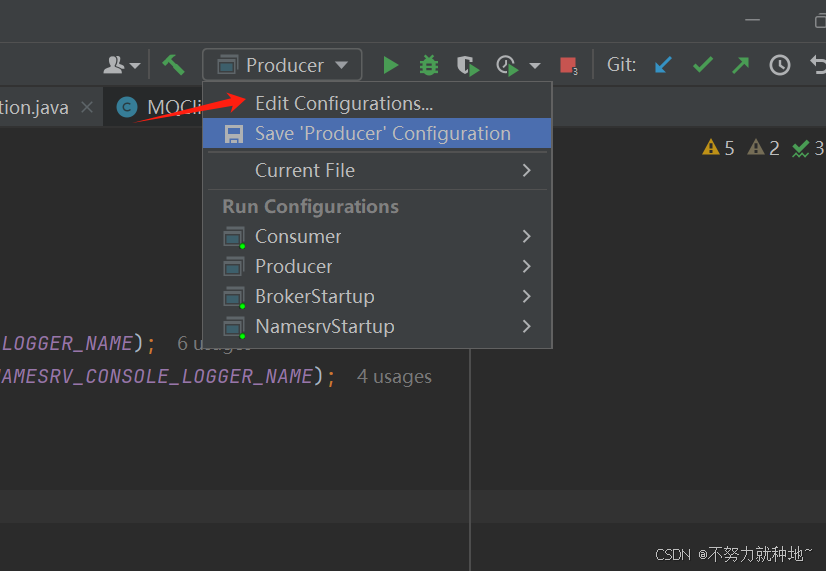
点击Edit Configurations, 找到下图 左侧Application 下的NamesrvStartup添加参数即可
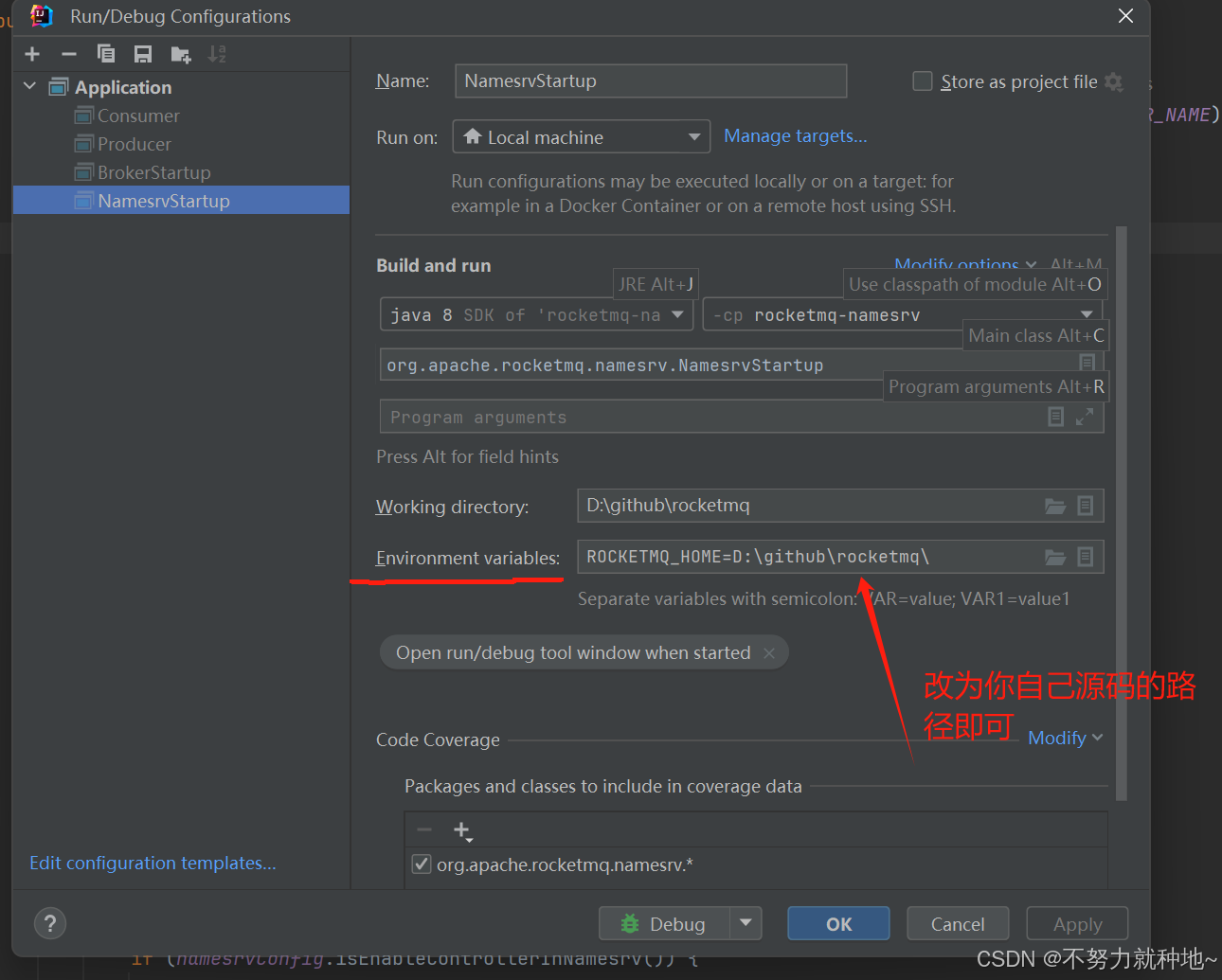
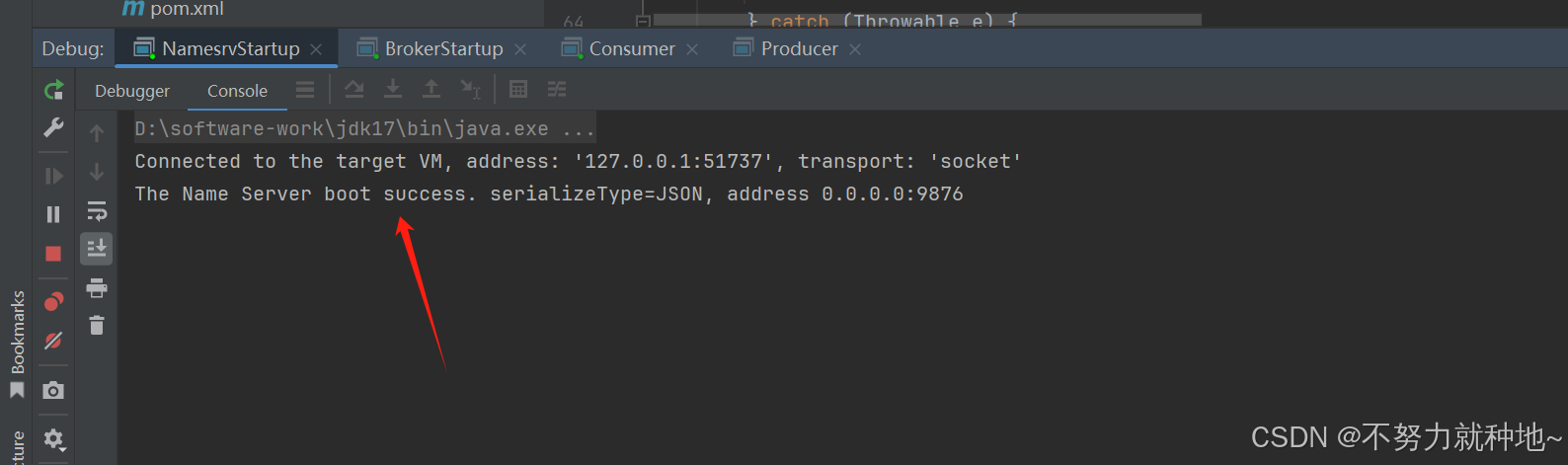
4.3. 再次启动nameSrvStartup 的main方法即可:
5. 同理启动broker:
5.1 找到BrokerStartup类:
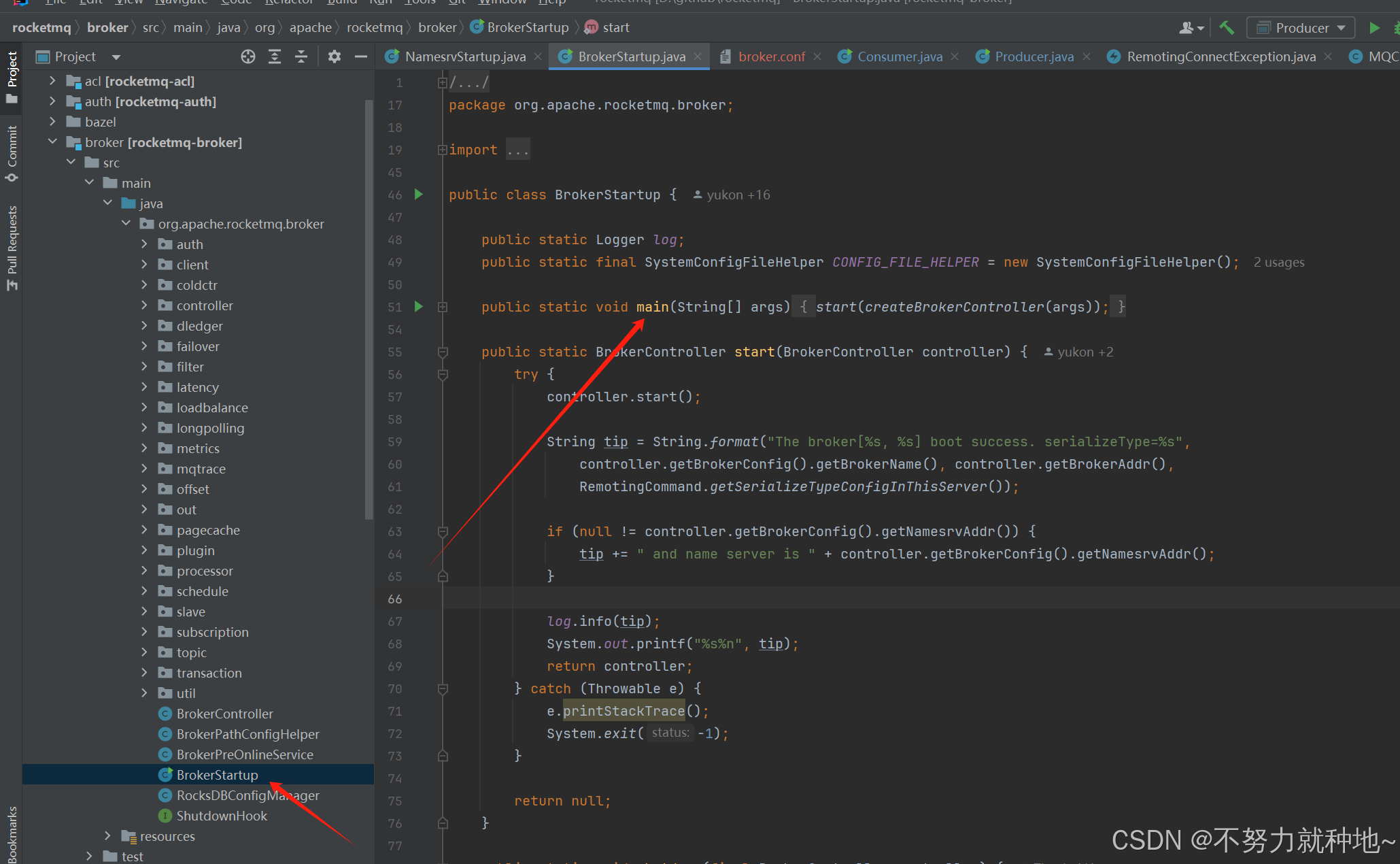
5.2. 配置ROCKETMQ_HOME参数:
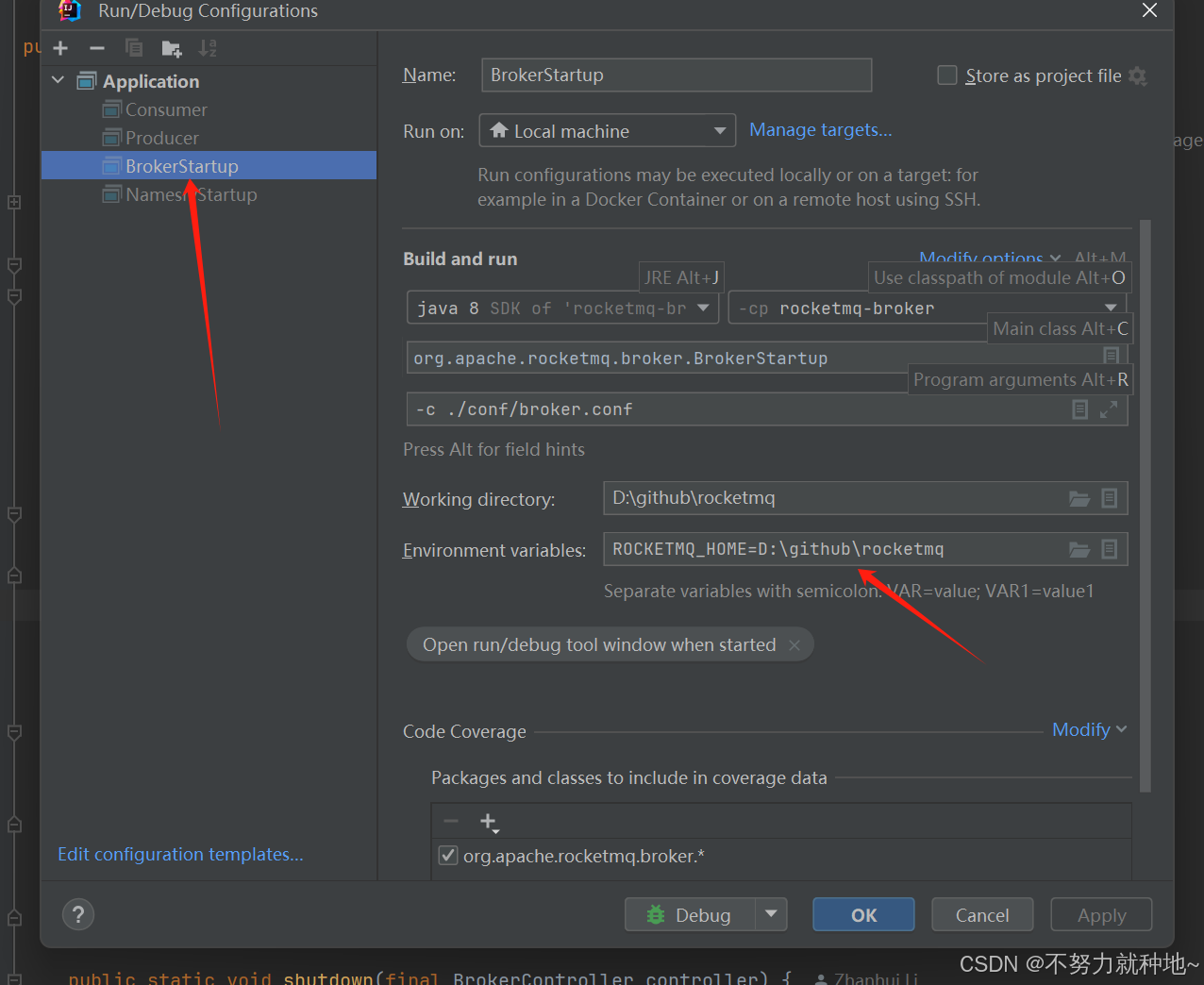
5.3 在rocketmq项目下创建conf, data文件夹,找到distribution模块,拿到单体配置的broker.conf 复制一份至conf文件夹下
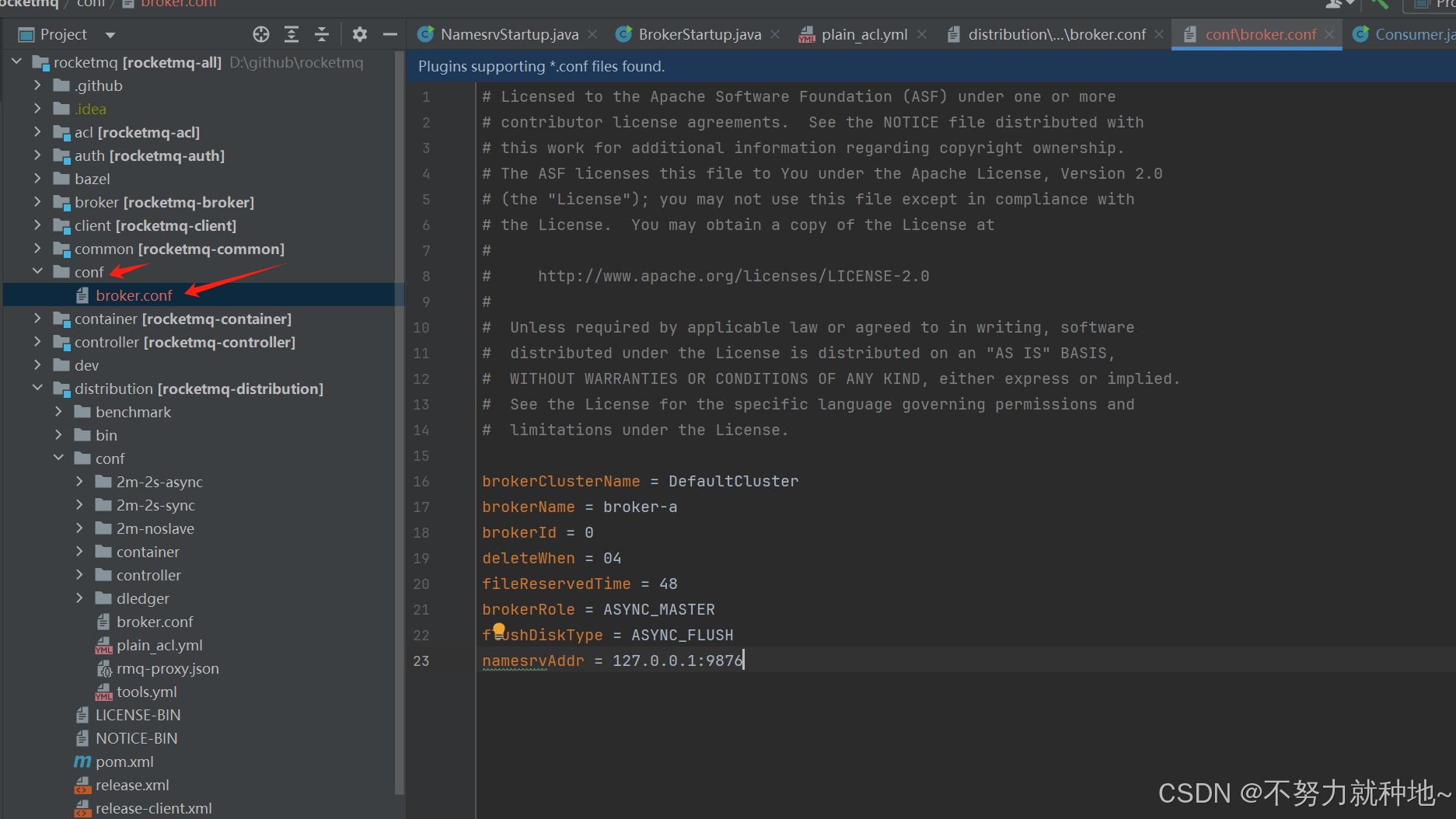
下图就是distribution模块,复制broker.conf到conf文件夹下,并添加namesrvAddr =127.0.0.1:9876
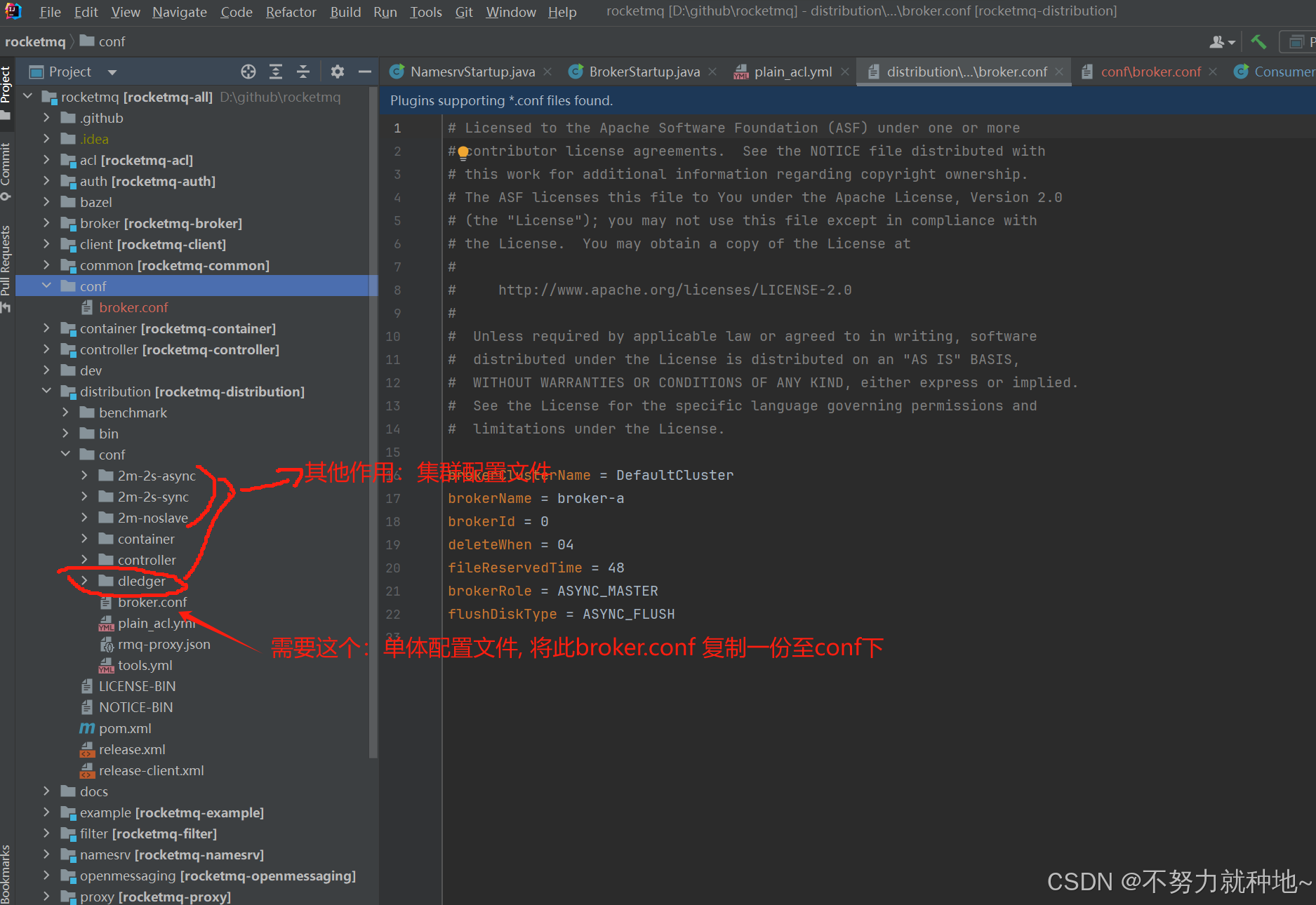
如果我说的混乱你可以略过上述,直接复制下方提供的broker.conf,在项目处创建conf文件夹,将broker.conf文件复制进去:
# Licensed to the Apache Software Foundation (ASF) under one or more
# contributor license agreements.  See the NOTICE file distributed with
# this work for additional information regarding copyright ownership.
# The ASF licenses this file to You under the Apache License, Version 2.0
# (the "License"); you may not use this file except in compliance with
# the License.  You may obtain a copy of the License at
#
#     http://www.apache.org/licenses/LICENSE-2.0
#
#  Unless required by applicable law or agreed to in writing, software
#  distributed under the License is distributed on an "AS IS" BASIS,
#  WITHOUT WARRANTIES OR CONDITIONS OF ANY KIND, either express or implied.
#  See the License for the specific language governing permissions and
#  limitations under the License.

# 集群名称
brokerClusterName = DefaultCluster
# 属于一组broker的名称
brokerName = broker-a
# brokerName对应的一组broker里,brokerId唯一值,如果为0,则为master
brokerId = 0
# 凌晨四点 本地磁盘文件数据清理时间
deleteWhen = 04
# commitlog 文件做多可以保留的时间  单位小时
fileReservedTime = 48
# broker角色 异步master
brokerRole = ASYNC_MASTER
# 刷盘策略 异步刷盘
flushDiskType = ASYNC_FLUSH
# rocketmq调用的注册中心地址。nameSrv
namesrvAddr = 127.0.0.1:9876

# 数据存储根目录
storePathRootDir = D:/code/github/rocketmq/data
# commitlog 存入位置
storePathCommitLog = D:/code/github/rocketmq/data/commitlog
# 设置消费者逻辑队列的存储路径
storePathConsumerQueue= D:/code/github/rocketmq/data/consumequeue
# 消息索引存储路径
storePathIndex= D:/code/github/rocketmq/data/index
# checkpoint 文件存储路径
storeCheckpoint= D:/code/github/rocketmq/data/checkpoint
# abort 文件存储路径 (崩溃文件)
abortFile= D:/code/github/rocketmq/data/abort
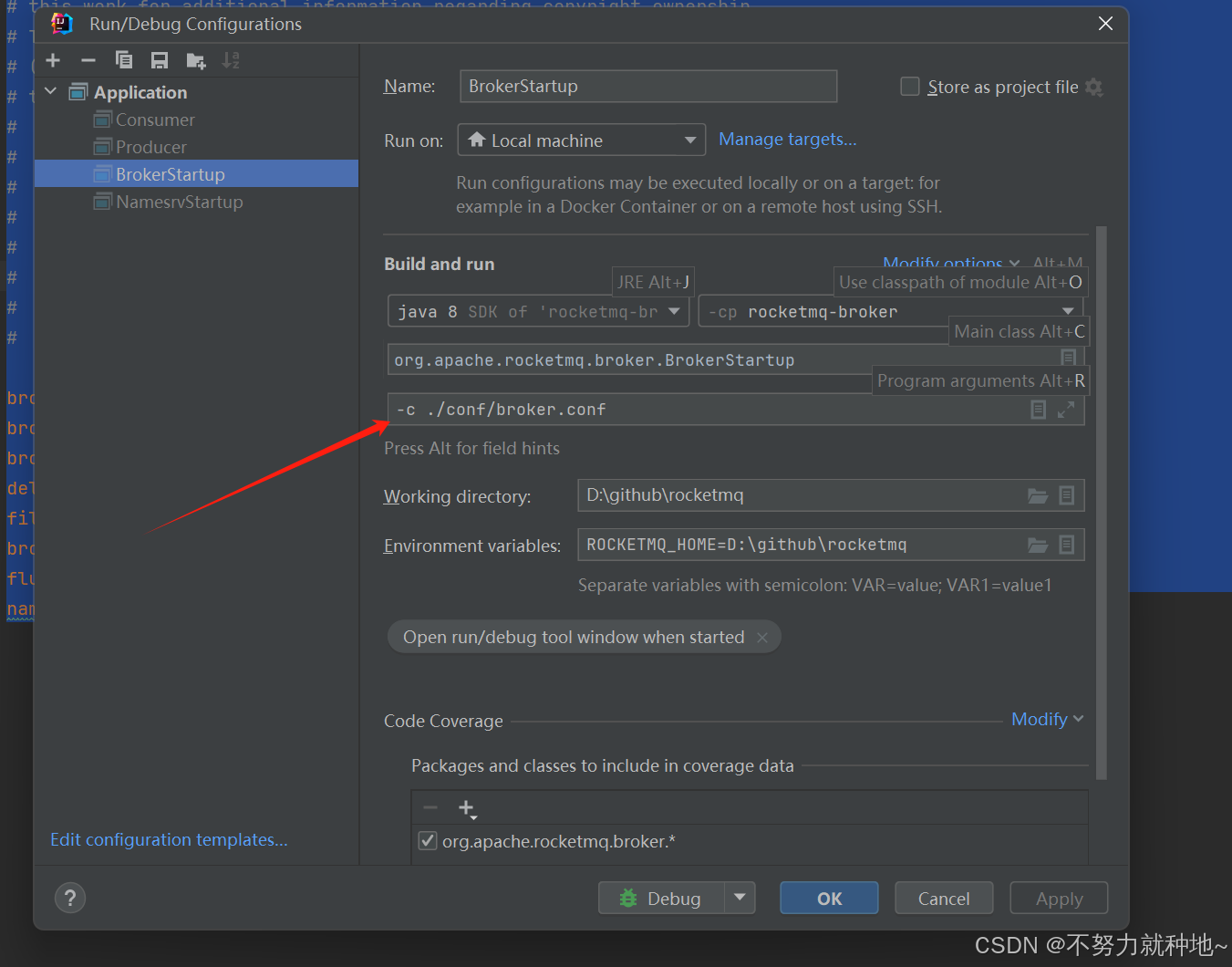
5.4. 配置broker 环境,将配置文件以-c 方式 配置进去 broker启动即会load到这些参数:
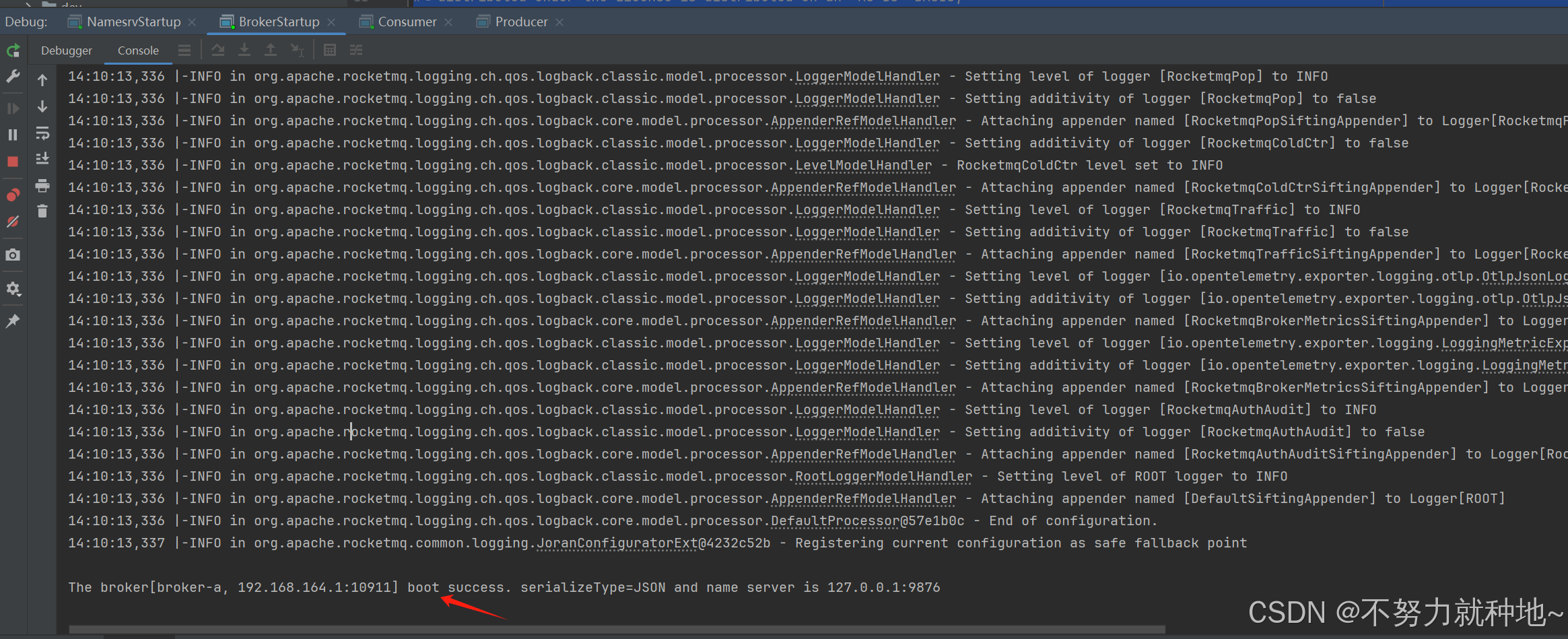
5.5. 启动成功:
6. 启动项目自带的demo,消费者:
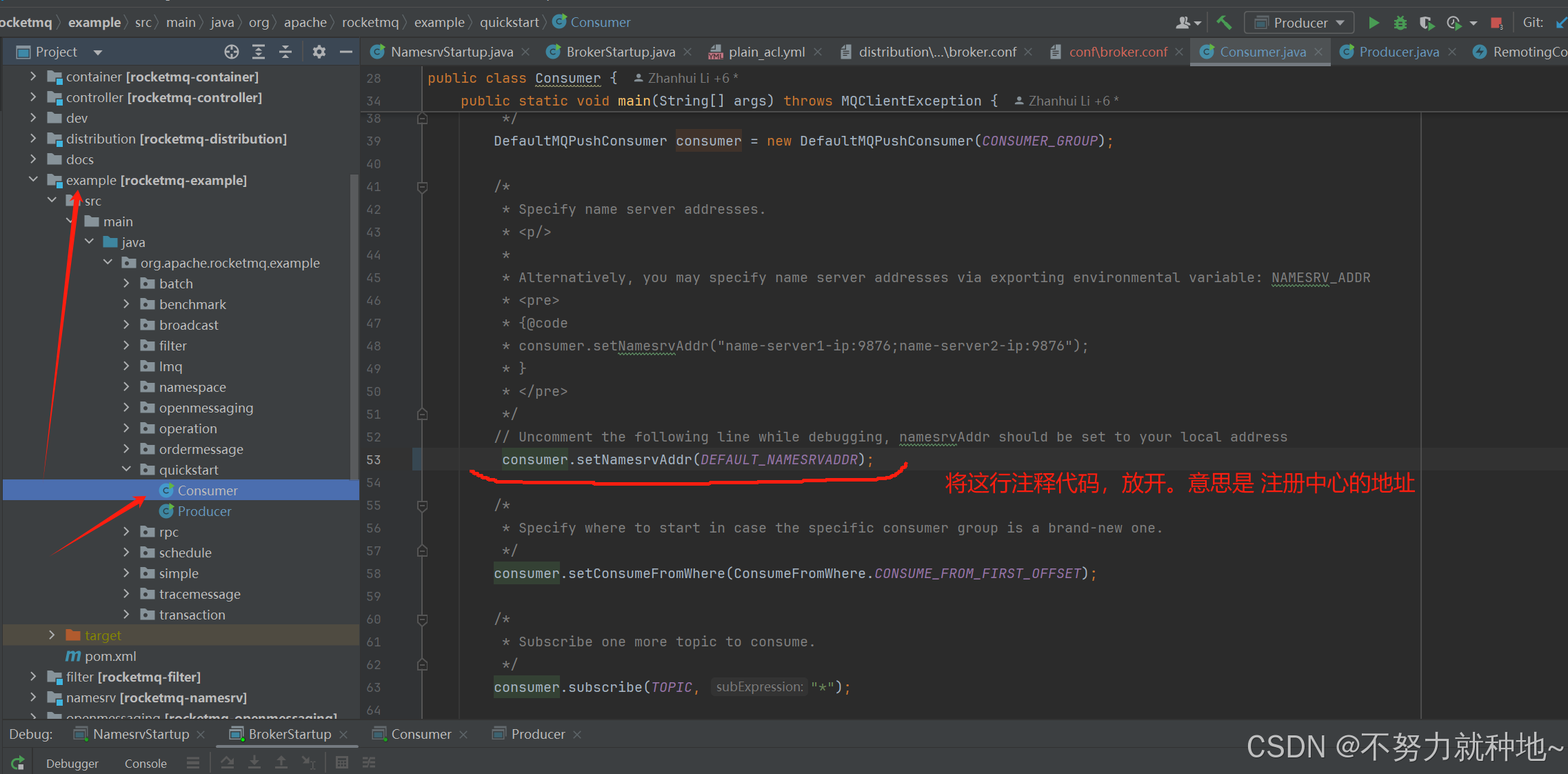
6.1. 下面代码取消注释后,启动main方法,等待消费即可!
consumer.setNamesrvAddr(DEFAULT_NAMESRVADDR);
7. 启动example 的producer:
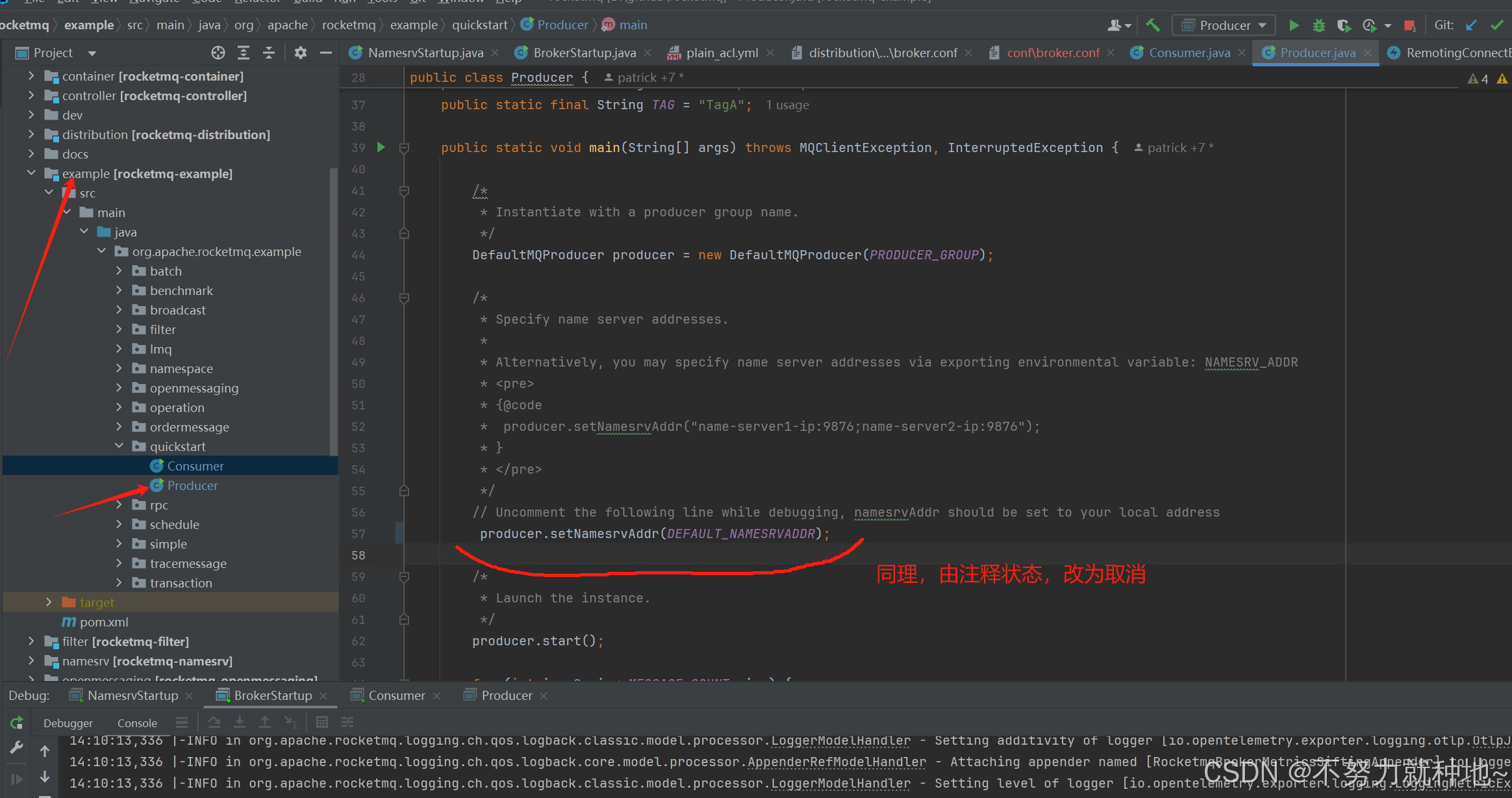
7.1. 取消这行注释掉的配置注册中心代码,启动main即可
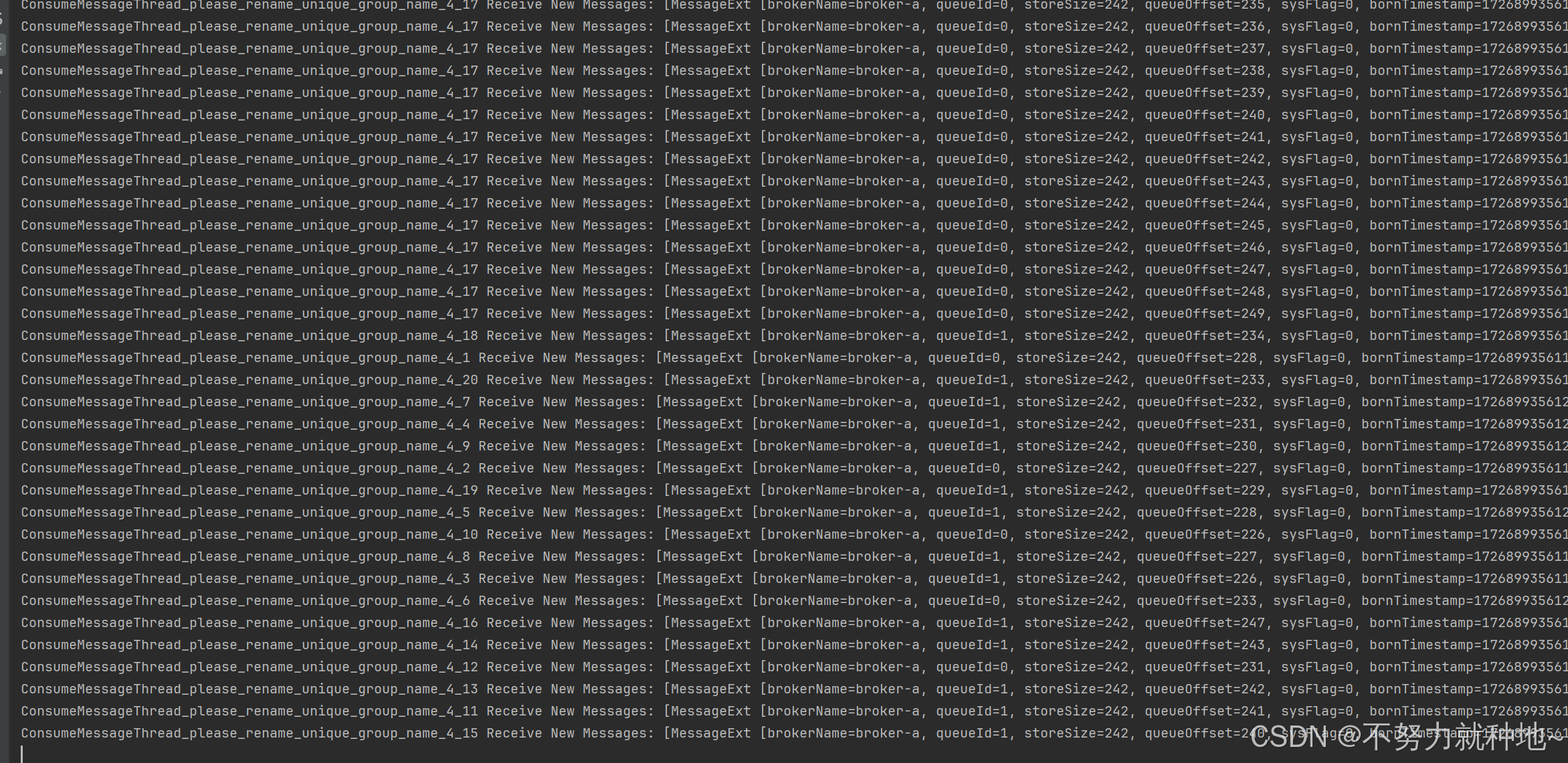
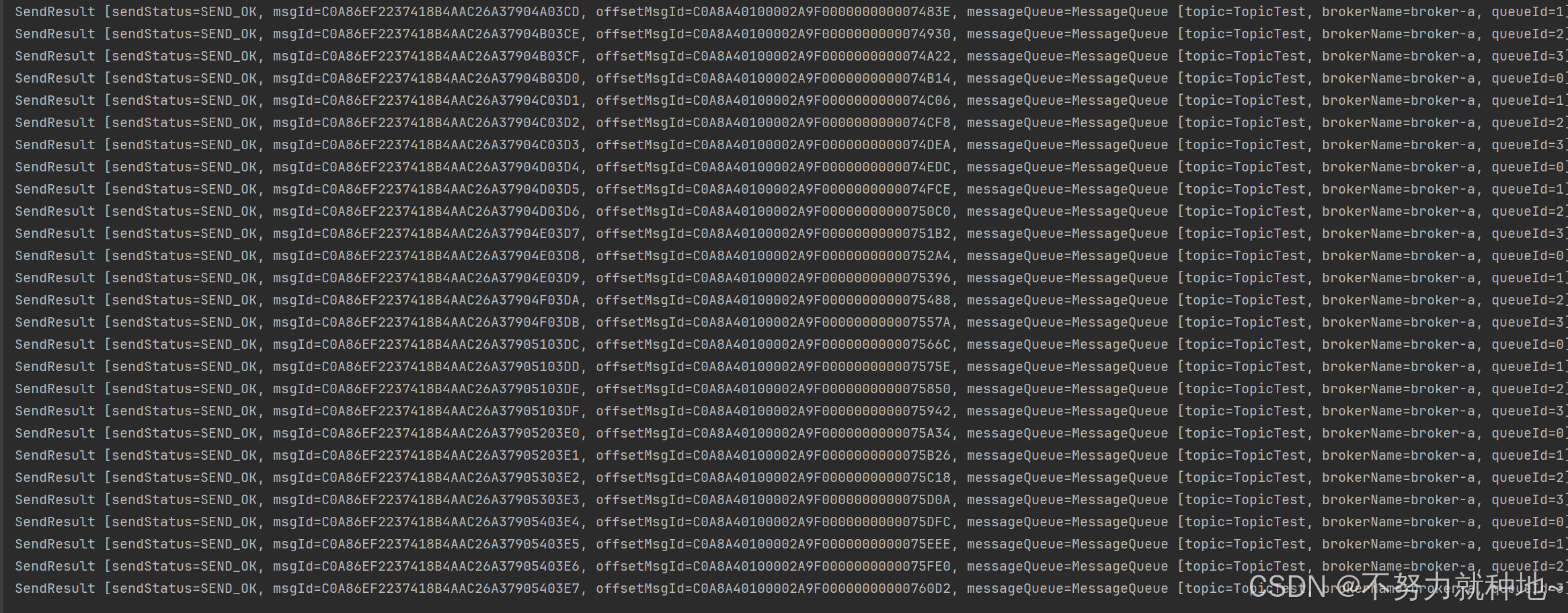
8. 日志验证:
消费者:
生产者:
9. 文笔有限,写的有些啰嗦,欢迎指正!

北京人形旗下天工造物具身智能开源社区,聚焦具身天工与慧思开物两大平台
更多推荐
 6
6 0
0- 0


 已为社区贡献15条内容

所有评论(0)