cocos creator 2d碰撞检查
·
网上查了一些资料写的都比较啰嗦复杂,其实没有那么复杂,就两步
第一步
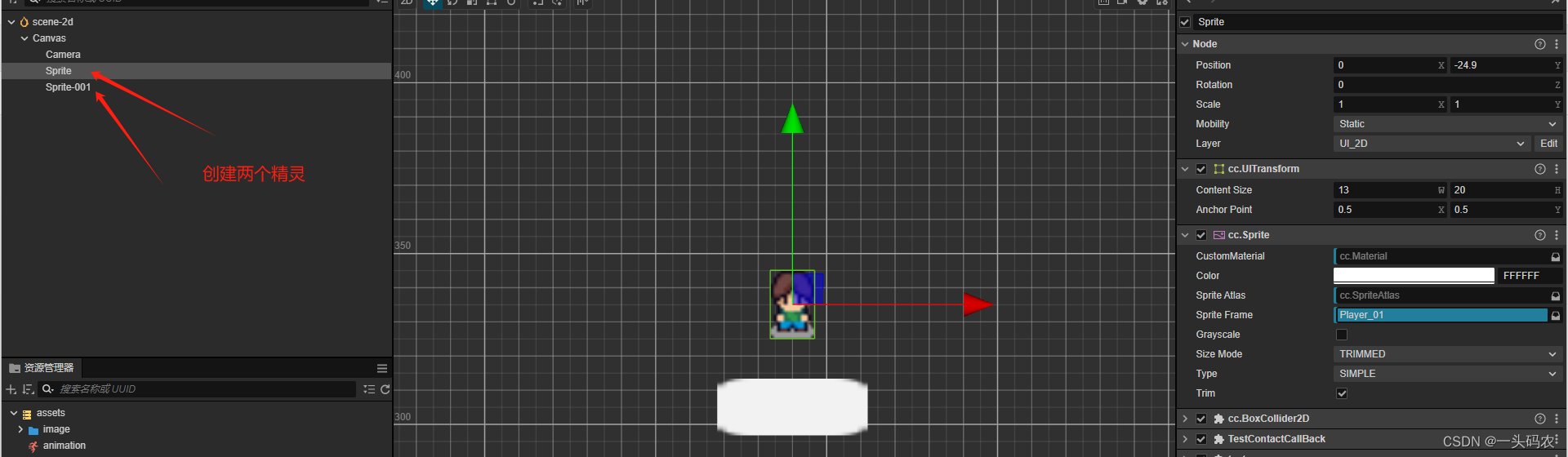
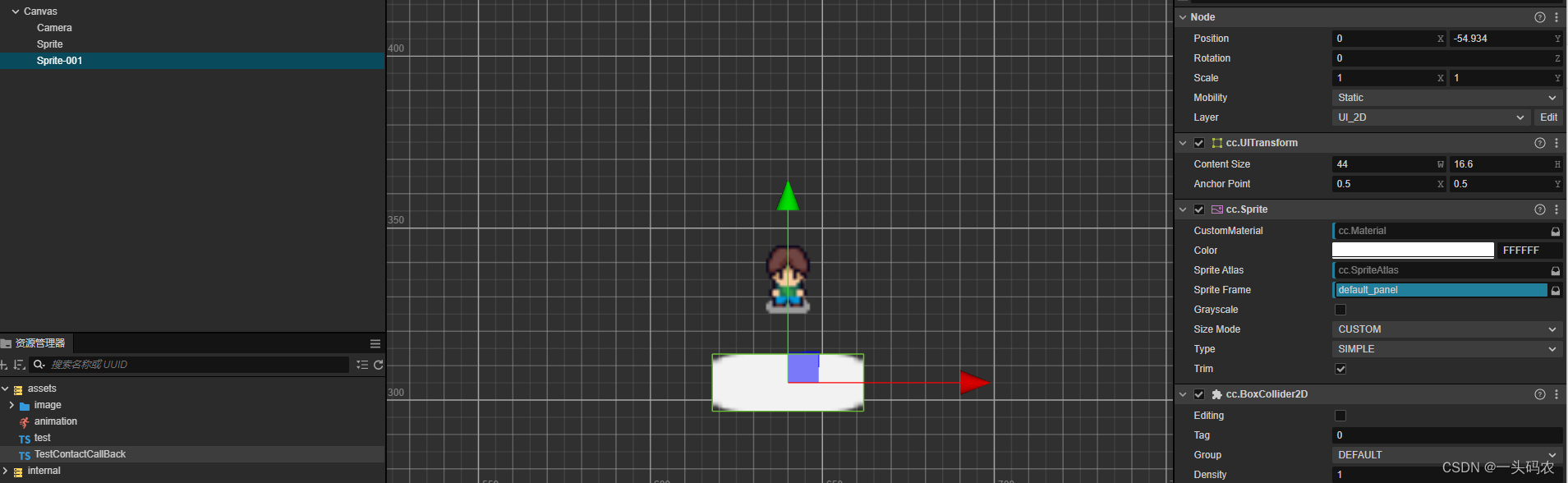
创建碰撞检查范围,默认即可,不需要点啥
两个精灵相同操作
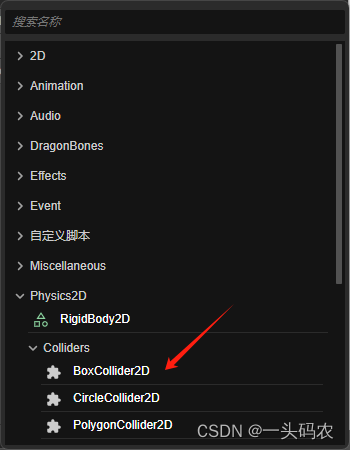
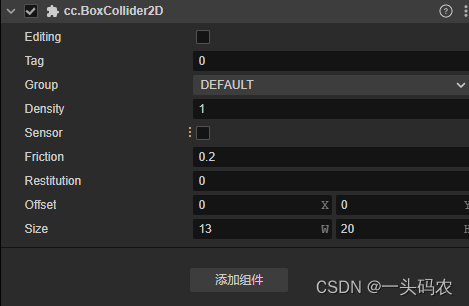
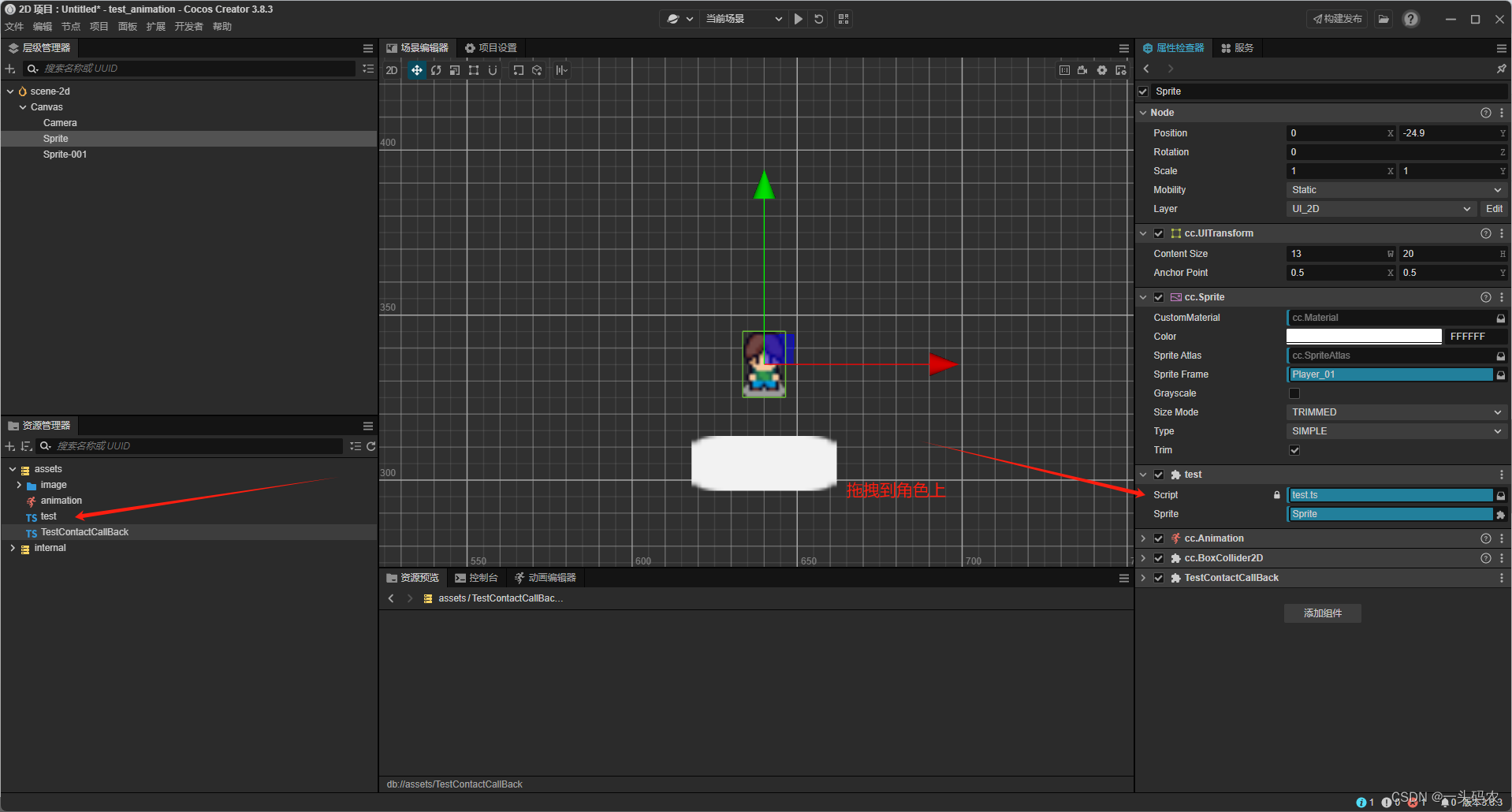
第二部
角色移动脚本
import { _decorator, Component, Node ,Sprite,input,Input,Vec3} from 'cc';
const { ccclass, property } = _decorator;

@ccclass('test')
export class test extends Component {

    @property({ type: Sprite })
    public sprite: Sprite | null = null;


    start() {
        input.on(Input.EventType.MOUSE_UP, this.jumpByStep, this);

    }
    jumpByStep() {
        if (this.sprite) {
            // 获取当前位置,然后加上偏移量
            let newPosition = this.sprite.node.position.add(new Vec3(0, -5,0));
            this.sprite.node.position = newPosition;
        }
    }


    update(deltaTime: number) {

    }
}
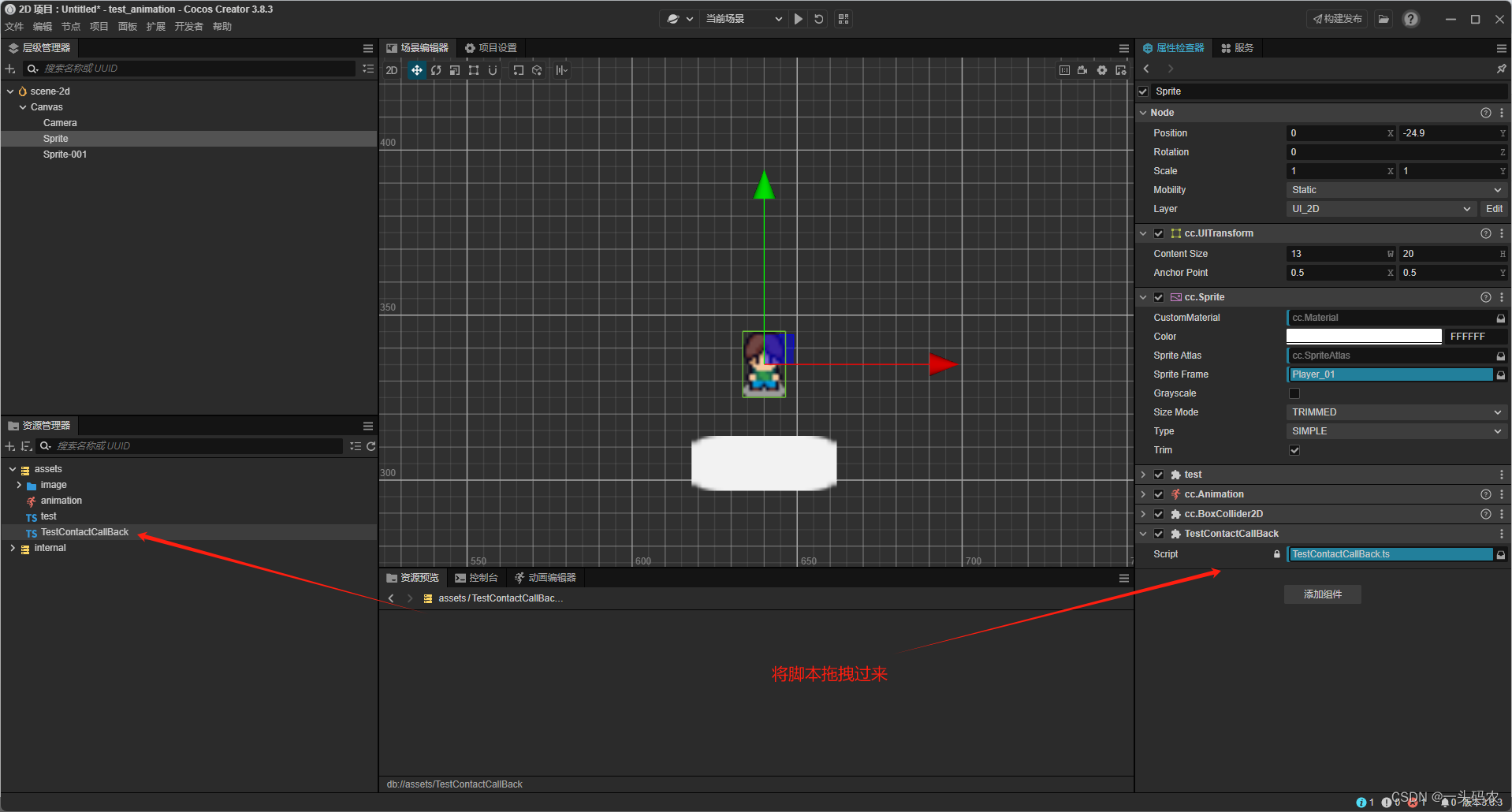
碰撞检查脚本
import { _decorator, Component, Node ,Contact2DType,Collider2D,PhysicsSystem2D,IPhysics2DContact} from 'cc';
const { ccclass, property } = _decorator;

@ccclass('TestContactCallBack')
export class TestContactCallBack extends Component {
    start () {

        /**
         * 仅接触者触发
         */
        // 注册单个碰撞体的回调函数
        let collider = this.getComponent(Collider2D);
        if (collider) {
            collider.on(Contact2DType.BEGIN_CONTACT, this.onBeginContact, this);
            collider.on(Contact2DType.END_CONTACT, this.onEndContact, this);
        }

        /**
         * 接触者和被接触者都触发
         */

        // 注册单个碰撞体的回调函数
        // let collider = this.getComponent(Collider2D);
        // if (collider) {
        //     collider.on(Contact2DType.BEGIN_CONTACT, this.onBeginContact, this);
        //     collider.on(Contact2DType.END_CONTACT, this.onEndContact, this);
        // }

        // // 注册全局碰撞回调函数
        // if (PhysicsSystem2D.instance) {
        //     PhysicsSystem2D.instance.on(Contact2DType.BEGIN_CONTACT, this.onBeginContact, this);
        //     PhysicsSystem2D.instance.on(Contact2DType.END_CONTACT, this.onEndContact, this);
        // }
    }
    onBeginContact (selfCollider: Collider2D, otherCollider: Collider2D, contact: IPhysics2DContact | null) {
        // 只在两个碰撞体开始接触时被调用一次
        console.log('onBeginContact',selfCollider.node.name,otherCollider.node.name,contact);
    }
    onEndContact (selfCollider: Collider2D, otherCollider: Collider2D, contact: IPhysics2DContact | null) {
        // 只在两个碰撞体结束接触时被调用一次
        console.log('onEndContact');
    }
}
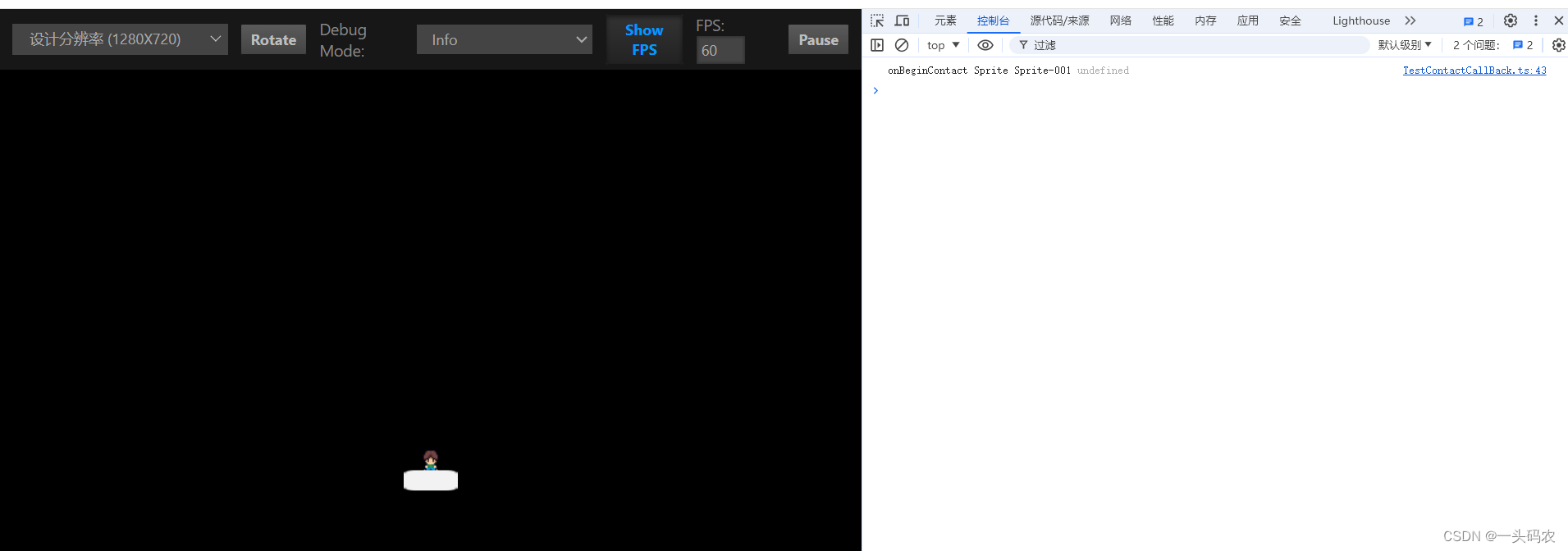
运行看效果(点击屏幕移动)

北京人形旗下天工造物具身智能开源社区,聚焦具身天工与慧思开物两大平台
更多推荐
 3
3 0
0- 0


 已为社区贡献2条内容

所有评论(0)