Vue+TS+webrtc-streamer 实时监控视屏流开发
·
Vue+TS+webrtc-streamer 实时监控视屏流开发
运行环境:Win11笔记本摄像头
下载 webrtc-streamer
使用的8.4版本为例,可以测试其他版本
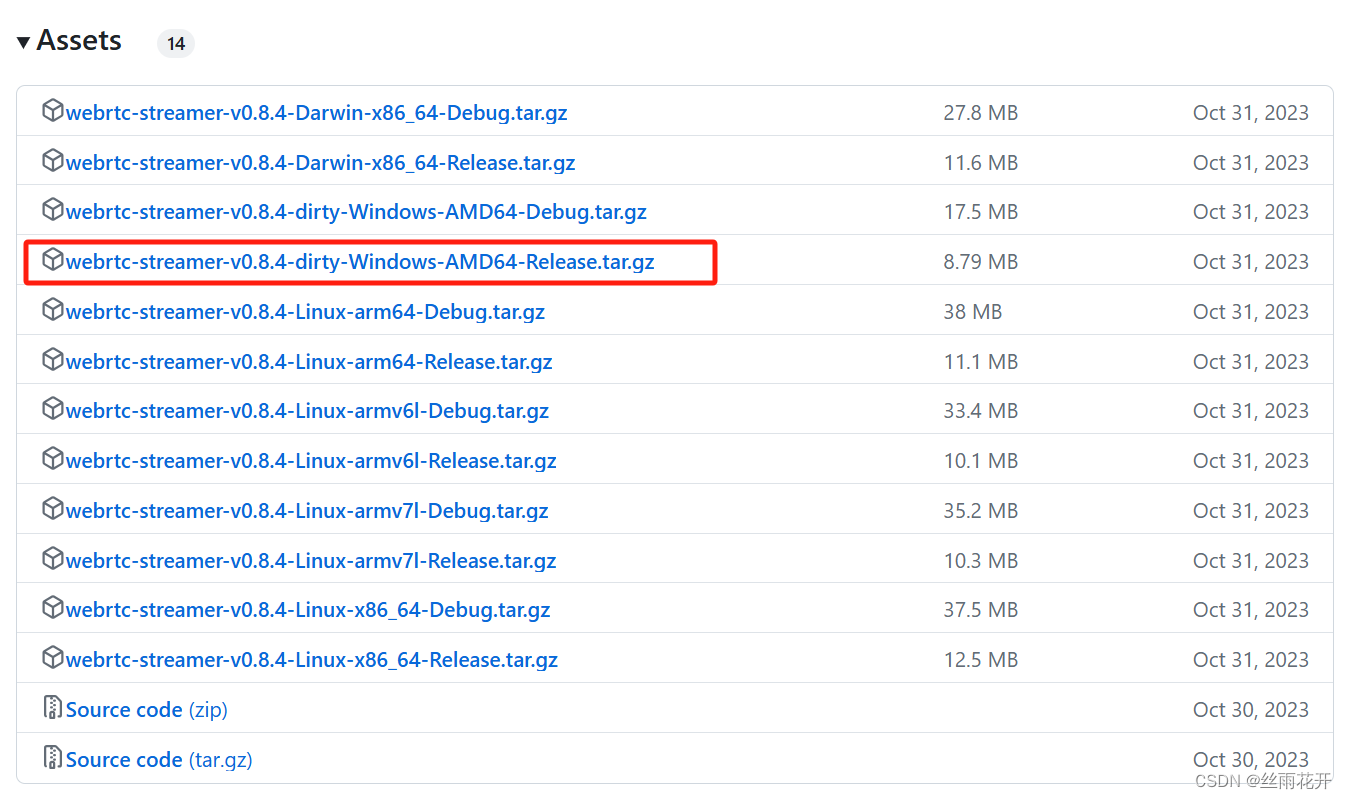
本地运行
- 下载后解压得到文件夹-文件夹内容如下图所示
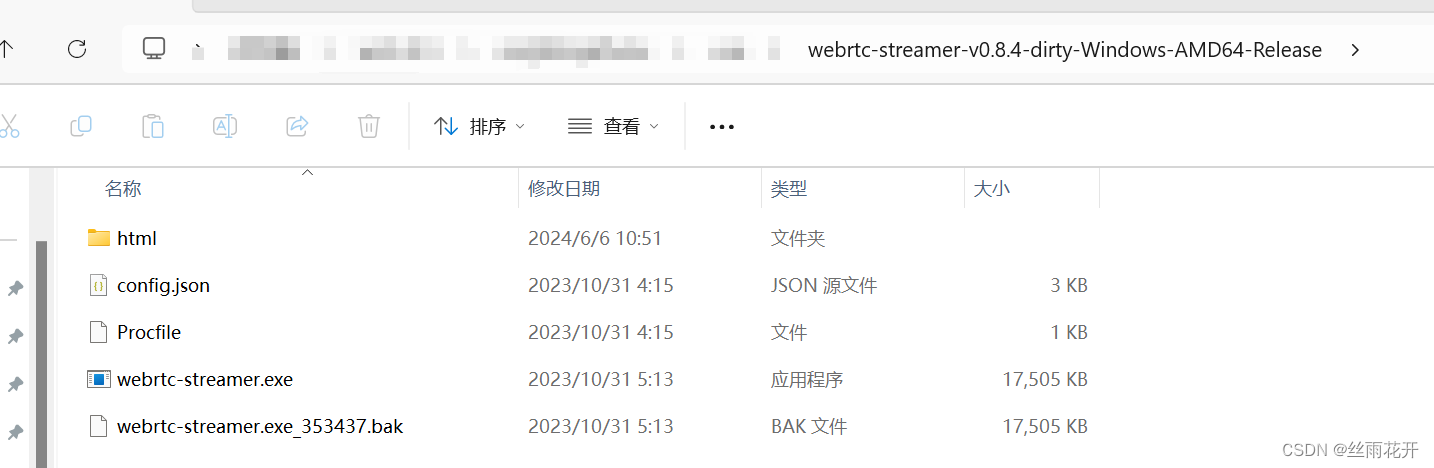
- 双击 【webrtc-streamer.exe】 文件运行视屏控制程序

可以再浏览器中打开查看显示效果:每个红框代表一个实时内容,绿色为现在显示的内容
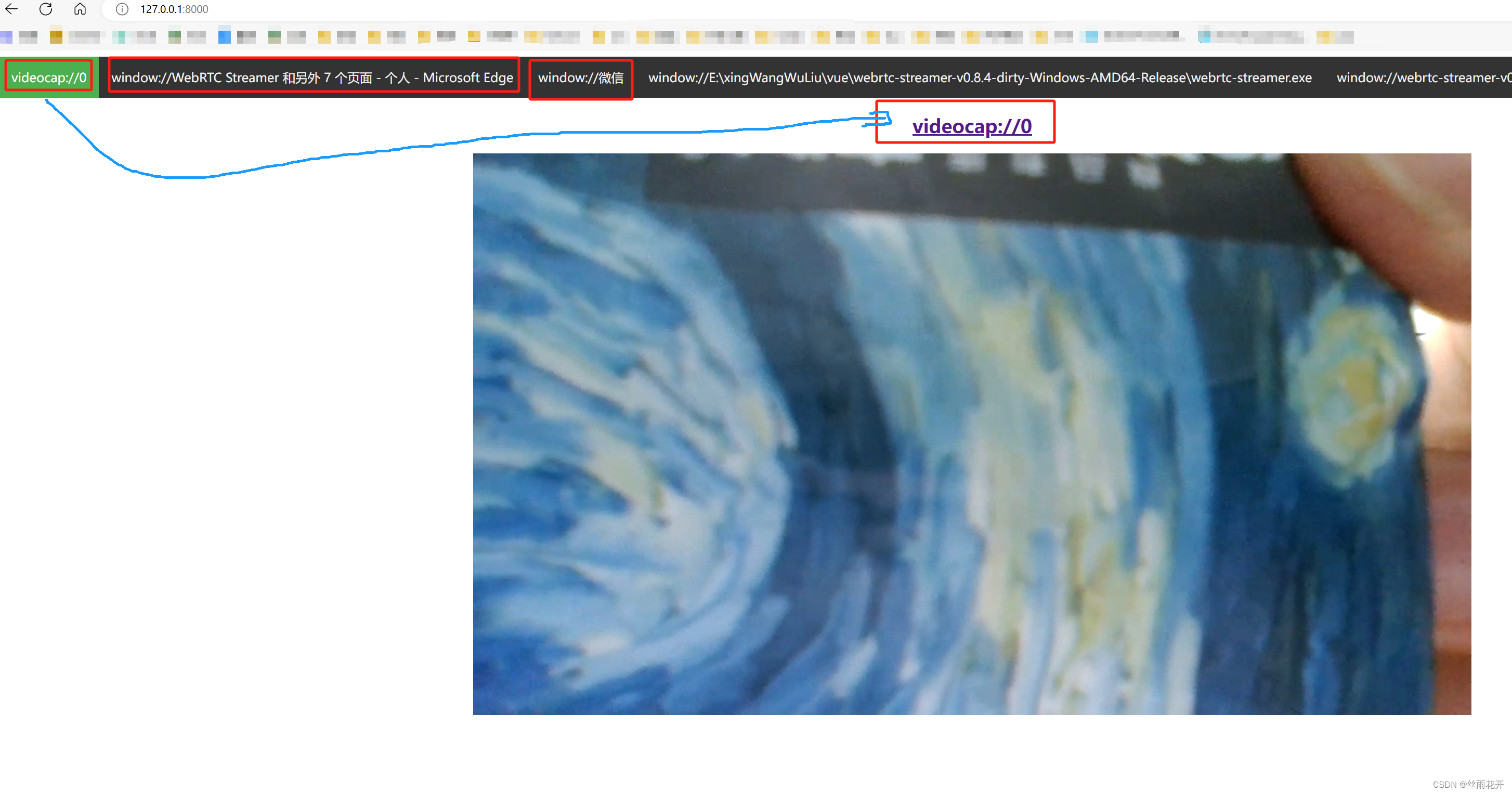
这是显示的文件可以做到再特定窗口打开某个显示内容
例如:浏览器输入 http://127.0.0.1:8000/webrtcstreamer.html?video=videocap://0

这是摄像头运行效果显示
vue3 项目搭建正常搭建(其实Vue2 项目也行)
搭建完成项目-在【index.html】文件中添加代码
// adapter.min.js 和 webrtcstreamer.js 文件一定要放到 public 文件夹中
<script src="/adapter.min.js"></script>
<script src="/webrtcstreamer.js"></script>
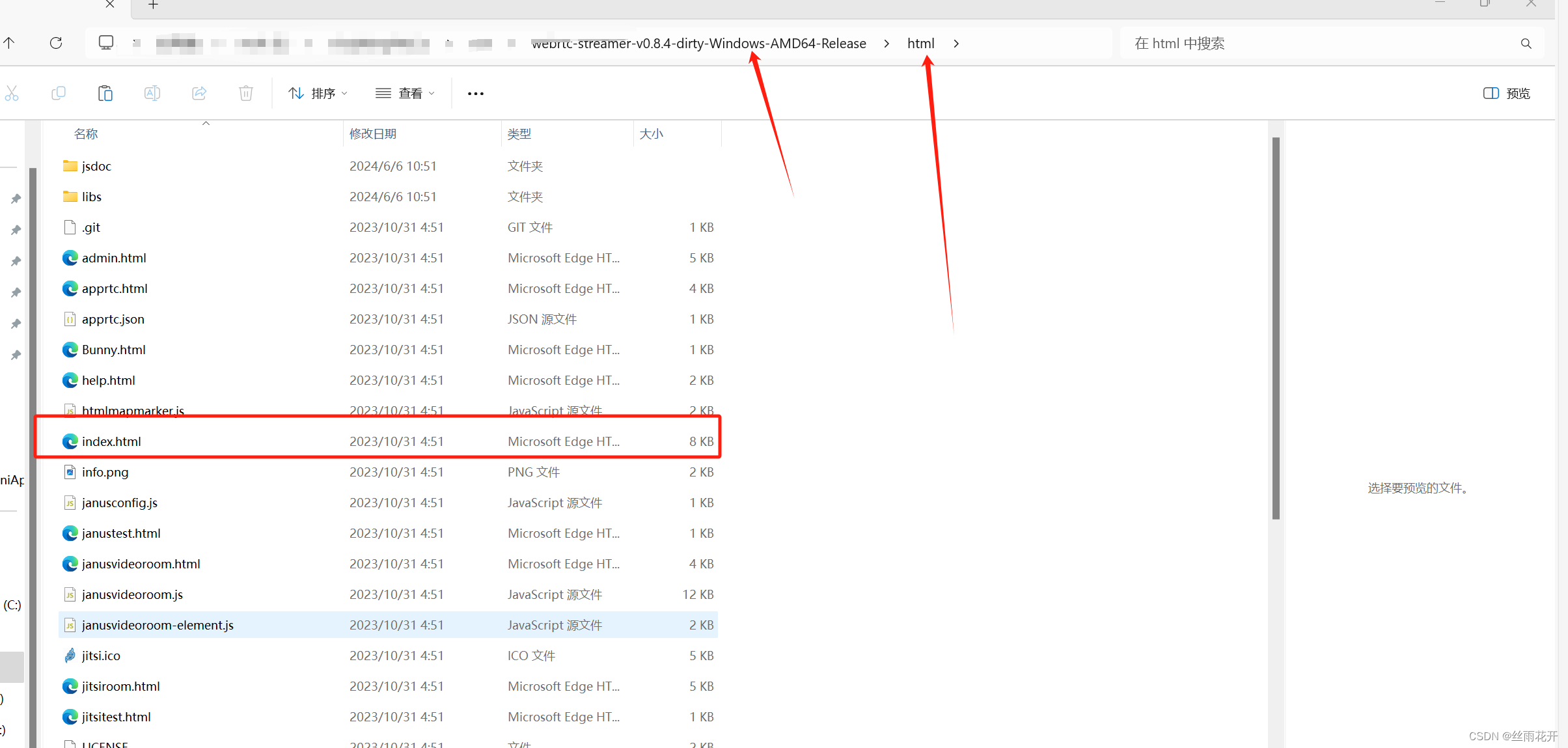
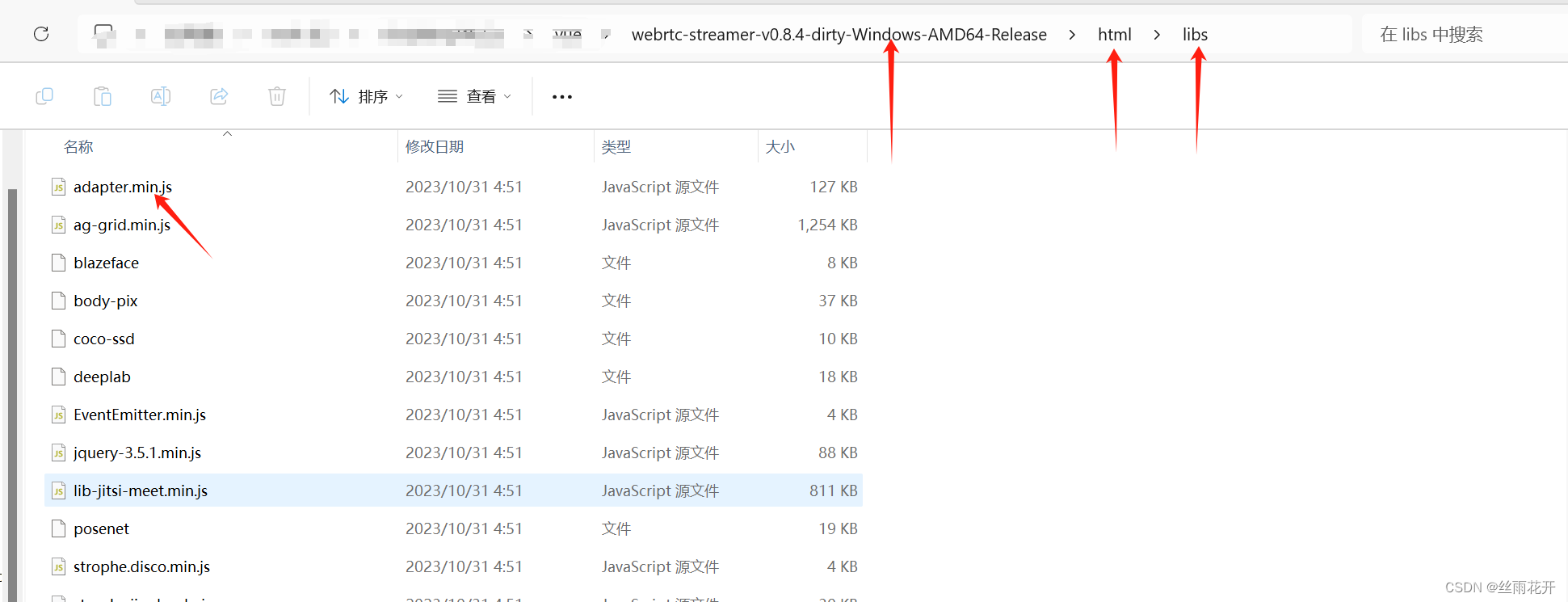
/adapter.min.js 文件在 【webrtc-streamer-v0.8.4-dirty-Windows-AMD64-Release】 下的 【html 】下的 【libs 】文件夹中
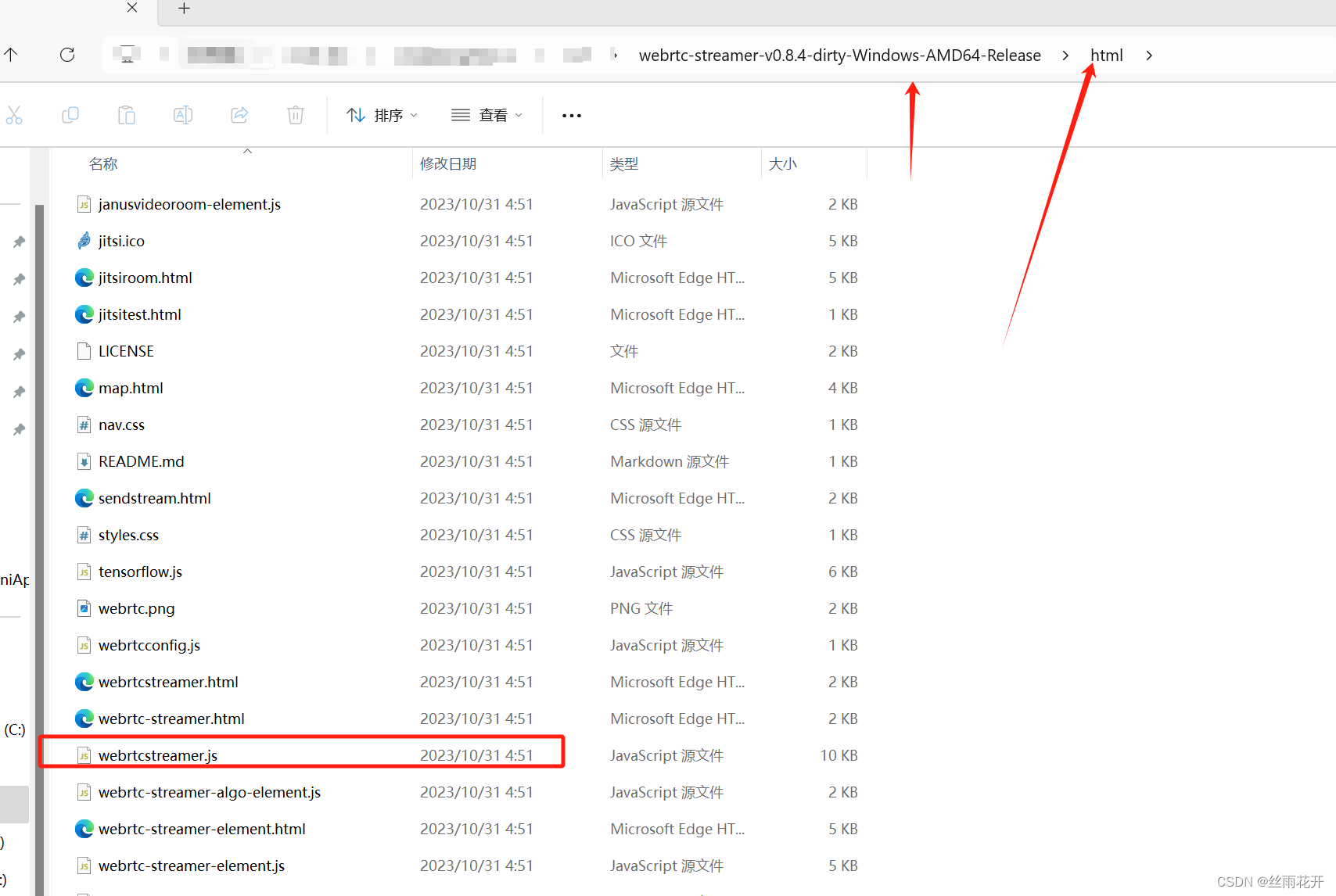
webrtcstreamer.js 文件在 【webrtc-streamer-v0.8.4-dirty-Windows-AMD64-Release】 下的 【html 】文件夹中
在 【src】中的 【components】新建组件 【myVideoPlay.vue】(大家可以随意建文件)这是文件内容
<template>
  <video id="rtspVideo" muted playsinline controls width="844" height="457"></video>
</template>

<script setup>
import { ref, nextTick, onUnmounted } from 'vue'

const props = defineProps({
  rtspVideo: {
    type: String,
    required: true,
    default: ''
  },
  rtspUrl: {
    type: String,
    required: true,
    // 因为我是本地运行文件 所以默认填写 本地运行地址 服务地址默认是 8000
    default: location.protocol + '//' + location.hostname + ':8000'
  }
})

const webRtcServer = ref()
const initWebRtcServer = async () => {

  nextTick(() => {
    webRtcServer.value = new WebRtcStreamer('rtspVideo', props.rtspUrl)
    // 这里需要注意 connect有4个参数,我这边直接改了webrtcstreamer.js中的connect方法 - 这是在网上看到大神修改部分可以去看看大家

    // 将第三个参数设置默认值"rtptransport=tcp&timeout=60",其他不用管 这是访问地址 https://blog.csdn.net/m0_56823974/article/details/134476924
    webRtcServer.value.connect(props.rtspVideo) // 视频地址
  })
}

//页面销毁时销毁webRtc
onUnmounted(() => {
  webRtcServer.value.disconnect()
  webRtcServer.value = null
})

initWebRtcServer()
</script>

<style scoped>
#rtspVideo {
  width: 100%;
  height: 100%;
  background-color: #262626;
}
</style>
这是重点【webrtcstreamer.js 】文件 中的修改
WebRtcStreamer.prototype.connect = function(videourl, audiourl, options, localstream, prefmime)
修改成
WebRtcStreamer.prototype.connect = function(videourl, audiourl, options = "rtptransport=tcp&timeout=60", localstream, prefmime)
接下来调用视屏地址就好了
<script setup lang="ts">
import myVideoPlay from './components/myVideoPlay.vue'
</script>

<template>
    <div class="wrapper">
   	  <!-- rtspVideo: 创建示例名称  rtspUrl:视屏线路地址(例如上边的 videocap://0  -->
      <myVideoPlay :rtspVideo="'rtspVideo'" :rtspUrl="'videocap://0'" />
    </div>
</template>
视频因为是本地所以没遇到跨域等问题,如果链接其他地址可能涉及安全以及跨域问题
参考文章 https://blog.csdn.net/m0_56823974/article/details/134476924

北京人形旗下天工造物具身智能开源社区,聚焦具身天工与慧思开物两大平台
更多推荐
 21
21 0
0- 0


 已为社区贡献1条内容

所有评论(0)