IDEA创建maven项目
·
一、更改maven本地仓库
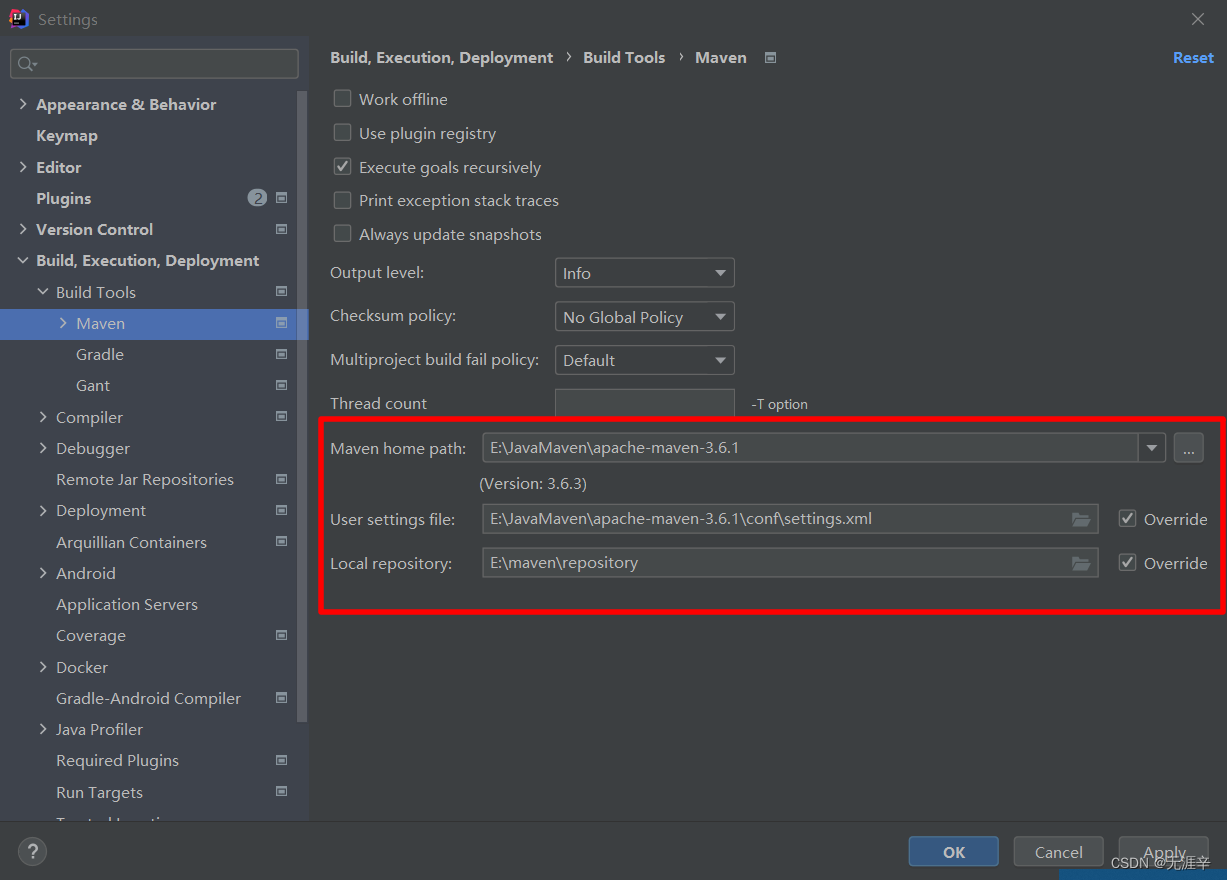
二、新建maven工程模块
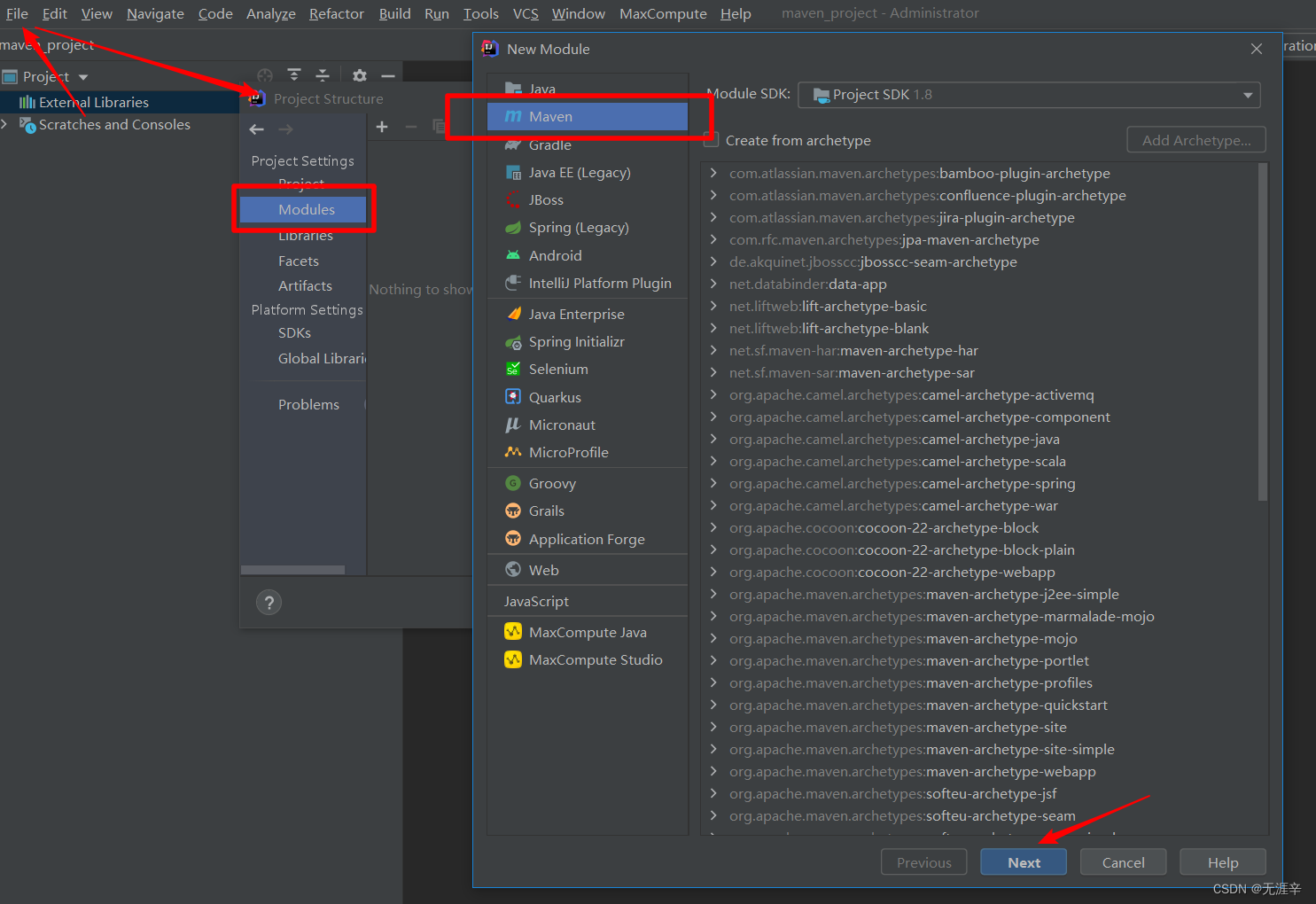
(1)新建
File-->project Structure-->Modules-->Maven
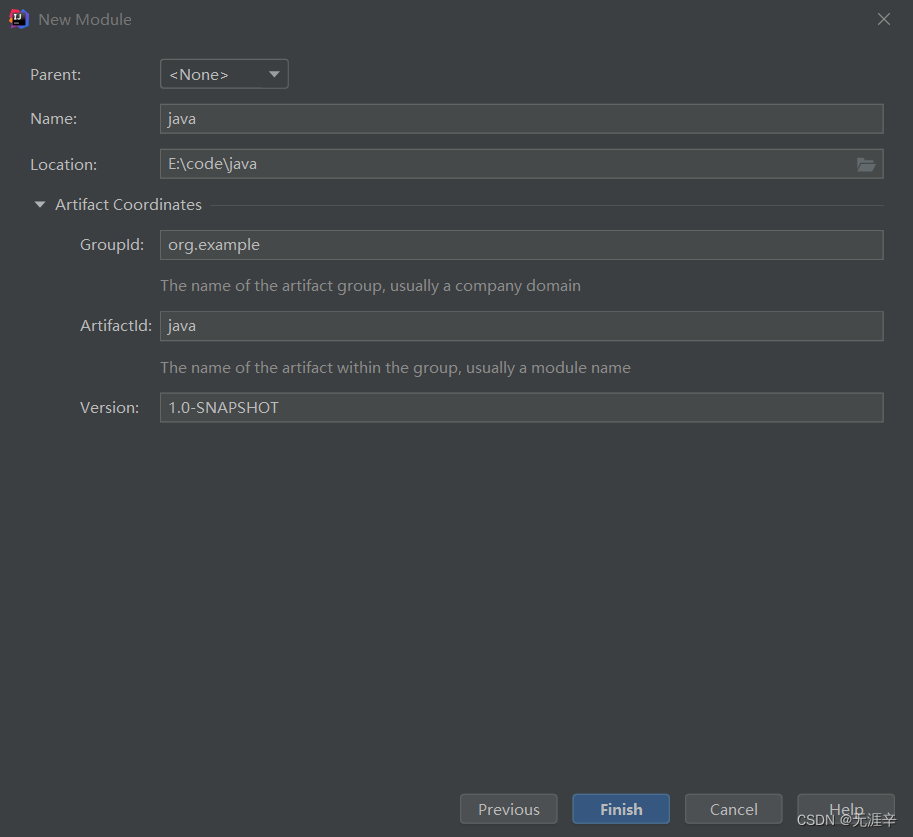
取模块名
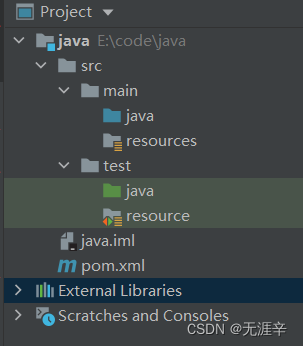
(2)检查创建的模块文件夹
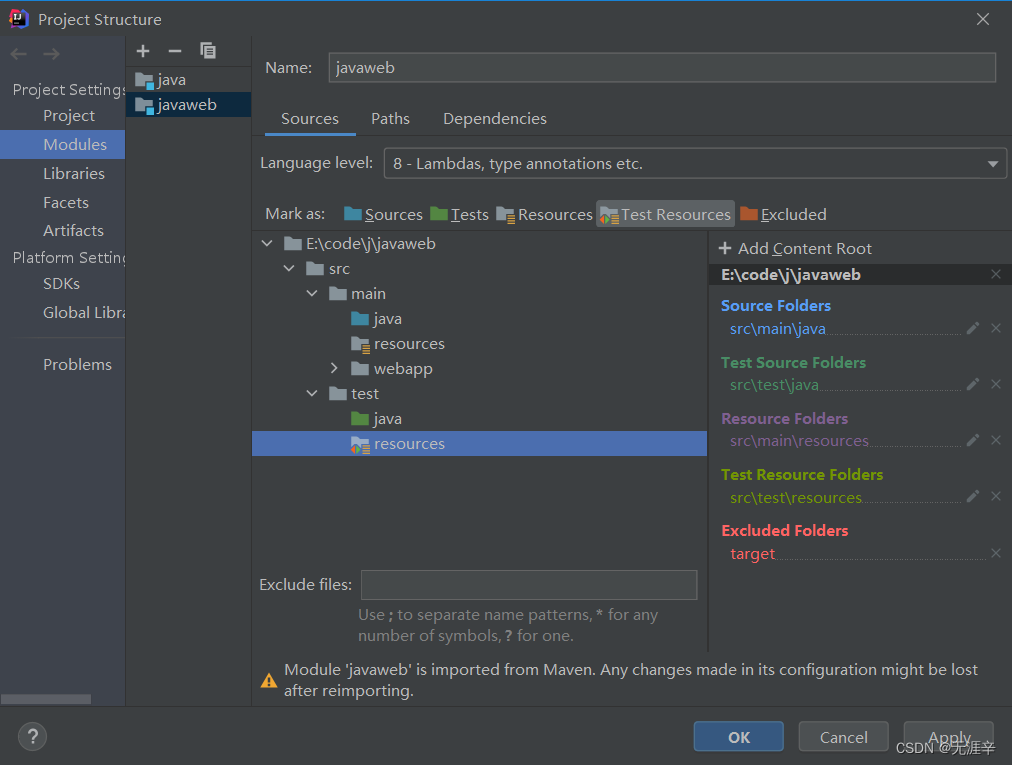
标记如下图所示,选中文件夹点击相对应文件类型设置更改
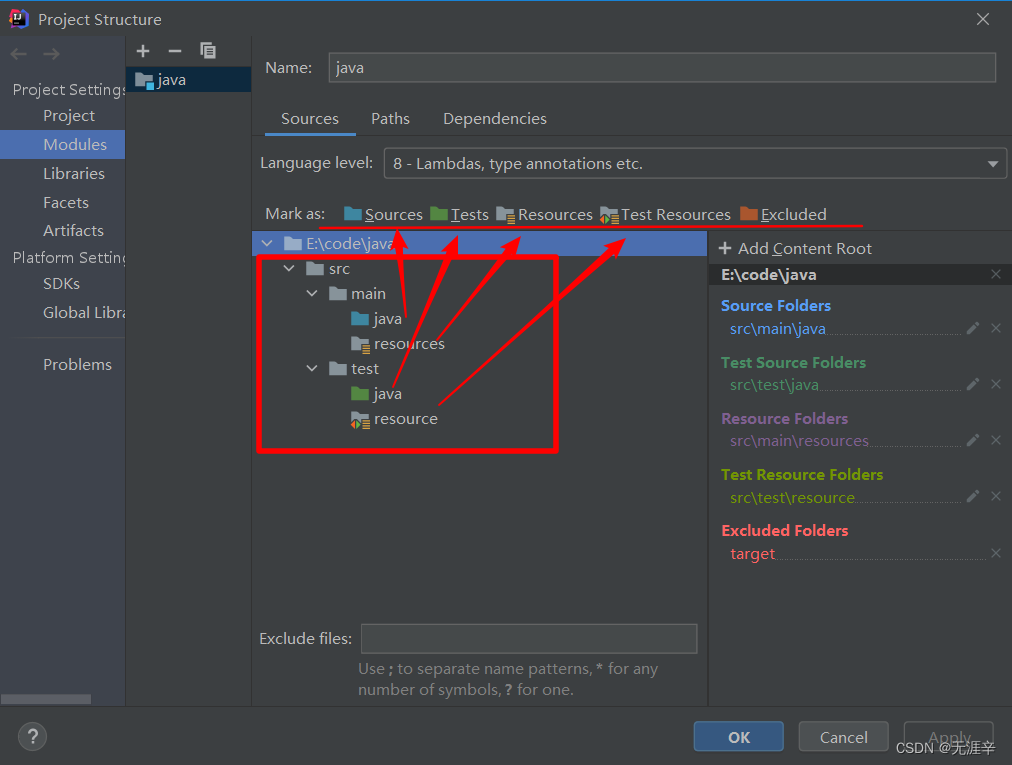
项目文件夹如下
(3)导入测试jar包
在pom.xml中粘贴junit坐标,导入jar包,刷新检查导入成功
    <dependencies>
        <dependency>
            <groupId>junit</groupId>
            <artifactId>junit</artifactId>
            <version>4.12</version>
        </dependency>
    </dependencies>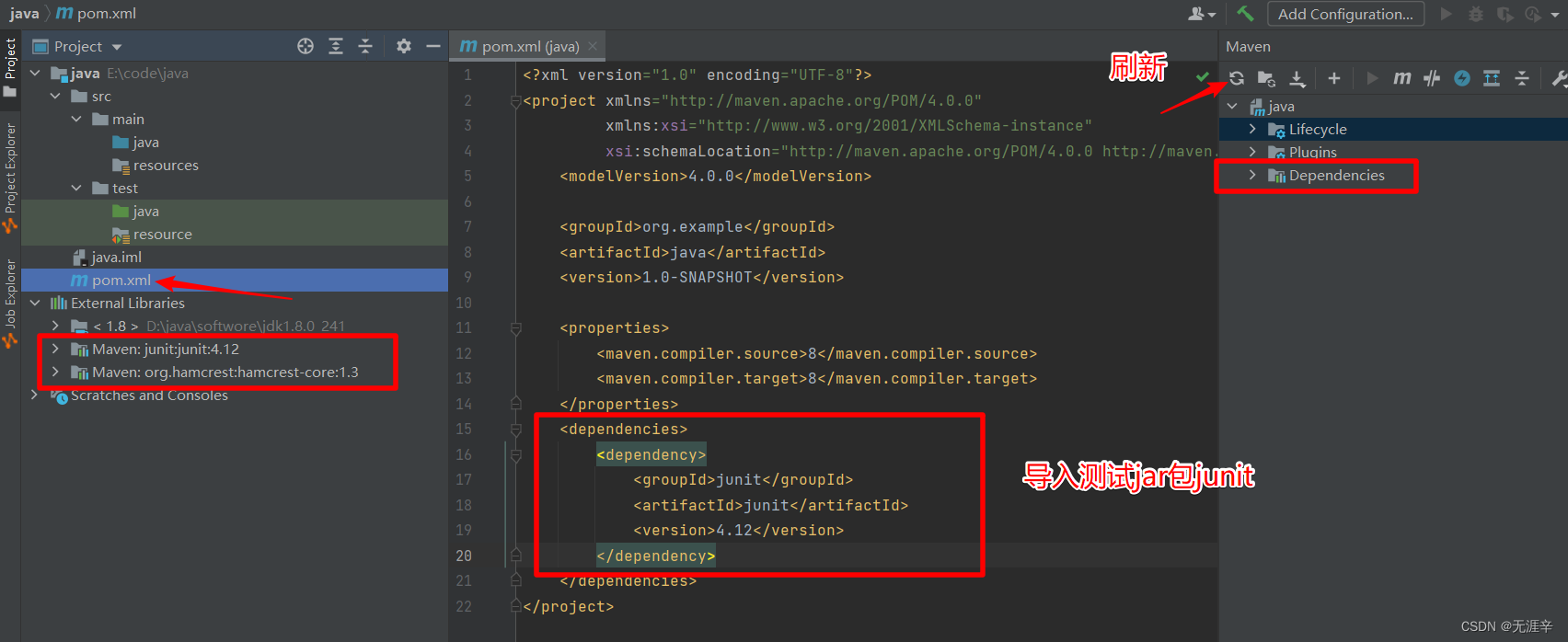
三、测试
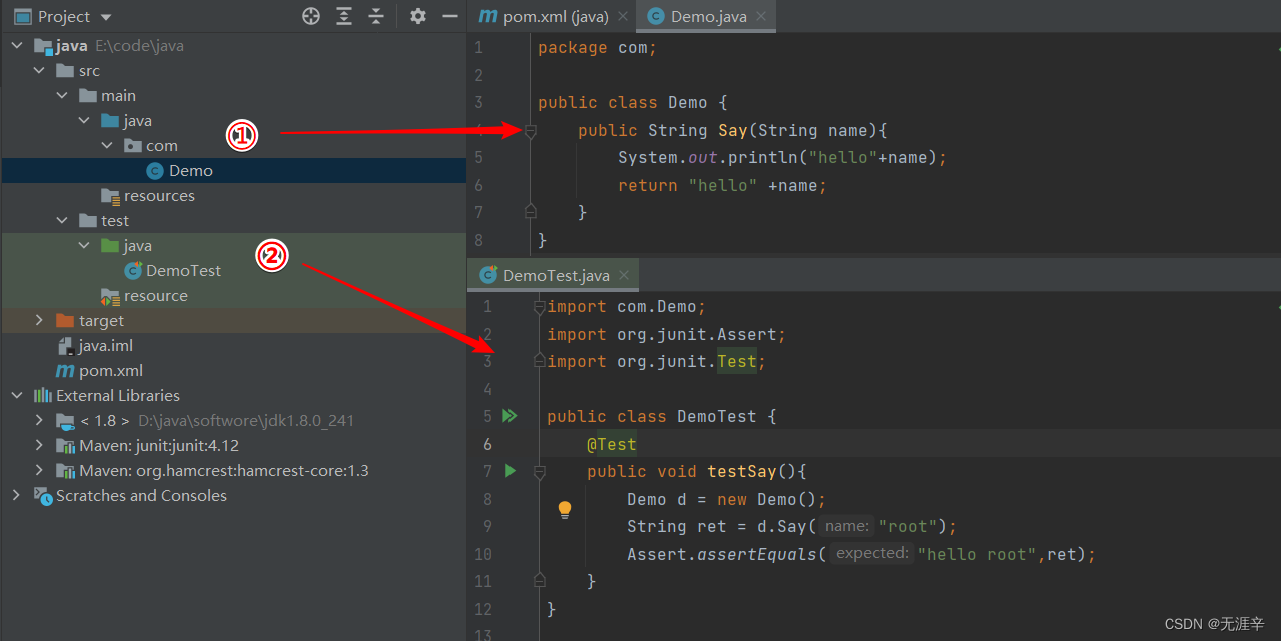
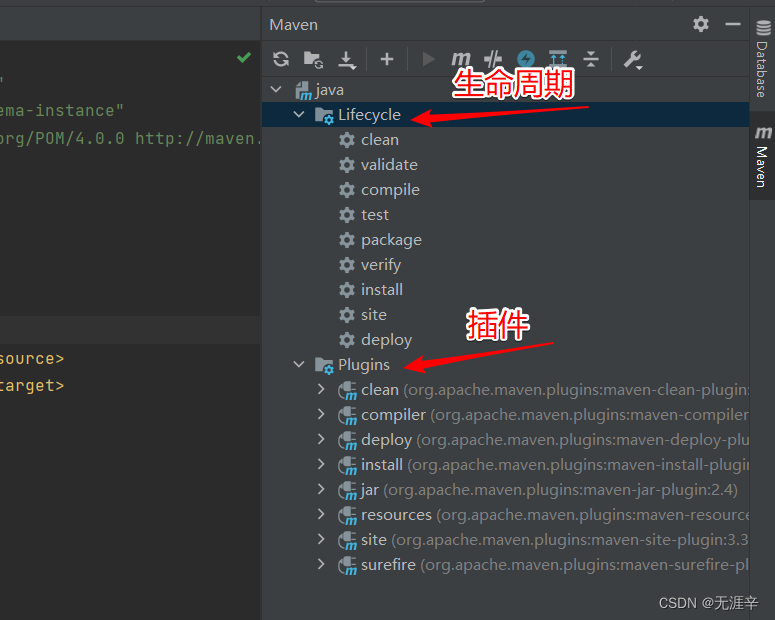
双击执行生命周期
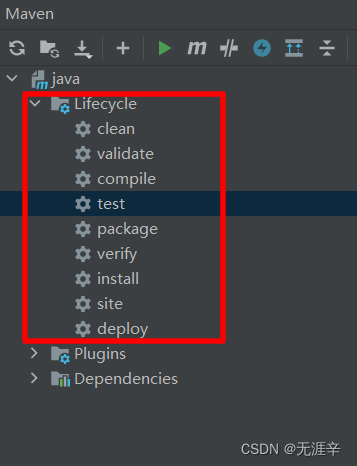
报错解决
在点击到test时,报错failed to execute goal org.apache.maven.plugins:maven-surefire-plugin:2.12.4(因为测试代码时遇到错误,它会停止编译。只需要在pom.xml的<project>里添加以下配置,使得测试出错不影响项目的编译 更改pom.xml文件后要刷新)
    <build>
        <plugins>
            <plugin>
                <groupId>org.apache.maven.plugins</groupId>
                <artifactId>maven-surefire-plugin</artifactId>
                <configuration>
                    <testFailureIgnore>true</testFailureIgnore>
                </configuration>
            </plugin>
        </plugins>
    </build>
四、选择配置运行环境
快捷操作,便于后期调试,命令为生命周期下命令
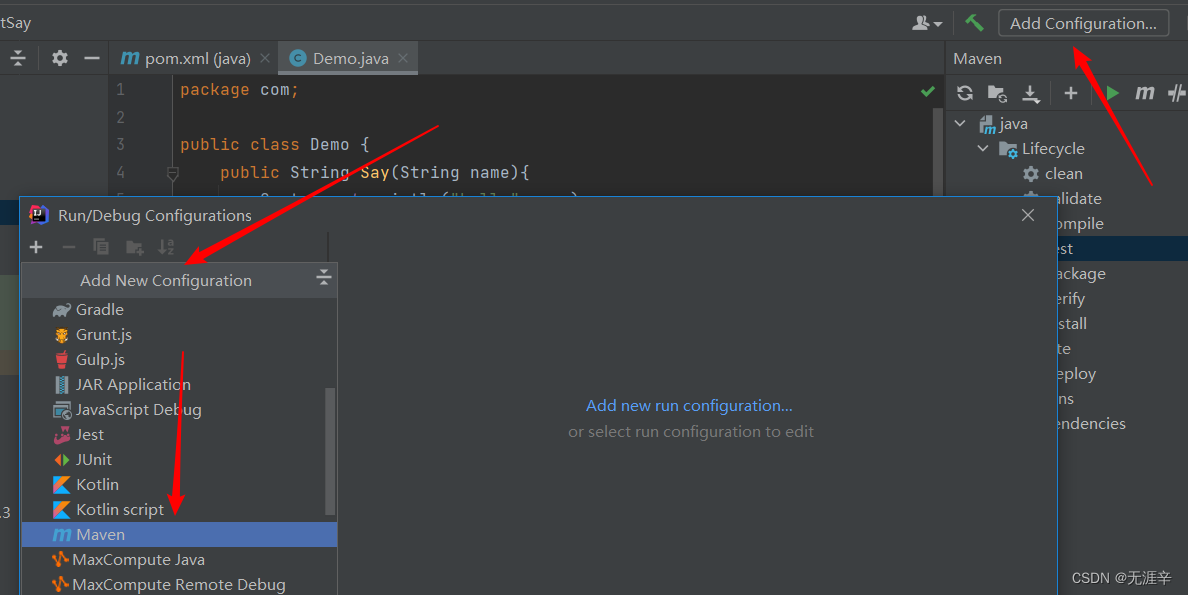
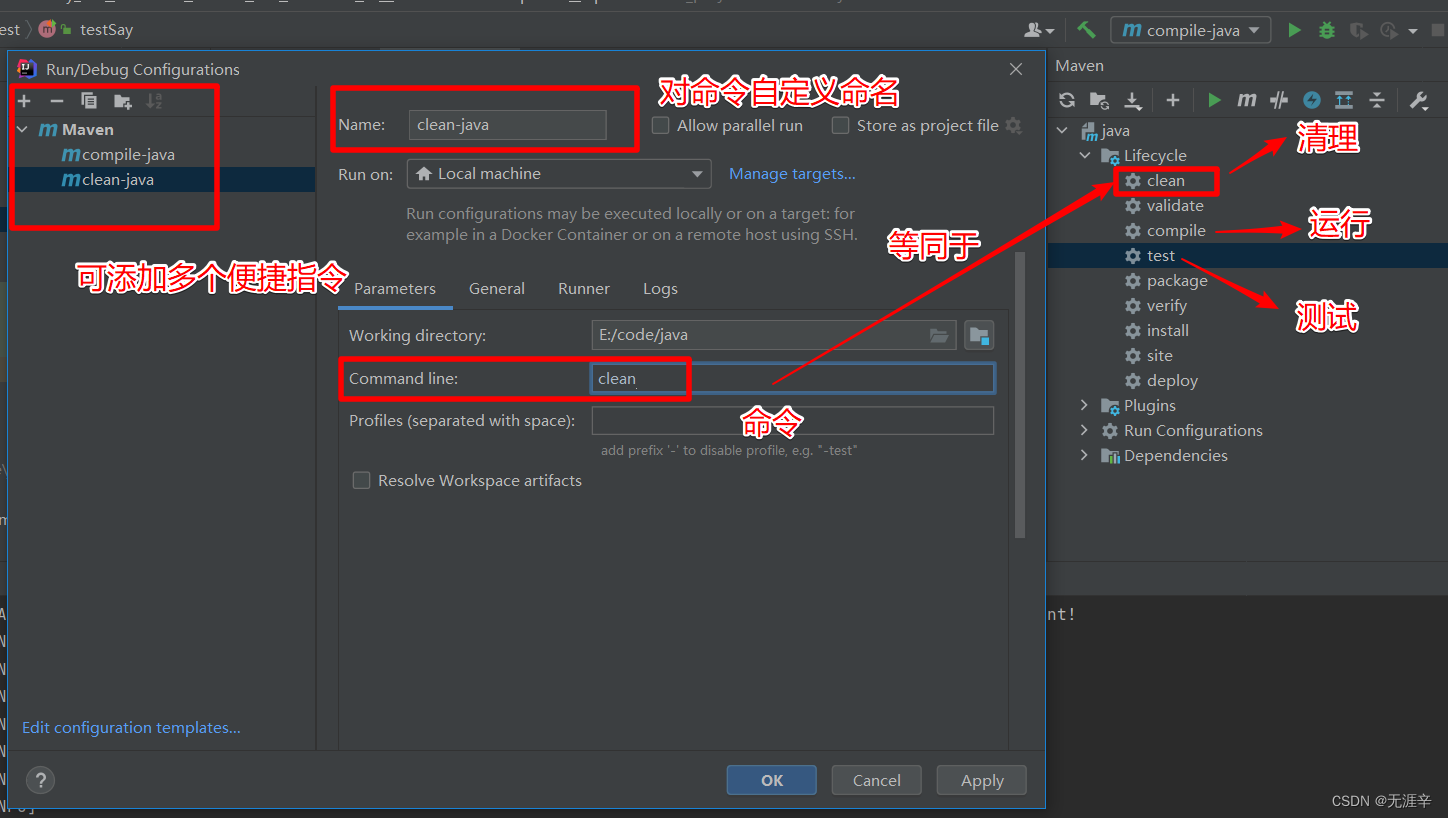
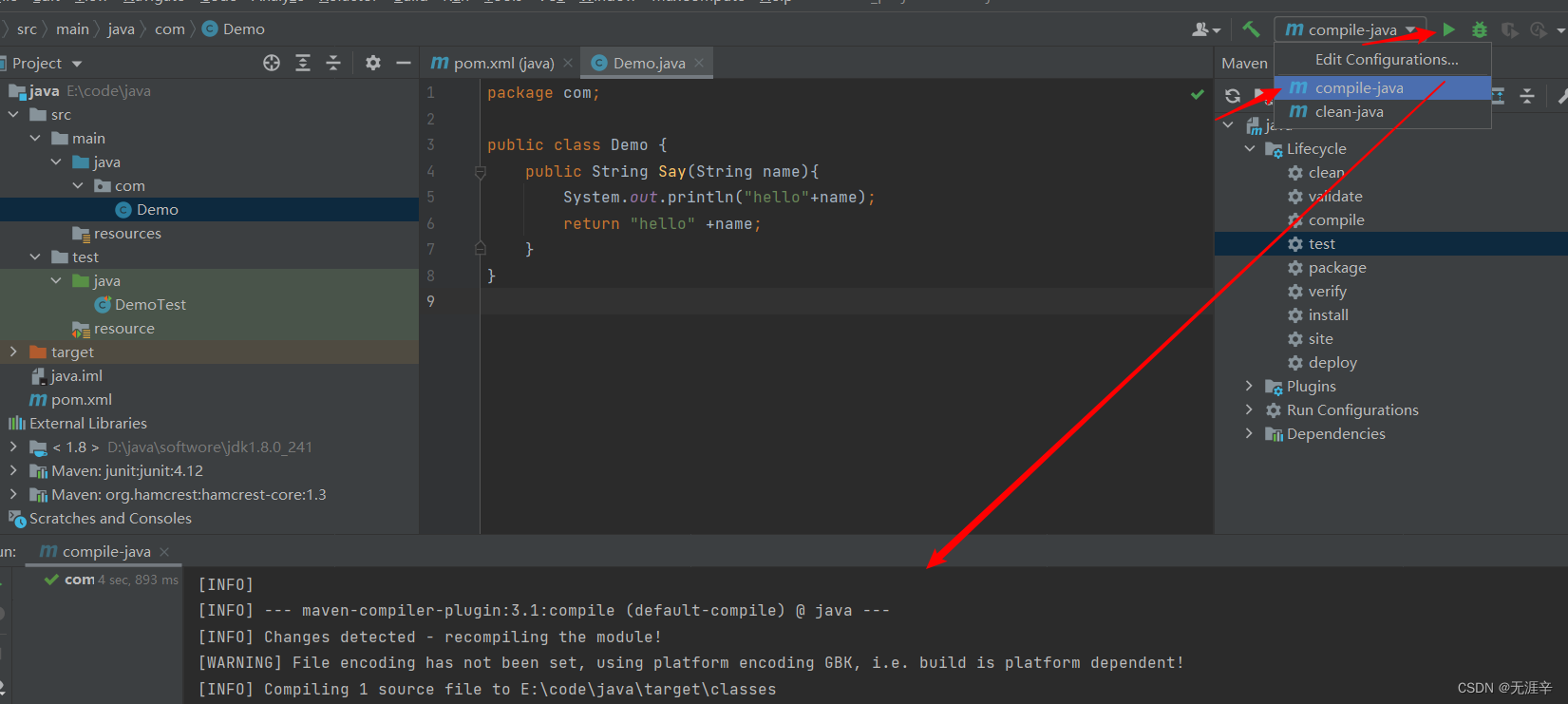
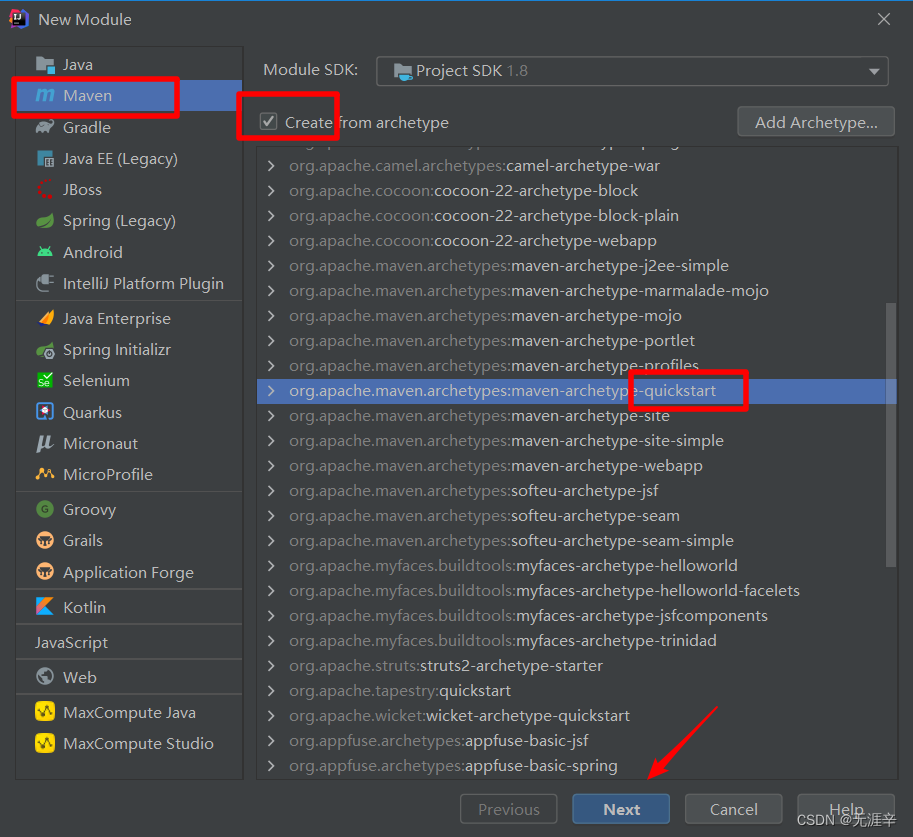
【方式二使用原型创建java项目】
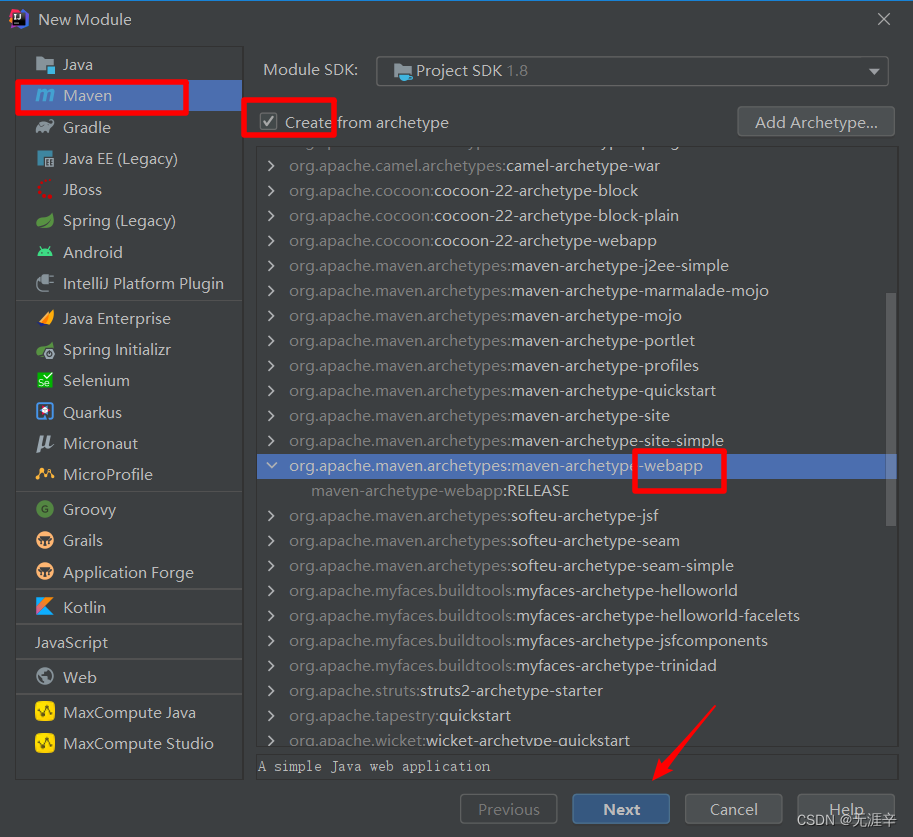
【方式三使用原型创建web项目】
指定文件类型
添加tomcat插件

北京人形旗下天工造物具身智能开源社区,聚焦具身天工与慧思开物两大平台
更多推荐
 4
4 0
0- 0


 已为社区贡献2条内容

所有评论(0)