uniapp在中app,登录页能记住多个账号以及密码功能完整代码
·
如图所示👇:
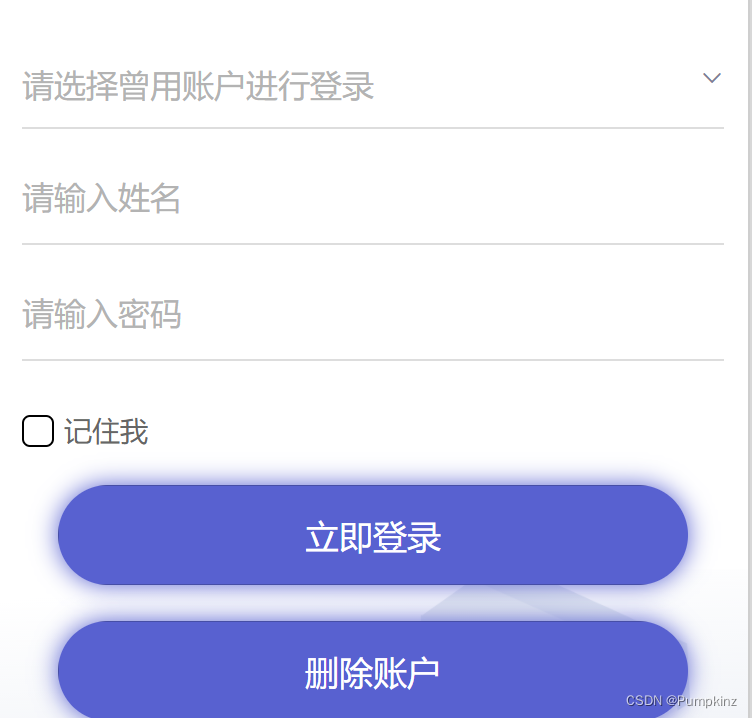
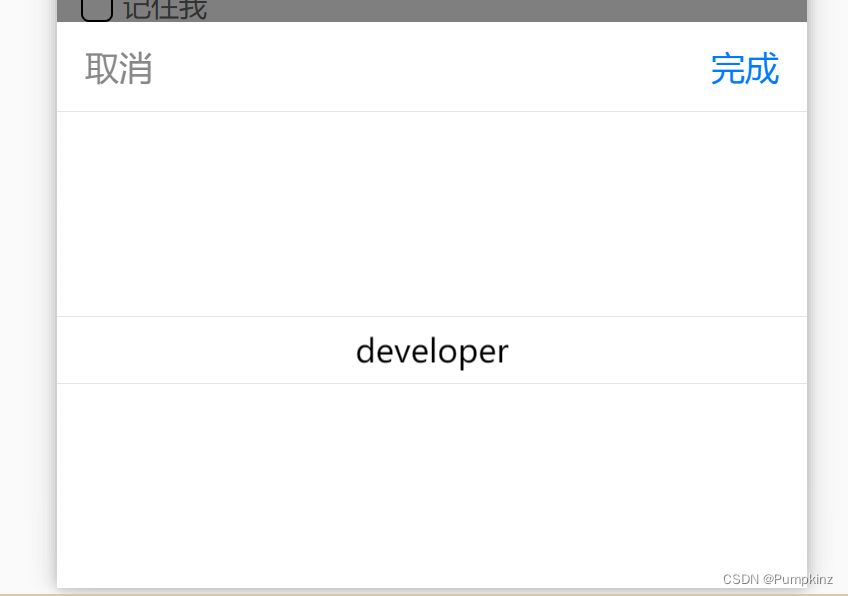
1.可以选择下拉,选取曾经登录成功的账户👇
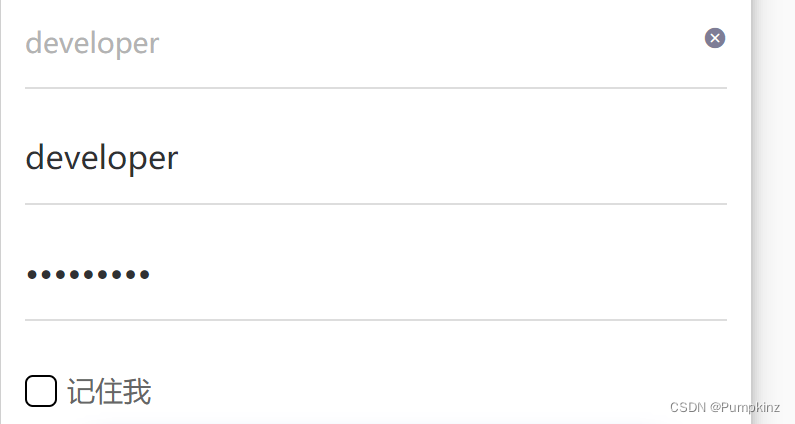
2.选择好下拉后自动赋值,账号密码。
3.勾选记住我则记住该账户以及密码
4.选择下拉后,点选删除账户,则删除
<template>
	<view class="content">

		<view class="login-form">
			<uni-forms :modelValue="formData" label-width="0">
				<!-- 选择账户的下拉 -->
				<uni-forms-item name="chooseAccount">
					<picker class="pickerClass" @change="selectAccount" :value="index" :range="savedAccounts">
						<view style="font-size:initial" v-if="index==-1">请选择曾用账户进行登录
							<uni-icons type="arrowdown" style="float: right;" color="#7e7d96ff" size="12">
							</uni-icons>
						</view>
						<view v-if="index!==-1">
							{{savedAccounts[index]}}
						</view>
					</picker>
					<view v-if="index!==-1" style="width: 10%;position: absolute;right: 0;top:0rpx"><uni-icons
							@click.native="clearAccount" type="clear" style="float: right;" color="#7e7d96ff" size="12">
						</uni-icons>
					</view>

				</uni-forms-item>
				<!-- 姓名输入框 -->

				<uni-forms-item name="username">
					<input type="text" v-model="formData.username" placeholder="请输入姓名" />
				</uni-forms-item>
				<!-- 密码输入框 -->
				<uni-forms-item name="password">
					<input type="password" v-model="formData.password" placeholder="请输入密码" />
				</uni-forms-item>

			</uni-forms>
			<uni-data-checkbox multiple v-model="formData.remember" :localdata="remember" />
		</view>
		<view>
			<button class="login-button" type="primary" @tap="bindLogin">立即登录</button>
			<button class="login-button" type="primary" @tap="deleteAccount">删除账户</button>
		</view>
	</view>
</template>

<script>
	// import systemAPI from '../../service/systemAPI.js';//这里改成自己调登录接口
	// import localStorageTool from "../../utils/localStorageTool";
	import {
		mapMutations
	} from 'vuex'
	export default {
		data() {
			return {
				iconType: 'arrowdown', //默认下拉图标
				index: -1,
				savedAccountsAll: [
					// {
					// 	'username': "hehe",
					// 	'password': '123'
					// },
					// {
					// 	'username': "huhu",
					// 	'password': '234'
					// },
				],
				savedAccounts: [
					// "hehe", "huhu"
				],
				remember: [{
					"value": 1,
					"text": "记住我"
				}],
				formData: {
					username: '',
					password: '',
				}
			}
		},
		mounted() {
			const savedAccountsAll = uni.getStorageSync('savedAccountsAll');

			if (savedAccountsAll) {
				this.savedAccountsAll = savedAccountsAll;
				this.savedAccounts = savedAccountsAll.map(item => item.username)
			}
		},
		methods: {
			deleteAccount() {
				//删除当前下拉账户
				this.savedAccountsAll.splice(this.index, 1);
				//更新this.savedAccounts
				this.savedAccounts = this.savedAccountsAll.map(item => item.username)
				// 更新本地存储
				uni.setStorageSync('savedAccountsAll', this.savedAccountsAll);
				// 清空选择的账号和图标为下拉
				this.index = -1;
				this.iconType = 'arrowdown'

			},
			clearAccount: function(e) {
				//重置下拉和用户密码
				this.index = -1
				this.formData.username = ''
				this.formData.password = ''
			},
			selectAccount: function(e) {
				//选择下拉,并为用户密码赋值
				this.index = e.detail.value
				this.formData.username = this.savedAccountsAll[this.index].username
				this.formData.password = this.savedAccountsAll[this.index].password
			},
			// ...mapMutations(['saveToken']),
			bindLogin() {
				let self = this
				let params = {
					username: self.formData.username,
					password: self.formData.password,
					serviceLocation: "cloud",
				}
				if (self.formData.username.length <= 0) {
					uni.showToast({
						icon: 'none',
						title: '请输入用户名'
					});
					return;
				}
				if (self.formData.password.length < 1) {
					uni.showToast({
						icon: 'none',
						title: '请输入密码'
					});
					return;
				}
				//这里改成自己调登录接口
				systemAPI.getLoginInfo(params).then(result => {
					if (result.data.code == 200) {
						try {
							//记住token
							// this.saveToken(result.data.data)
							setTimeout(function() {
								uni.switchTab({
									url: '/pages/main/main'
								})
								if (this.$store) {
									this.$store.commit('setType', "mainPage");
								}

							}, 500)
						} catch (e) {
							// error
							console.log(e)
						}
						//判断用户是否要记住账户及密码
						if (self.formData.remember == 1) {
							//查看当前输入框种得账户是否存在于下拉得账户中
							const existingAccountIndex = this.savedAccountsAll.findIndex(
								(account) => account.username === this.formData.username
							);

							if (existingAccountIndex !== -1) {
								//如果存在那么更新一下密码
								this.savedAccountsAll[existingAccountIndex].password = this.formData.password;
							} else {
								// 否则,保存当前输入的账号密码到数组
								this.savedAccountsAll.push({
									username: this.formData.username,
									password: this.formData.password,
								});
							}
							// 保存数组到本地存储
							uni.setStorageSync('savedAccounts', this.savedAccountsAll);
						}
					} else {
						uni.showToast({
							icon: 'none',
							title: '用户账号或密码不正确',
						});
					}
				}).catch(err => {
					console.log(err)
					uni.showToast({
						icon: 'none',
						title: '用户账号或密码不正确',
					});
				});
			}
		}
	}
</script>

<style scoped>
	/* base */
	page {
		height: 100vh;
		overflow: hidden;
	}

	.pickerClass {
		/* background-color: red; */
		height: 100%;
		width: 90%;
		color: #b3b3b3;
		/* font-size: 30rpx; */
	}

	.content {
		height: 100vh;
		/* background: url('@/static/img/top.jpg') no-repeat; */
		background-position: bottom center;
		background-size: 100% 40%;
	}

	.login-form {
		margin-top: 5%;
		height: 30%;
		/* background-color: pink; */
	}

	/deep/.uni-forms-item__content {
		border-bottom: 1rpx solid #dddddd;
	}

	/deep/.uni-input-placeholder {
		color: #b3b3b3;
		/* font-size: 30rpx; */
	}

	/deep/.uni-data-checklist .checklist-group .checklist-box.is--default.is-checked .checkbox__inner{
		border-color: black;
		background: white;
	}

	/deep/.uni-data-checklist .checklist-group .checklist-box .checkbox__inner {
		background-color: white;
		border-color: black;

	}

	/deep/.uni-data-checklist .checklist-group .checklist-box .checkbox__inner .checkbox__inner-icon {
		border-right-color: black;
		border-bottom-color: black;
	}

	/deep/.uni-data-checklist .checklist-group .checklist-box.is--default.is-checked .checklist-text {
		color: black;
	}

	.login-button {
		margin-top: 5%;
		width: 90%;
		margin-left: 5%;
		height: 100rpx;
		background: #5861d0;
		box-shadow: 0px 0px 12px #5861d0;
		border-radius: 60rpx;
		text-align: center;
		line-height: 100rpx;
		font-weight: 500;
		color: #ffffff;
		font-size: 35rpx;
	}
</style>

北京人形旗下天工造物具身智能开源社区,聚焦具身天工与慧思开物两大平台
更多推荐
 11
11 0
0- 0


 已为社区贡献8条内容

所有评论(0)