微信小程序云函数执行报错 Error: Cannot find module ‘node-xlsx‘ 常见原因
微信小程序在使用云函数时,我们常常会引用小程序官方提供的组件,比如 EXCEL 相关组件。此时我们的云函数开始部分应该是这样的:
const cloud = require('wx-server-sdk')
cloud.init({ env: cloud.DYNAMIC_CURRENT_ENV }) // 使用当前云环境
const xlsx = require('node-xlsx');
然后部署到云上:
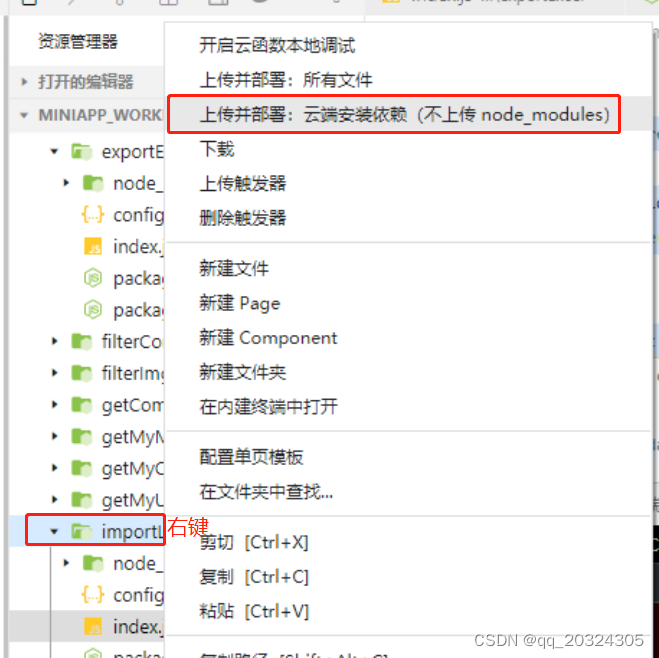
然后页面调用,却常常发现会报错如下:(请关注标黄的一段) 看起来是“找不到依赖库 node-xlsx”,但是明明代码中写了要引入依赖库了,为什么还是找不到呢?
// 云函数入口函数
exports.main = async (event, context) => {
VM22 WAService.js:2 Error: cloud.callFunction:fail Error: errCode: -504002 functions execute fail | errMsg: Runtime.ImportModuleError: Error: Cannot find module 'node-xlsx'
Require stack:
- /var/user/index.js
- /var/runtime/node12/UserFunction.js
- /var/runtime/node12/Runtime.engine.js
- /var/runtime/node12/bootstrap.js
at Object.module.exports.load (/var/runtime/node12/UserFunction.js:34:13)
。。。
这时候不要慌,请看一下你的云函数目录下的一个文件“package.json”。
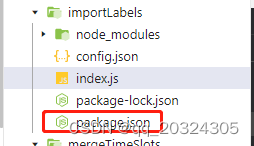
内容一般如下:
{
"name": "importlabels", (这里是你的云函数名)
"version": "1.0.0",
"description": "",
"main": "index.js",
"scripts": {
"test": "echo \"Error: no test specified\" && exit 1"
},
"author": "",
"license": "ISC",
"dependencies": {
"node-xlsx": "^0.16.1", (看看是否少了这行,如果少了就请将这行加入应该就能解决问题了)
"wx-server-sdk": "~2.6.3"
}
}

北京人形旗下天工造物具身智能开源社区,聚焦具身天工与慧思开物两大平台
更多推荐
 3
3 0
0- 0


 已为社区贡献2条内容

所有评论(0)