Pytest-测试报告pytest-html
测试报告必不可少,例如pytest-html亦或者allure,本系列都会讲到。
pytest-html
下载
pip install pytest-html执行命令
pytest -vs --html=./result/report.html意思是在根目录下创建一个result文件,在此文件下生产report.html测试报告。
ini配置
addopts = -vs --html=./result/report.html如果你不想在执行后css于html文件分开,可以执行如下命令:
addopts = -vs --html=./result/report.html --self-contained-html修改测试报告
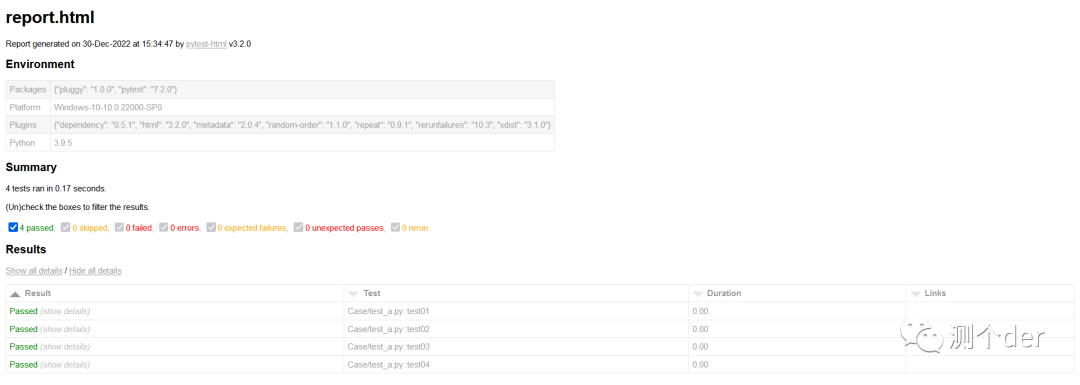
中文乱码问题
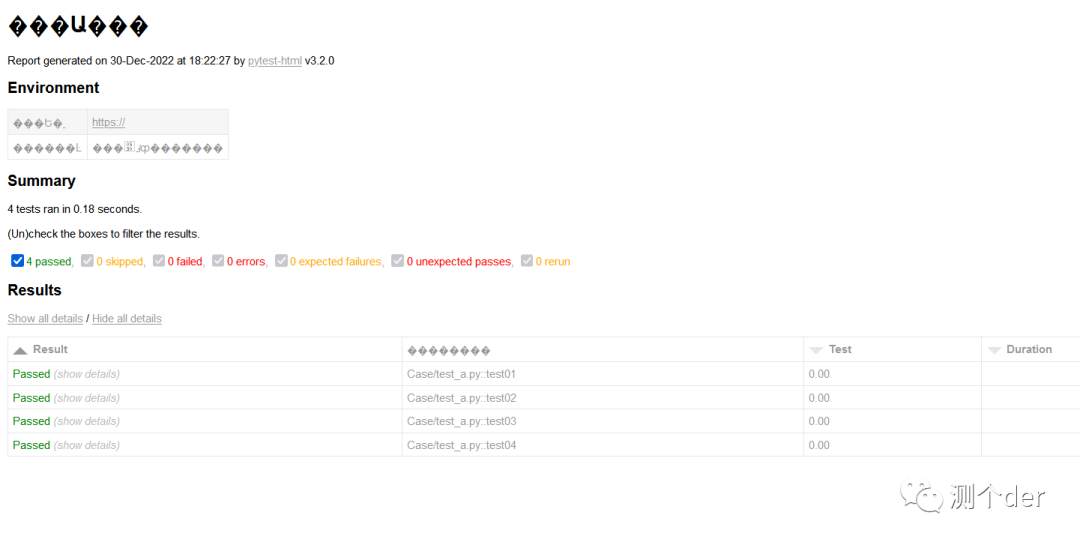
看清楚哦,此处是标题以及内容全部乱码,本人已经将网上的方法全部写试过了。例如:改conftest.py里面的默认语言设置等。都无用。
❝解决方案:
❞
在开始搜索框输入“更改国家或地区”,回车,点击右上角的“管理语言设置”,点击右上角的“管理”标签。
点击“更改系统区域设置”,勾选“beta版:使用Unicode UTF-8 提供全球语言支持”的选项,点击“确定”。
在弹出的对话框中,点击“现在重新启动”按钮,即可把系统默认编码设为utf-8。
这样的方式会导致电脑中的一些第三方应用(正常途径下载不了的,私包等)无法正常使用,因为编码格式不一样。所以需要注意一下。产生的原因可能是因为公司电脑加密的原因。
测试用例中文显示问题
def pytest_collection_modifyitems(items):
    # item表示每个测试用例,解决用例名称中文显示问题
    for item in items:
        item.name = item.name.encode("utf-8").decode("unicode-escape")
        item._nodeid = item._nodeid.encode("utf-8").decode("unicode-escape")
亦或者:
@pytest.hookimpl(hookwrapper=True)
def pytest_runtest_makereport(item, call):
    outcome = yield
    report = outcome.get_result()
    if item.function.__doc__ is None:
        report.description = str(item.function.__name__)
    else:
        report.description = str(item.function.__doc__)
    report.nodeid = report.nodeid.encode("utf-8").decode("unicode_escape")  # 设置编码显示中文
pytest_runtest_makereport除了这个用处,下文中还会介绍到其他用法。
修改测试报告标题
"""conftest.py"""
def pytest_html_report_title(report):
    report.title = "清安的APP测试报告"
修改测试环境
若要在运行测试「之前」修改_“环境_”部分,请使用:pytest_configure
"""conftest.py"""
def pytest_configure(config):
config._metadata["selenium"] = "4.7.0"若要在运行测试「后」修改_“环境_”部分,请使用:pytest_sessionfinish
"""conftest.py"""
import pytest

@pytest.hookimpl(tryfirst=True)
def pytest_sessionfinish(session, exitstatus):
    session.config._metadata["foo"] = "bar"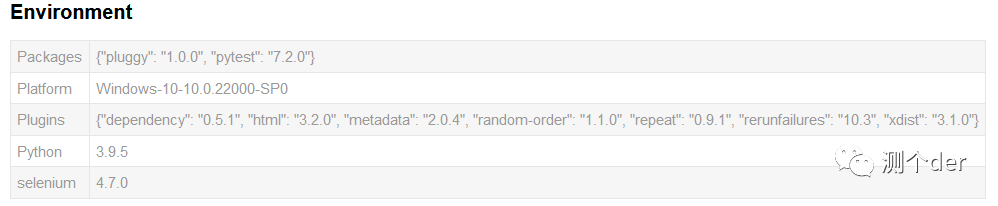
当然,如果你觉的这些无用,我可以清除掉,只写自己认为有用的:
def pytest_configure(config):
    config._metadata.clear()
    config._metadata['测试项目'] = "清安笔记展示"
    config._metadata['公众号'] = "测个der"
    config._metadata["selenium"] = "4.7.0"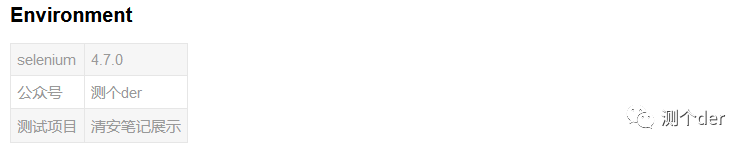
编辑摘要信息
"""conftest.py"""
from py.xml import html

def pytest_html_results_summary(prefix, summary, postfix):
    # prefix.clear()  # 清空summary中的内容
    prefix.extend([html.p("负责人: 清安")])
添加测试时间表单以及用例描述
"""conftest.py"""
from py.xml import html
from time import strftime
import pytest

def pytest_html_results_table_header(cells):
    cells.insert(2, html.th("用例描述"))
    cells.insert(1, html.th("Time", class_="sortable time", col="time"))
    cells.pop()


def pytest_html_results_table_row(report, cells):
    cells.insert(2, html.td(report.description))
    cells.insert(1, html.td(strftime('%Y-%m-%d %H:%M:%S'), class_='col-time'))
    cells.pop()


@pytest.hookimpl(hookwrapper=True)
def pytest_runtest_makereport(item, call):
    outcome = yield
    report = outcome.get_result()
    report.description = str(item.function.__doc__)
注意,此时Links已经没有了哦,被pop掉了。关于用例描述:
def test01():
    """我是test01"""
    assert True
只需要在测试用例中加上"""""",如上所示即可。
错误截图并添加进测试报告,示例:
from py.xml import html
import pytest

@pytest.fixture(scope="session")
def driver_():
    global driver
    desired_capas = {
        "deviceName": readini('devicename', 'name'),
        "platformName": readini('devicename', 'platform'),
        "platformVersion": readini('devicename', 'Version'),
        "noReset": readini('devicename', 'Reset')
    }
    driver = webdriver.Remote("http://127.0.0.1:4723/wd/hub", desired_capas)
    yield driver

def _capture_screenshot():
    return driver.get_screenshot_as_base64()

@pytest.mark.hookwrapper
def pytest_runtest_makereport(item):
    """
    当测试失败的时候,自动截图,展示到html报告中
    :param item:
    """
    pytest_html = item.config.pluginmanager.getplugin('html')
    outcome = yield
    report = outcome.get_result()
    extra = getattr(report, 'extra', [])

    if report.when == 'call' or report.when == "setup":
        xfail = hasattr(report, 'wasxfail')
        if (report.skipped and xfail) or (report.failed and not xfail):
            file_name = report.nodeid.replace("::", "_") + ".png"
            screen_img = _capture_screenshot()
            if file_name:
                html = '<div><img src="data:image/png;base64,%s" alt="screenshot" style="width:300px;height:500px;" ' \
                       'onclick="window.open(this.src)" align="right"/></div>' % screen_img
                extra.append(pytest_html.extras.html(html))
        report.extra = extra
        if item.function.__doc__ is None:
            report.description = str(item.function.__name__)
        else:
            report.description = str(item.function.__doc__)
        report.nodeid = report.nodeid.encode("utf-8").decode("unicode_escape")
测试报告收集日志
from loguru import logger

def test01():
    """我是test01"""
    logger.debug('This is <DEBUG> information')
    assert True
在配置文件中加上:--capture=sys即可,例如:
addopts = -vs --html=./result/report.html --self-contained-html --capture=sys
你也可以测试用例正常通过的不收集用例:
"""conftest.py"""
def pytest_html_results_table_html(report, data):
    if report.passed:
        del data[:]
        data.append(html.div("用例通过,不收集日志", class_="empty log"))
用例执行持续时间修改
@pytest.hookimpl(hookwrapper=True)
def pytest_runtest_makereport(item, call):
    outcome = yield
    report = outcome.get_result()
    setattr(report, "duration_formatter", "%H:%M:%S.%f")
    report.description = str(item.function.__doc__)
关于pytest_runtest_makereport
你还可以:
@pytest.hookimpl(hookwrapper=True)
def pytest_runtest_makereport(item, call):
    out = yield  # 钩子函数
    res = out.get_result()  # 获取用例执行结果
    print(res)
    if res.when == "call":  # 只获取call用例失败时的信息
        print("item:{}".format(item))
        print("用例描述:{}".format(item.function.__doc__))
        print("异常:{}".format(call.excinfo))
        print("详细日志:{}".format(res.longrepr))
        print("测试结果:{}".format(res.outcome))
        print("用例耗时:{}".format(res.duration))
        print(res.__dict__)
    res.description = str(item.function.__doc__)
这样会在每一条用例执行的时候会打印出相对应得信息,个人认为,了解即可。
关于测试报告的其他中文修改
此项需要自己先找到包所在的位置,找到site-packages/pytest_html。例如我的pytest_文件在D盘,那么就去D:/site-packages/pytest_html
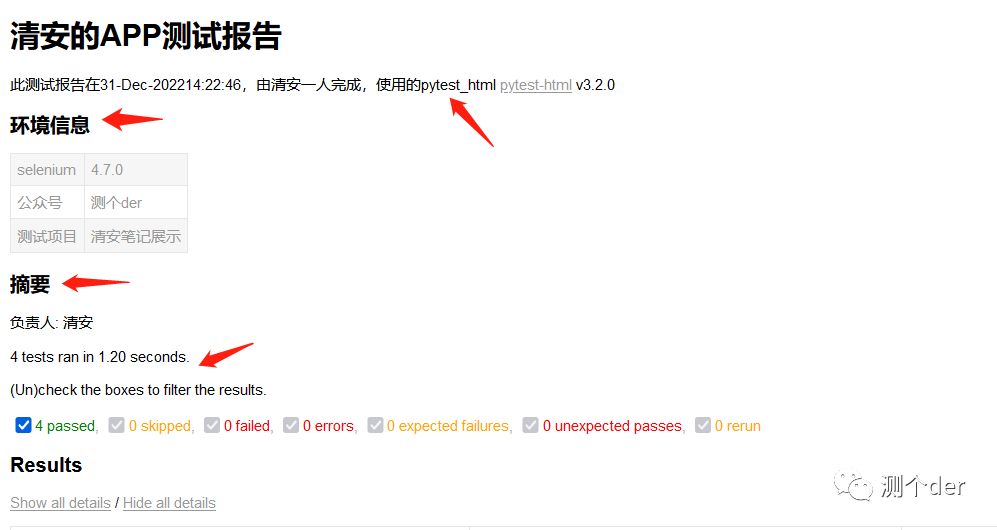
❝找到pytest_html包下的html_report.py源文件:修改Summary以及environment 为中文信息,在html_report.py中搜索这两个单词直接修改即可:
❞
body.extend([html.h2("摘要")] + summary_prefix + summary + summary_postfix)
environment = [html.h2("环境信息")]
想修改测试标题下的文字信息找到,搜索generated可以直接找到:

body = html.body(
            html.script(raw(main_js)),
            html.h1(self.title),
            html.p(
                "Report generated on {} at {} by ".format(
                    generated.strftime("%d-%b-%Y"), generated.strftime("%H:%M:%S")
                ),
                html.a("pytest-html", href=__pypi_url__),
                f" v{__version__}",
            ),
            onLoad="init()",
        )
直接修改Report generated on {} at {} by即可。记得两个中括号是时间信息,当然,你要是不喜欢可以直接删除。想修改摘要下的英文提示信息只需要找到,搜索关键字check:
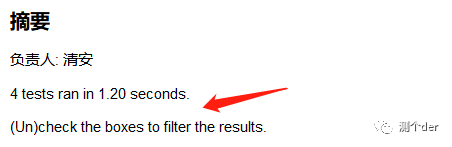
summary = [
            html.p(f"{numtests} tests ran in {suite_time_delta:.2f} seconds. "),
            html.p(
                "(Un)check the boxes to filter the results.",
                class_="filter",
                hidden="true",
            )
直接修改即可。想修改测试报告中的Results,直接搜索这个单词即可找到下述部分,修改即可:
results = [
            html.h2("Results"),
如果你想修改测试报告中
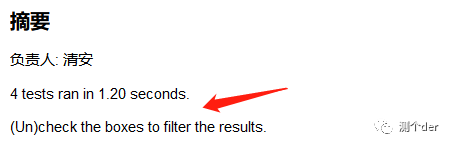
cells = [
            html.th("Result", class_="sortable result initial-sort", col="result"),
            html.th("Test", class_="sortable", col="name"),
            html.th("Duration", class_="sortable", col="duration"),
            html.th("Links", class_="sortable links", col="links"),
        ]
找到此部分修改即可。有关测试报告部分中英文问题的大部分都可以在html_report.py文件中进行修改。唯有一处需要在main.js中修改。pytest_html/resources/main.js
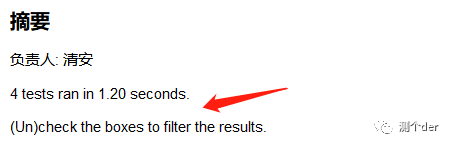
showhideall.innerHTML = '<a href="javascript:showAllExtras()">Show all details</a> / ' +
                            '<a href="javascript:hideAllExtras()">Hide all details</a>';
找到这个地方,直接将Show all details以及Hide all details修改即可。

北京人形旗下天工造物具身智能开源社区,聚焦具身天工与慧思开物两大平台
更多推荐
 5
5 0
0- 0


 已为社区贡献10条内容

所有评论(0)