Uncaught TypeError: Cannot redefine property: $router
·
问题
今天vuecli3打包完之后,线上访问页面报错:无法重新定义属性:$router ,错误如下:
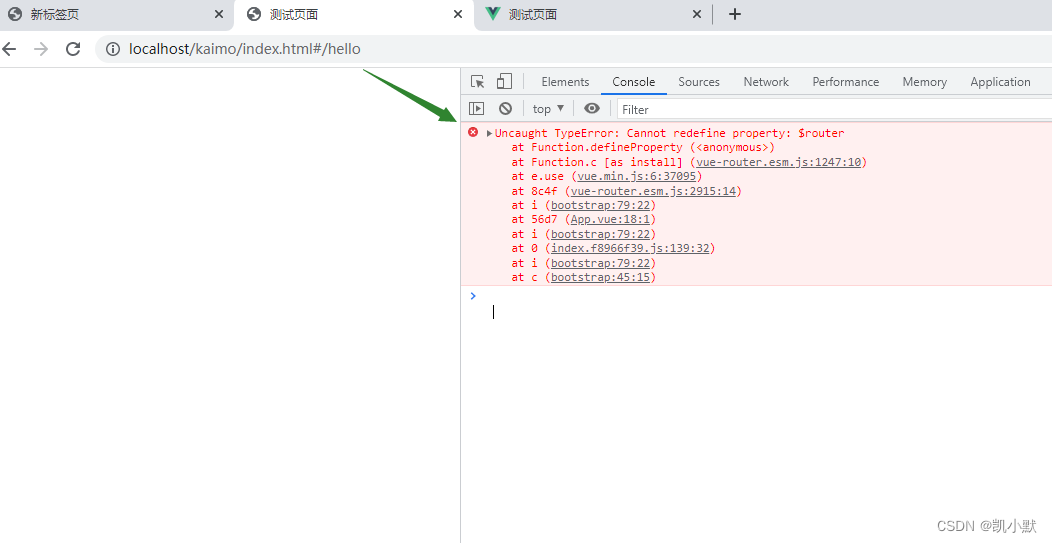
原因以及解决方式
报这个错误的原因就是多次引入了 vue-router,我的 tpl.html 添加了cdn
<!DOCTYPE html>
<html lang="en">
  <head>
    <meta charset="utf-8">
    <meta http-equiv="X-UA-Compatible" content="IE=edge">
    <meta name="viewport" content="width=device-width,initial-scale=1.0">
    <title><%= htmlWebpackPlugin.options.title %></title>
  </head>
  <body>
    <div id="app"></div>
    <% if (NODE_ENV === 'production') { %>
      <script src="https://cdn.bootcdn.net/ajax/libs/vue/2.6.11/vue.min.js"></script>
      <script src="https://cdn.bootcdn.net/ajax/libs/vue-router/3.2.0/vue-router.min.js"></script>
    <% } %>
  </body>
</html>
然后 vue.config.js 配置如下:
const UglifyJsPlugin = require("uglifyjs-webpack-plugin");

module.exports = {
    publicPath: process.env.NODE_ENV === "production" ? "/kaimo/" : "/kaimo",
    // 将构建好的文件输出到哪里
    outputDir: "kaimo",
    pages: {
        index: {
            entry: "src/main.js",
            template: "src/tpl.html",
            filename: "index.html",
            title: "测试页面",
            chunks: ["chunk-vendors", "chunk-common", "index"]
        },
    },
    // 生产环境下的sourceMap
    productionSourceMap: false,
    chainWebpack: config => {

    },
    configureWebpack: config => {
        if (process.env.NODE_ENV === "production") {
            config.optimization.minimizer = [
                new UglifyJsPlugin({
                    sourceMap: false,
                    uglifyOptions: {
                        output: {
                            comments: true, // 删除注释
                        },
                        warnings: false,
                        compress: {
                            drop_console: true,
                            drop_debugger: true, // 删除debugger
                            pure_funcs: ["console.log"],
                        }
                    }
                })
            ];
        }
    }
};
我们可以看到 vue-router 打包到 bundle 中了,然后我又加了cdn,这样就会多了一次。
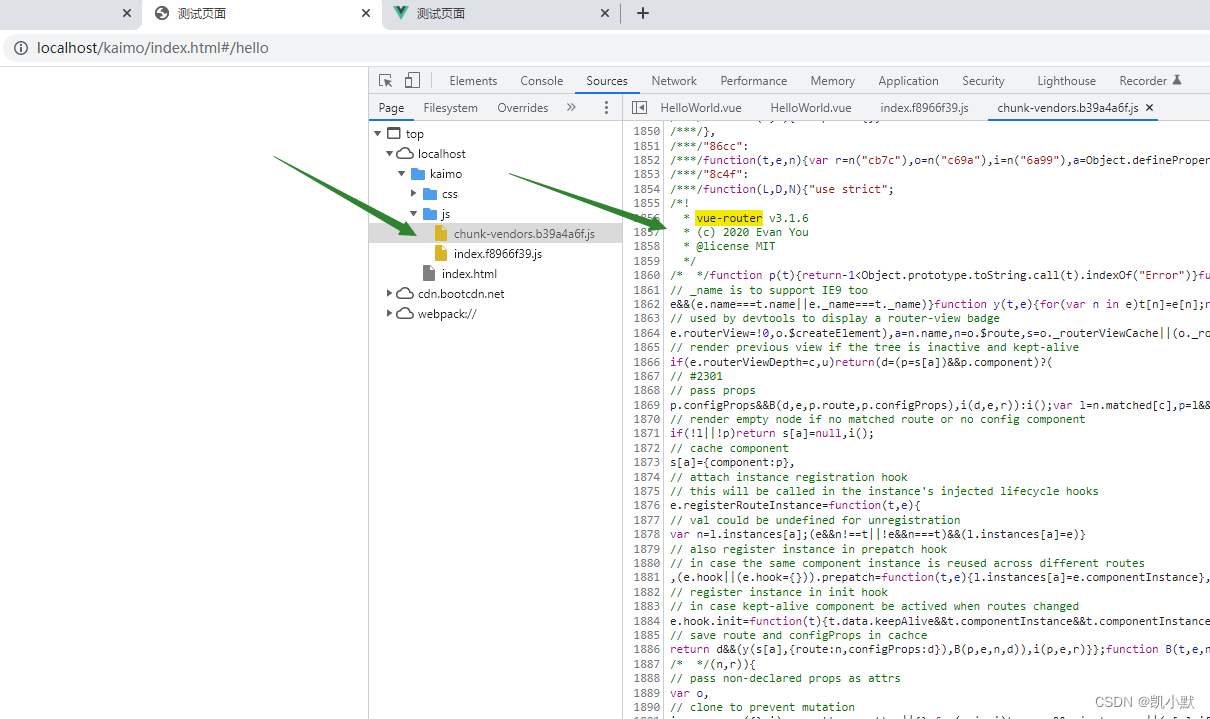
我们可以在 vue.config.js 中配置 externals,或者去掉 cdn 的引入,直接用打包的。下面讲一下配置 externals 的方式。
externals 它配置项提供了阻止将某些 import 的包打包到 bundle 中的功能,在运行时再从外部获取这些扩展依赖。
 config.externals({
    key: value
});
- key:是第三方依赖库的名称
- value:值可以是字符串、数组、对象。CDN引入的 js 文件赋值给window的全局变量名称。
这里我们配置忽略打包文件:
const UglifyJsPlugin = require("uglifyjs-webpack-plugin");

module.exports = {
    publicPath: process.env.NODE_ENV === "production" ? "/kaimo/" : "/kaimo",
    // 将构建好的文件输出到哪里
    outputDir: "kaimo",
    pages: {
        index: {
            entry: "src/main.js",
            template: "src/tpl.html",
            filename: "index.html",
            title: "测试页面",
            chunks: ["chunk-vendors", "chunk-common", "index"]
        },
    },
    // 生产环境下的sourceMap
    productionSourceMap: true,
    chainWebpack: config => {
        if (process.env.NODE_ENV === "production") {
            // 忽略的打包文件
             config.externals({
                 "vue": "Vue",
                 "vue-router": "VueRouter"
             });
         }
    },
    configureWebpack: config => {
        if (process.env.NODE_ENV === "production") {
            config.optimization.minimizer = [
                new UglifyJsPlugin({
                    sourceMap: true,
                    uglifyOptions: {
                        output: {
                            comments: true, // 删除注释
                        },
                        warnings: false,
                        compress: {
                            drop_console: true,
                            drop_debugger: true, // 删除debugger
                            pure_funcs: ["console.log"],
                        }
                    }
                })
            ];
        }
    }
};
这个样我们就不会报错了。

北京人形旗下天工造物具身智能开源社区,聚焦具身天工与慧思开物两大平台
更多推荐
 0
0 0
0- 0


 已为社区贡献4条内容

所有评论(0)