unity日记4(鼠标键盘交互、实例)
·
目录
鼠标事件
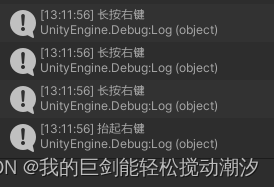
鼠标点击、抬起、长按事件
左键0,右键1,中键2。(示例代码是右键)
    void Update()
    {
        if (Input.GetMouseButtonDown(1))
            Debug.Log("按下右键");
        if (Input.GetMouseButton(1))
        {
            this.gameObject.transform.Translate(0, 0, 0.5f * Time.deltaTime,Space.Self);//游戏对象移动
            Debug.Log("长按右键");
        }
        if (Input.GetMouseButtonUp(1))
            Debug.Log("抬起右键");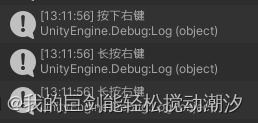
键盘事件
键盘点击、抬起、长按事件
        if (Input.GetKeyDown(KeyCode.Space))
        {
            //this.gameObject.transform.Translate(0, 0.5f * Time.deltaTime, 0, Space.World);//游戏对象移动
            Debug.Log("按下空格键");
        }
        if (Input.GetKey(KeyCode.Space))
        {
            Debug.Log("长按空格键");
        }
        if (Input.GetKeyUp(KeyCode.Space))
        {
            Debug.Log("抬起空格键");
        }
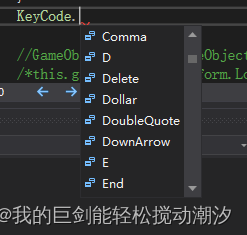
键盘键位替换
实例:鼠标-音乐播放/暂停
public class sample : MonoBehaviour
{
    // Start is called before the first frame update
    void Start()
    {

    }

    // Update is called once per frame
    void Update()
    {
        if (Input.GetMouseButtonDown(0))
        {
            play_pusic();
        }
    }
    void play_pusic()
    {
        AudioSource audio = this.GetComponent<AudioSource>();
        if (audio.isPlaying)
        {
            Debug.Log("停止播放");
            audio.Stop();
        }
        else
        {
            Debug.Log("开始播放");
            audio.Play();
        }
    }
}
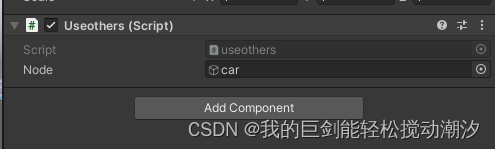
实例:调用其他对象的组件(双方法)
法1(常用):
public class useothers : MonoBehaviour
{
    public AudioSource node;
    // Start is called before the first frame update
    void Start()
    {
        node.Play();
    }

    // Update is called once per frame
    void Update()
    {

    }
}
法2:
public class useothers : MonoBehaviour
{
    public GameObject node;
    // Start is called before the first frame update
    void Start()
    {
        AudioSource audio = node.GetComponent<AudioSource>();
        audio.Play();
    }

    // Update is called once per frame
    void Update()
    {

    }
}
实例:调整其他对象的公有参数
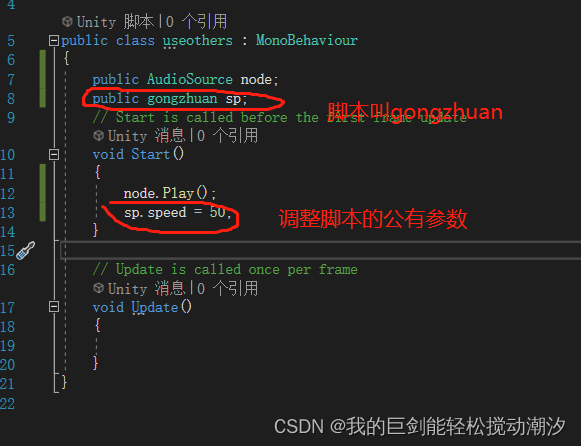
注意:
1.调用公有参数时,被调用的脚本,初始化函数不要有赋值操作。

北京人形旗下天工造物具身智能开源社区,聚焦具身天工与慧思开物两大平台
更多推荐
 2
2 0
0- 0


 已为社区贡献4条内容

所有评论(0)