Win10安装modelscope命令,报错:系统未开启Windows长路径支持
在Win10的cmd中,执行命令:
pip install modelscope
报错和提示信息如下:
ERROR: Could not install packages due to an OSError: [Errno 2] No such file or directory: 'C:\\Users\\JX\\AppData\\Local\\Packages\\PythonSoftwareFoundation.Python.3.12_qbz5n2kfra8p0\\LocalCache\\local-packages\\Python312\\site-packages\\modelscope\\msdatasets\\dataset_cls\\custom_datasets\\image_quality_assessment_degradation\\image_quality_assessment_degradation_dataset.py'
HINT: This error might have occurred since this system does not have Windows Long Path support enabled. You can find information on how to enable this at https://pip.pypa.io/warnings/enable-long-paths
根据HINT(提示)信息可知,是系统没有开启Windows的长路径支持。Windows API中,最大路径长度MAX_PATH默认是260个字符,且Win10 1607版本后,许多通用的Win32的文件和目录功能中已经取消该限制,但是,你所用的应用必须选择接受该操作。
显然,本人的系统没有接受取消该限制,所以,安装modelscope时,文件路径过长时,报错了。
【解决办法】:
通过使能注册表HKLM:\SYSTEM\CurrentControlSet\Control\FileSystem下LongPathsEnabled的值,取消系统对于路径长度的限制,将默认的260字符,扩展到32767字符。
以管理员身份打开powershell,输入命令:
New-ItemProperty -Path "HKLM:\SYSTEM\CurrentControlSet\Control\FileSystem" -Name "LongPathsEnabled" -Value 1 -PropertyType DWORD -Force
执行结果如下图:

设置成功后,cmd中执行命令:
pip install modelscope

modelscope命令安装成功,cmd中输入modelscope帮助信息查看命令:
modelscope -h
输出信息如下:
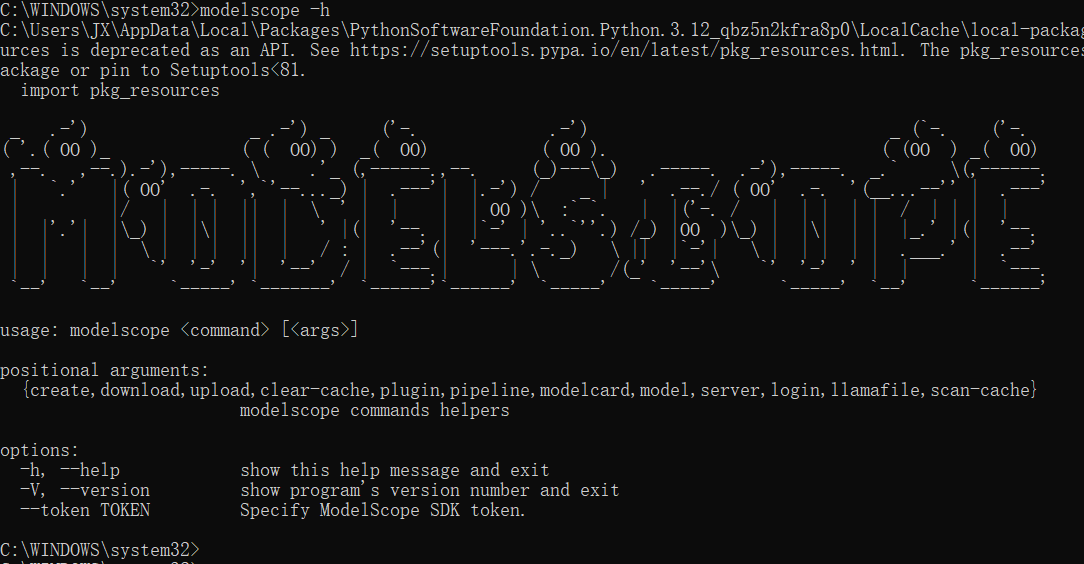
至此,问题解决,modelscope命令安装成功,可以通过modelscope命令进行大模型的安装了。

北京人形旗下天工造物具身智能开源社区,聚焦具身天工与慧思开物两大平台
更多推荐
 4
4 0
0- 0


 已为社区贡献3条内容

所有评论(0)