【CANN训练营第三季】【昇腾AI入门课】4基于Caffe ResNet-50网络实现图片分类
具体实现
模型与图像准备
整体的samples已经在前一个课程中获取了,所以这里直接进行cd
如果没有samples可以运行如下代码:
cd ${HOME}
git clone https://gitee.com/ascend/samples.git
1.进入对应的代码
cd ${HOME}
cd $HOME/samples/cplusplus/level2_simple_inference/1_classification/resnet50_imagenet_classification
2.ResNet-50模型获取
上传至开发环境的“样例目录/caffe_model“目录下。如果目录不存在,需要自行创建。
- ResNet-50网络的模型文件(*.prototxt):https://gitee.com/link?target=https%3A%2F%2Fobs-9be7.obs.cn-east-2.myhuaweicloud.com%2F003_Atc_Models%2FAE%2FATC%2520Model%2Fresnet50%2Fresnet50.prototxt
- ResNet-50网络的权重文件(*.caffemodel):https://gitee.com/link?target=https%3A%2F%2Fobs-9be7.obs.cn-east-2.myhuaweicloud.com%2F003_Atc_Models%2FAE%2FATC%2520Model%2Fresnet50%2Fresnet50.caffemodel
3.将ResNet-50原始模型转换为适配昇腾AI处理器的离线模型(*.om文件)
atc --model=caffe_model/resnet50.prototxt --weight=caffe_model/resnet50.caffemodel --framework=0 --output=model/resnet50 --soc_version=Ascend310 --input_format=NCHW --input_fp16_nodes=data --output_type=FP32 --out_nodes=prob:0
4.测试图片准备
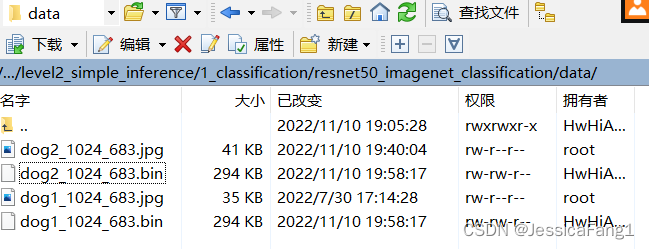
将获取的文件上传至开发环境的“样例目录/data“目录下。如果目录不存在,需自行创建。
- https://obs-9be7.obs.cn-east-2.myhuaweicloud.com/models/aclsample/dog1_1024_683.jpg
- https://obs-9be7.obs.cn-east-2.myhuaweicloud.com/models/aclsample/dog2_1024_683.jpg
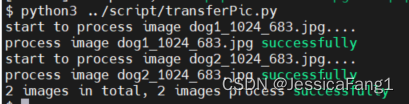
- 切换到“样例目录/data“目录下,执行transferPic.py脚本,在“样例目录/data“目录下生成2个*.bin文件
python3 ../script/transferPic.py
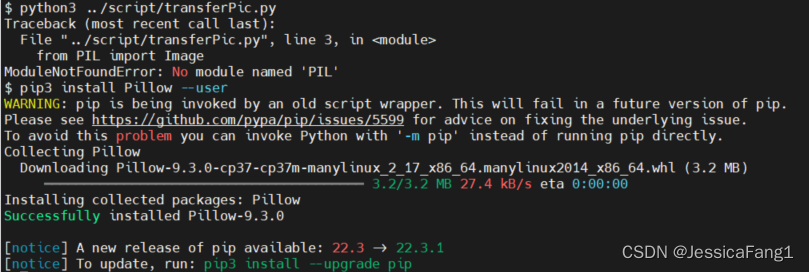
出现报错:ModuleNotFoundError: No module named ‘PIL’
参考官方:https://gitee.com/ascend/samples/tree/master/cplusplus/level2_simple_inference/1_classification/resnet50_imagenet_classification#https://gitee.com/link?target=https%3A%2F%2Fobs-9be7.obs.cn-east-2.myhuaweicloud.com%2Fmodels%2Faclsample%2Fdog2_1024_683.jpg
pip3 install Pillow --user
美美解决!
编译运行
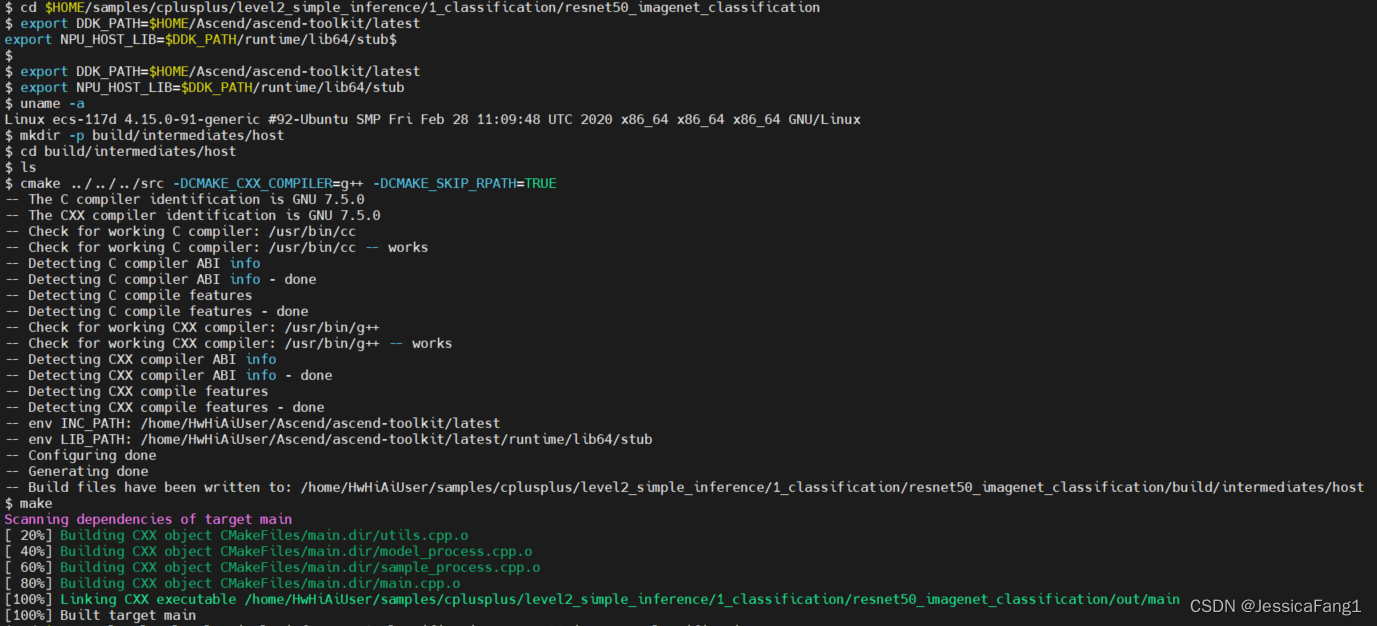
1.编译代码
# 目录跳转
cd $HOME/samples/cplusplus/level2_simple_inference/1_classification/resnet50_imagenet_classification
# 设置环境变量
#  查询操作系统的架构
uname -a
# 开发环境与运行环境的操作系统架构相同
export DDK_PATH=$HOME/Ascend/ascend-toolkit/latest
export NPU_HOST_LIB=$DDK_PATH/runtime/lib64/stub
# 创建目录用于存放编译文件
mkdir -p build/intermediates/host
# 切换目录
cd build/intermediates/host
# 生成编译文件
cmake ../../../src -DCMAKE_CXX_COMPILER=g++ -DCMAKE_SKIP_RPATH=TRUE
# 生成的可执行文件main在“样例目录/out“目录下
make
2.运行应用
# 切换至main所在目录
cd $HOME/samples/cplusplus/level2_simple_inference/1_classification/resnet50_imagenet_classification
cd out
# 给该目录下的main文件加执行权限
chmod +x main
# 运行可执行文件
./main
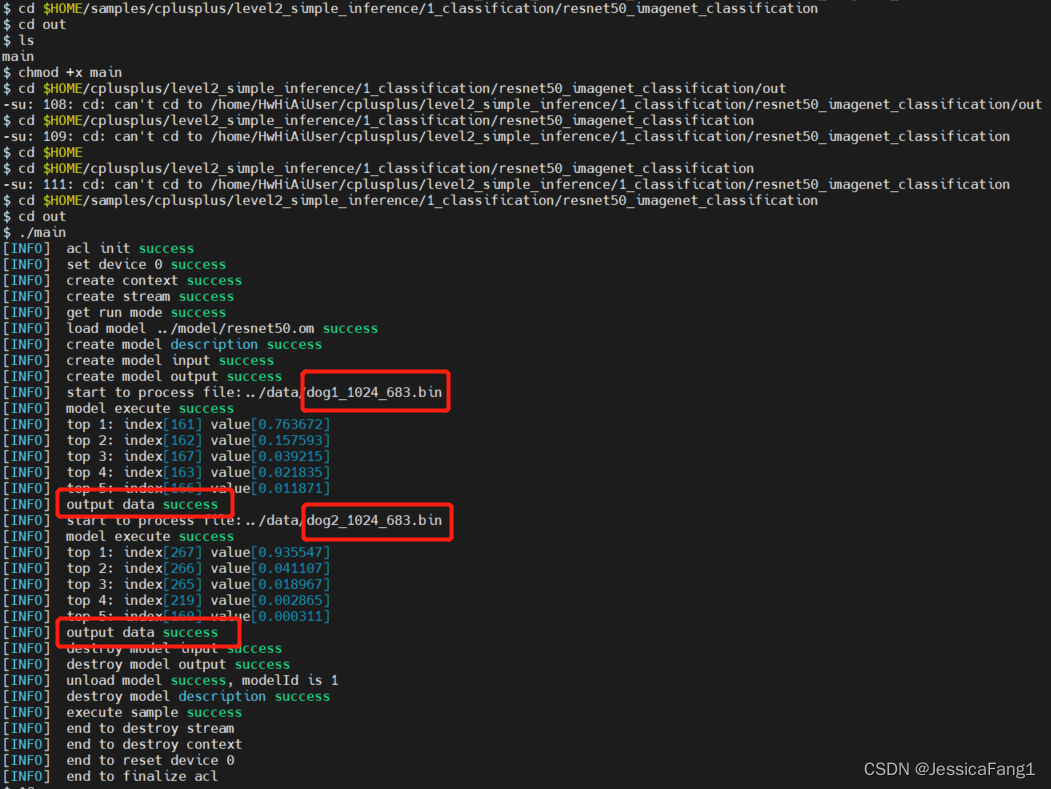
个人疑问
分类后的图片好像没有输出?
有些不太理解,后面学学可能就更懂啦!
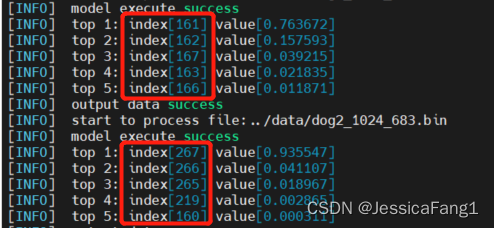
原来这里就是它的结果啦,因为这个模型是用ImageNet进行的训练,所以要看imagenet数据集类别标签的对应关系
标签链接:https://blog.csdn.net/u013491950/article/details/83927968
可以看出:
对于图1:概率值最大的是161号,对应的是161: ‘basset, basset hound’
对于图2:概率值最大的是267号,对应的是267: ‘standard poodle’
结果是准确的,妙啊!
我还有很长的路要走!

北京人形旗下天工造物具身智能开源社区,聚焦具身天工与慧思开物两大平台
更多推荐
 0
0 0
0- 0


 已为社区贡献1条内容


所有评论(0)