cocos creator笔记(8)
·
1.向量和标量
标量: 只有大小的量
向量: 既有大小,也有方向
向量的模: 向量的大小
单位向量: 大小为1的向量
单位化,归一化: 把向量转为单位向量的过程、
2.向量的运算
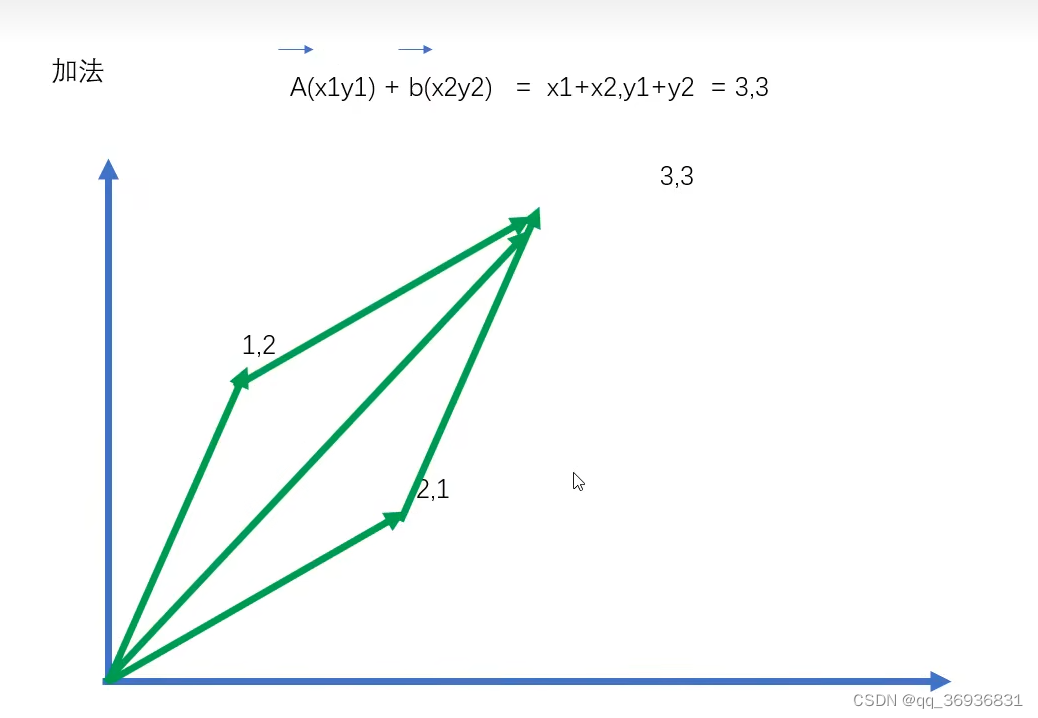
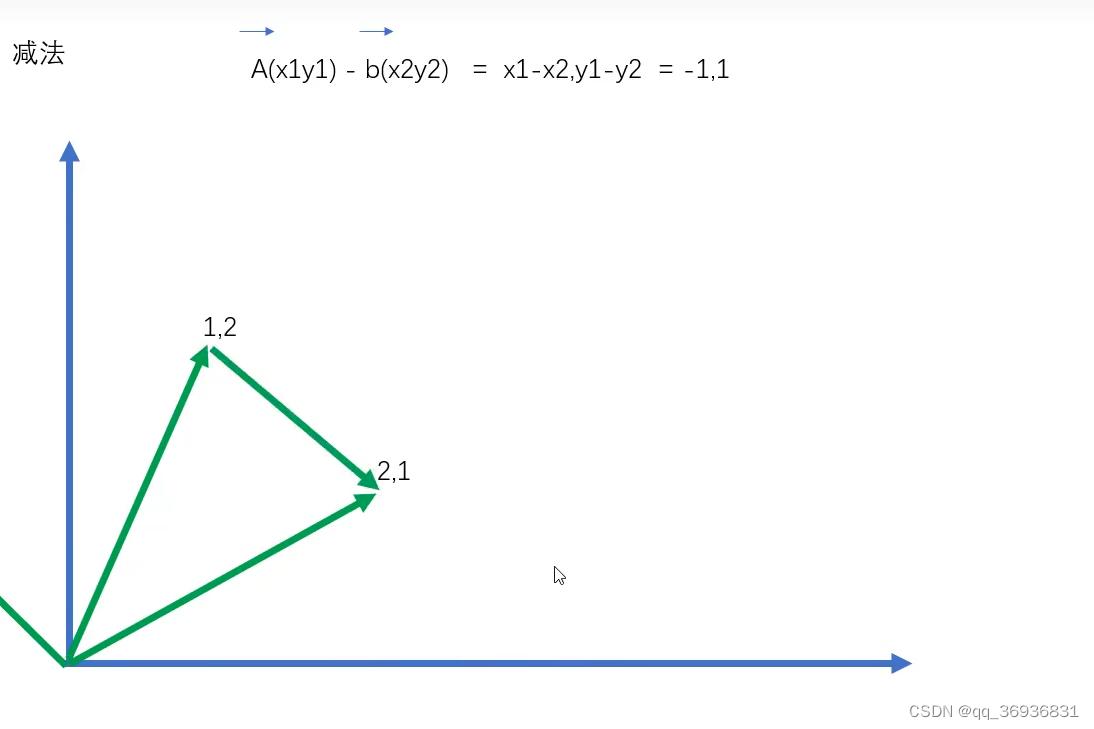
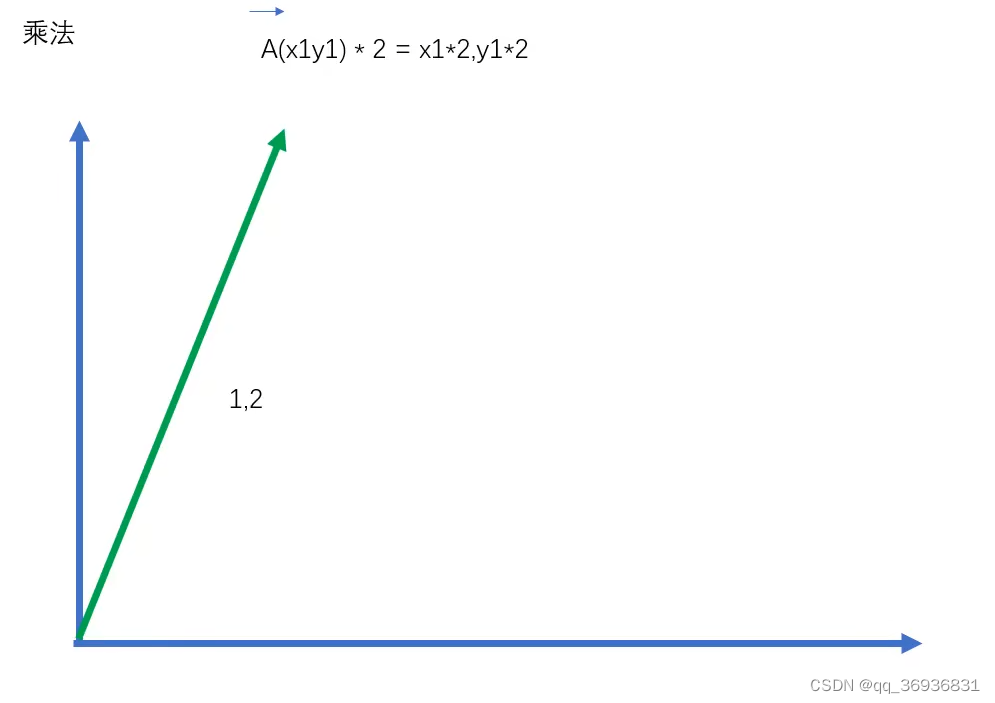
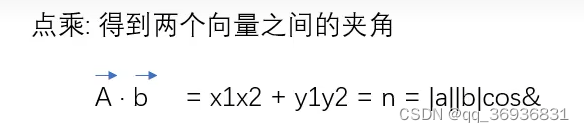
3.脚本
const {ccclass, property} = cc._decorator;

@ccclass//让编译器知道属于cocos里的类
export default class NewScript extends cc.Component {//在第二个脚本里想用第一个脚本里的类 必须加 export default关键字

    @property(cc.Label)//如果不是基本类型想让它显示括号要加类的名字
    label: cc.Label = null;

    @property//面板显示,可以在面板进行修改
    text: string = 'hello';

    // LIFE-CYCLE CALLBACKS:

    // onLoad () {}

    start () {

    }

    // update (dt) {}
}
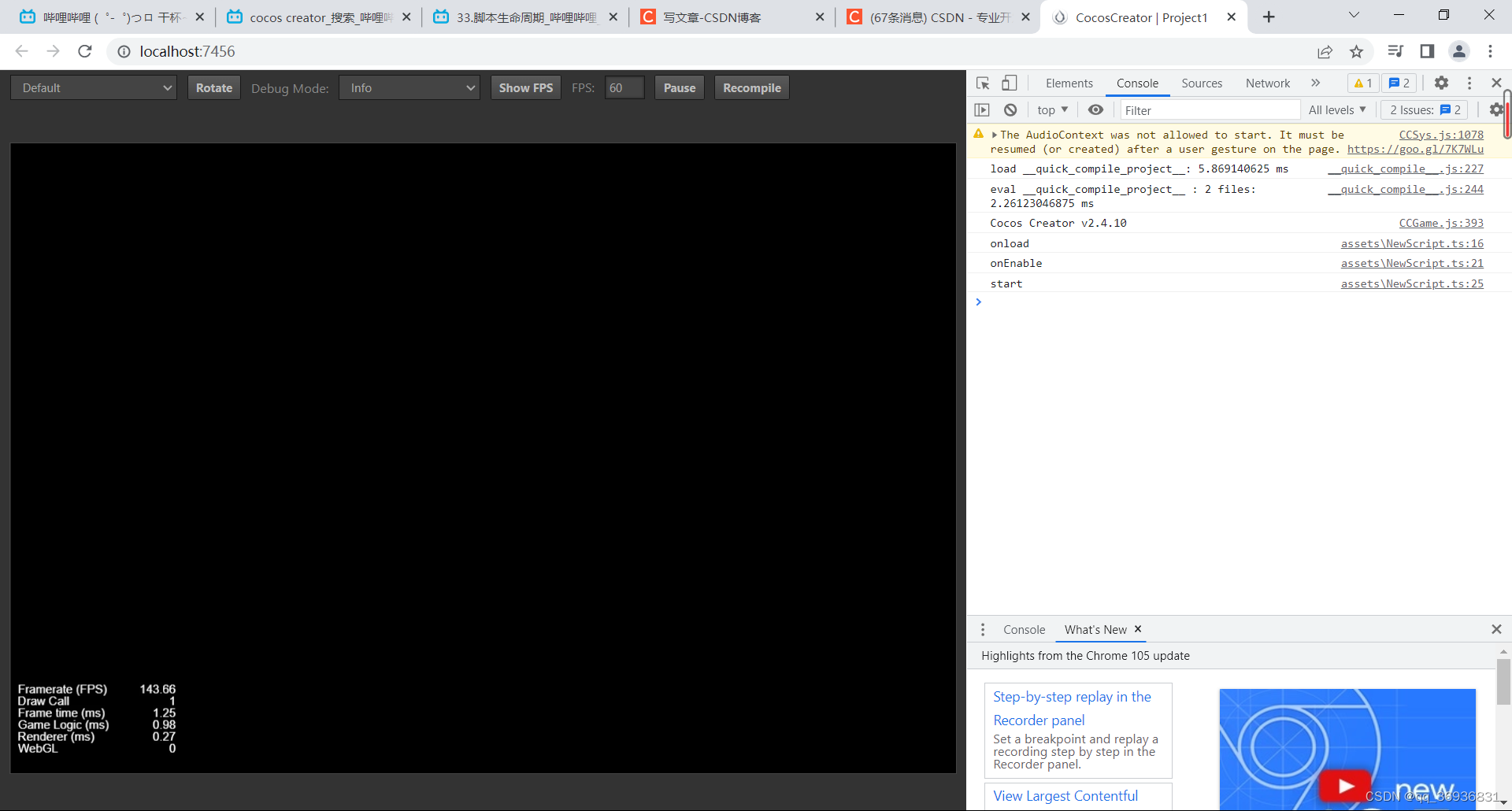
4.脚本生命周期
const {ccclass, property} = cc._decorator;

@ccclass//让编译器知道属于cocos里的类
export default class NewScript extends cc.Component {//在第二个脚本里想用第一个脚本里的类 必须加 export default关键字

    @property(cc.Label)//如果不是基本类型想让它显示括号要加类的名字
    label: cc.Label = null;

    @property//面板显示,可以在面板进行修改
    text: string = 'hello';

    // LIFE-CYCLE CALLBACKS:
    //初始化调用
    onLoad () {
        console.debug("onload");
    }


    onEnable() {
        console.debug("onEnable");
    }
    //初始化调用
    start () {
        console.debug("start");
    }
    //每帧都调用的
    update (dt) {//dt每一帧的执行时间

    }
    //在每一帧后执行一次
    lateUpdate() {

     }

    onDisable() {

    }
    //销毁时调用
    onDestroy() {
        console.debug("onDestory");
    }

}
5.节点常用方法属性
const {ccclass, property} = cc._decorator;

@ccclass//让编译器知道属于cocos里的类
export default class NewScript extends cc.Component {//在第二个脚本里想用第一个脚本里的类 必须加 export default关键字

    @property(cc.Label)//如果不是基本类型想让它显示括号要加类的名字
    label: cc.Label = null;

    @property//面板显示,可以在面板进行修改
    text: string = 'hello';

    // LIFE-CYCLE CALLBACKS:

    //初始化调用
    start () {
        //拿到第一个子节点
        this.node.children[0];
        //拿到叫abc的节点
        this.node.getChildByName["abc"];
        //通过路径获得节点
        cc.find("Canvas/Main abc");
        //设置一个父节点
        this.node.setParent(abc);
        //获得父节点
        this.node.getParent();
        //移除所有子节点
        this.node.removeAllChildren();
        //移除一个特定节点
        this.node.removeChild(aaa);
        //从父结点移除掉
        this.node.removeFromParent(abc);

        //访问位置
        this.node.x;
        this.node.y;
        this.node.setPosition(3,4);
        this.node.setPosition(cc.v2(3,4));//创建一个v2的对象保存位置
        //旋转
        this.node.rotation;
        //缩放
        this.node.scale;
        //锚点
        this.node.anchorX;
        this.node.anchorY;

        // 创建一个new节点
        let node = new cc.Node("new");
        //节点开关
        this.node.active = true;
        //组件开关
        this.enabled = false;
        //获取组件
        let sprite = this.getComponent(cc.Sprite);
        sprite.enabled = false;//对精灵进行操作
        //从子物体里获取组件
        this.getComponentInChildren(cc.Sprite);
    }
    //每帧都调用的
    update (dt) {//dt每一帧的执行时间

    }

}
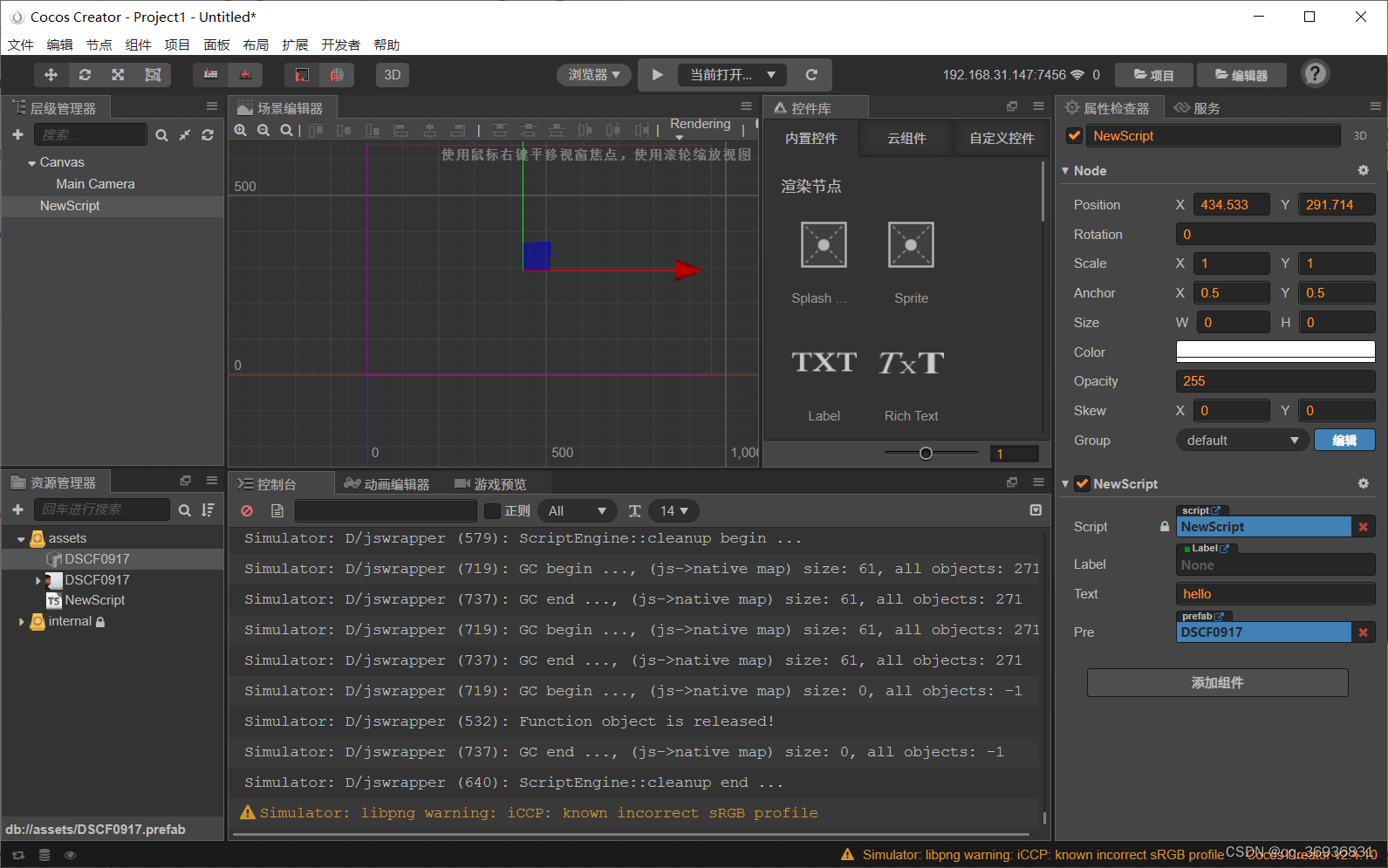
6.预设体
const {ccclass, property} = cc._decorator;

@ccclass//让编译器知道属于cocos里的类
export default class NewScript extends cc.Component {//在第二个脚本里想用第一个脚本里的类 必须加 export default关键字

    @property(cc.Label)//如果不是基本类型想让它显示括号要加类的名字
    label: cc.Label = null;

    @property//面板显示,可以在面板进行修改
    text: string = 'hello';

    //预设体
    @property(cc.Prefab)
    pre:cc.Prefab = null;


    // LIFE-CYCLE CALLBACKS:

    //初始化调用
    start () {
        //实例化预设体
        let node = cc.instantiate(this.pre);
        //设置父节点
        node.setParent(this.node);
    }
    //每帧都调用的
    update (dt) {//dt每一帧的执行时间

    }

}
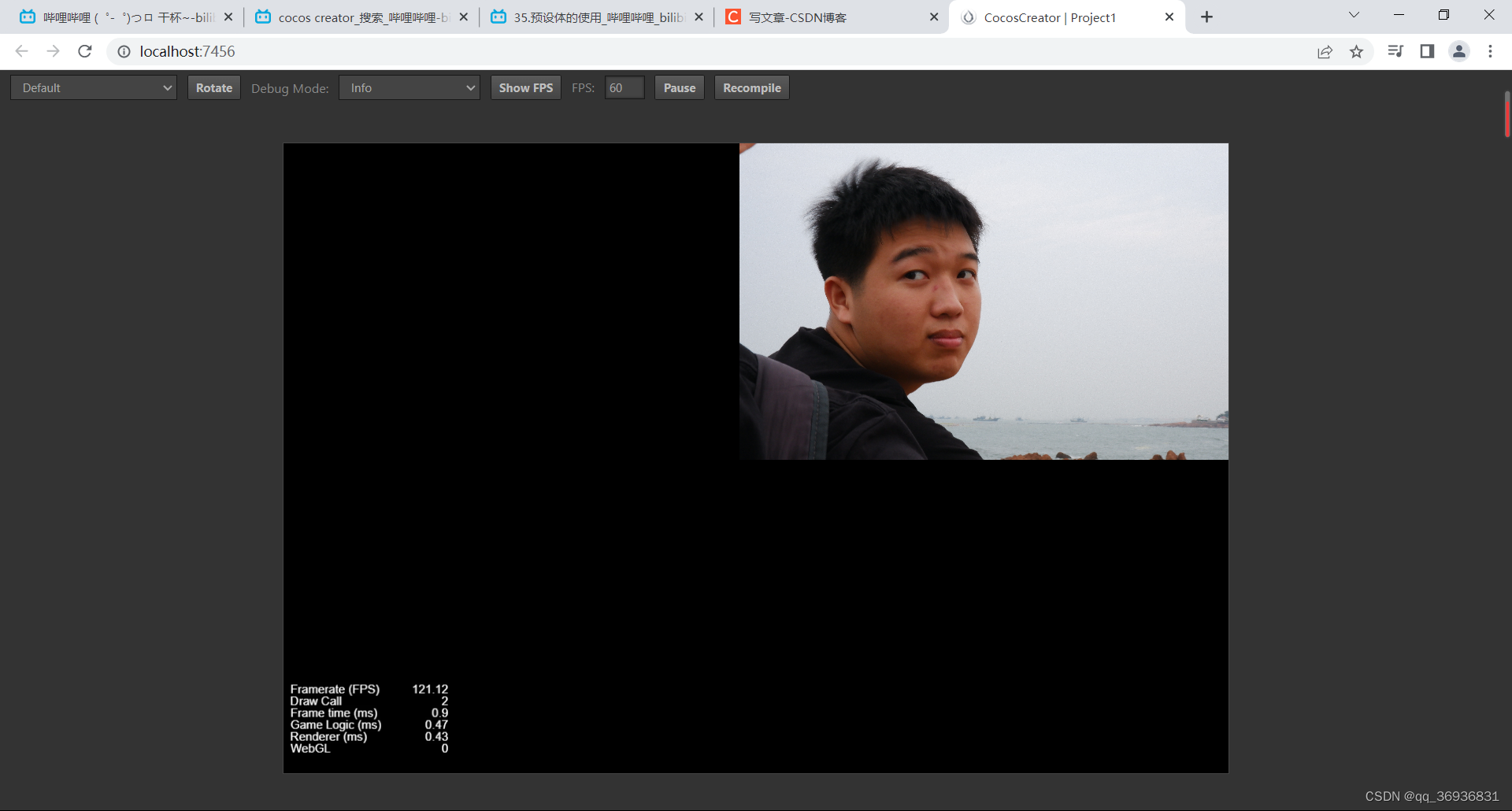
运行结果
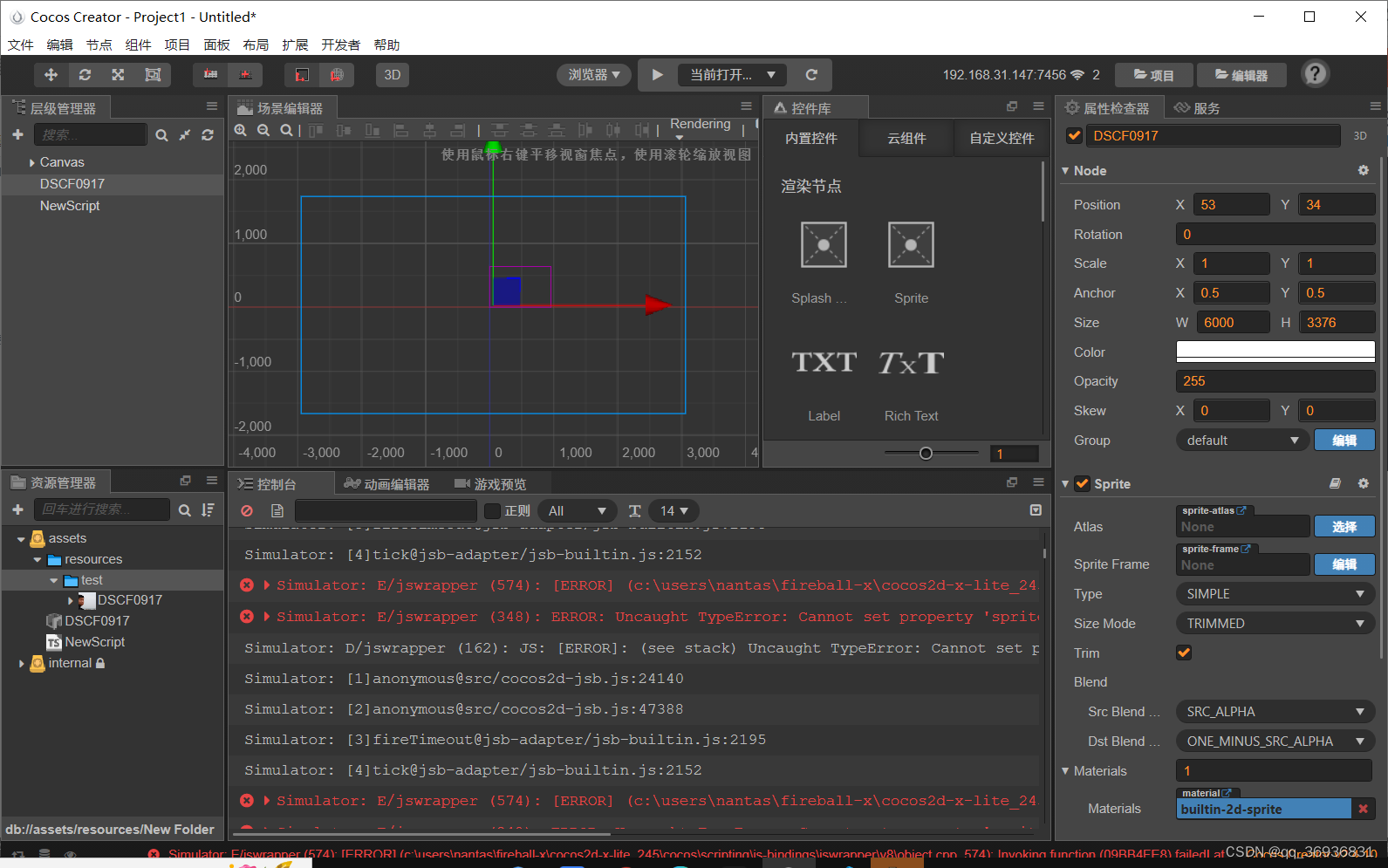
7.资源动态加载
const {ccclass, property} = cc._decorator;

@ccclass//让编译器知道属于cocos里的类
export default class NewScript extends cc.Component {//在第二个脚本里想用第一个脚本里的类 必须加 export default关键字

    @property(cc.Label)//如果不是基本类型想让它显示括号要加类的名字
    label: cc.Label = null;

    @property//面板显示,可以在面板进行修改
    text: string = 'hello';


    // LIFE-CYCLE CALLBACKS:

    //初始化调用
    start () {
    //资源动态加载
        let self = this;
        cc.loader.loadRes("test/DSCF0917",cc.SpriteFrame,function(err,sp){
        self.getComponent(cc.Sprite).spriteFrame = sp;
        });
    }
    //每帧都调用的
    update (dt) {//dt每一帧的执行时间

    }

}
加载图集
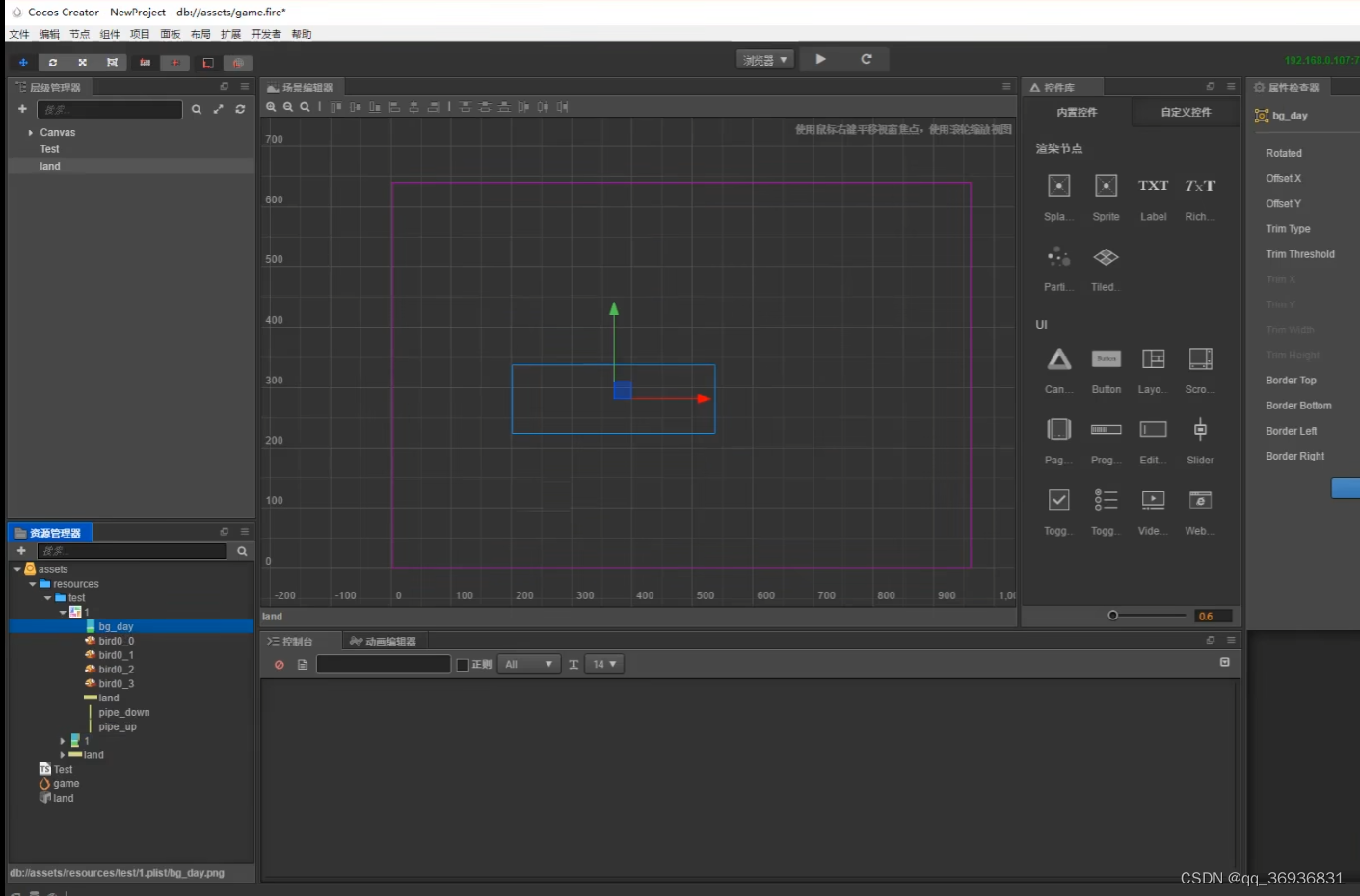
const {ccclass, property} = cc._decorator;

@ccclass//让编译器知道属于cocos里的类
export default class NewScript extends cc.Component {//在第二个脚本里想用第一个脚本里的类 必须加 export default关键字

    @property(cc.Label)//如果不是基本类型想让它显示括号要加类的名字
    label: cc.Label = null;

    @property//面板显示,可以在面板进行修改
    text: string = 'hello';


    // LIFE-CYCLE CALLBACKS:

    //初始化调用
    start () {
    //资源动态加载
        let self = this;
       // cc.loader.loadRes("test/DSCF0917",cc.SpriteFrame,function(err,sp){
        //self.getComponent(cc.Sprite).spriteFrame = sp;
        //});

        //加载图集
        cc.loader.loadRes("test/1",cc.SpriteAtlas,function(err,atlas: cc.SpriteAtlas){//SpirtAtlas加载的是精灵图集
            self.getComponent(cc.Sprite).spriteFrame = atlas.getSpriteFrame("bg_day");
        });
    }
    //每帧都调用的
    update (dt) {//dt每一帧的执行时间

    }

}
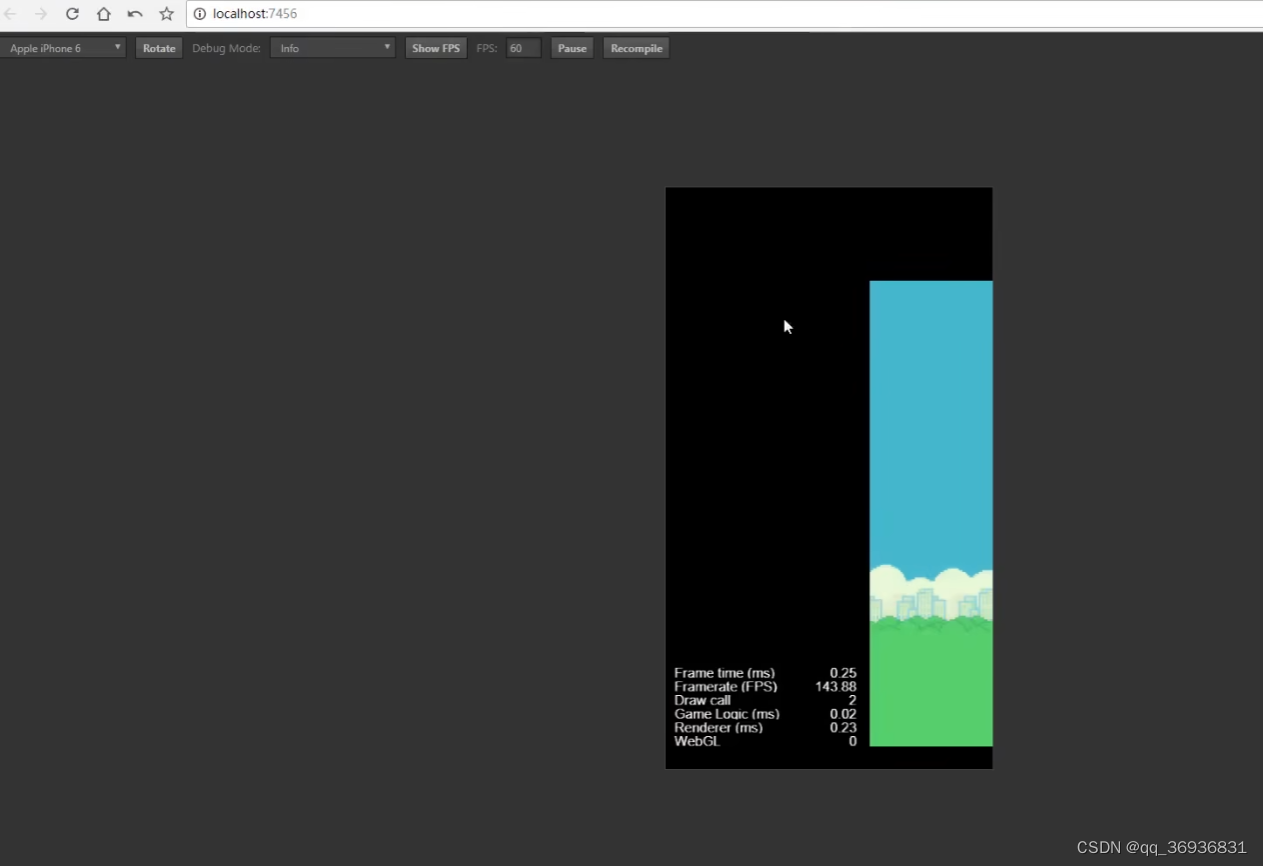
普通加载和图集加载类型不一样

北京人形旗下天工造物具身智能开源社区,聚焦具身天工与慧思开物两大平台
更多推荐
 1
1 0
0- 0


 已为社区贡献3条内容

所有评论(0)