zabbix-自定义一个监控项
·
1,命令行取值:
手动取值
[root@localhost zabbix]# iostat
Linux 5.19.6-1.el7.elrepo.x86_64 (localhost.localdomain) 	2022年09月02日 	_x86_64_	(1 CPU)

avg-cpu:  %user   %nice %system %iowait  %steal   %idle
           3.85    0.00    2.23    0.03    0.00   93.90

Device:            tps    kB_read/s    kB_wrtn/s    kB_read    kB_wrtn
sda               4.39       126.62       203.53     359764     578273
scd0              0.00         0.02         0.00         44          0
dm-0              3.96       123.89       196.45     351995     558165
dm-1              0.06         0.53         0.00       1520          0
取值
[root@localhost zabbix]# iostat|awk  '/sda/{print $2}'
4.39
2,修改zabbix-agent 配置文件
/etc/zabbix/zabbix-agent.conf
安装这种格式进行配置
Format: UserParameter=,
UserParameter=sda_tps,iostat|awk ‘/sda/{print $2}’
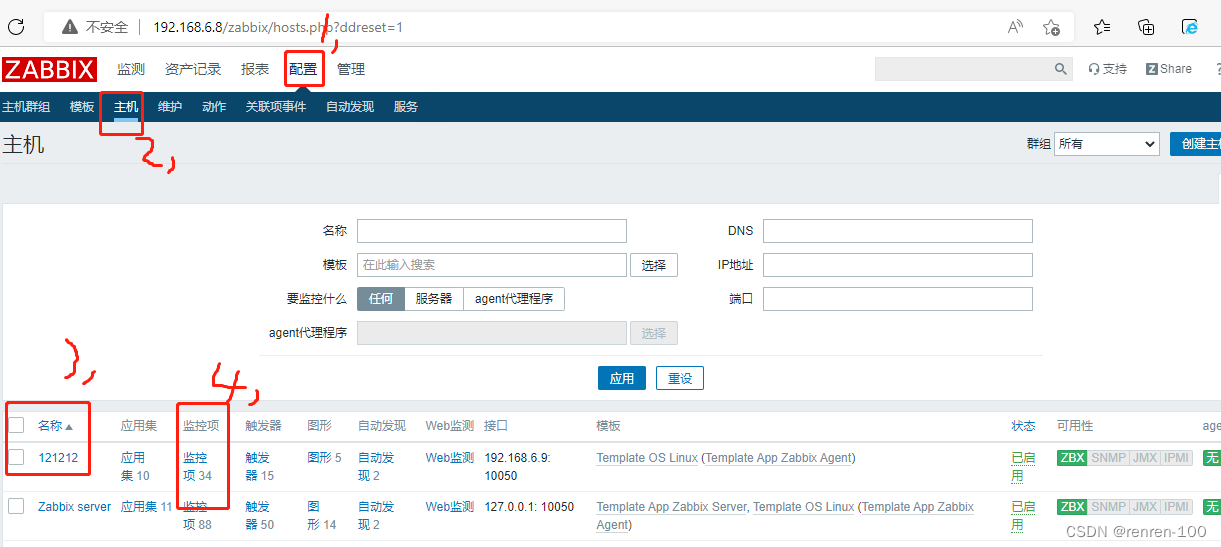
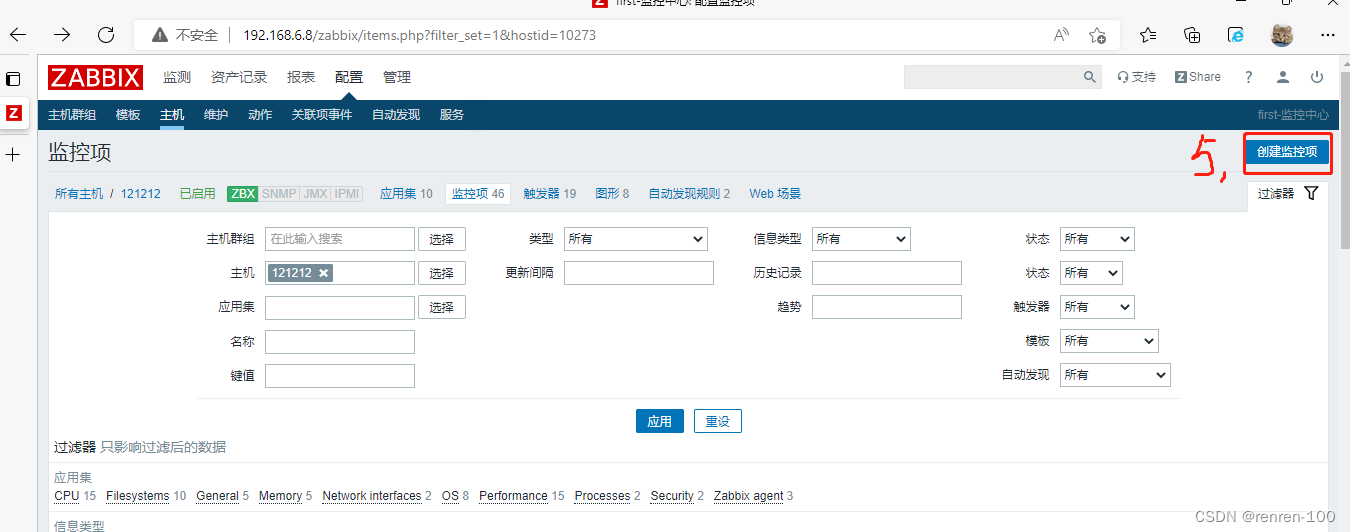
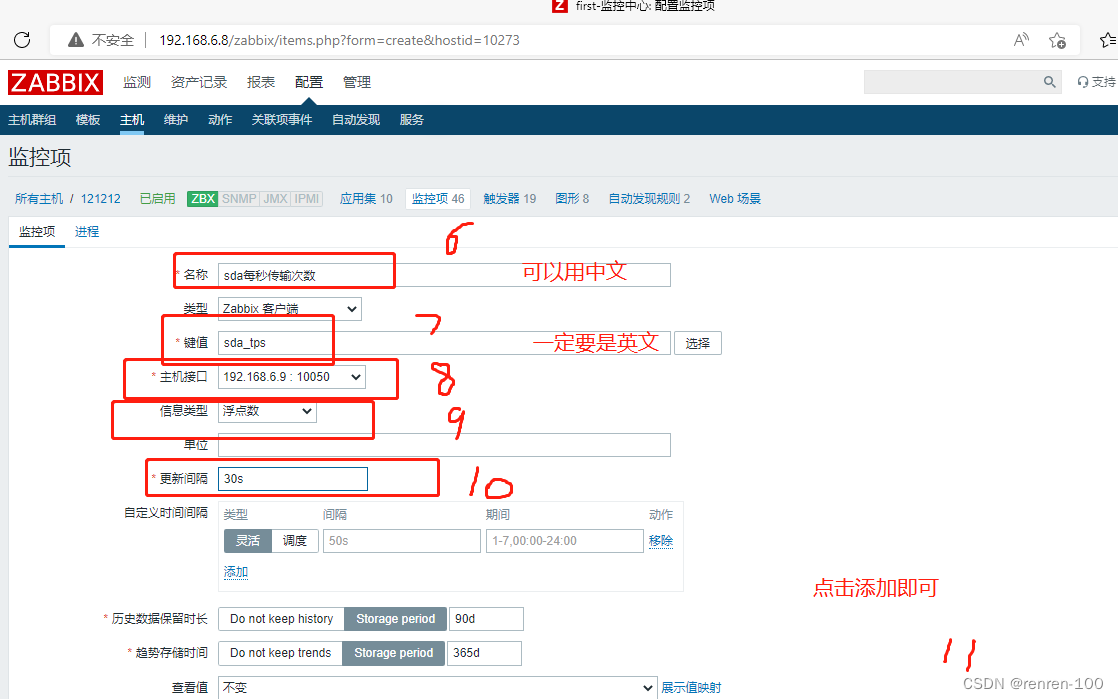
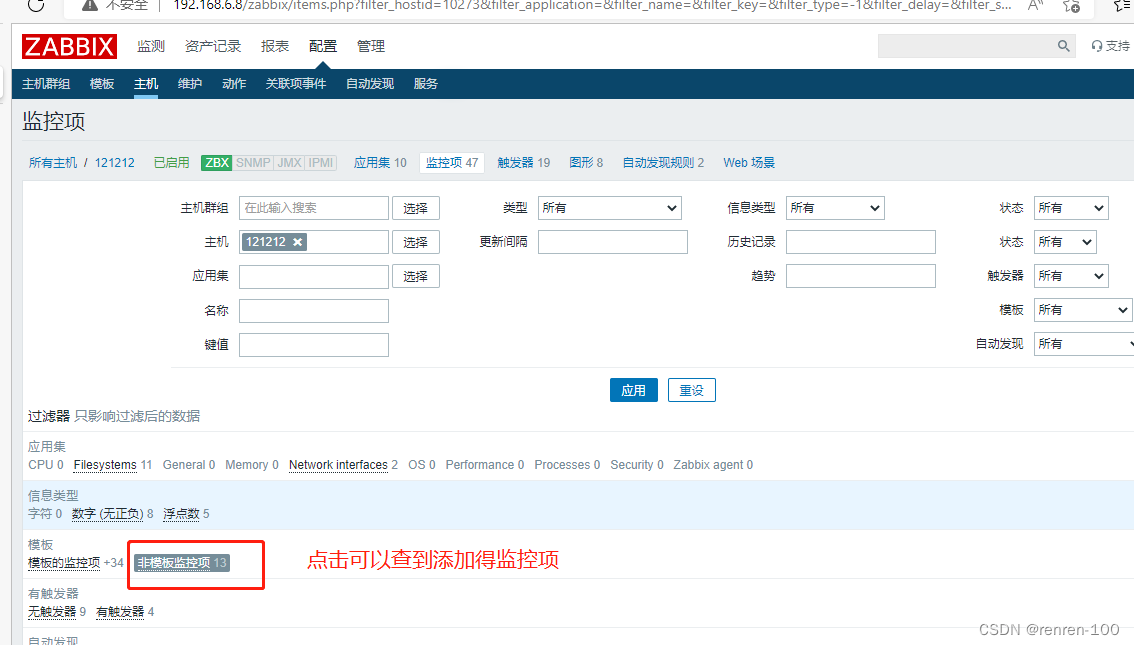
3,zabbix-server测试监控项取值
验证监控项是否生效
https://mirrors.tuna.tsinghua.edu.cn/zabbix/zabbix/4.0/rhel/7/x86_64/zabbix-get-4.0.43-1.el7.x86_64.rpm
rpm -ivh zabbix-get-4.0.43-1.el7.x86_64.rpm
zabbix_get -V
[root@localhost ~]# zabbix_get -s 192.168.6.9 -k “sda.tps”
0.36

北京人形旗下天工造物具身智能开源社区,聚焦具身天工与慧思开物两大平台
更多推荐
 0
0 0
0- 0


 已为社区贡献5条内容

所有评论(0)