win10 C/C++ grpc 安装使用教程
什么是GRPC
关于什么是GRPC大家可以另寻它帖如: GRPC官网:https://grpc.io/
本文主要讲解安装过程的疑难杂症
效果预览
准备:
一.安装vcpkg的GitHub主页在这里:https://github.com/microsoft/vcpkg
git clone https://github.com/microsoft/vcpkg
2.下载完成后,在“命令提示符”窗口切换到 vcpkg 目录。
在 vcpkg 根目录下,运行 vcpkg 引导程序命令:
bootstrap-vcpkg.bat
2.Windows 上的 Visual Studio 集成
从 vcpkg 根目录,运行
vcpkg integrate install
3.来配置 Visual Studio,以便按用户找到所有 vcpkg 头文件和二进制文件。 无需在 Visual Studio 中编辑 VC + + 目录路径。
二.在vcpkg中安装protobuf
vcpkg install protobuf
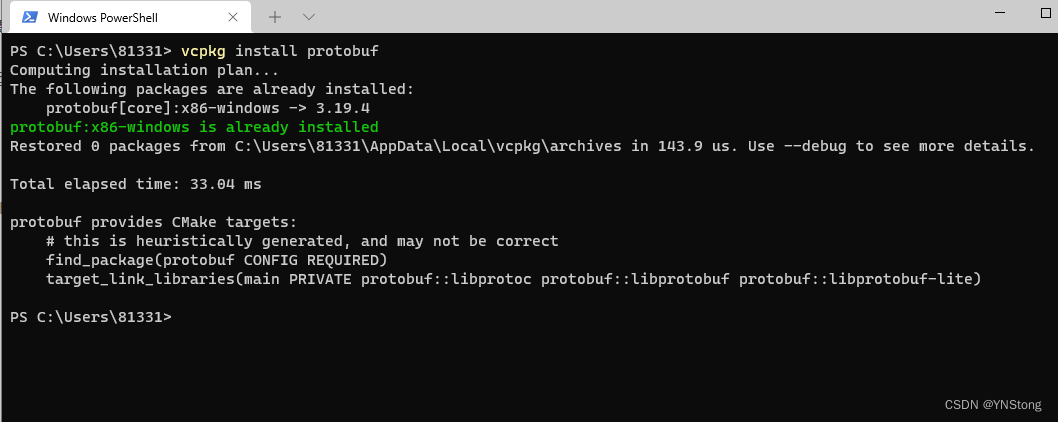
我这里是安装过了,一般只会网不好安装失败
三.安装grpc
vcpkg install grpc
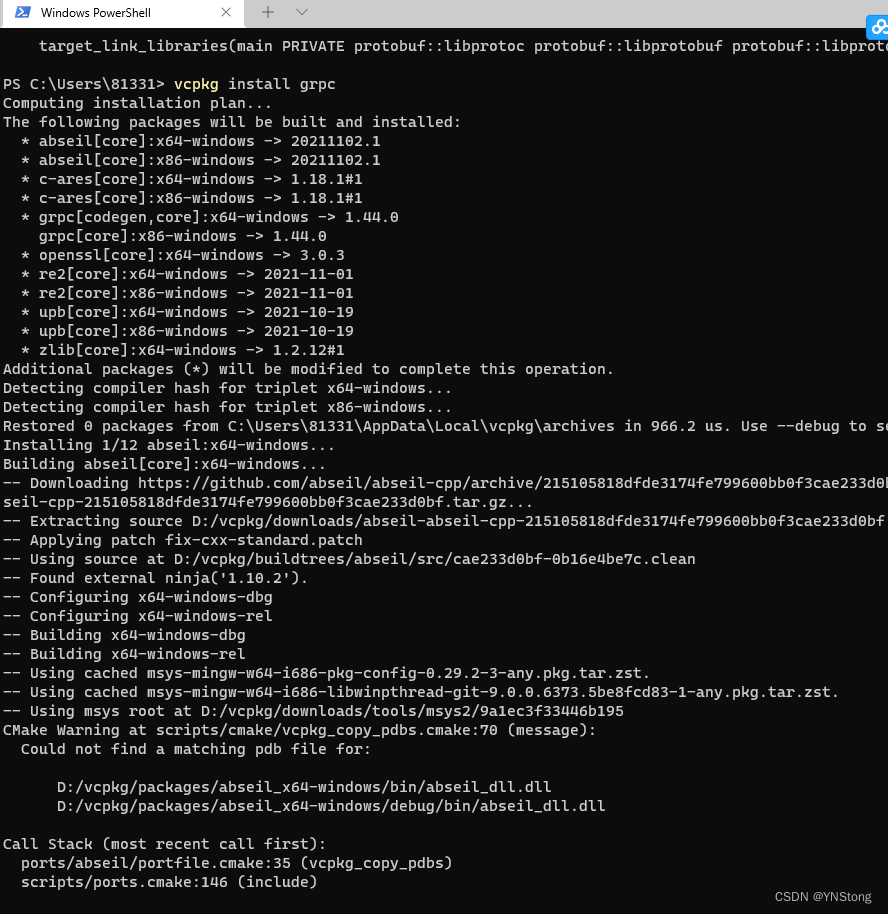
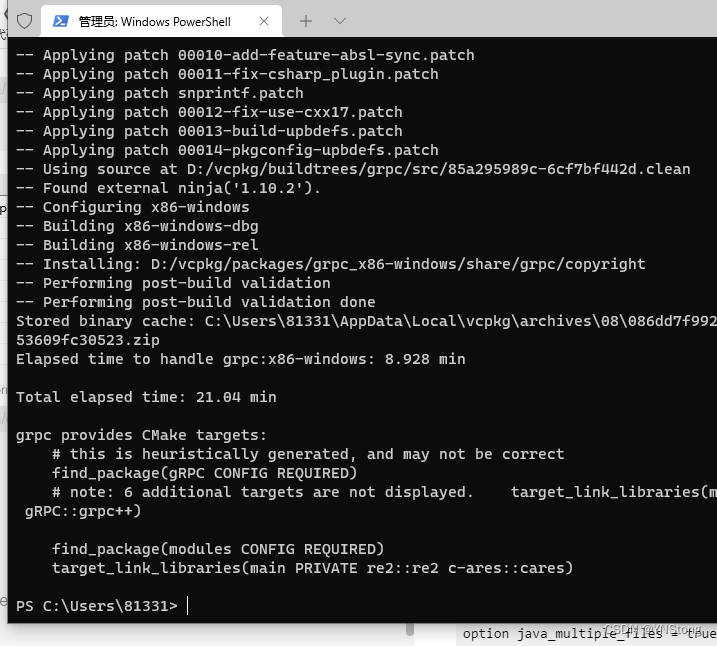
还是一样,基本上遇上问题就是网不行,所以vcpkg还是很方便的
四.下载 protoc.exe 将proto文件生成代码接口的工具
https://github.com/protocolbuffers/protobuf/releas
1.要确保下载的版本和电脑安装的 protobuf 版本一样
vcpkg list
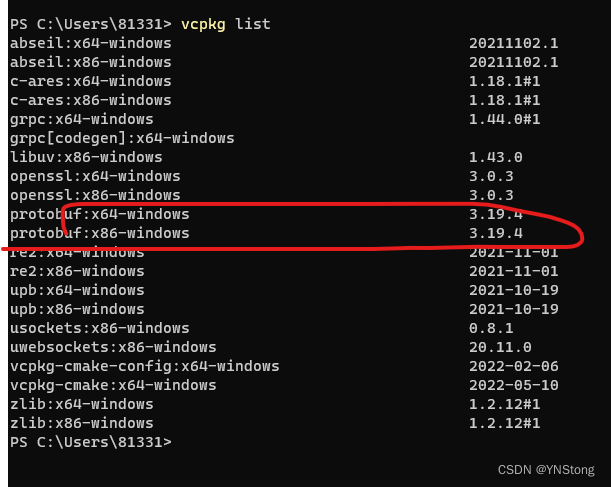
所以我们下载对应的版本
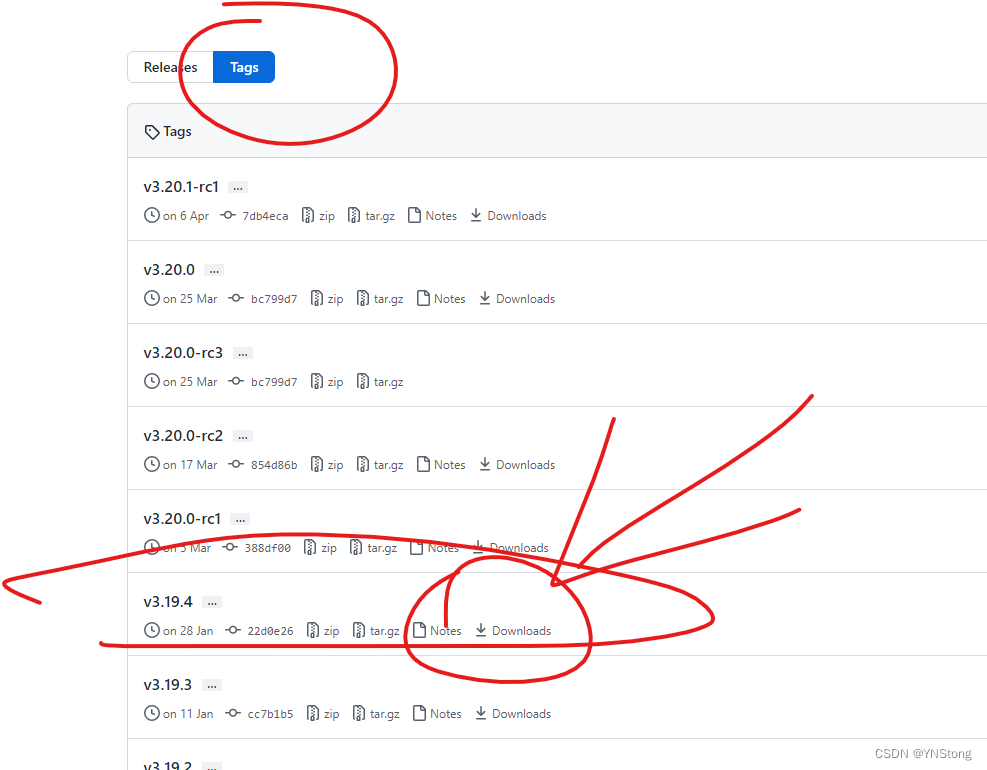
根据系统选择32还是64
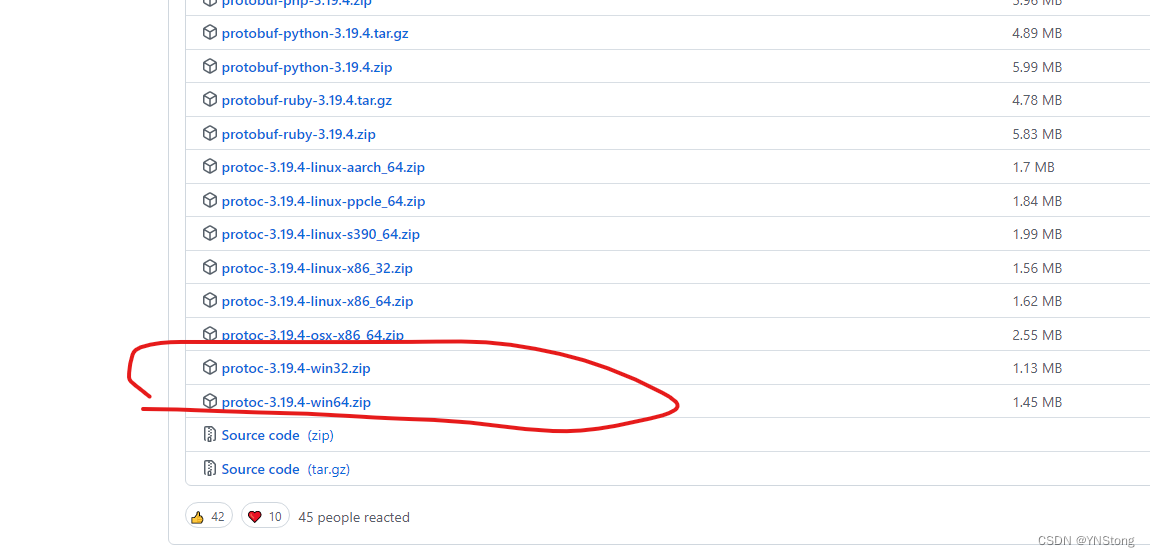
我下的是 protoc-3.19.4-win64.zip
我们把它加到环境变量中以便以后操作
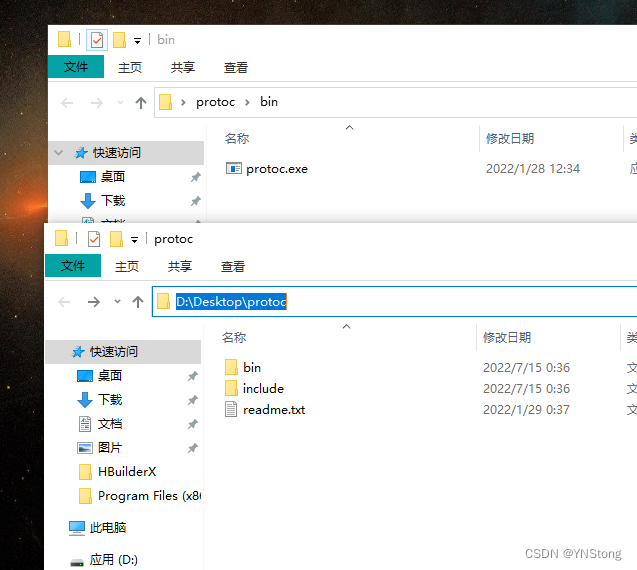
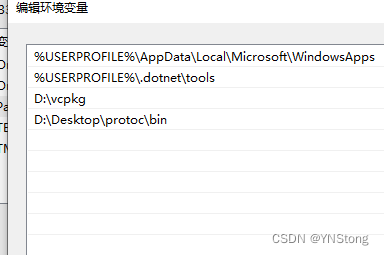
然后重启电脑,这里我没有重启电脑
五.从github上下载proto示例:
https://github.com/grpc/grpc/blob/master/examples/protos/helloworld.proto
syntax = "proto3";

option java_multiple_files = true;
option java_package = "io.grpc.examples.helloworld";
option java_outer_classname = "HelloWorldProto";
option objc_class_prefix = "HLW";

package helloworld;

// The greeting service definition.
service Greeter {
  // Sends a greeting
  rpc SayHello (HelloRequest) returns (HelloReply) {}
}

// The request message containing the user's name.
message HelloRequest {
  string name = 1;
}

// The response message containing the greetings
message HelloReply {
  string message = 1;
}
1.把上面的代码保存到"protoc.exe"的解压目录"helloworld.proto"文件中
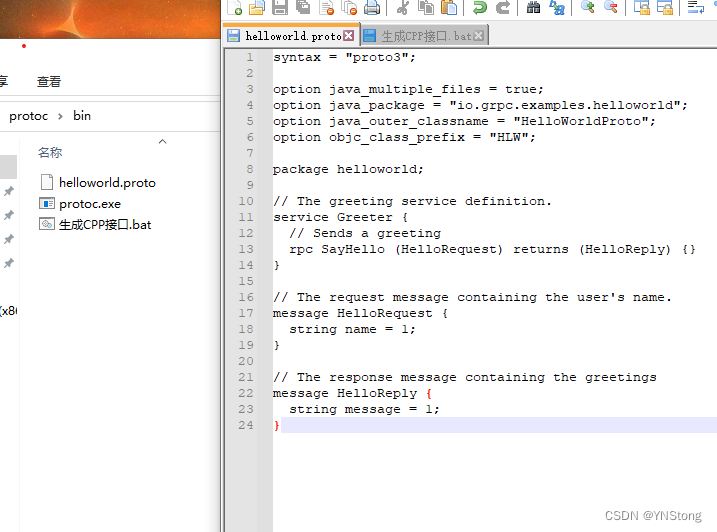
2.把生成代码保存到protoc.exe的解压目录"生成CPP接口.bat "文件中
protoc.exe -I=./ --cpp_out=./ helloworld.proto
protoc.exe -I=./ --grpc_out=./ --plugin=protoc-gen-grpc=D:\vcpkg\installed\x64-windows\tools\grpc\grpc_cpp_plugin.exe helloworld.proto
第一句是生成proto数据操作接口的
第二句则是生成grpc的操作接口,其中的D:\vcpkg\installe…ows\grpc_cpp_plugin.exe
grpc_cpp_plugin.exe 文件则是我们通过安装 vcpkg install grpc 安装得到的
文件位于 vcpkg 安装目录,在目录中搜索 grpc_cpp_plugin.exe 即可得到路径
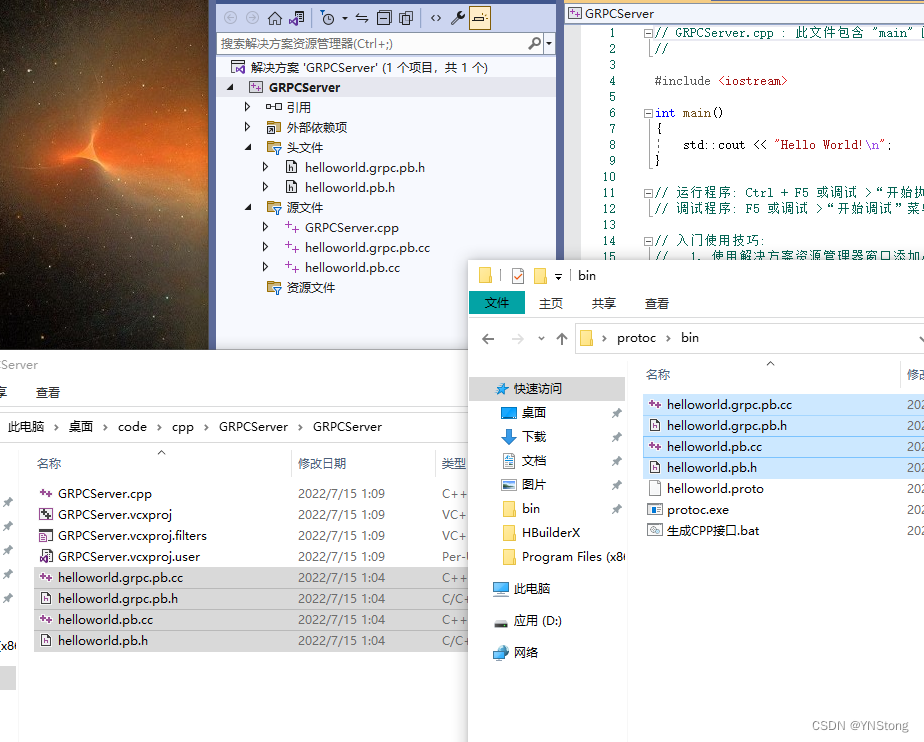
运行 “生成CPP接口.bat” 后即可得到相关文件
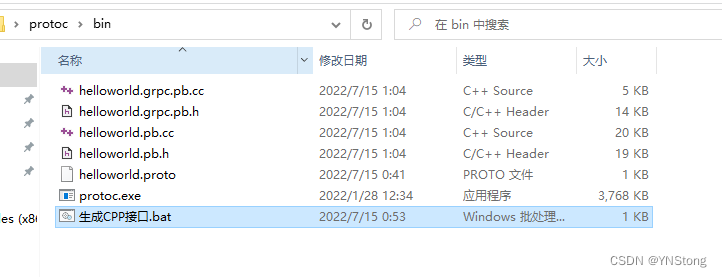
六.新建一个 GRPC Server 服务端
1.新建一个控制台,并取名GRPCServer
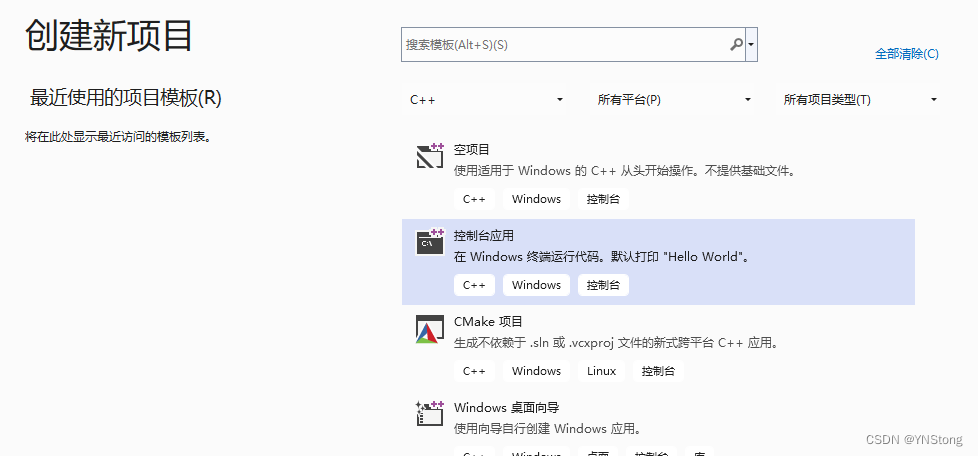
2.复制生成的文件到项目,并导入项目
3.去github获取测试代码
https://github.com/grpc/grpc/blob/master/examples/cpp/helloworld/greeter_server.cc
#include <iostream>
#include <memory>
#include <string>

#include <grpcpp/ext/proto_server_reflection_plugin.h>
#include <grpcpp/grpcpp.h>
#include <grpcpp/health_check_service_interface.h>

#ifdef BAZEL_BUILD
#include "examples/protos/helloworld.grpc.pb.h"
#else
#include "helloworld.grpc.pb.h"
#endif

using grpc::Server;
using grpc::ServerBuilder;
using grpc::ServerContext;
using grpc::Status;
using helloworld::Greeter;
using helloworld::HelloReply;
using helloworld::HelloRequest;

// Logic and data behind the server's behavior.
class GreeterServiceImpl final : public Greeter::Service {
  Status SayHello(ServerContext* context, const HelloRequest* request,
                  HelloReply* reply) override {
    std::string prefix("Hello ");
    reply->set_message(prefix + request->name());
    return Status::OK;
  }
};

void RunServer() {
  std::string server_address("0.0.0.0:50051");
  GreeterServiceImpl service;

  grpc::EnableDefaultHealthCheckService(true);
  grpc::reflection::InitProtoReflectionServerBuilderPlugin();
  ServerBuilder builder;
  // Listen on the given address without any authentication mechanism.
  builder.AddListeningPort(server_address, grpc::InsecureServerCredentials());
  // Register "service" as the instance through which we'll communicate with
  // clients. In this case it corresponds to an *synchronous* service.
  builder.RegisterService(&service);
  // Finally assemble the server.
  std::unique_ptr<Server> server(builder.BuildAndStart());
  std::cout << "Server listening on " << server_address << std::endl;

  // Wait for the server to shutdown. Note that some other thread must be
  // responsible for shutting down the server for this call to ever return.
  server->Wait();
}

int main(int argc, char** argv) {
  RunServer();

  return 0;
}
4.随后运行程序不出意外会报错
grpc.lib(iomgr_windows.cc.obj) : error LNK2019: 无法解析的外部符号 __imp_WSAStartup,函
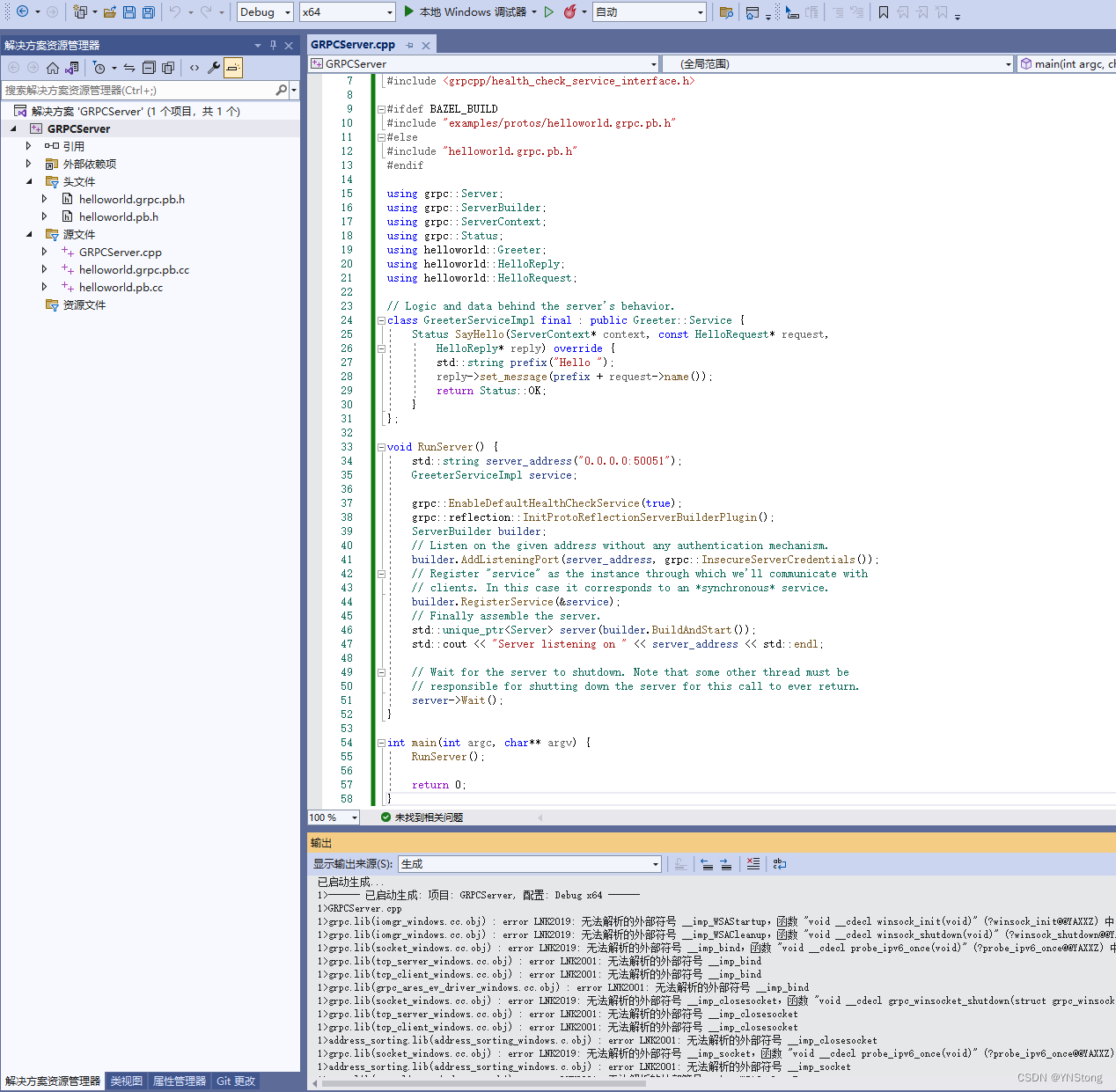
1>grpc.lib(iomgr_windows.cc.obj) : error LNK2019: 无法解析的外部符号 __imp_WSACleanup,函数 "void __cdecl winsock_shutdown(void)" (?winsock_shutdown@@YAXXZ) 中引用了该符号
1>grpc.lib(socket_windows.cc.obj) : error LNK2019: 无法解析的外部符号 __imp_bind,函数 "void __cdecl probe_ipv6_once(void)" (?probe_ipv6_once@@YAXXZ) 中引用了该符号
1>grpc.lib(tcp_server_windows.cc.obj) : error LNK2001: 无法解析的外部符号 __imp_bind
1>grpc.lib(tcp_client_windows.cc.obj) : error LNK2001: 无法解析的外部符号 __imp_bind
1>grpc.lib(grpc_ares_ev_driver_windows.cc.obj) : error LNK2001: 无法解析的外部符号 __imp_bind
1>grpc.lib(socket_windows.cc.obj) : error LNK2019: 无法解析的外部符号 __imp_closesocket,函数 "void __cdecl grpc_winsocket_shutdown(struct grpc_winsocket *)" (?grpc_winsocket_shutdown@@YAXPEAUgrpc_winsocket@@@Z) 中引用了该符号
1>grpc.lib(tcp_server_windows.cc.obj) : error LNK2001: 无法解析的外部符号 __imp_closesocket
...
...
...
1>grpc.lib(grpc_ares_ev_driver_windows.cc.obj) : error LNK2019: 无法解析的外部符号 __imp_WSARecvFrom,函数 "public: void __cdecl grpc_core::GrpcPolledFdWindows::ContinueRegisterForOnReadableLocked(void)" (?ContinueRegisterForOnReadableLocked@GrpcPolledFdWindows@grpc_core@@QEAAXXZ) 中引用了该符号
1>address_sorting.lib(address_sorting_windows.c.obj) : error LNK2019: 无法解析的外部符号 __imp_connect,函数 address_sorting_create_source_addr_factory_for_current_platform 中引用了该符号
1>D:\Desktop\code\cpp\GRPCServer\x64\Debug\GRPCServer.exe : fatal error LNK1120: 27 个无法解析的外部命令
1>已完成生成项目“GRPCServer.vcxproj”的操作 - 失败。
5.不要慌我们只需要添加一下依赖库
#pragma comment(lib, "Ws2_32.lib")
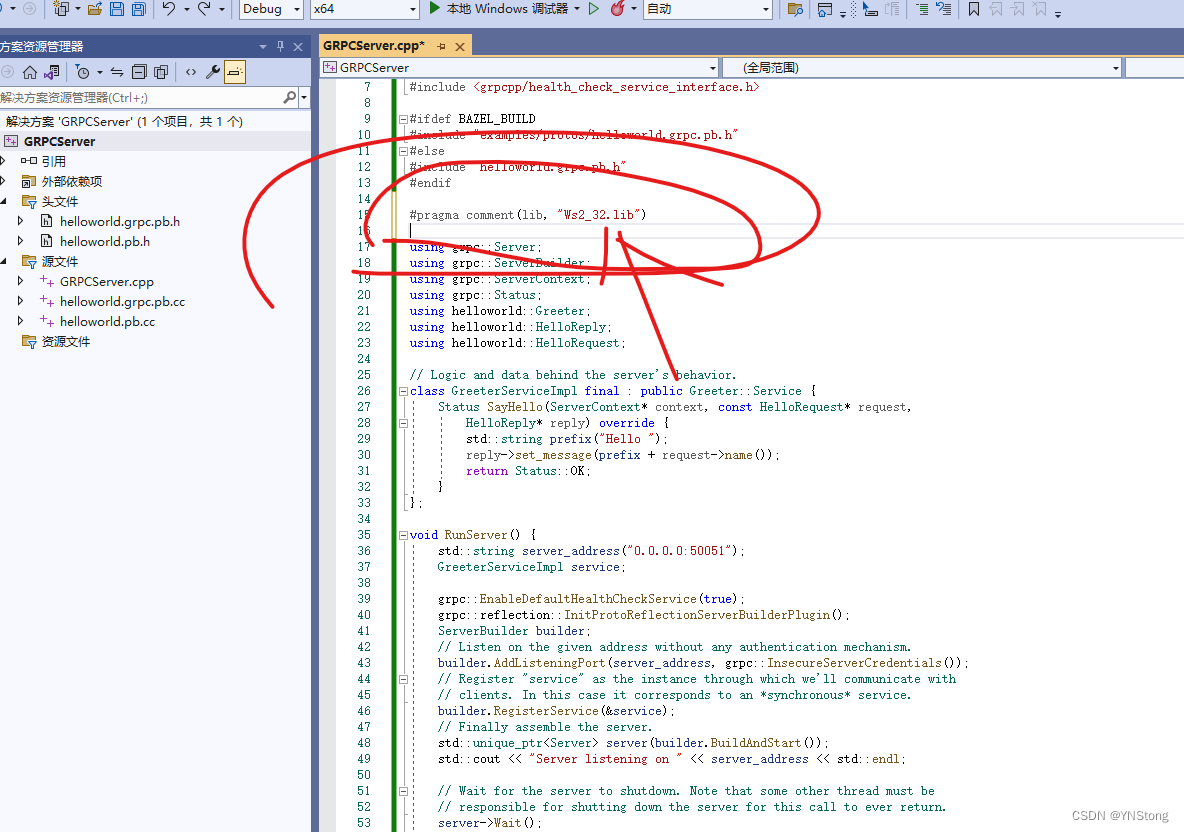
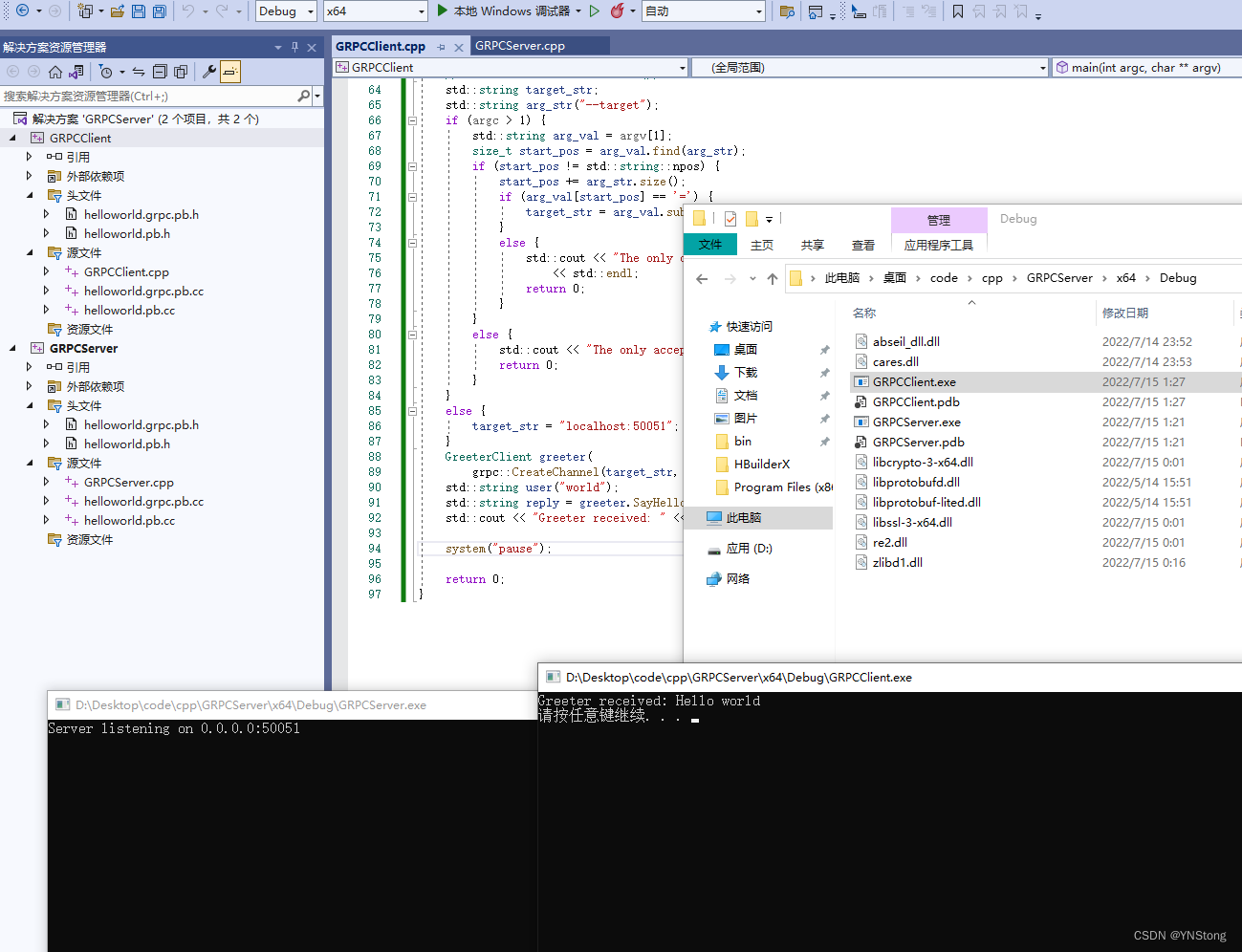
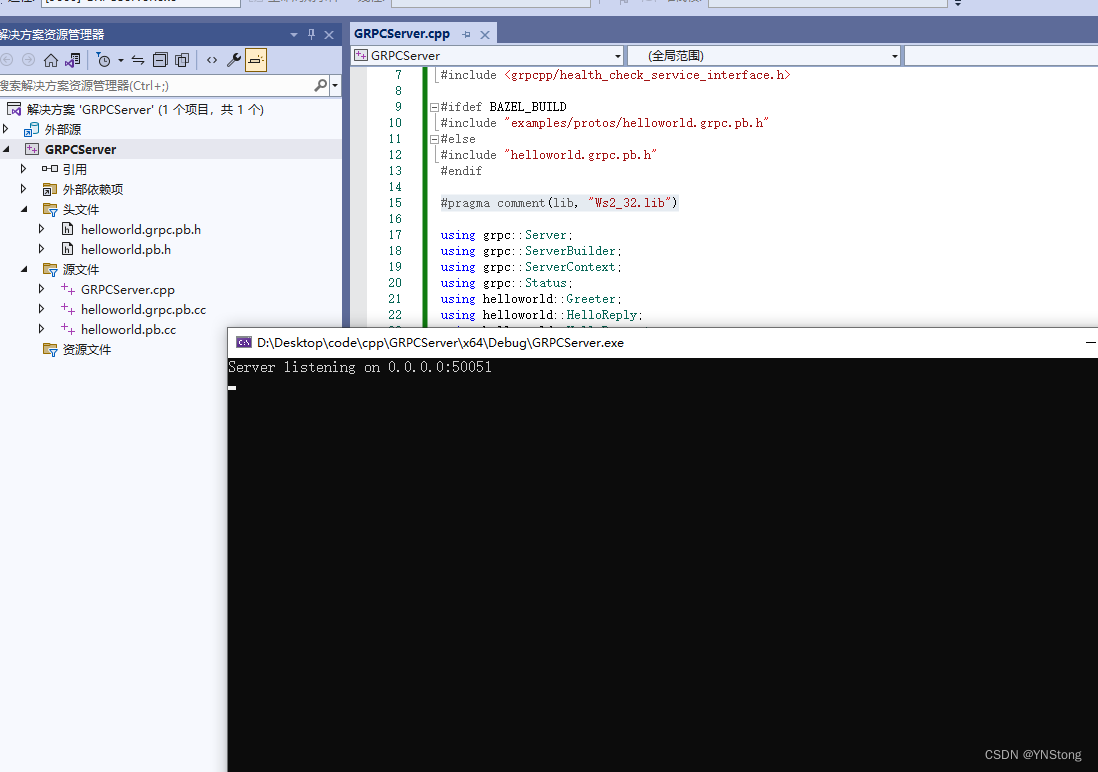
我们再运行试试,可以看到成功运行了
七.新建一个GRPCClient客户端项目
代码下载地址: https://github.com/grpc/grpc/blob/master/examples/cpp/helloworld/greeter_client.cc
#include <iostream>
#include <memory>
#include <string>

#include <grpcpp/grpcpp.h>

#ifdef BAZEL_BUILD
#include "examples/protos/helloworld.grpc.pb.h"
#else
#include "helloworld.grpc.pb.h"
#endif
#pragma comment(lib, "Ws2_32.lib")

using grpc::Channel;
using grpc::ClientContext;
using grpc::Status;
using helloworld::Greeter;
using helloworld::HelloReply;
using helloworld::HelloRequest;

class GreeterClient {
 public:
  GreeterClient(std::shared_ptr<Channel> channel)
      : stub_(Greeter::NewStub(channel)) {}

  // Assembles the client's payload, sends it and presents the response back
  // from the server.
  std::string SayHello(const std::string& user) {
    // Data we are sending to the server.
    HelloRequest request;
    request.set_name(user);

    // Container for the data we expect from the server.
    HelloReply reply;

    // Context for the client. It could be used to convey extra information to
    // the server and/or tweak certain RPC behaviors.
    ClientContext context;

    // The actual RPC.
    Status status = stub_->SayHello(&context, request, &reply);

    // Act upon its status.
    if (status.ok()) {
      return reply.message();
    } else {
      std::cout << status.error_code() << ": " << status.error_message()
                << std::endl;
      return "RPC failed";
    }
  }

 private:
  std::unique_ptr<Greeter::Stub> stub_;
};

int main(int argc, char** argv) {
  // Instantiate the client. It requires a channel, out of which the actual RPCs
  // are created. This channel models a connection to an endpoint specified by
  // the argument "--target=" which is the only expected argument.
  // We indicate that the channel isn't authenticated (use of
  // InsecureChannelCredentials()).
  std::string target_str;
  std::string arg_str("--target");
  if (argc > 1) {
    std::string arg_val = argv[1];
    size_t start_pos = arg_val.find(arg_str);
    if (start_pos != std::string::npos) {
      start_pos += arg_str.size();
      if (arg_val[start_pos] == '=') {
        target_str = arg_val.substr(start_pos + 1);
      } else {
        std::cout << "The only correct argument syntax is --target="
                  << std::endl;
        return 0;
      }
    } else {
      std::cout << "The only acceptable argument is --target=" << std::endl;
      return 0;
    }
  } else {
    target_str = "localhost:50051";
  }
  GreeterClient greeter(
      grpc::CreateChannel(target_str, grpc::InsecureChannelCredentials()));
  std::string user("world");
  std::string reply = greeter.SayHello(user);
  std::cout << "Greeter received: " << reply << std::endl;
    system("pause");

  return 0;
}
1.跟创建服务端一样先复制接口文件到项目
谢幕
八.课外话
通常情况我们会创建一个库导入pb接口文件,这样只需要客服端引入这些库即可,不需要每次修改都复制到两个客服项目里面
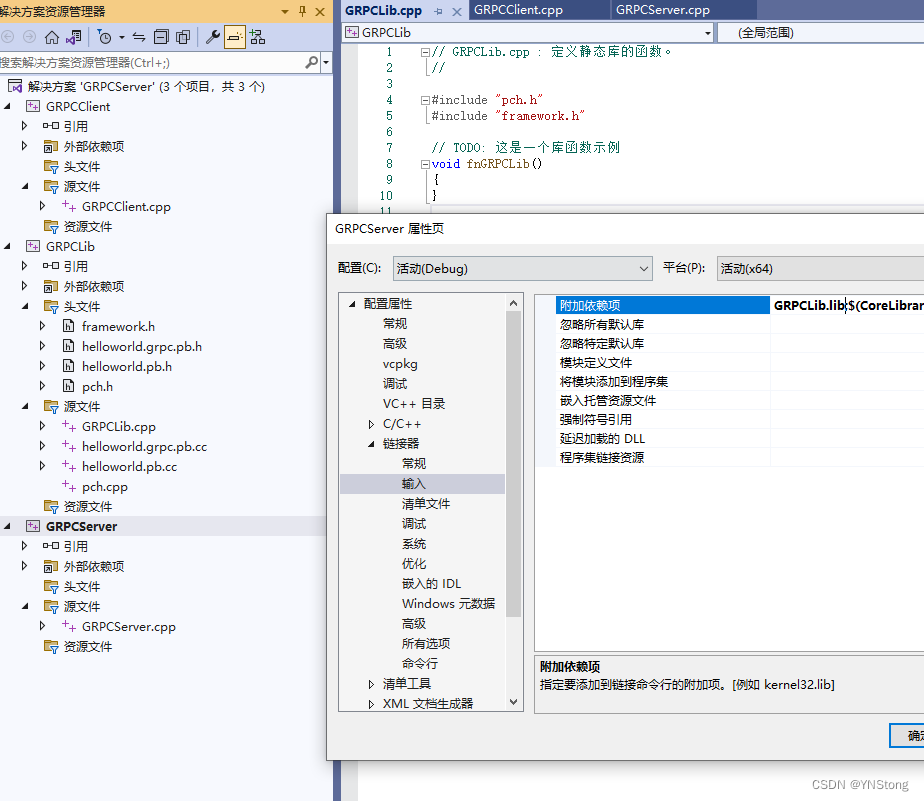
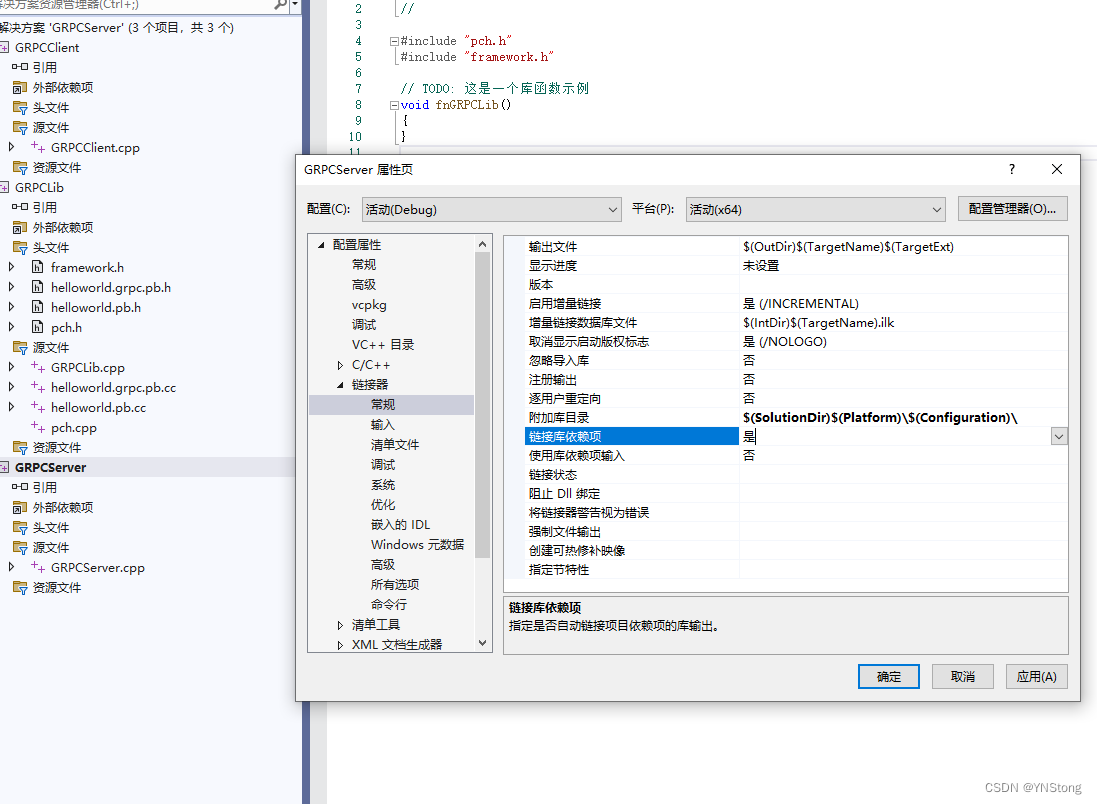
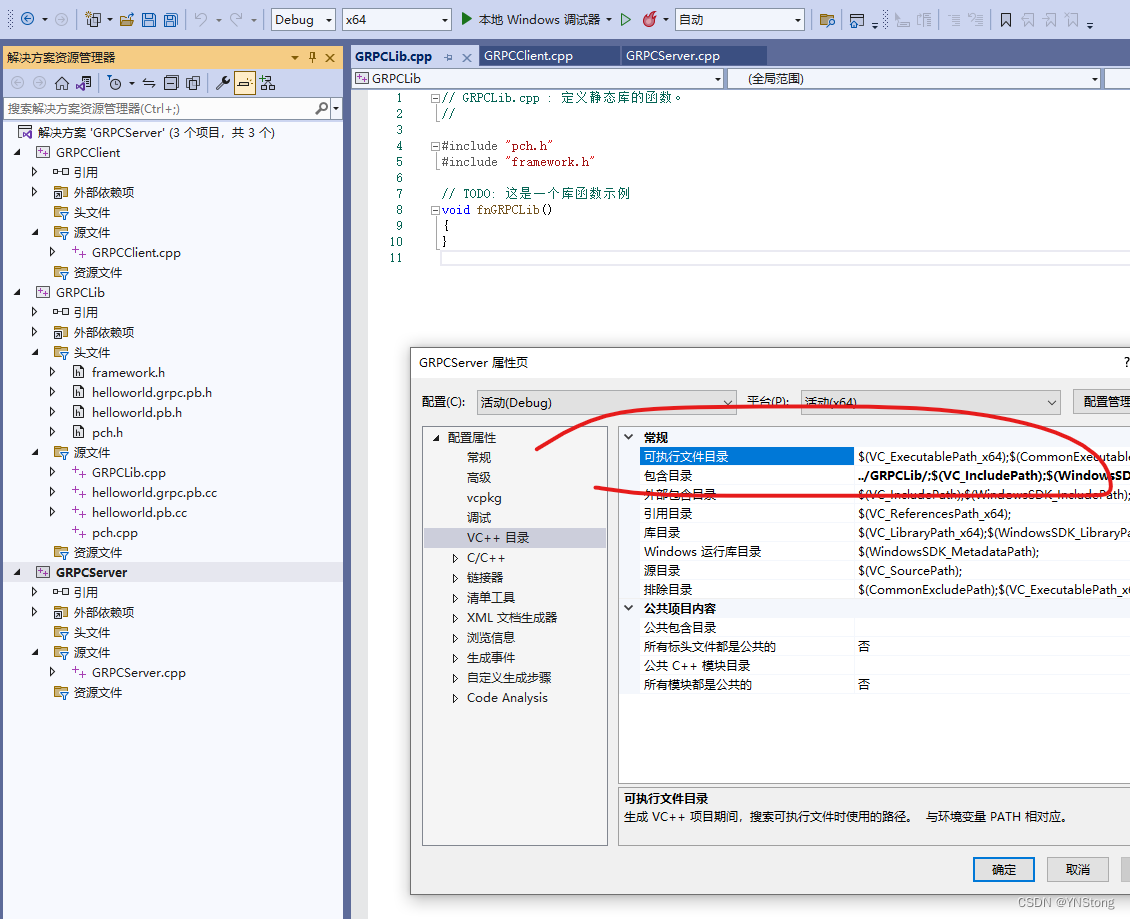
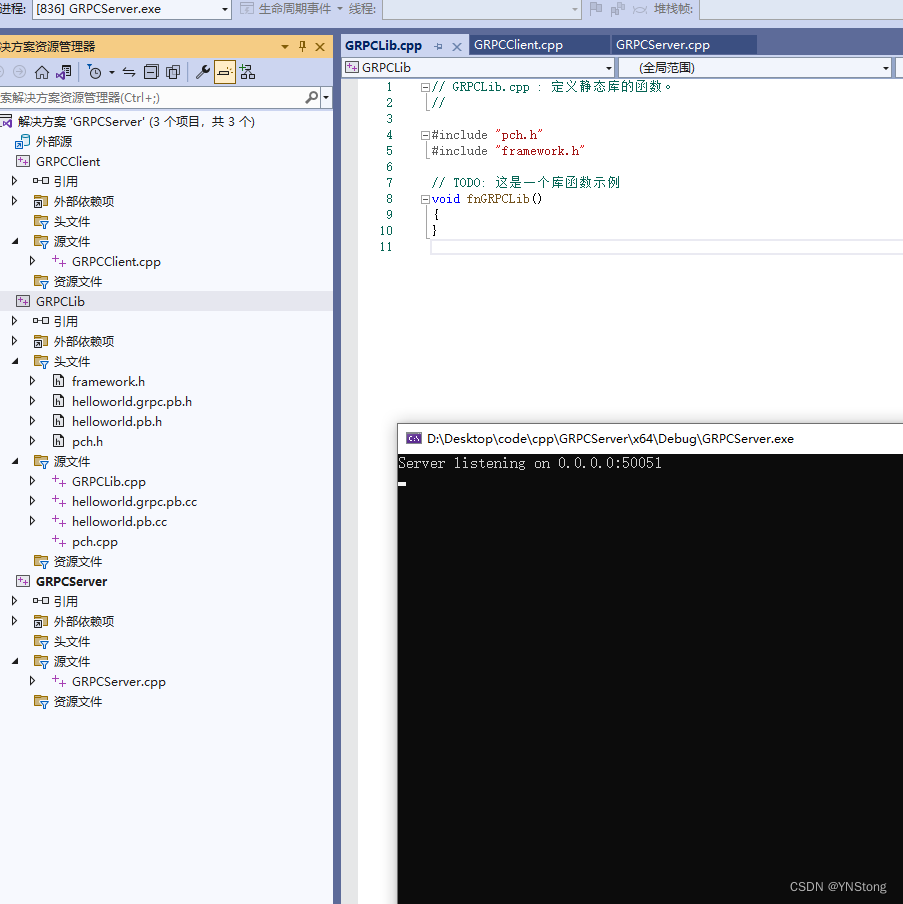
客户端也重复以上操作引入库即可

北京人形旗下天工造物具身智能开源社区,聚焦具身天工与慧思开物两大平台
更多推荐
 2
2 0
0- 0


 已为社区贡献1条内容

所有评论(0)