构建vue3+typescript+eslint+prettier项目
提供一份vite+vue3+ts各项配置齐全的项目模板使用
码云:vue3_vite_ts_template: 基于 Vue3.2、TypeScript、Vite2、Eslint、、prettier、Pinia、Element-Plus 、Axios搭建项目模板
安装vue-cli3(需要安装3.x以上版本)
npm install -g @vue/cli
vue -V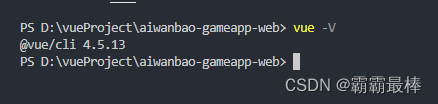
创建项目
vue create 【项目名】
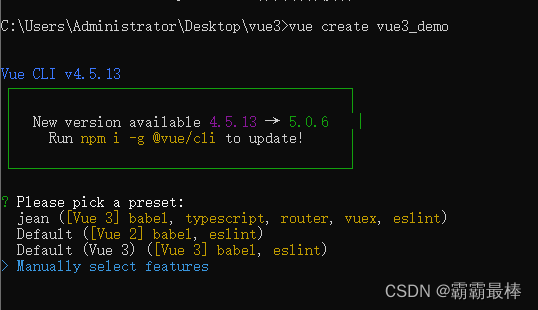
默认安装vue2
默认安装vue3
自定义安装
【我们选择第三个自定义安装】
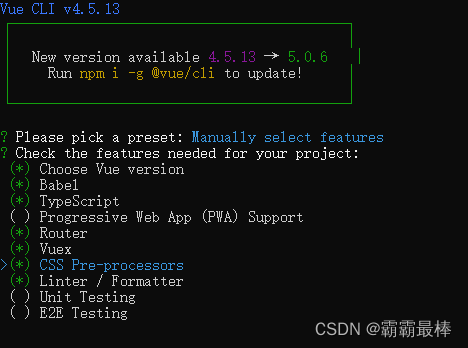
Choose Vue version(选择VUE版本)
Babel(JavaScript 编译器,可将代码转换为向后兼容)
TypeScript(编程语言,大型项目建议使用)
Progressive Web App (PWA) Support-APP使用
Router(路由)
Vuex(Vuex)
CSS Pre-processors(css预处理)
Linter / Formatter(代码风格/格式化)
Unit Testing(单元测试)
E2E Testing(e2e测试)
【(*号代表选中)根据自己项目需求空格选中,选中完回车确认】
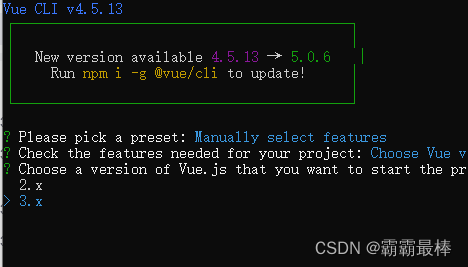
【选择vue版本,选择3.x】
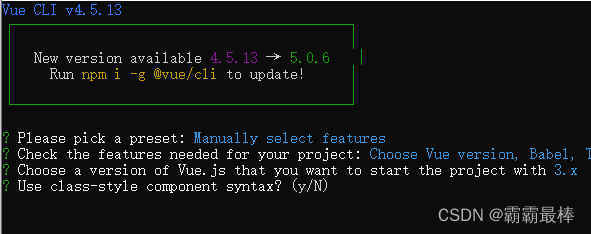
是否使用Class风格装饰器?
即原本是:home = new Vue()创建vue实例
使用装饰器后:class home extends Vue{}

使用Babel与TypeScript一起用于自动检测的填充? yes
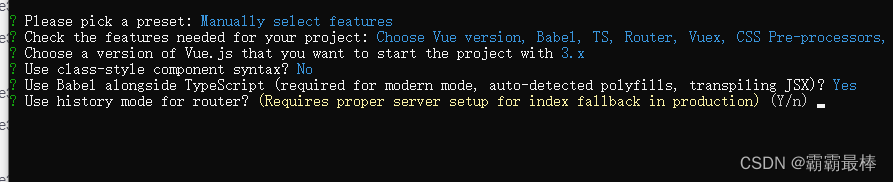
路由使用历史模式? 这种模式充分利用 history.pushState API 来完成 URL 跳转而无须重新加载页面
Vue-Router 利用了浏览器自身的hash 模式和 history 模式的特性来实现前端路由(通过调用浏览器提供的接口)
hash: 浏览器url址栏 中的 # 符号(如这个 URL:http://www.abc.com/#/hello,hash 的值为“ #/hello”),hash 不被包括在 HTTP 请求中(对后端完全没有影响),因此改变 hash 不会重新加载页面
history:利用了 HTML5 History Interface 中新增的 pushState( ) 和 replaceState( ) 方法(需要特定浏览器支持)。单页客户端应用,history mode 需要后台配置支持
【根据自己的需求选择,我这里选择yes】
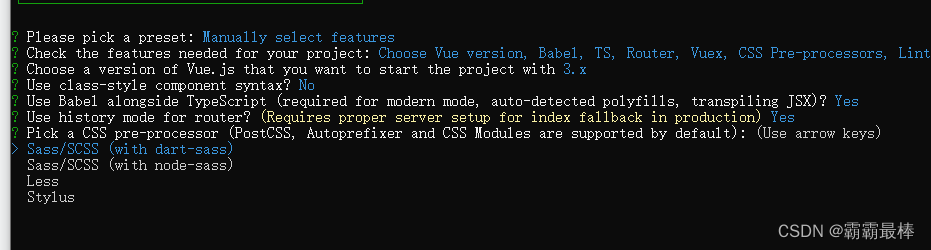
使用什么css预编译器? 我选择的Sass/SCSS (with node-sass)
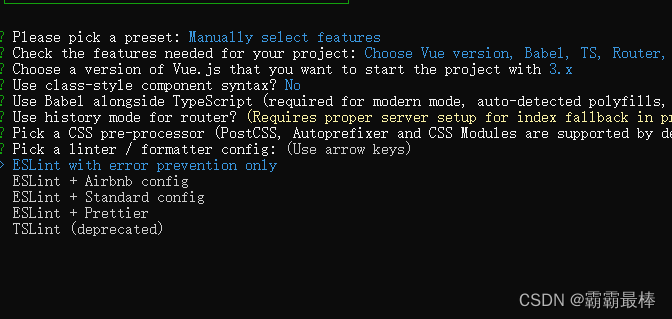
eslint w...: 只进行报错提醒; 【选这个】eslint + A...: 不严谨模式;eslint + S...: 正常模式;eslint + P...: 严格模式;tslint: typescript格式验证工具
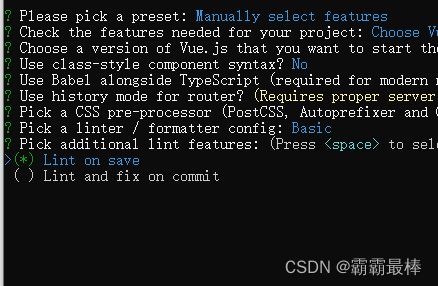
代码检查方式:我选择保存时检查
Lint on save 保存后检测
Lint and fix on commit commit时检测
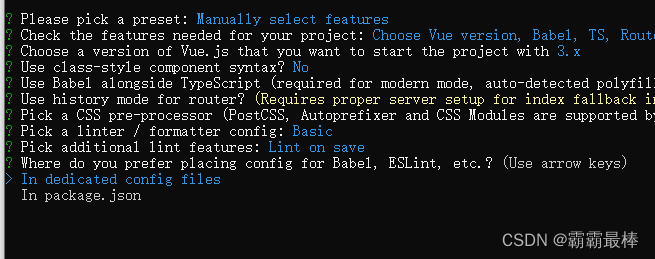
babel和eslint配置位置
vue-cli 一般来讲是将所有的依赖目录放在package.json文件里
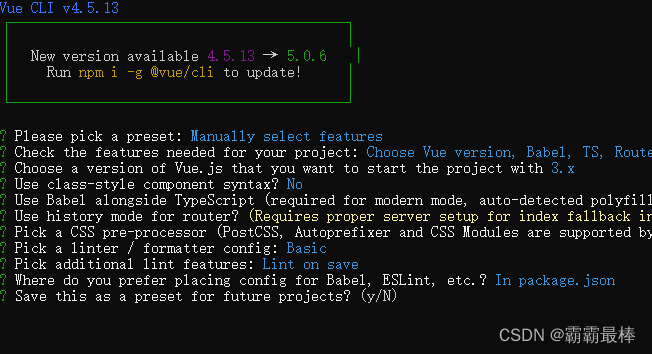
是否保存为默认配置(如果选择yes需要自己起个默认名)
到此为止,安装就完成了,可以等待安装成功。

北京人形旗下天工造物具身智能开源社区,聚焦具身天工与慧思开物两大平台
更多推荐
 0
0 0
0- 0


 已为社区贡献3条内容

所有评论(0)