在树莓派4B上运行kubeedge的gpio DEMO交通灯(traffic-light)
·
代码地址
https://github.com/kubeedge/examples
LED灯与树莓派的连接方式
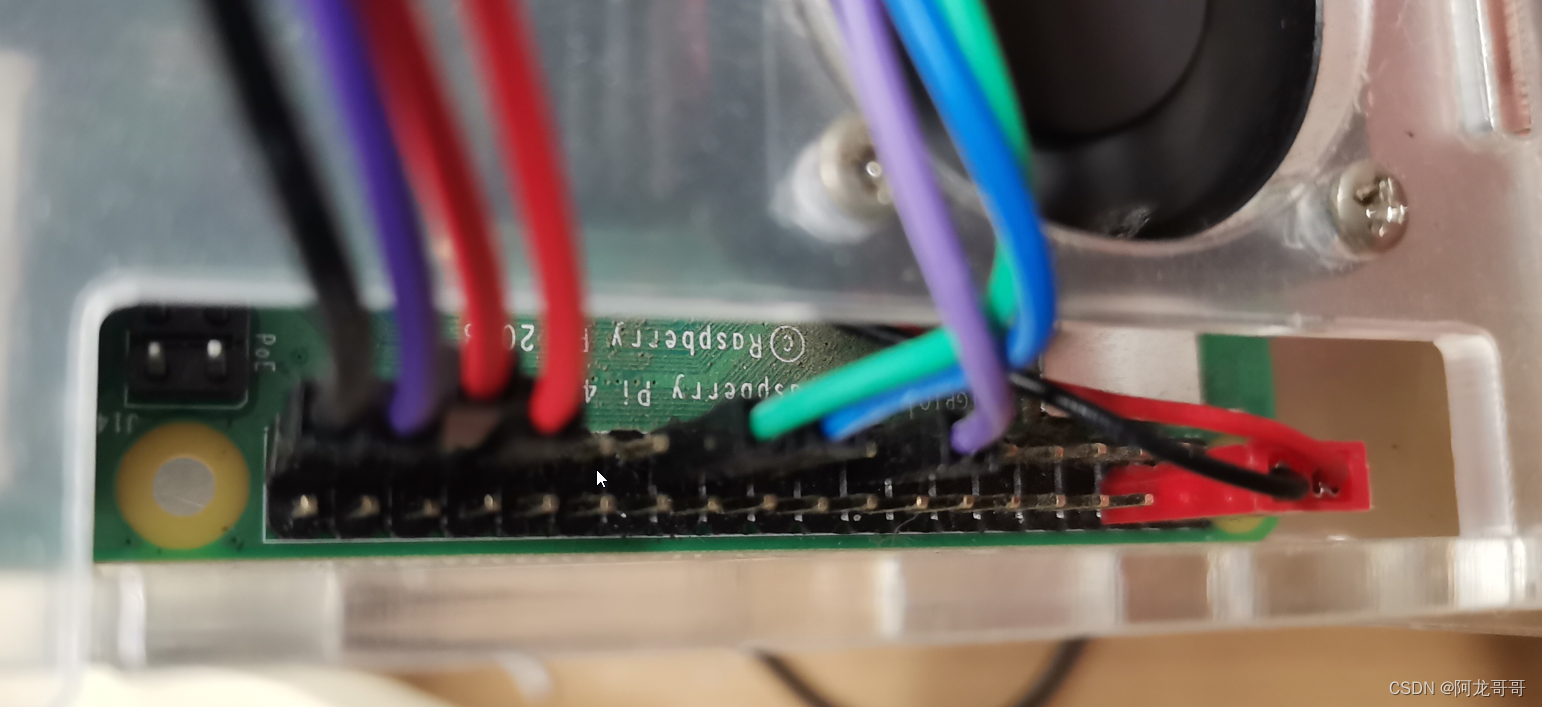
下图左侧4根线是LED的线。最左侧的黑色线是地线。其余3根线对应红黄绿三个灯。
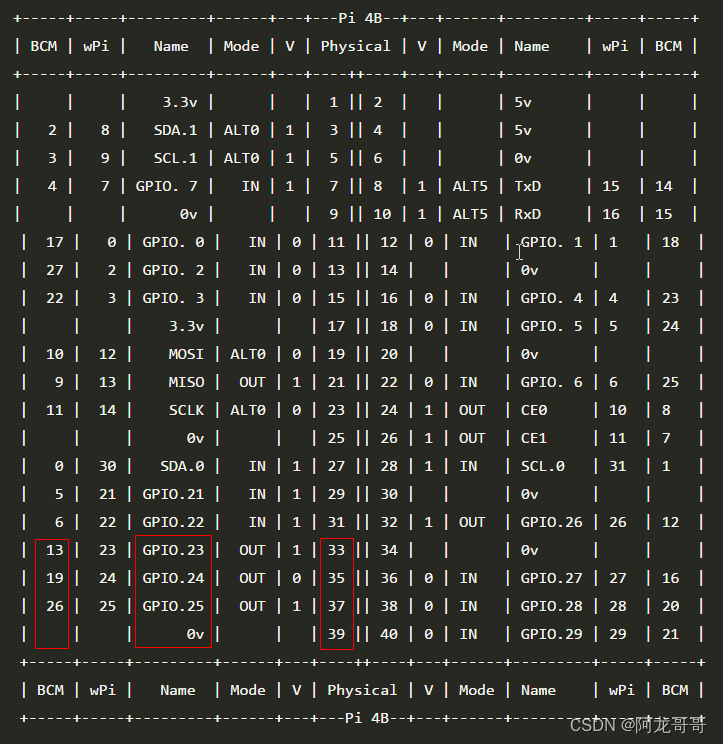
GPIO的编号如下所示,注意BCM的编号和wiringPi 的编号不太一样。
示例代码中使用的是23,24,25编号,采用的是wiringPi 的编号方式。
部署交通灯示例测试KubeEdge的下行控制能力,修改instance.yaml中边缘节点的名称:
-------------------------------------------------------------------------------
vim crd/instance.yaml

  nodeSelector:
    nodeSelectorTerms:
      - matchExpressions:
          - key: ''
            operator: In
            values:
              - raspberrypi # 修改成边缘节点的名称
vim deploy.yaml

          name: device-profile-config-raspberrypi#修改成边缘节点的名称
      restartPolicy: Always
执行以下命令创建交通灯demo示例:
kubectl create -f crd/model.yaml
kubectl create -f  crd/instance.yaml
kubectl create -f deploy.yaml
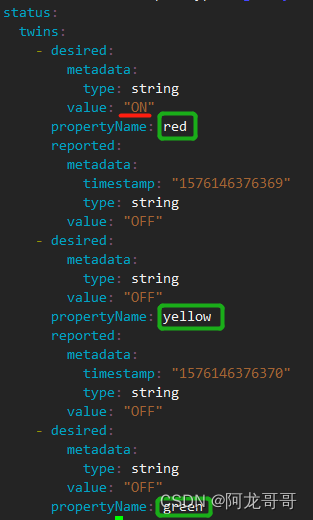
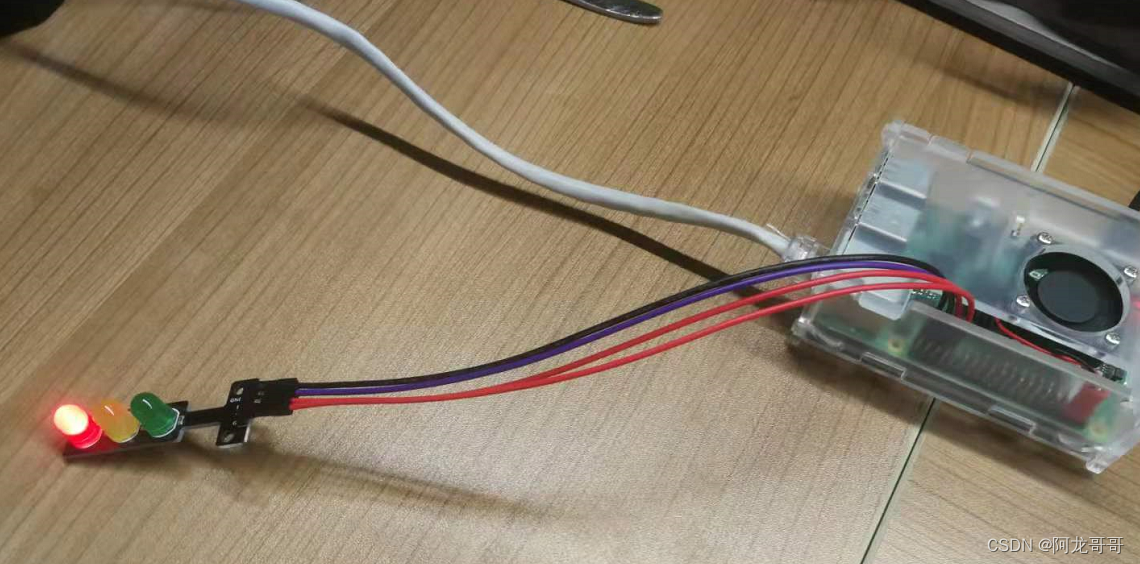
修改instance.yaml对应灯的期望值为ON,kubectl apply -f crd/instance.yaml更新配置后对应的灯点亮。
如将灯的状态由绿灯变为红灯:

在云端,用以下的命令查看当前设备的信息
kubectl get device traffic-light-instance-01 -o yaml
root@uvm1:~/work/# kubectl get device traffic-light-instance-01 -o yaml
apiVersion: devices.kubeedge.io/v1alpha2
kind: Device
metadata:
  annotations:
    kubectl.kubernetes.io/last-applied-configuration: |
      {"apiVersion":"devices.kubeedge.io/v1alpha2","kind":"Device","metadata":{"annotations":{},"labels":{"description":"Light","model":"traffic-light"},"name":"traffic-light-instance-01","namespace":"default"},"spec":{"deviceModelRef":{"name":"traffic-light"},"nodeSelector":{"nodeSelectorTerms":[{"matchExpressions":[{"key":"","operator":"In","values":["rpi4b2.1"]}]}]}},"status":{"twins":[{"desired":{"metadata":{"type":"string"},"value":"ON"},"propertyName":"red","reported":{"metadata":{"timestamp":"1576146376369","type":"string"},"value":"ON"}},{"desired":{"metadata":{"type":"string"},"value":"OFF"},"propertyName":"yellow","reported":{"metadata":{"timestamp":"1576146376370","type":"string"},"value":"OFF"}},{"desired":{"metadata":{"type":"string"},"value":"ON"},"propertyName":"green","reported":{"metadata":{"timestamp":"1576146376369","type":"string"},"value":"OFF"}}]}}
  creationTimestamp: "2022-06-14T07:47:30Z"
  generation: 819
  labels:
    description: Light
    model: traffic-light
  managedFields:
  - apiVersion: devices.kubeedge.io/v1alpha2
    fieldsType: FieldsV1
    fieldsV1:
      f:metadata:
        f:annotations:
          .: {}
          f:kubectl.kubernetes.io/last-applied-configuration: {}
        f:labels:
          .: {}
          f:description: {}
          f:model: {}
      f:spec:
        .: {}
        f:deviceModelRef:
          .: {}
          f:name: {}
        f:nodeSelector:
          .: {}
          f:nodeSelectorTerms: {}
      f:status: {}
    manager: kubectl
    operation: Update
    time: "2022-06-14T07:48:48Z"
  - apiVersion: devices.kubeedge.io/v1alpha2
    fieldsType: FieldsV1
    fieldsV1:
      f:status:
        f:twins: {}
    manager: cloudcore
    operation: Update
    time: "2022-06-14T08:28:30Z"
  name: traffic-light-instance-01
  namespace: default
  resourceVersion: "19979177"
  selfLink: /apis/devices.kubeedge.io/v1alpha2/namespaces/default/devices/traffic-light-instance-01
  uid: 18a63b39-d601-4bf7-9e37-f1a3b826fc73
spec:
  deviceModelRef:
    name: traffic-light
  nodeSelector:
    nodeSelectorTerms:
    - matchExpressions:
      - key: ""
        operator: In
        values:
        - rpi4b2.1
status:
  twins:
  - desired:
      metadata:
        type: string
      value: "ON"
    propertyName: red
    reported:
      metadata:
        timestamp: "1655195310876"
        type: string
      value: "ON"
  - desired:
      metadata:
        type: string
      value: "OFF"
    propertyName: yellow
    reported:
      metadata:
        timestamp: "1655195310876"
        type: string
      value: "OFF"
  - desired:
      metadata:
        type: string
      value: "ON"
    propertyName: green
    reported:
      metadata:
        timestamp: "1655195310875"
        type: string
      value: "ON"
致谢 红姐姐的图

北京人形旗下天工造物具身智能开源社区,聚焦具身天工与慧思开物两大平台
更多推荐
 0
0 0
0- 0


 已为社区贡献13条内容

所有评论(0)