centos安装zabbix
·
一、Zabbix安装与部署
1.1
关闭SeLinux
临时关闭:setenforce 0
vi /etc/selinux/config
#永久关闭:关闭SELINUX
SELINUX=disabled
1.2
临时关闭防火墙Firewalls
systemctl stop firewalld.service
systemctl disable firewalld.service
1.3、安装apache
yum install -y httpd
systemctl enable httpd
Systemctl start httpd
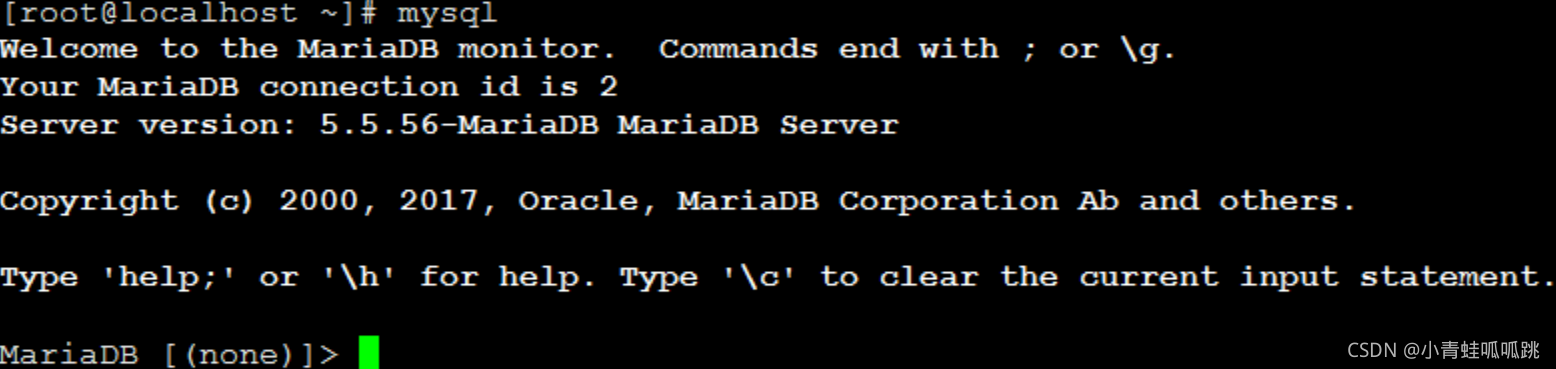
1.4.、安装mysql
yum install -y mariadb mariadb-server
systemctl enable mariadb
systemctl start mariadb
1.5安装php环境
yum install -y php php-mysql
1.6安装zabbix
1)下载包
rpm -ivh http://repo.zabbix.com/zabbix/3.4/rhel/7/x86_64/zabbix-release-3.4-2.el7.noarch.rpm
2)安装zabbix的包
yum install -y zabbix-server-mysql zabbix-get zabbix-web zabbix-web-mysql zabbix-agent zabbix-sender
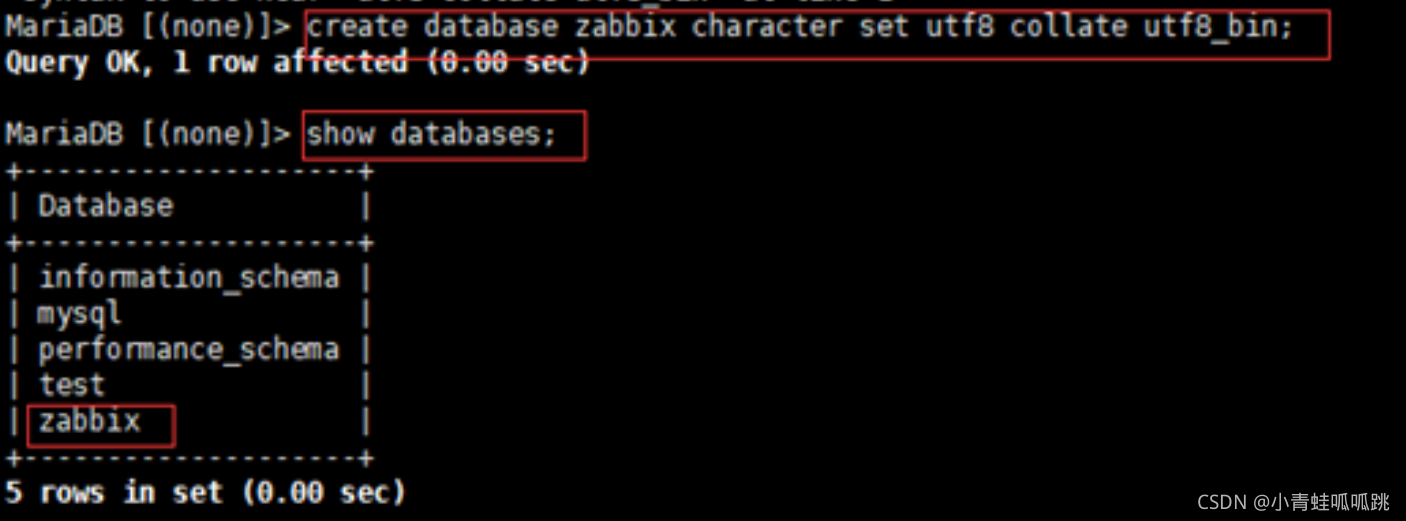
3)创建一个zabbix库并设置为utf8的字符编码格式
create database zabbix character set utf8 collate utf8_bin;
4)创建账户并且授权设置密码
grant all privileges on zabbix.* to zabbix@localhost identified by 'zabbix';
flush privileges;
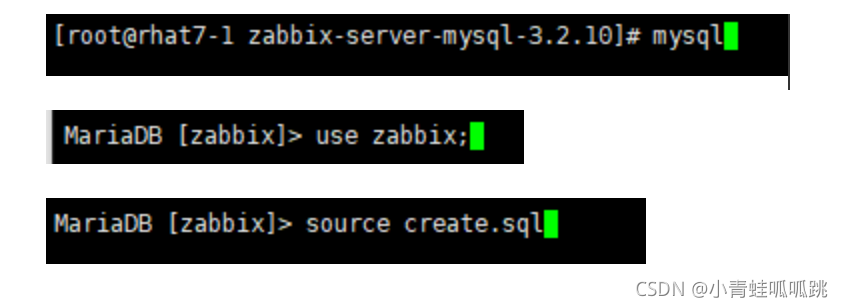
5)导入表
cd /usr/share/doc/zabbix-server-mysql-****/
#进行解压
gunzip create.sql.gz
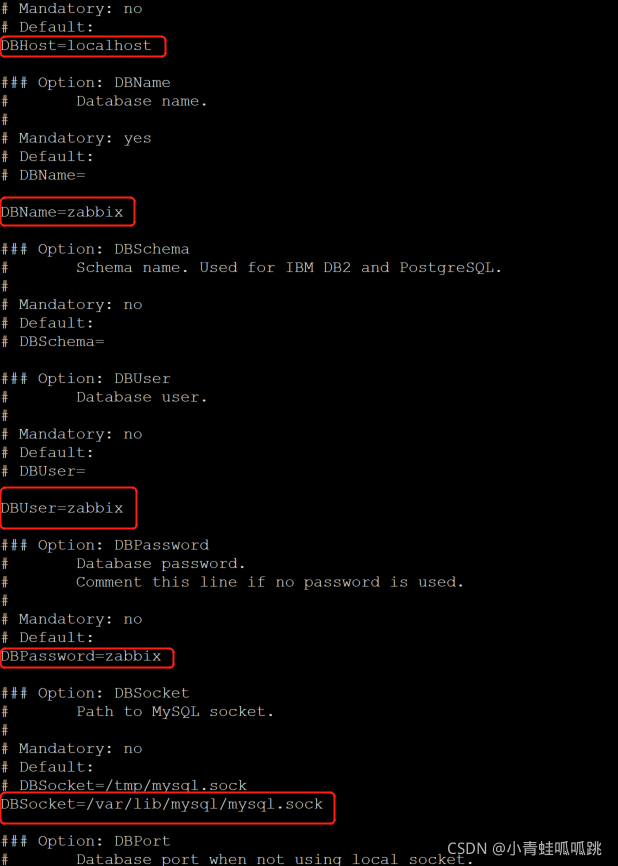
6)配置zabbix server配置文件
#配置文件目录
cd /etc/zabbix

#对zabbix_server.conf进行配置
开机自启zabbix-server服务
systemctl start zabbix-server.service
systemctl enablezabbix-server.service
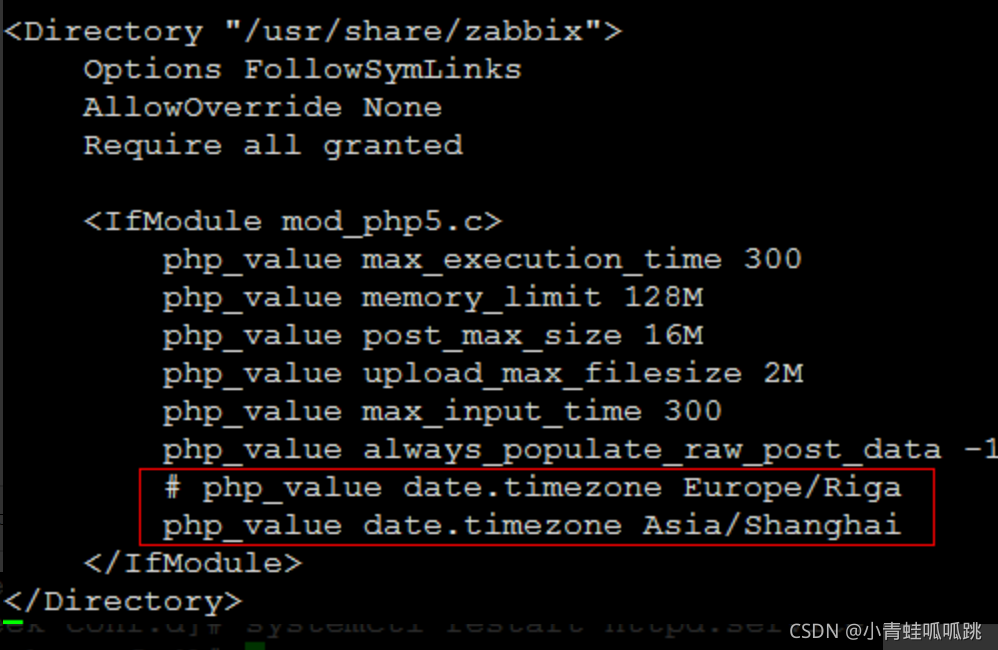
7)配置php
cd /etc/httpd/conf.d
#配置时间
vi zabbix.conf
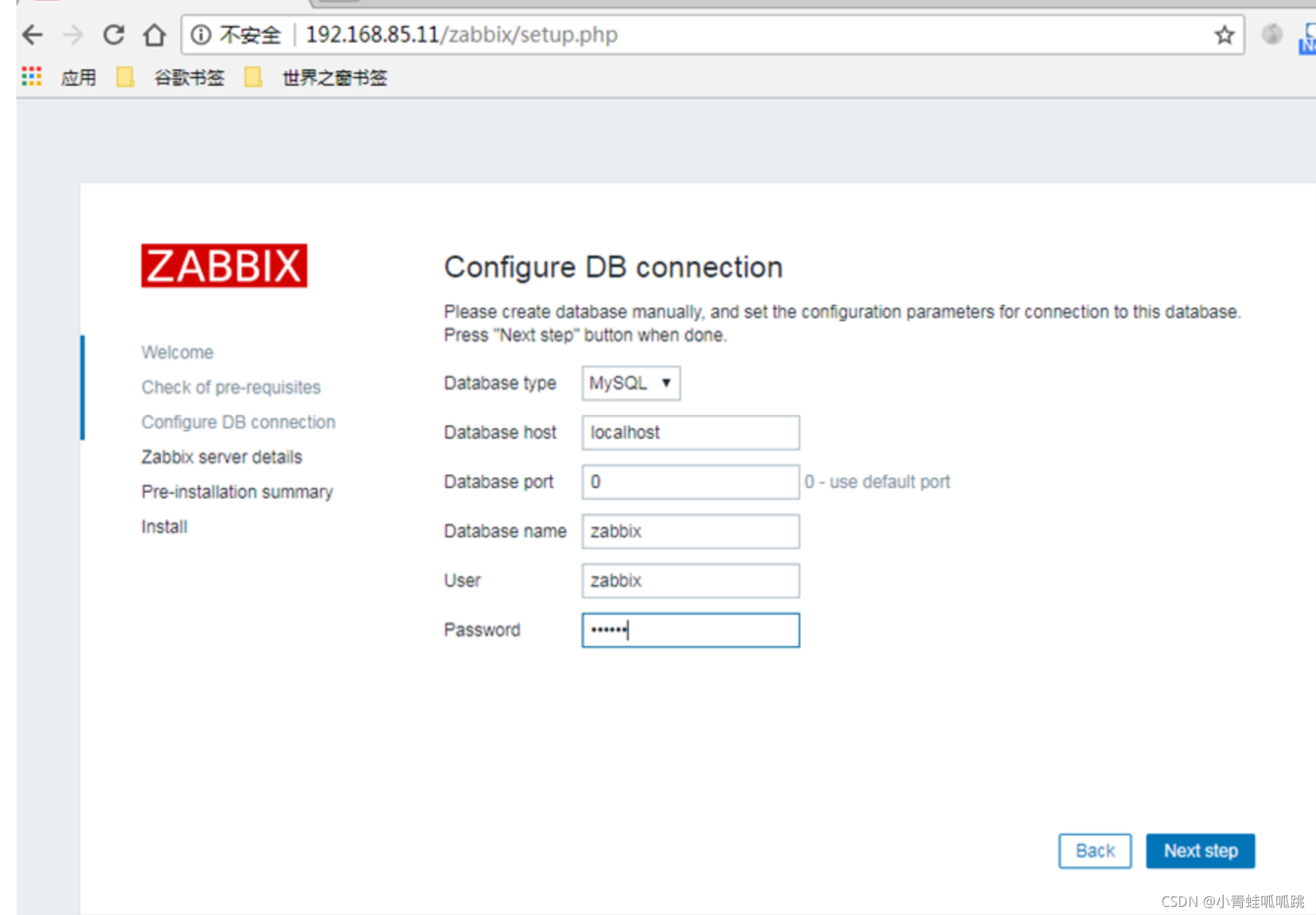
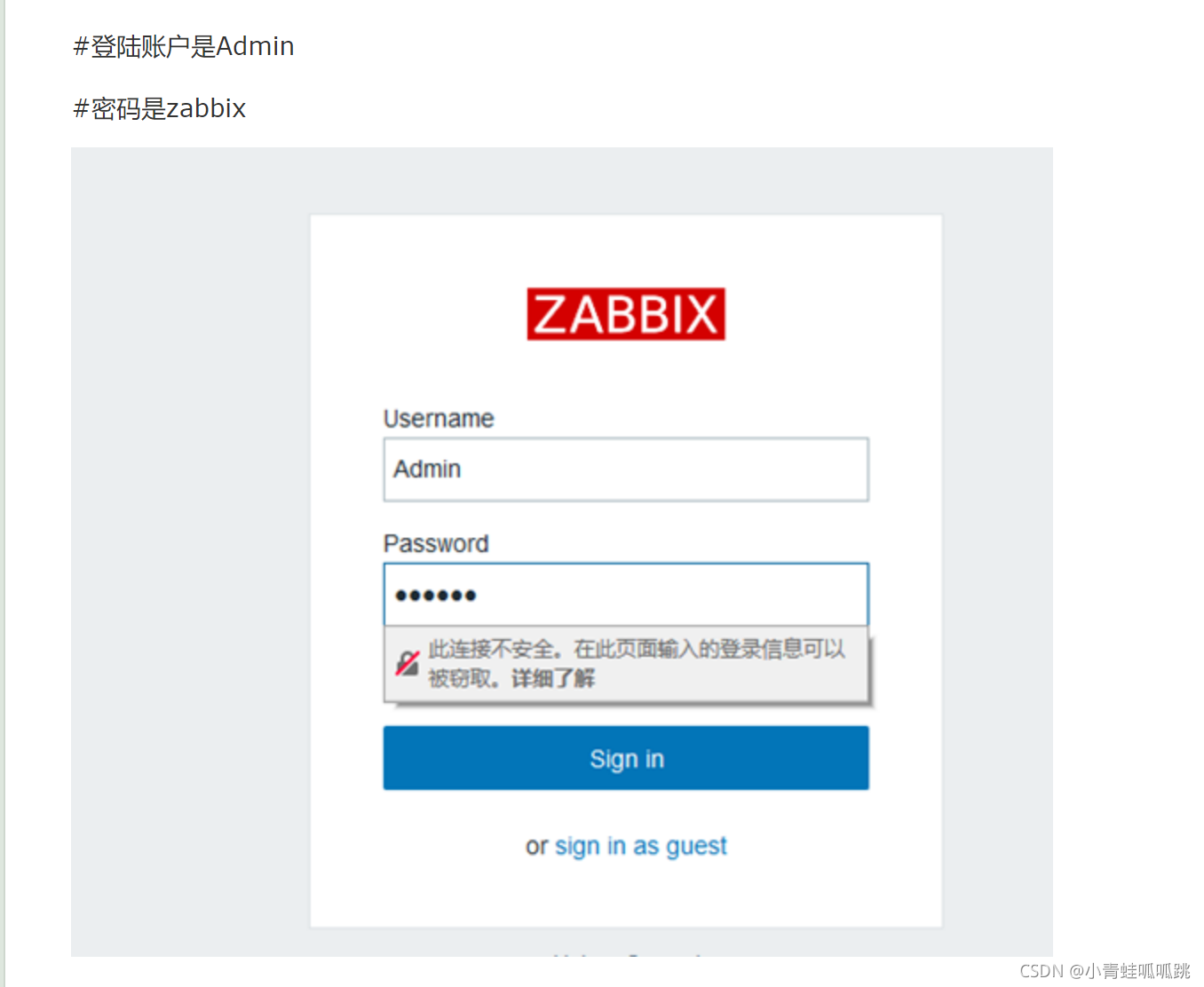
8)登陆zabbix网址设置
http://ip/zabbix
参考文献

北京人形旗下天工造物具身智能开源社区,聚焦具身天工与慧思开物两大平台
更多推荐
 0
0 0
0- 0


 已为社区贡献1条内容

所有评论(0)