使用BmFont制作unity可以使用的图集数字
·
bmfont 下载地址:bmfont1.14a.zip-游戏开发文档类资源-CSDN下载
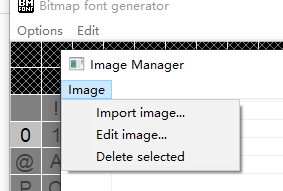
第一步 导入图片 选择对应id
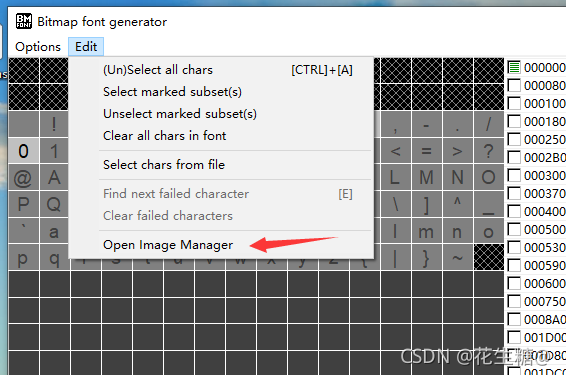
导入图片
数字对应的id 48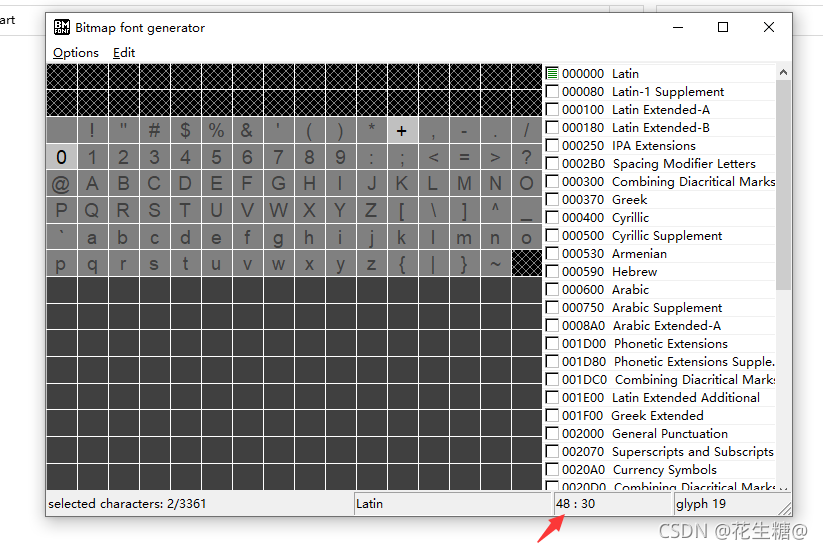
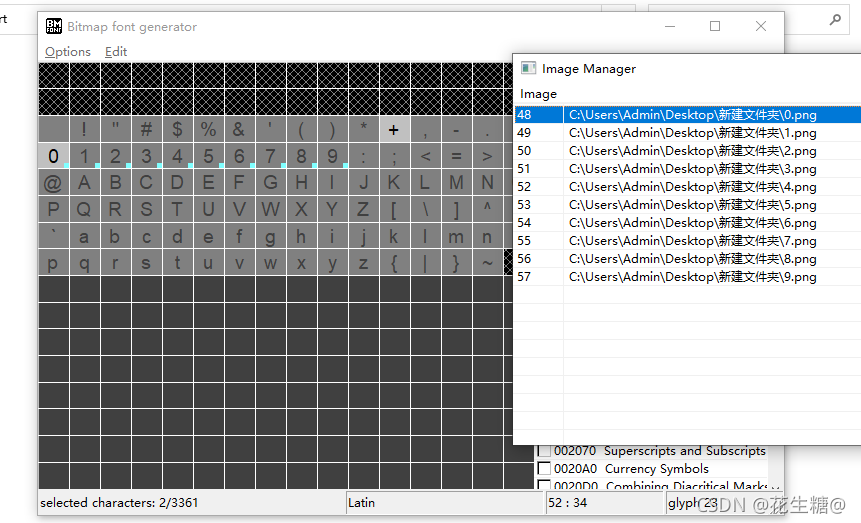
选好后 会在对应的数字下面有一蓝色的点
第二不就是设置格式
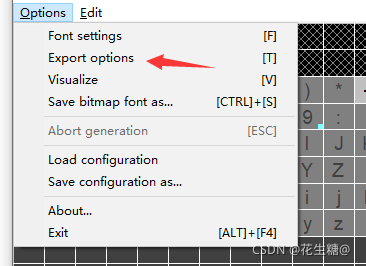
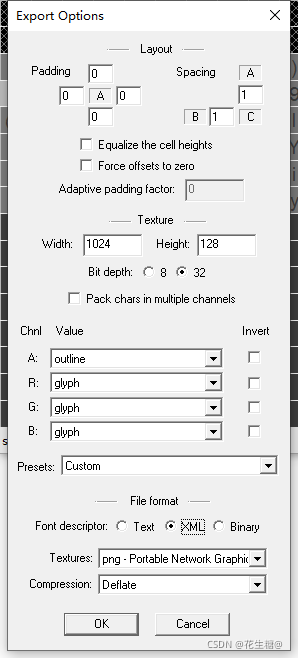
然后亣保存就可以了
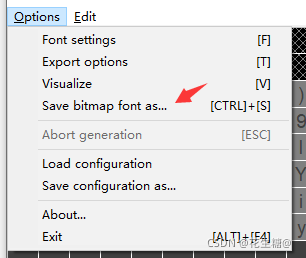
保存后会有两个文件
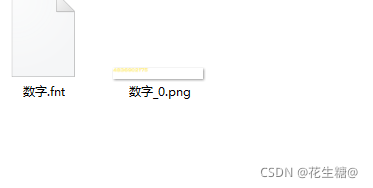
bmfont 的工作到这里就结束了 接下来进入unity中
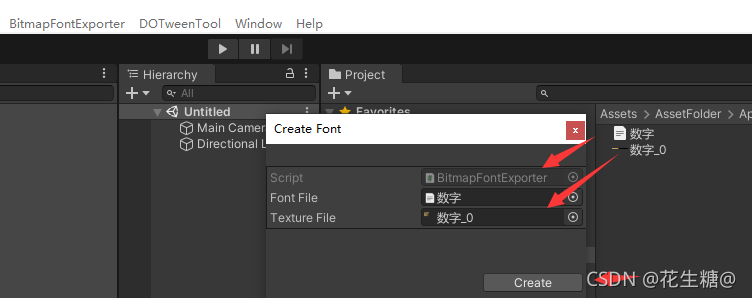
点击create 就可以 生成文件
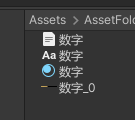
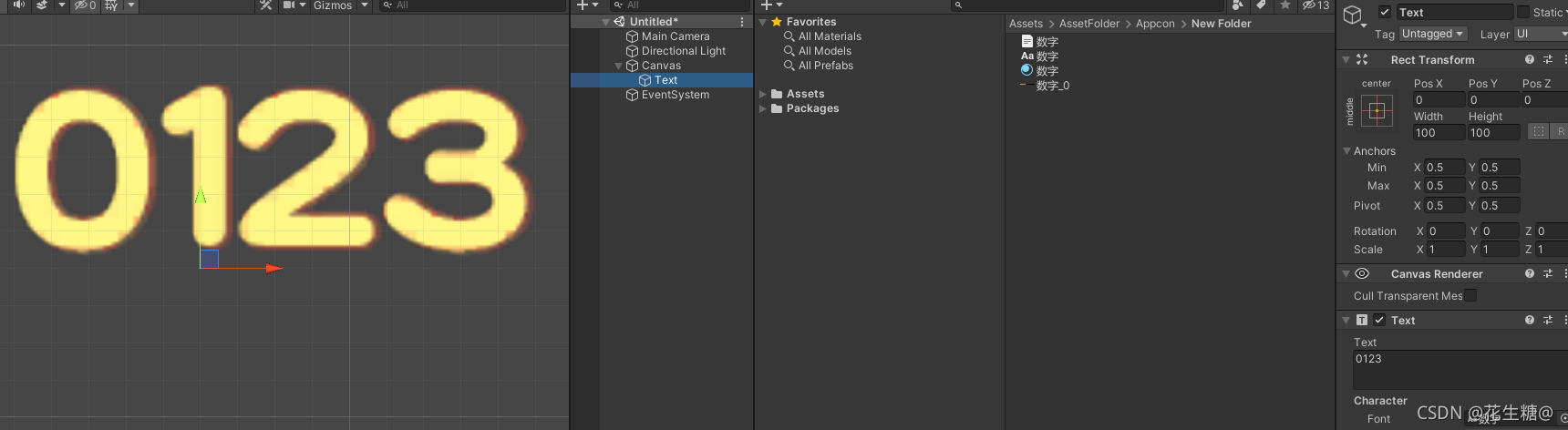
测试成功
最后附上生成字集文字的代码
using UnityEngine;
using UnityEditor;
using System.IO;
using System.Xml;
using System;

public class BitmapFontExporter : ScriptableWizard
{
    [MenuItem("BitmapFontExporter/Create")]
    private static void CreateFont()
    {
        ScriptableWizard.DisplayWizard<BitmapFontExporter>("Create Font");
    }


    public TextAsset fontFile;
    public Texture2D textureFile;

    private void OnWizardCreate()
    {
        if (fontFile == null || textureFile == null)
        {
            return;
        }

        string path = EditorUtility.SaveFilePanelInProject("Save Font", fontFile.name, "", "");

        if (!string.IsNullOrEmpty(path))
        {
            ResolveFont(path);
        }
    }


    private void ResolveFont(string exportPath)
    {
        if (!fontFile) throw new UnityException(fontFile.name + "is not a valid font-xml file");

        Font font = new Font();

        XmlDocument xml = new XmlDocument();
        xml.LoadXml(fontFile.text);

        XmlNode info = xml.GetElementsByTagName("info")[0];
        XmlNodeList chars = xml.GetElementsByTagName("chars")[0].ChildNodes;

        CharacterInfo[] charInfos = new CharacterInfo[chars.Count];

        for (int cnt = 0; cnt < chars.Count; cnt++)
        {
            XmlNode node = chars[cnt];
            CharacterInfo charInfo = new CharacterInfo();

            charInfo.index = ToInt(node, "id");
            charInfo.width = ToInt(node, "xadvance");
            charInfo.uv = GetUV(node);
            charInfo.vert = GetVert(node);

            charInfos[cnt] = charInfo;
        }


        Shader shader = Shader.Find("Unlit/Transparent");
        Material material = new Material(shader);
        material.mainTexture = textureFile;
        AssetDatabase.CreateAsset(material, exportPath + ".mat");


        font.material = material;
        font.name = info.Attributes.GetNamedItem("face").InnerText;
        font.characterInfo = charInfos;
        AssetDatabase.CreateAsset(font, exportPath + ".fontsettings");
    }


    private Rect GetUV(XmlNode node)
    {
        Rect uv = new Rect();

        uv.x = ToFloat(node, "x") / textureFile.width;
        uv.y = ToFloat(node, "y") / textureFile.height;
        uv.width = ToFloat(node, "width") / textureFile.width;
        uv.height = ToFloat(node, "height") / textureFile.height;
        uv.y = 1f - uv.y - uv.height;

        return uv;
    }


    private Rect GetVert(XmlNode node)
    {
        Rect uv = new Rect();

        uv.x = ToFloat(node, "xoffset");
        uv.y = ToFloat(node, "yoffset");
        uv.width = ToFloat(node, "width");
        uv.height = ToFloat(node, "height");
        uv.y = -uv.y;
        uv.height = -uv.height;

        return uv;
    }


    private int ToInt(XmlNode node, string name)
    {
        return Convert.ToInt32(node.Attributes.GetNamedItem(name).InnerText);
    }


    private float ToFloat(XmlNode node, string name)
    {
        return (float)ToInt(node, name);
    }
}

北京人形旗下天工造物具身智能开源社区,聚焦具身天工与慧思开物两大平台
更多推荐
 0
0 0
0- 0


 已为社区贡献7条内容

所有评论(0)