个人博客系统文章管理代码集成markdown插件
·
概述:
在我实现博客系统的文章管理时,在之前这种操作我都会使用富文本编辑器实现提交,但是因为我再csdn上发表文章的时候有一种编辑器叫markdown编辑器,我平时使用的记笔记软件Typora也是markdown风格,所以我就想在文章管理,以及今后前台发布文章时使用markdown编辑器实现。下面就是我实现markdown的过程。
1、下载editor.md插件
git地址:https://github.com/pandao/editor.md.git
npm安装:npm install editor.md
官网:https://pandao.github.io/editor.md/
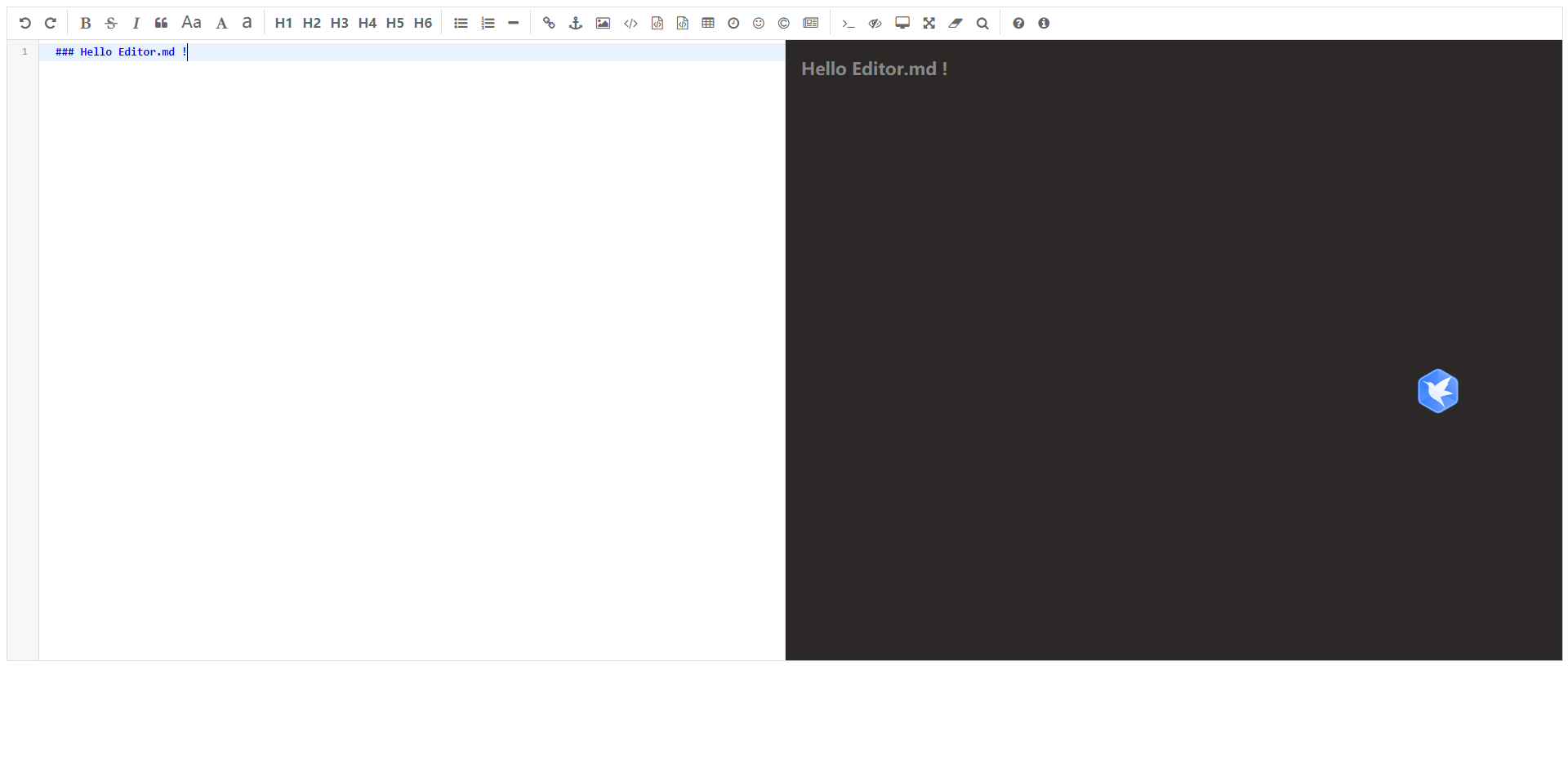
2、实现一个简单的markdown
<!--引入 editormd  css核心类-->
<link rel="stylesheet"  href="/markdown/css/editormd.min.css" />

<div id="markdown">
    <textarea style="display: none;" name="markdown-doc" id="markdown-doc"> ### Hello Editor.md !</textarea>
</div>
	<!--引入jq核心类-->
	<script src="https://cdn.bootcss.com/jquery/1.11.3/jquery.min.js"></script>
	<!--引入 editormd js核心类-->
    <script src="/markdown/editormd.min.js" ></script>
    <script>
    $(function() {
        var editor = editormd("markdown", {
            width  : "100%",
            height : "600px",
            placeholder : "请输入要发布的内容...",
            htmlDecode : true,
            htmlDecode : "style,script,iframe",
            path   : "/markdown/lib/",
            //黑色背景
            previewTheme : "dark",

        });
    });

</script>
页面展示
3、文章管理的实现
文章管理我设计的还不是很完善,目前我只允许后台修改文章、删除文章、不能发布文章,我准备在前台实现文章的发布,后台的管理员用户,只能对文章修改或删除,可能今后还会增加审核或其他功能。
文章页面展示index.ctp代码:
代码比较简单,我就不做注解了
<div style="margin-bottom: 5px">
<span class="layui-breadcrumb">
<a href="">首页</a>
<a><cite>文章管理</cite></a>
</span>
</div>
<table class="layui-table">
<thead>
<tr>
<th>编号</th>
<th>文章发布者</th>
<th>文章标题</th>
<th>创建时间</th>
<th>修改时间</th>
<th>操作</th>
</tr>
</thead>
<tbody>
<?php foreach($params as $v): ?>
<tr>
<td><?=$v['Article']['id']?></td>
<td><?=$v['u']['username']?></td>
<td><?=$v['Article']['title']?></td>
<td><?= date('Y-m-d H:i:s',$v['Article']['create_time'])?></td>
<td><?=date('Y-m-d H:i:s',$v['Article']['update_time'])?></td>
<td>
<a class="layui-icon layui-icon-edit" href="/article/showDell?id=<?=$v['Article']['id']?>' "></a>
<a class="layui-icon layui-icon-subtraction"></a>
</td>
</tr>
<?php endforeach; ?>
</tbody>
</table>
<?php if($pageCount > 1): ?>
<nav aria-label="Page navigation">
<ul class="pagination">
<li <?php if($page == 1 || !$page): ?> class="disabled" <?php endif; ?> >
<a <?php if($page == 1 || !$page): ?> οnclick="return false" <?php endif; ?> href="/auth/index?page=<?= $page-1?>" aria-label="Previous">
<span aria-hidden="true" >«</span>
</a>
</li>
<?php for($i=0;$i<$pageCount;$i++): ?>
<li <?php if($page == $i+1): ?> class="active" <?php endif; ?>><a href="/auth/index?page=<?= $i+1 ?>"><?=$i+1?></a></li>
<?php endfor; ?>
<li <?php if($page == $pageCount): ?> class="disabled" <?php endif; ?> >
<a <?php if($page == $pageCount): ?> οnclick="return false" <?php endif; ?> href="/auth/index?page=<?= $page+1?>" aria-label="Next">
<span aria-hidden="true">»</span>
</a>
</li>
</ul>
</nav>
<?php endif; ?>
控制器ArticleController.php代码的实现:
<?php
/**
 * Created by PhpStorm.
 * User:  wyq
 * Date: 2021/7/21
 * Time: 10:17
 */

class ArticleController extends AppController
{
    public $components = array('publicFunction');

    /*
     * 显示文章列表
     */
    public function index(){
        $page = $_GET['page'] ? $_GET['page'] : 1;
        $limit = 10;
        $count = $this->Article->count();
        $pageCount = ceil($count / $limit);
        $data = $this->Article->findAll($page,$limit);
        if ($data){
            $this->set(array('params'=>$data,'page'=>$page,'pageCount' => $pageCount));
        }
    }

    /*
     * 显示文章修改页面
     */
    public function showDell(){
        $id = $_GET['id'];
        $data = $this->Article->findOne($id);
        $this->set('params',$data);
    }

    /*
     * 处理文章信息
     */
    public function dell(){
        $post = $_POST;
        $post['content'] = $post['markdown-doc'];
        $post['update_time'] = time();
        $data = $this->Article->dell($post);
        if ($data){
            $this->redirect('/article/index');
        }
    }
}
模型Article.php代码的实现:
<?php
/**
 * Created by PhpStorm.
 * User: wyq
 * Date: 2021/7/21
 * Time: 10:18
 */

class Article extends AppModel
{
    /*
     * 显示全部文章数量
     */
    public function count(){
        $this->setSource('article');
        $count = $this->find('count');
        return $count;
    }

    /*
     * 查询全部文章的信息
     */
    public function findAll($page,$limit){
        $this->setSource('article');
        $data = $this->find('all',array(
            'fields' => array('id','user_id','title','content','create_time','update_time','u.id','u.username'),
            'joins'=> array(
                array(
                    'table' => 'users',
                    'alias' =>'u',
                    'type' => 'left',
                    'conditions' => array('user_id = u.id')
                )
            ),
            'limit' => $limit,
            'page' => $page,
        ));
        return $data;
    }

    /*
     * 查询一篇文章的信息
     */
    public function findOne($id){
        $this->setSource('article');
        $data = $this->find('first',array(
            'conditions'=>array('id'=>$id)
        ));
        return $data;
    }


    /*
     * 文章处理
     */
    public function dell($data){
        $this->setSource('article');
        $res = $this->save($data);
        return $res;
    }
}
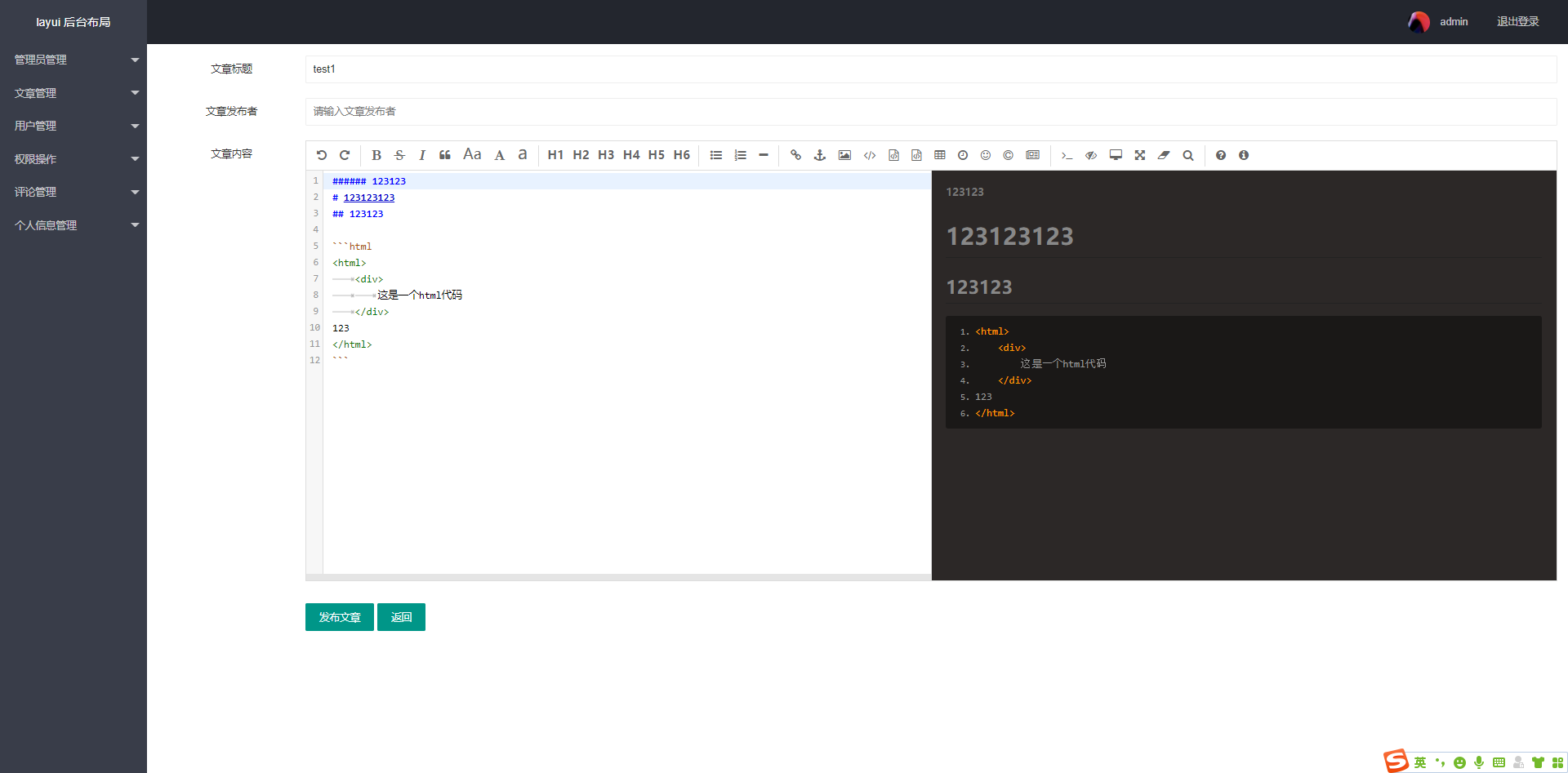
4、项目中集成markdown插件
文章详情页面show_dell.ctp
<link rel="stylesheet"  href="/markdown/css/editormd.min.css" />

    <div class="layui-form" >
        <form action="/article/dell" method="post">
            <div class="layui-form-item">
                <label class="layui-form-label" >文章标题</label>
                <div class="layui-input-block">
                    <input type="text" id="id" name="id" value="<?=$params['Article']['id']?>" hidden class="layui-input">
                    <input type="text" id="title" name="title" value="<?=$params['Article']['title']?>" placeholder="请输入文章标题" class="layui-input">
                </div>
            </div>

            <div class="layui-form-item">
                <label class="layui-form-label">文章发布者</label>
                <div class="layui-input-block">

                    <input type="text" id="user_name" name="user_name" placeholder="请输入文章发布者" class="layui-input">
                </div>
            </div>

            <div class="layui-form-item">
                <label class="layui-form-label" >文章内容</label>
                <div class="layui-input-block">
                    <div id="markdown">
                        <!--展示文章项目内容-->
                        <textarea style="display: none;" name="markdown-doc" id="markdown-doc"><?=$params['Article']['content']?></textarea>
                        <!--这里存储的是markdown生成的html代码-->
                        <textarea style="display: none;" id="markdown-html-code" name="markdown-html-code" ></textarea>
                    </div>
                </div>
            </div>
            <div class="layui-input-block">
                <div class="layui-inline">
                    <button type="submit" id="submit" class="layui-btn" >发布文章</button>
                </div>
                <div class="layui-inline">
                    <a type="button" href="/article/index" class="layui-btn" >返回</a>
                </div>
            </div>
        </form>
    </div>

    <script src="/markdown/editormd.min.js" ></script>

    <script>
    $(function() {
		//初始化一个markdown编辑器
        var editor = editormd("markdown", {
            width  : "100%",
            height : "600px",
            placeholder : "请输入要发布的内容...",
            //遇到script iframe style 等需要转义,防止xss攻击
            htmlDecode : true,
            htmlDecode : "style,script,iframe",
            path   : "/markdown/lib/",
            //黑色
            previewTheme : "dark",

        });
    });

</script>
页面展示
总结
总的来说实现改代码不算复杂,但是因为第一次使用该编辑器,并且他的官方文档我也觉得不实惠好理解,所以实现过程中还是遇到了一些困难的。

北京人形旗下天工造物具身智能开源社区,聚焦具身天工与慧思开物两大平台
更多推荐
 0
0 0
0- 0


 已为社区贡献5条内容

所有评论(0)