flutter 极光推送之一级页面跳转
·
注:本文不包含极光官网配置操作,需要的小伙伴请看:
https://blog.csdn.net/llh_llh_/article/details/117959946?spm=1001.2014.3001.5501
一:自建并使用工具类
1:项目创建 utils 包;在utils 下面创建 AppJPush 工具类
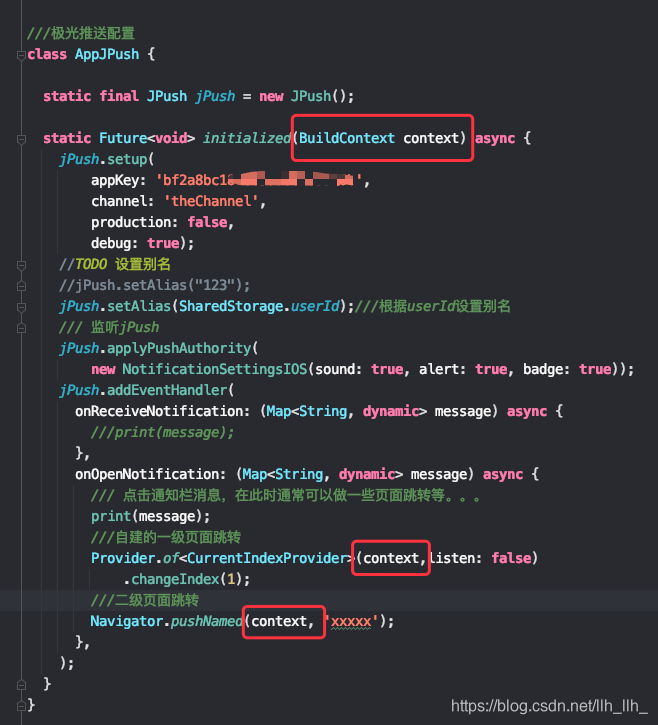
import '../providered/provider/current_index_provider.dart';
import 'package:flutter/cupertino.dart';
import 'package:jpush_flutter/jpush_flutter.dart';
import 'package:provider/provider.dart';
import '../caches/caches_index.dart';

///极光推送配置
class AppJPush {

  static final JPush jPush = new JPush();

  static Future<void> initialized(BuildContext context) async {
    jPush.setup(
        appKey: 'bf2a8bc1834364565757',///ios key
        channel: 'theChannel',
        production: false,
        debug: true);
    //TODO 设置别名
    //jPush.setAlias("123");
    jPush.setAlias(SharedStorage.userId);///根据userId设置别名
    /// 监听jPush
    jPush.applyPushAuthority(
        new NotificationSettingsIOS(sound: true, alert: true, badge: true));
    jPush.addEventHandler(
      onReceiveNotification: (Map<String, dynamic> message) async {
        ///print(message);
      },
      onOpenNotification: (Map<String, dynamic> message) async {
        /// 点击通知栏消息,在此时通常可以做一些页面跳转等。。。
        print(message);
        ///自建的一级页面跳转
        Provider.of<CurrentIndexProvider>(context,listen: false)
            .changeIndex(1);
        ///二级页面跳转
        ///Navigator.pushNamed(context, 'xxxxx');
      },
    );
  }
}
2:使用 :我是放在IndexPage类下面initState方法里面的,IndexPage是管理底部导航栏跳转的类。不要放到main方法直接return的那个类里。
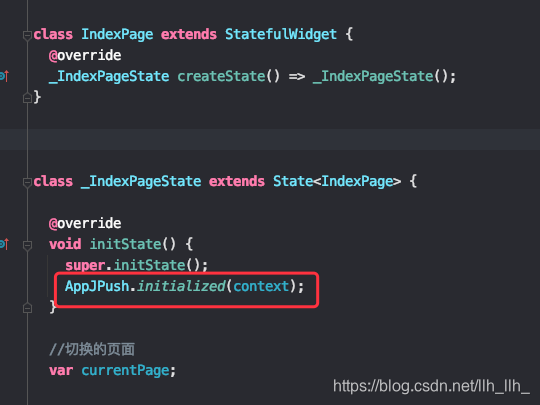
AppJPush.initialized(context);
到此可以正常使用。
二:一级页面跳转
上面的 Provider.of(context,listen: false).changeIndex(1); 是跳转到底部导航栏索引为1的页面。如果第一个导航栏叫“首页”的话,那么跳转到的就是首页右边的那一个页面。
主要使用flutter的provider来进行状态管理。
学习路径 :https://github.com/rrousselGit/provider/blob/master/resources/translations/zh-CN/README.md

北京人形旗下天工造物具身智能开源社区,聚焦具身天工与慧思开物两大平台
更多推荐
 0
0 0
0- 0


 已为社区贡献2条内容

所有评论(0)