HttpClient之返回cookie信息的get请求
·
一.moco框架mock接口信息
[
  {
    "description": "这是一个能返回cookies信息的get请求",
    "request": {
      "uri": "/getCookies",
      "method": "get"
    },
    "response": {
      "cookies": {
        "login": "true"
      },
      "text": "成功获取到cookies信息啦"

    }
  }
  ]
二.application.properties配置文件信息
test.url=http://localhost:8080
getCookies.uri=/getCookies
三.编写testNG测试方法
import java.util.Locale;
import java.util.ResourceBundle;

/**
 * Created with IntelliJ IDEA.
 *
 * @Auther: 目光定晴天
 * @Date: 2021/6/5 11:14
 * @Description:
 */
public class MyCookiesForGet {
    private String url;
    private ResourceBundle bundle;
    //用来存储cookies信息的变量
    private CookieStore cookieStore;

    //在测试方法执行前加载配置文件
    @BeforeTest
    public void beforeTest(){
        //如何读取配置文件?---java.util.ResourceBundle,只需要传参为配置文件的前缀即可
        bundle = ResourceBundle.getBundle("application", Locale.CHINA);
        url = bundle.getString("test.url");
    }
    //旧版httpclient4.1.2
    @Test
    public void testGetCookies1() throws IOException {
        //1.拼接组装URL
        String uri = bundle.getString("getCookies.uri");
        String testUrl = this.url + uri;
        //2.创建client对象(HttpClient无法获取cookie,只能通过DefaultHttpClient),get请求
        HttpGet get = new HttpGet(testUrl);
        DefaultHttpClient client = new DefaultHttpClient();

        //3.执行get请求,获得response对象
        HttpResponse response = client.execute(get);
        //4.获得响应正文
        String result = EntityUtils.toString(response.getEntity(),"utf-8");
        System.out.println(result);
        //5.获得cookiestore并为此类的全局变量赋值
        this.cookieStore = client.getCookieStore();
        //6.获取cookie,并打印输出
        List<Cookie> cookieList = this.cookieStore.getCookies();
        for (Cookie c:
             cookieList) {
            System.out.println("cookie name=" + c.getName() + ";cookie value=" + c.getValue());
        }

    }


    //新版httpclient4.5.2
    @Test
    public void testGetCookies() throws IOException {
        //从配置文件拼接测试的URL
        String uri;
        String testUrl;
        uri = bundle.getString("getCookies.uri");
        testUrl = this.url + uri;

        //获取get方法
        HttpGet get = new HttpGet(testUrl);

        //创建cookiestore
        CookieStore cookieStore = new BasicCookieStore();

        //创建CloseableHttpClient对象,同时设置cookiestore
        CloseableHttpClient client = HttpClients.custom().setDefaultCookieStore(cookieStore).build();

        //初始化response对象和正文响应字符串为null
        CloseableHttpResponse response = null;
        String result = null;
        //执行get方法
        try{
            response = client.execute(get);
            //为响应数据指定utf-8格式
            result = EntityUtils.toString(response.getEntity(),"utf-8");
            System.out.println(result);

            //获取cookiestore,为全局变量cookieStore赋值
            this.cookieStore = cookieStore;

            //打印输出
            List<Cookie> cookieList = this.cookieStore.getCookies();
            for (Cookie c:
                    cookieList) {
                System.out.println("cookie name=" + c.getName() + ";cookie value=" + c.getValue());
            }

        }catch (IOException e){
            e.printStackTrace();
        }finally {
            try {
                response.close();
            } catch (IOException e) {
                e.printStackTrace();
            }
            try {
                client.close();
            } catch (IOException e) {
                e.printStackTrace();
            }
        }
   }
   }
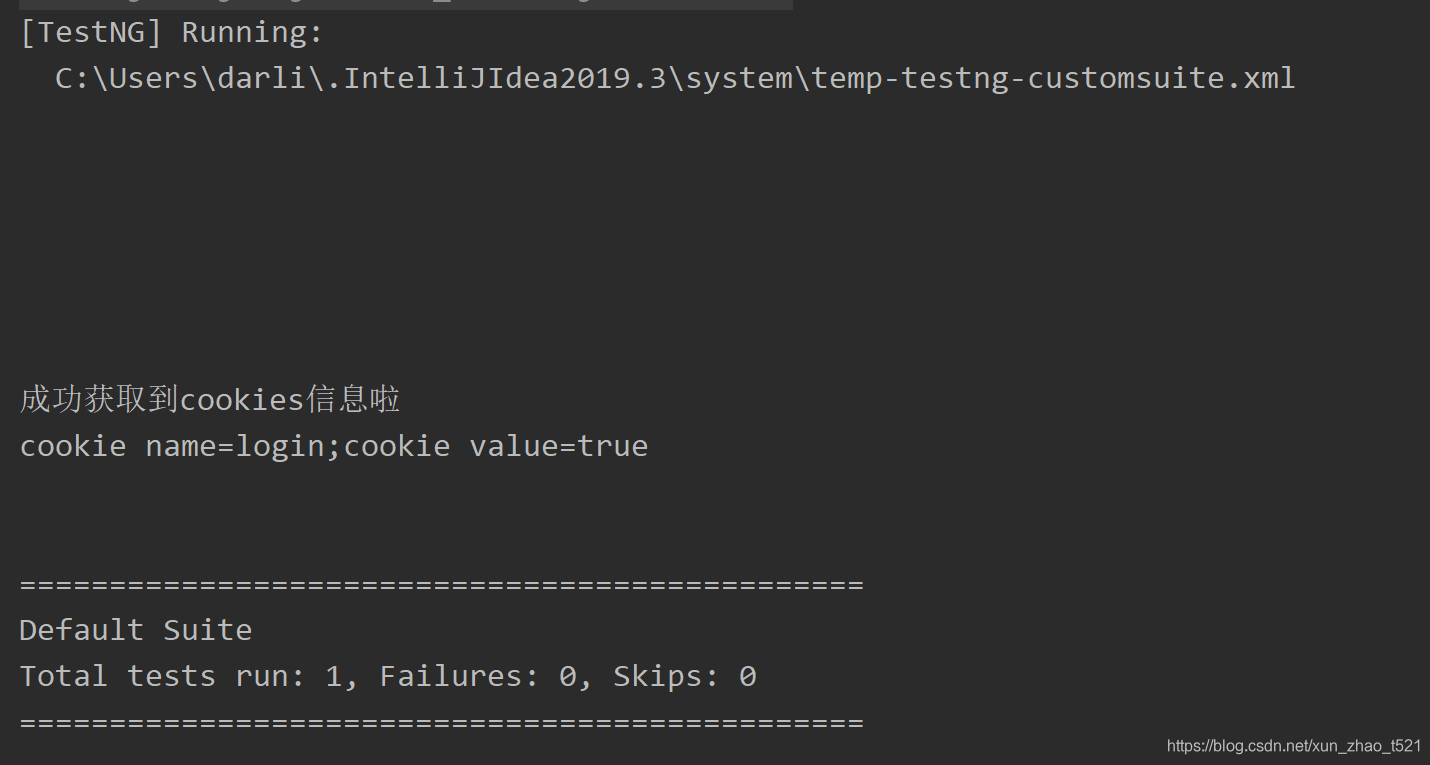
四.启动服务,测试运行

北京人形旗下天工造物具身智能开源社区,聚焦具身天工与慧思开物两大平台
更多推荐
 0
0 0
0- 0


 已为社区贡献14条内容

所有评论(0)